Best Higgsfield AI Alternatives for 2026 (5 Compared)
Need Higgsfield AI alternatives? We compare 5 tools on cost, free access and who each suits. Verdicts stay brief and factual. Built for quick decisions.
- Editor's choice
 HeyGen
Avatar presenter and talking-head video
Starts at$29 a monthVisit heygen.comFull review - Great alternative
 Kling AI
Multimodal video and image studio
Starts atSee websiteVisit klingai.comFull review - Also consider
 Pika
Multi-model video, image and audio creation
Starts at$10 per monthVisit pika.artFull review
Direct answer
HeyGen leads the list, best for avatar presenter and talking-head video. Listed starting prices: HeyGen from $29 a month and Pika from $10 per month. Alternatives: Kling AI for Multimodal video and image studio, and Pika for multi-model video, image and audio creation. All 5 tools are compared below on price, free plan and limits.
TL;DR:
- The list opens with HeyGen, aimed at avatar presenter and talking-head video.
- The cheapest monthly starting price in the list is $10 per month, offered by Pika.
- For Iterative creative work with context, Luma Dream Machine is worth a look.
- 2 of 5 tools offer a free plan: HeyGen, Pika.
Last checked November 2026. Prices and plan details were read from the vendors' own pages in November 2026; vendors change plans often, so confirm the current price on the vendor site before you buy.
Quick comparison
| Tool | Best for | Starts at | Free plan? | |
|---|---|---|---|---|
| HeyGen | Avatar presenter and talking-head video | $29 a month | Yes | Visit |
| Kling AI | Multimodal video and image studio | See website | Not stated | Visit |
| Pika | Multi-model video, image and audio creation | $10 per month | Yes | Visit |
 Hailuo AI | Social video, images and meme tools | See website | Not stated | Visit |
 Luma Dream Machine | Iterative creative work with context | See website | Not stated | Visit |
The full Higgsfield AI list
Choosing Higgsfield AI usually comes down to price, fit and limits. This LinkVetted guide sets 5 tools side by side on those three points, with the facts kept short and checkable.
HeyGen targets avatar presenter and talking-head video. HeyGen is built around avatar-led video instead of cinematic scene generation.
So it is a weak substitute if you want stylized footage or model variety. HeyGen starts at: $29 per month. You can start on HeyGen without paying.
Honest limits: Avatar look may not suit every brand.
- Cuts repeat filming
- Targeted at clear presenter videos
- Not a general cinematic video tool

Kling AI is aimed squarely at Multimodal video and image studio. Creators who require avatar presenters or audio-first tools should look at a dedicated choice instead.
In daily use, as a single-vendor studio, it does not offer the model switching that aggregator products supply, which matters if you want to compare outputs across engines. Kling AI shows no starting price here, so confirm the cost on the vendor site. Trial and free access: Not stated.
What Kling AI does well: Text.
Downsides: Single-vendor model set.
- Focus on high-quality output
- Image and reference inputs
- Studio interface takes learning

For multi-model video, image and audio creation, Pika is a natural candidate. Since Pika aggregates external models, the exact lineup and behavior can shift over time, so check current model support before committing.
In daily use, if your priority is a single proprietary model or avatar-based presenter videos, a more specialized tool may fit better. What you pay to start with Pika: $10 per month. Pika offers a free plan.
Where it is weaker: Model availability may change.
- Single creative workspace
- Also includes images and audio
- Less centred on avatar video
Hailuo AI is designed for social video, images and meme tools. The tool leans toward social and meme-oriented content, so teams needing long-form or avatar-driven corporate video may find it restricted.
Hailuo AI shows no starting price here, so confirm the cost on the vendor site. Free options: Not stated.
The main drawbacks: Fewer professional workflow features.
- Image and meme tools included
- Text or photo to video
- Geared toward short social formats
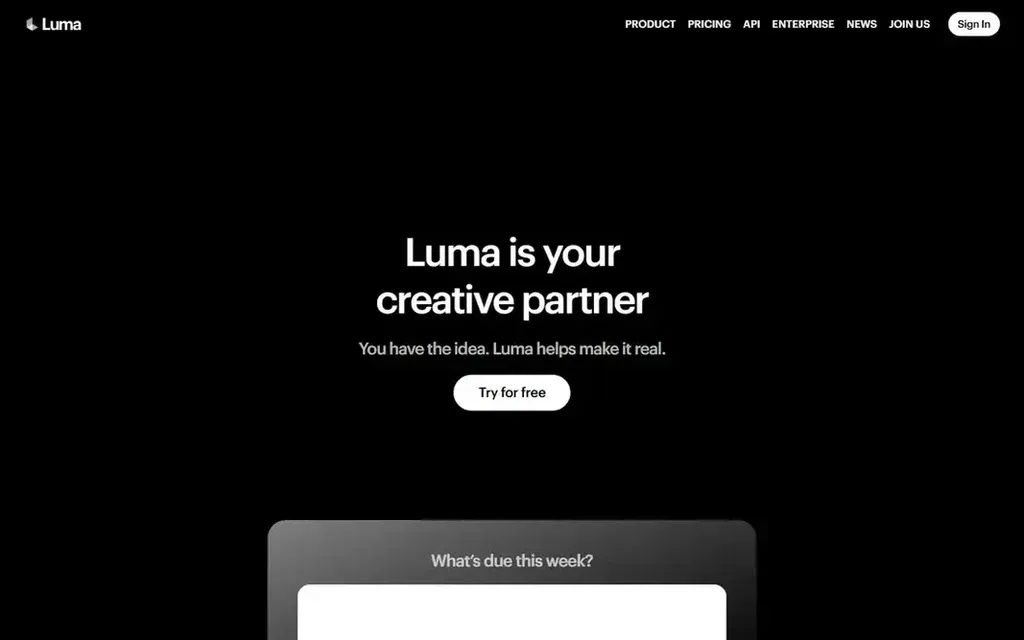
Luma Dream Machine makes the most sense for Iterative creative work with context. Luma Dream Machine is positioned as a set of creative agents for creative professionals, built to plan, create, iterate and refine whereas keeping full context across every stage of the work.
What to check first: Workflow may suit long projects over fast clips.
If you want access to plenty of competing models in one place, an aggregator-style system is the better comparison. Luma Dream Machine does not show a starting price in this comparison, so check the vendor site for current pricing. Free access: Not stated.
- Pitched at creative professionals
- Refine loops
- Less model variety than aggregators
How the list was put together
We compared the tools on published pricing, free plan or trial availability, feature coverage for Higgsfield AI, and the limits each vendor documents. Figures are shown as the vendors publish them. Billing terms, seat minimums and add-ons can change the real cost. The order reflects how well each tool fits the most common buying scenario for Higgsfield AI, then price clarity, then free plan access. It is a starting point, not a verdict.
A buyer's checklist
- Confirm the entry price on the vendor page. For Kling AI, Hailuo AI and Luma Dream Machine that means a quote rather than a fixed price.
- Check what the free option really includes: HeyGen and Pika offer a free plan, and usage caps differ.
- Before choosing HeyGen, weigh its main limit: not a general cinematic video tool.
- Price Pika for your actual team size; headline prices rarely include add-ons or overage.
- Find out whether the entry plan of HeyGen covers your must-haves or only a trimmed-down version.
FAQ
Can I use these tools for social media content?
Yes, most of them suit short-form social output. Hailuo AI explicitly comes with video, image and meme tools targeted at social creators, whereas Pika and Kling AI handle both video and image generation. Check each vendor's current features before planning a content calendar.
Can I try these tools before paying?
Often, yes. HeyGen and Pika have a free plan. Use your own data and a real task during the test, and check what the free tier or trial limits before you rely on it. Each of the 5 options in this Higgsfield AI alternatives guide has its own card above with the price, free plan and limits.
Which options for Higgsfield AI have a free plan?
On this list, HeyGen and Pika include a free plan. Caps on seats, usage or features are common, so test the free plan against your real workload.
Which alternative is best for avatar videos?
HeyGen is the pick this page puts first, mainly for avatar presenter and talking-head video. If your situation differs, Kling AI suits Multimodal video and image studio, and Pika suits multi-model video, image and audio creation. Compare price and limits before you decide.
Do these tools publish their prices?
Not all of them. Kling AI, Hailuo AI and Luma Dream Machine publish no starting price, so expect a quote request for those. The rest, HeyGen included, show a starting price, though seats and billing terms still change the final cost.
What is the cheapest option for Higgsfield AI in this list?
On published monthly entry prices, Pika is the lowest here at $10 per month. Entry price is only part of the cost, because seats, add-ons and billing terms can change the total. All 5 picks in this Higgsfield AI alternatives comparison list a starting price, free plan details and the main limits on their cards above.
Sources
- https://www.heygen.com
- https://klingai.com
- https://pika.art
- https://hailuoai.video
- https://lumalabs.ai/dream-machine