Best InVideo AI Alternatives in 2026: 8 Video Tools Compared
Looking for invideo ai alternatives? We compare 8 video tools for script-to-video, avatars, and editing so you can pick the right one for your channel.

- Editor's choice
 Pictory
Script-to-video with stock footage
Starts at$25 per monthVisit pictory.aiFull review - Great alternative
 Synthesia
Avatar training videos
Starts at$18 per monthVisit synthesia.ioFull review - Also consider
 HeyGen
Avatar videos and translation
Starts at$24 per monthVisit heygen.comFull review
TL;DR:
- InVideo AI suits prompt-to-video marketing clips, but credit costs vary a lot by model and quality.
- Pictory is the best script-to-video pick for faceless videos built from articles and stock footage.
- Synthesia and HeyGen suit training and presenter videos with AI avatars.
- Runway suits creators who want original generated footage rather than stock clips.
- Descript suits creators who already film themselves and want text-based editing.
Quick comparison
| Tool | Best for | Starts at | Free plan? | |
|---|---|---|---|---|
| Pictory | Script-to-video with stock footage | $25 per month | Free trial | Visit |
| Synthesia | Avatar training videos | $18 per month | Yes | Visit |
| HeyGen | Avatar videos and translation | $24 per month | Yes | Visit |
 Runway | Original generated footage | $12 per month | Yes | Visit |
 Fliki | Voice-first videos on a budget | See website | Yes | Visit |
 VEED | Editing with AI tools | See website | Yes | Visit |
 Kapwing | Social video editing | $16 per month | Yes | Visit |
 Descript | Text-based video editing | $24 per month | Yes | Visit |
The best InVideo AI alternatives
InVideo AI turns a prompt into a finished marketing video, which is a strong idea for busy creators. People look for invideo ai alternatives when credits run out fast, when they want an avatar presenter, or when they want to edit their own footage. The eight tools below split by job: stock video from text, avatar presenters, generated footage, and editing.

Pictory is the most direct replacement for faceless video from text. It fits bloggers, marketers, and course creators turning articles into short videos.
Its strength is matching a script to stock clips, with captions and voiceover added in the same flow. You paste a script or article link, pick a voice, and edit scenes as text rather than on a timeline.
The honest weakness is export limits on trial, plus a stock look that needs good editing to stand out. Pick Pictory if your videos start as words, not as filmed footage.
- Turns scripts and articles into video
- Large stock library
- Auto captions
- Trial limits exports
- No avatar presenters by default
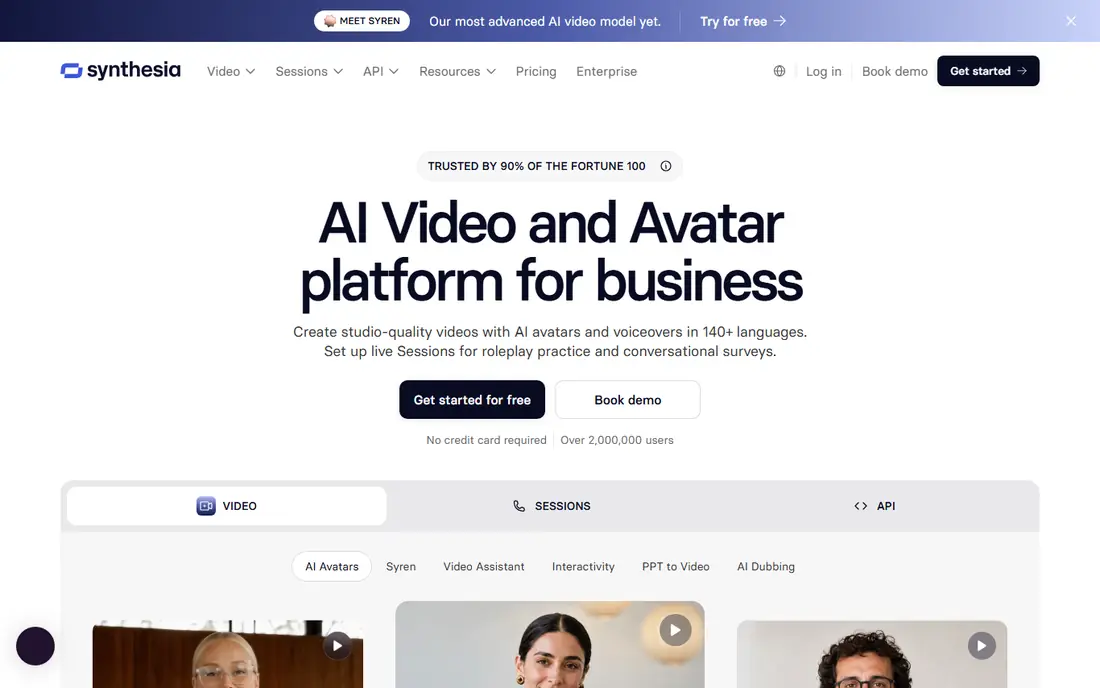
Synthesia turns a training script into a presenter video without a camera or studio. It fits companies making onboarding, compliance, and how-to videos at scale.
Its strength is consistency, with stock avatars, templates, and dubbing across many languages. You write a script, pick an avatar and template, and update the video by editing text.
The honest weakness is warmth, since avatars still read as synthetic next to a real presenter. Choose Synthesia for internal training where speed and updates matter more than charisma.
- Large avatar library
- Many languages
- Templates for training
- Avatar videos can feel stiff
- Longer videos need higher plans

HeyGen suits creators who want to appear on camera without filming every script. It fits marketers and educators who publish in several languages or reuse one presenter.
Its strength is translation and cloning, so one script can become several localized presenter videos. You create or pick an avatar, add a script, and translate the result with matched lip movement.
The honest weakness is the free tier, which only allows short watermarked videos for testing. Pick HeyGen if avatars and localization are the job, and test your avatar on a real script first.
- Digital twins and voice cloning
- Video translation with lip-sync
- Many avatars
- Free plan is short and watermarked
- Avatar quality varies by plan
Runway is the creative tool for footage that does not exist yet. It fits filmmakers, advertisers, and social creators who want original clips from prompts.
Its strength is generation quality, with controls for camera movement, style, and motion. You prompt a scene, refine the result, and use editing tools to restyle or extend clips.
The honest weakness is cost and skill, since heavy use burns credits and weak prompts give weak clips. Choose Runway if original footage matters, and budget credits like film stock, not like a flat subscription.
- Text and image to video
- Strong creative controls
- Editing tools
- Credits burn fast
- Learning curve for good prompts
Fliki is the value pick for narrated videos built from a script. It fits faceless channels, news summaries, and educators who need clear voiceover.
Its strength is voices, with a large library across many languages and voice cloning on higher plans. You split a script into scenes, pick a voice, and match stock media to each scene.
The honest weakness is visual sameness, since stock scenes can look generic without careful editing. Pick Fliki if voice quality and price matter most, and check the monthly minute limits.
- Many AI voices
- Blog to video
- Translation options
- Stock footage look
- Higher tiers needed for long videos
VEED is the editor for creators who film or upload footage and want a fast finish. It fits social teams and YouTubers who need subtitles, cuts, and branded exports.
Its strength is browser editing, with subtitles, templates, and AI tools in one timeline. You upload clips, auto-generate captions, trim by text or timeline, and export for each platform.
The honest weakness is price for heavy use, since full exports and AI features sit on paid plans. Choose VEED if you already have footage and need a fast, shareable edit.
- Browser editing
- Auto subtitles
- AI avatars and voice tools
- Paid plans needed for full HD exports
- Credit limits apply
Kapwing is the social-first editor that keeps short-form work quick. It fits creators and small teams making Reels, Shorts, and TikTok clips every week.
Its strength is speed for social formats, with templates, captions, and resizing for each platform. You drop in clips, add captions and safe zones, and export vertical, square, or wide versions.
The honest weakness is the free tier, since exports carry a watermark until you pay. Pick Kapwing if social volume is the job and you want one tool for captions and formats.
- Easy social templates
- Auto captions
- Team sharing
- Free exports are watermarked
- Advanced AI needs paid plans
Descript changes editing by letting you cut video the way you edit a document. It fits podcasters, YouTubers, and trainers who record themselves and hate timelines.
Its strength is text editing, where deleting a sentence deletes that part of the video. You transcribe a recording, edit the transcript, remove filler words, and polish audio with studio tools.
The honest weakness is that it needs your footage, so it will not generate a video from a prompt. Choose Descript if you film yourself and want editing to feel like writing, not cutting film.
- Edit video by editing text
- Studio sound
- Screen recording
- Needs your own footage
- AI features use credits
How we picked these
We compared official pricing pages, free plans, export rules, and video styles for each tool. We separated stock video, avatar video, generated footage, and editing, since a tool that excels at one often misses another. We did not claim hands-on testing, and we treated vendor pages and pricing docs as our sources. Tools that had shut down were left out.
How to choose an InVideo AI replacement
Start with the video style, not the price. A faceless channel needs script-to-video, a training team needs avatars, a filmmaker needs generated footage, and a talking-head creator needs editing. Buying the wrong style wastes the subscription even if the price looks good. Watch sample videos from each tool in your niche before you pay.
Next, check credits, minutes, and export rules together. Many tools now charge by credits, and the cost per finished minute varies by model, length, and resolution. Check whether the free plan exports a usable video or only a preview, and whether exports carry a watermark. Run one full video, from script to export, during a trial.
Protect your channel from generic output
AI video can look alike across channels, so add your own hook. Use your own script structure, your own voice choices, and your own editing choices for pacing and captions. Check stock licences and avatar consent rules before publishing client work. A tool should speed your voice, not replace it.
FAQ
What are the best invideo ai alternatives?
Pictory is the best invideo ai alternative for script-to-video, while Synthesia and HeyGen lead for avatar videos. Runway leads for original generated footage, and Descript leads for editing your own recordings. Fliki is the budget pick for voice-first videos.
Is there a free alternative to InVideo AI?
Yes, Fliki, HeyGen, Synthesia, Runway, VEED, Kapwing, and Descript offer free plans or trials. Free exports are often watermarked or limited in length, so check export rules before you rely on one. Pictory offers a trial rather than a lasting free plan.
Which tool is best for faceless YouTube videos?
Pictory and Fliki suit faceless YouTube videos built from scripts and stock footage with voiceover. Pictory is stronger for article-to-video work, while Fliki is stronger for voice variety and price. Both need careful editing to avoid a generic stock look.
Can AI avatars replace a real presenter?
Avatars work well for training, updates, and localized videos where speed matters. They still feel less warm than a real presenter for sales and personal brands. Test an avatar video with your real audience before replacing filmed presenters.
Do AI video tools own my video?
Licence terms vary, so check commercial use rights on the plan you buy, especially for client work and ads. Free plans often limit commercial use or add branding. Keep your scripts and project files so you can rebuild a video if you switch tools.