5 EasyEDA Alternatives Worth Switching To in 2026
Compare 5 picks for EasyEDA alternatives, with prices, free plans and who each fits. Price notes and drawbacks come with each one. Reviewed this month.
- Editor's choiceProteus Design Suite
Mixed circuit simulation and PCB layout
Starts atPricing on requestVisit labcenter.comFull review - Great alternativeCadence Allegro
Enterprise PCB design and analysis workflows
Starts atPricing on requestVisit cadence.comFull review - Also considerKiCad
Open-source schematic and PCB work on any OS
Starts atPricing on requestVisit kicad.orgFull review
Direct answer
If you need mixed circuit simulation and PCB layout, Proteus Design Suite is the first tool to look at here. Cadence Allegro fits enterprise PCB design and analysis workflows; KiCad fits open-source schematic and PCB work on any OS. Free plan facts and limits for all 5 tools follow. None of these vendors publish plan prices, so pricing is on request for every option.
TL;DR:
- Proteus Design Suite sits first on this list: mixed circuit simulation and PCB layout.
- Altium Designer suits professional schematic-to-manufacturing product teams.
- Pricing across the list, from Proteus Design Suite to Altium Designer, is by quote only.
- Neither Proteus Design Suite nor Altium Designer, nor any of the other 3 tools, has a permanent free plan; trials and quotes are the norm.
- What to know about Siemens Xpedition first: enterprise focus can overwhelm small projects.
Last checked November 2026. Pricing on request: vendors did not publish plan prices when this guide was last checked (November 2026), so ask each vendor for a written quote.
Quick comparison
| Tool | Best for | Starts at | Free plan? | |
|---|---|---|---|---|
| Proteus Design Suite | Mixed circuit simulation and PCB layout | Pricing on request | Not stated | Visit |
| Cadence Allegro | Enterprise PCB design and analysis workflows | Pricing on request | Not stated | Visit |
| KiCad | Open-source schematic and PCB work on any OS | Pricing on request | Not stated | Visit |
| Siemens Xpedition | Scalable PCB design from solo engineers to enterprises | Pricing on request | Not stated | Visit |
| Altium Designer | Professional schematic-to-manufacturing product teams | Pricing on request | Not stated | Visit |
Tool-by-tool breakdown
This LinkVetted guide covers 5 options for EasyEDA. Each profile lists a starting price, free plan details, strengths and drawbacks, so you can drop poor fits quickly.
Proteus Design Suite
Best for: Mixed circuit simulation and PCB layout
Proteus Design Suite targets mixed circuit simulation and PCB layout. The simulation strength makes it a solid fit for designers who want to test microcontroller and analog circuits before committing to a board.
Where it falls short: Less suited to very large enterprise flows.
No starting price is listed for Proteus Design Suite here; confirm pricing on the vendor site. Free access: Not stated.
- MCAD integration for mechanical fit
- PCB autorouting included
- Simulation focus may exceed straightforward layout needs
Cadence Allegro
Best for: Enterprise PCB design and analysis workflows
Cadence Allegro is a good fit for enterprise PCB design and analysis workflows. Teams moving from a straightforward browser editor into serious multilayer work frequently encounter Allegro as a standard enterprise choice.
Cadence Allegro does not show a starting price in this comparison, so check the vendor site for current pricing. Free access: Not stated.
Watch-outs: Steep ramp-up time for newcomers.
- Long-established professional PCB product
- Fits complicated
- Oriented toward large engineering organizations
KiCad
Best for: Open-source schematic and PCB work on any OS
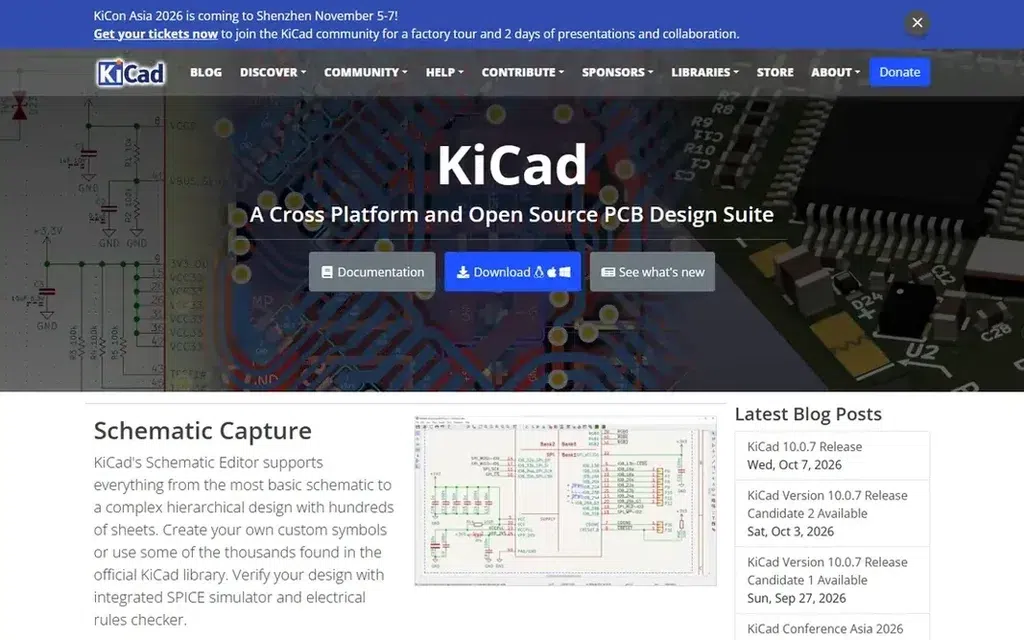
KiCad is designed for open-source schematic and PCB work on any OS. KiCad is open-source electronics CAD including schematic capture, PCB design and 3D viewing across Windows, macOS and Linux. The combination of schematic editor, board layout and 3D inspection in one suite makes it a natural step up from a browser-based tool.
Limits to weigh: No vendor-backed commercial support level.
In daily use, being community-driven, it lacks the vendor support and tightly integrated simulation depth of commercial suites. In daily use, since it stays free to use, it fits students, hobbyists and small teams that want a capable desktop workflow without licensing overhead. Designers who need advanced simulation alongside layout, like Proteus users, or enterprise-scale collaboration should weigh a commercial choice instead. No starting price is listed for KiCad here; confirm pricing on the vendor site. Trial and free access: Not stated.
- MacOS and Linux
- Runs on Windows
- Advanced enterprise collaboration is restricted
Siemens Xpedition
Best for: Scalable PCB design from solo engineers to enterprises
Siemens Xpedition is aimed squarely at scalable PCB design from solo engineers to enterprises. That range means the same ecosystem can support a single designer early on and expand as a team and its board complexity grow.
The enterprise orientation can feel heavy for a straightforward two-layer board, and setup takes more effort than a light editor. Siemens Xpedition shows no starting price here, so confirm the cost on the vendor site. Free access: Not stated.
Watch-outs: Configuration complexity for straightforward boards.
- Positioned as industry-leading PCB design
- Product family scales with team size
- Enterprise focus can overwhelm small projects
Altium Designer
Best for: Professional schematic-to-manufacturing product teams

Altium Designer was built for professional schematic-to-manufacturing product teams. Altium Designer is the engine behind Altium Develop and Altium Agile, described by the vendor as a best-in-class PCB design tool for high-performance product teams.
The depth that makes it capable also makes it more than a casual hobbyist needs, and smaller projects may not use much of the feature set. Teams wanting a lighter open-source route should look at KiCad, whereas those already inside a large enterprise flow may prefer Cadence Allegro or Siemens Xpedition. Altium Designer does not show a starting price in this comparison, so check the vendor site for current pricing. On free options: Not stated.
Drawbacks to consider: Pitched at professional instead of casual users.
What users get: layout and manufacturing flow.
- Unified schematic, simulation
- Backs the wider Altium Develop and Agile offerings
- Heavier than a browser-based hobby editor
How the list was put together
Each tool was reviewed on what its vendor publishes: price, plan limits, core features and stated drawbacks. We did not run hands-on tests. Where a price is missing, the vendor does not list one publicly or ties it to a quote. Always confirm before budgeting. Tools are placed by general fit for EasyEDA, with price clarity and free access as tie-breakers. A different team can reasonably rank them differently.
What to check before you buy
- Confirm the entry price with every vendor: no tool from Proteus Design Suite to Altium Designer shows a fixed starting price.
- Before choosing Proteus Design Suite, weigh its main limit: simulation focus may exceed straightforward layout needs.
- Check the support hours and onboarding help KiCad offers; smaller vendors vary a lot here.
- Check whether Siemens Xpedition bills monthly or annually, and what cancelling early costs.
- Price Altium Designer for your actual team size; headline prices rarely include add-ons or overage.
FAQ
How are the tools for EasyEDA ordered?
The order follows typical fit for EasyEDA, with Proteus Design Suite first and Altium Designer last, then price clarity and free access. It is editorial judgement, not a score, so another team could rank the tools differently.
Does any tool for EasyEDA here have a free plan?
No tool in this list, Proteus Design Suite and Altium Designer included, has a permanent free plan. Trials and quotes are the usual route, so plan a short evaluation period.
Is Proteus Design Suite the right pick for everyone comparing EasyEDA?
No single tool suits every team. Proteus Design Suite comes first because it fits mixed circuit simulation and PCB layout, while Cadence Allegro suits enterprise PCB design and analysis workflows and KiCad suits open-source schematic and PCB work on any OS. Match the tool to your own size, budget and workflow before deciding.
Do these tools publish their prices?
No. None of the tools, from Proteus Design Suite to Altium Designer, shows a fixed starting price here, so budget time for quotes.
Do these tools include circuit simulation?
Proteus Design Suite is the clearest simulation-focused choice here, pairing schematic capture with advanced simulation. Altium Designer also documents simulation within its flow.
Sources
- https://www.labcenter.com
- https://www.cadence.com/en_US/home/tools/pcb-design-and-analysis/allegro.html
- https://www.kicad.org
- https://eda.sw.siemens.com/en-US/pcb/xpedition
- https://www.altium.com/altium-designer