5 Dolphin Imaging Alternatives Worth Switching To in 2026
Dolphin Imaging alternatives, compared. 5 tools with published prices, free plans and limits. The catches are listed up front. Reviewed in November 2026.
- Editor's choiceVatech Ez3D-i
Vatech CBCT image review
Starts atPricing on requestVisit vatech.comFull review - Great alternativeOsiriX MD
Adaptable DICOM viewing and review
Starts atPricing on requestVisit osirix-viewer.comFull review - Also consider
 Apteryx XVWeb
Cloud-oriented dental imaging access
Starts atPricing on requestVisit apteryx.comFull review
Direct answer
Our first pick is Vatech Ez3D-i, best for Vatech CBCT image review. Look at OsiriX MD for adaptable DICOM viewing and review, and at Apteryx XVWeb for cloud-oriented dental imaging access. Free plan facts and limits for all 5 tools follow. None of these vendors publish plan prices, so pricing is on request for every option.
TL;DR:
- Vatech Ez3D-i takes the first slot, best suited to Vatech CBCT image review.
- Sirona Sidexis is the one to check for connected dental practice imaging workflow.
- Before buying Apteryx XVWeb, weigh this: depends on stable internet access.
- None of the 5 tools, from Vatech Ez3D-i to Sirona Sidexis, has a free plan, so budget for a subscription or use a trial.
- Vatech Ez3D-i, Sirona Sidexis and the 3 others all sell by quote; expect sales conversations before you see a price.
Last checked November 2026. Pricing on request: vendors did not publish plan prices when this guide was last checked (November 2026), so ask each vendor for a written quote.
Quick comparison
| Tool | Best for | Starts at | Free plan? | |
|---|---|---|---|---|
| Vatech Ez3D-i | Vatech CBCT image review | Pricing on request | Not stated | Visit |
| OsiriX MD | Adaptable DICOM viewing and review | Pricing on request | Not stated | Visit |
| Apteryx XVWeb | Cloud-oriented dental imaging access | Pricing on request | Not stated | Visit |
| 3D Slicer | Open source advanced image analysis | Pricing on request | Not stated | Visit |
| Sirona Sidexis | Connected dental practice imaging workflow | Pricing on request | Not stated | Visit |
The 5 tools in detail
This LinkVetted guide covers 5 options for Dolphin Imaging. Each profile lists a starting price, free plan details, strengths and drawbacks, so you can drop poor fits quickly.
Vatech Ez3D-i
Best for: Vatech CBCT image review
Where Vatech Ez3D-i fits: Vatech CBCT image review. Ez3D-i is most handy when your scans come from Vatech equipment, so practices with mixed hardware may need an extra general viewer.
What to check first: Tied to Vatech equipment.
From a buyer's view, for broader or vendor-neutral image handling, a DICOM tool for example OsiriX MD or 3D Slicer can fill the gap. Vatech gives you dental digital X-ray, CBCT and related dental imaging equipment and options, and Ez3D-i is its imaging software for reviewing scans from those systems. Vatech Ez3D-i shows no starting price here, so confirm the cost on the vendor site. Free options: Not stated.
- Backed by a dental imaging vendor
- Supports CBCT-based review
- Less handy for non-Vatech scans
OsiriX MD
Best for: Adaptable DICOM viewing and review
OsiriX MD works best for adaptable DICOM viewing and review. OsiriX MD is a DICOM viewer widely known among medical imaging professionals for reviewing and working with medical images.
Trade-offs to know: Advanced use needs familiarity.
It is a reasonable alternative when the priority is a capable general-purpose viewer instead of a dental-specific suite. This comparison lists no price for OsiriX MD; ask the vendor. Trial and free access: Not stated.
- Takes care of medical image review
- Well-known DICOM viewer
- Mac-oriented product
Apteryx XVWeb is designed for cloud-oriented dental imaging access. Apteryx XVWeb is a dental imaging product from Apteryx, a vendor known for imaging software used in dental practices. It is usually associated with a web-based approach to storing and viewing images, which can appeal to practices that want to access imaging from more than one location or workstation without heavy local installation.
A web-based model relies on steady internet connectivity, and the exact feature set can vary with how the practice configures it. If you need deep offline analysis or open source adaptability, a desktop viewer like 3D Slicer or OsiriX MD may serve better as a complement. Apteryx XVWeb shows no starting price here, so confirm the cost on the vendor site. As for free access: Not stated.
Where it is weaker: Feature detail varies by setup.
- Web-based access model
- Dental-focused imaging product line
- Depends on stable internet access
3D Slicer
Best for: Open source advanced image analysis
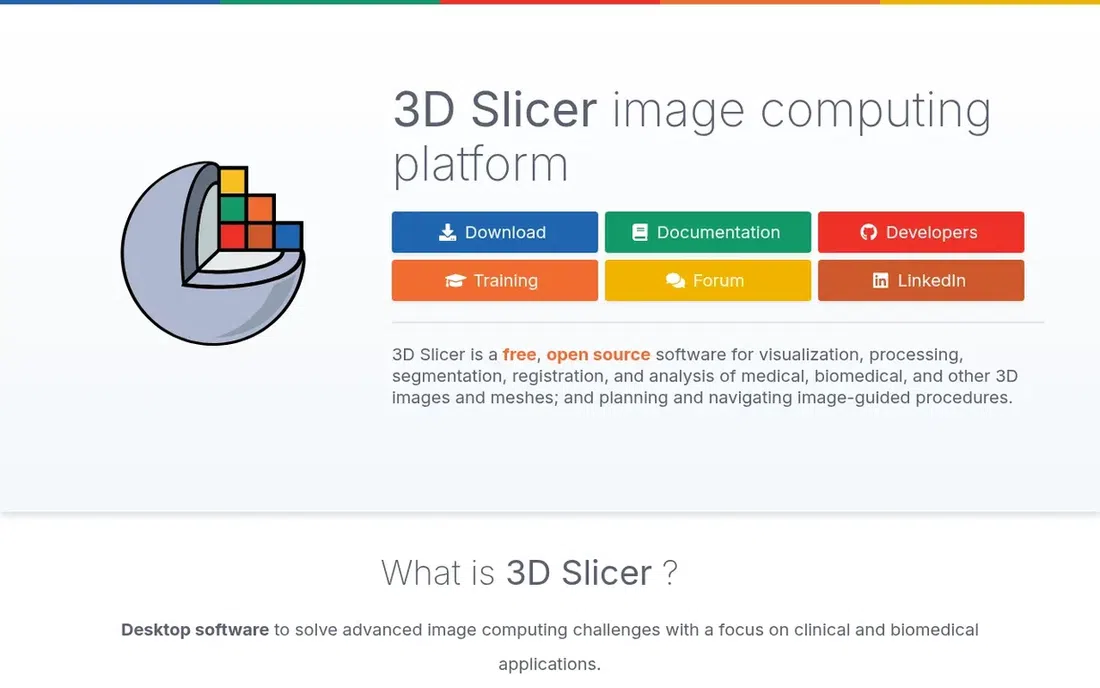
Choose 3D Slicer for open source advanced image analysis. Practices that want a straightforward chairside viewer or tight integration with their imaging hardware may prefer a vendor-specific product instead.
3D Slicer is a free, open source image computing product for visualization, processing, segmentation, registration and analysis of medical, biomedical and other 3D images and meshes, including planning and navigating image-guided procedures. Its breadth includes complexity, so new users should expect a ramp-up time, and it is not designed around dental practice management workflows. Pricing for 3D Slicer is not stated here, so ask the vendor for current figures. As for free access: Not stated.
Honest limits: Not a dental-specific workflow tool.
- Supports image-guided procedure planning
- Free and open source
- Steep ramp-up time for beginners
Sirona Sidexis
Best for: Connected dental practice imaging workflow
Sirona Sidexis is a good fit for connected dental practice imaging workflow. It suits practices that already use or plan to adopt Dentsply Sirona equipment and want imaging handled inside a single vendor ecosystem instead of as a separate, standalone viewer.
In practice, in that case, a general DICOM tool like 3D Slicer or OsiriX MD may be a better fit for standalone image review. Sirona Sidexis shows no starting price here, so confirm the cost on the vendor site. Free options: Not stated.
Limits to weigh: Restricted detail on standalone use.
- Imaging integrated with chairside systems
- Pitched at simplifying practice workflows
- Tied to Dentsply Sirona ecosystem
How the list was put together
LinkVetted looked at what each vendor publishes: pricing, plan limits, feature coverage for Dolphin Imaging and stated drawbacks. No hands-on testing is claimed. Prices and plan limits come from vendor pages and can change, so confirm them on the vendor site before you buy. Tools are placed by general fit for Dolphin Imaging, with price clarity and free access as tie-breakers. A different team can reasonably rank them differently.
What to check before you buy
- Ask each vendor, from Vatech Ez3D-i to Sirona Sidexis, for a written quote; none of them publishes a starting price.
- Before choosing Vatech Ez3D-i, weigh its main limit: tied to Vatech equipment.
- Ask OsiriX MD about contract length, onboarding fees and user minimums before you sign.
- Check the integration list for Apteryx XVWeb against the tools you run today, and note which ones need a higher plan.
- Ask the daily users to test 3D Slicer on a live task before you roll it out to everyone.
FAQ
Is Vatech Ez3D-i the right pick for everyone comparing Dolphin Imaging?
No single tool suits every team. Vatech Ez3D-i comes first because it fits Vatech CBCT image review, while OsiriX MD suits flexible DICOM viewing and review and Apteryx XVWeb suits cloud-oriented dental imaging access. Match the tool to your own size, budget and workflow before deciding.
What should I check before switching imaging software?
Confirm hardware compatibility, DICOM import and export, workstation requirements, storage and backup approach, and available training. Testing with a sample of your own studies helps reveal workflow gaps before you commit.
Does any tool for Dolphin Imaging here have a free plan?
No tool in this list, Vatech Ez3D-i and Sirona Sidexis included, has a permanent free plan. Trials and quotes are the usual route, so plan a short evaluation period.
Can I try these tools before paying?
Not by default. None of the tools, from Vatech Ez3D-i to Sirona Sidexis, lists a free plan or a free trial here, so ask each vendor for a demo before committing.
How are the tools for Dolphin Imaging ordered?
Vatech Ez3D-i sits first and Sirona Sidexis last because the order follows typical fit for Dolphin Imaging, then price clarity and free access. It is a judgement call, so read each profile for fit and limits.
Sources
- https://www.vatech.com
- https://www.osirix-viewer.com
- https://www.apteryx.com
- https://www.slicer.org
- https://www.dentsplysirona.com