The 6 Best WordPress Maintenance Service for Small Business in 2026, Ranked
Best WordPress maintenance service for small business: 6 tools compared on price, free plans and fit. Every pick includes one clear drawback. Numbers first.
- Editor's choice
 Cloudways
Managed cloud hosting for small teams
Starts at$20 a monthVisit cloudways.comFull review - Great alternative
 SiteGround
Small business hosting with quick support
Starts atSee websiteVisit siteground.comFull review - Also consider
 WP Engine
Hands-off managed WordPress with capable support
Starts at$28.00 a monthVisit wpengine.comFull review
Direct answer
Cloudways comes first here, mainly for managed cloud hosting for small teams. Listed starting prices: Cloudways from $20 a month, WP Engine from $28.00 a month and Kinsta from $17.50 a month. Look at SiteGround for small business hosting with fast support, and at WP Engine for hands-off managed WordPress with solid support. The full list of 6 tools follows, with prices and free plan facts.
TL;DR:
- Cloudways is the opening pick, best for managed cloud hosting for small teams.
- The lowest published monthly entry price here is $1.49 per mailbox per month, from DreamHost.
- For all-in-one hosting, domains, and email, DreamHost is worth a look.
- A fair warning about Cloudways: cloud model may need some learning.
- Neither Cloudways nor DreamHost, nor any of the other 4 tools, has a permanent free plan; trials and quotes are the norm.
Last checked November 2026. Prices and plan details were read from the vendors' own pages in November 2026; vendors change plans often, so confirm the current price on the vendor site before you buy.
Quick comparison
| Tool | Best for | Starts at | Free plan? | |
|---|---|---|---|---|
| Cloudways | Managed cloud hosting for small teams | $20 a month | Free trial | Visit |
| SiteGround | Small business hosting with quick support | See website | Not stated | Visit |
| WP Engine | Hands-off managed WordPress with capable support | $28.00 a month | Not stated | Visit |
 Kinsta | Performance-focused WordPress sites | $17.50 a month | Free trial | Visit |
 Flywheel | Designers and agencies managing plenty of sites | $25 a month | Not stated | Visit |
 DreamHost | All-in-one hosting, domains, and email | $1.49 per mailbox per month | Not stated | Visit |
WordPress Maintenance Service for Small Business, one by one
If you are comparing WordPress maintenance service for small business, this page covers 6 tools in one place: what each is best for, what it costs to start, whether it has a free plan, and the main limit to know about.
Think of Cloudways for managed cloud hosting for small teams. Cloudways offers a managed cloud hosting system simplified for users, and its homepage positions it for small and midsize firms.
Drawbacks to consider: Cloud model may need some learning.
Firms that want the simplest possible hand-off should compare dedicated WordPress maintenance providers. For a small business, that means cloud infrastructure with management layered on top, reducing the server administration burden whereas keeping the adaptability of cloud hosting. Cloudways starts at: $20 per month. Free options: Free trial.
- Positioned for small and midsize companies
- Simplified server management
- Less of a WordPress-only maintenance service
SiteGround is aimed squarely at small business hosting with quick support. Companies needing agency-style multi-site management may prefer a specialist.
In practice, SiteGround presents web hosting with ultrafast speed, security, and quick expert support, pitched at helping domains thrive online. On top of that, SiteGround remains a practical fit for straightforward small business sites. No starting price is listed for SiteGround here; confirm pricing on the vendor site. Free access: Not stated.
Trade-offs to know: Less agency-oriented than some rivals.
- Security features included
- Quick and expert support emphasized
- Managed depth varies by plan
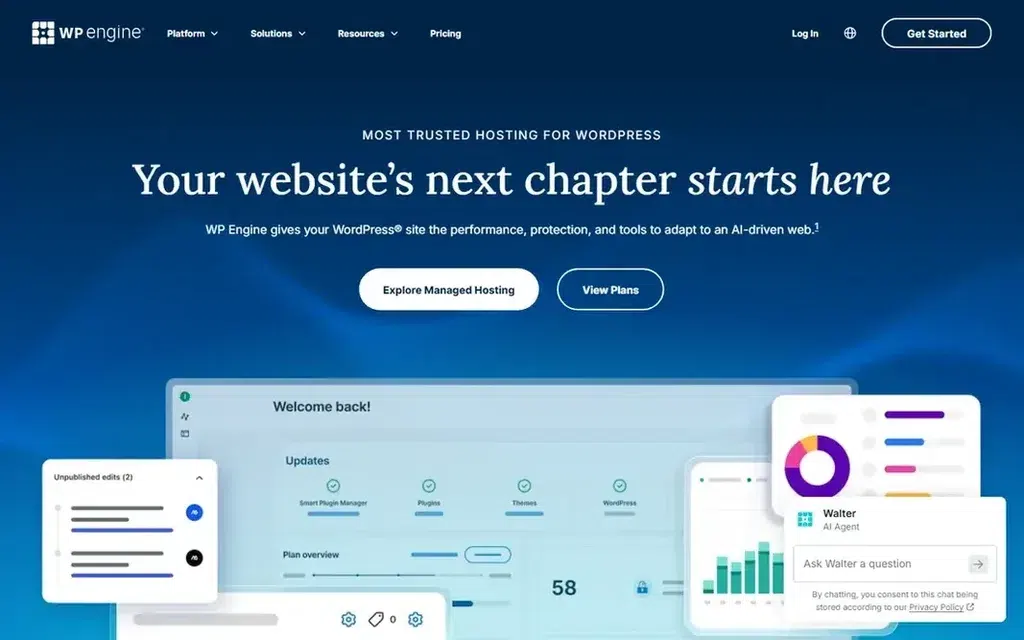
WP Engine works best for hands-off managed WordPress with strong support. WP Engine presents itself as a trusted website hosting product with round-the-clock support and security options.
From a buyer's view, if you need granular control over the hosting stack or plan to handle everything yourself, a less managed choice may suit you better. For everyday use, for a small business, that means routine maintenance tasks for example updates and monitoring are handled within a managed environment, so staff can focus on the business instead of server administration. What you pay to start with WP Engine: $28.00 per month. Free options: Not stated.
Drawbacks to consider: Less control over server-level settings.
- 24/7 support and security included
- Suited to small teams without IT staff
- May be more than a straightforward brochure site needs

Kinsta works best for performance-focused WordPress sites. Kinsta markets itself as just better hosting for WordPress, with enterprise-grade speed, security, and support.
Small firms that rely on quick page loads and dependable uptime will find the positioning relevant, since maintenance and infrastructure care sit with the provider. Price to start with Kinsta: $17.50 per month. Trial and free access: Free trial.
Where it falls short: Managed setup cuts server-level tinkering.
- Enterprise-grade speed and security emphasis
- Managed WordPress environment
- Performance focus may exceed entry-level needs
In short, Flywheel is for designers and agencies managing numerous sites. A small business working with an agency, or an in-house team handling multiple sites, can benefit from that multi-site management focus.
From a buyer's view, Flywheel is managed hosting aimed at designers and creative agencies, with tools to build, scale, and handle numerous WordPress sites. In practice, solo owners wanting a straightforward maintenance plan may find more straightforward choices elsewhere. What you pay to start with Flywheel: $25 per month. Free plan details: Not stated.
Limits to weigh: Less emphasis on general small business needs.
- Built for designers and creative agencies
- Managed hosting environment
- Agency orientation may not fit solo owners
DreamHost targets all-in-one hosting, domains, and email. Firms with complicated WordPress needs should confirm what maintenance is included.
DreamHost gives you domain names, web hosting, managed WordPress hosting, business email, and more, with an uptime guarantee and round-the-clock support. The starting price for DreamHost: $1.49 per mailbox per month. On free options: Not stated.
Trade-offs to know: Wide catalog can complicate plan choice.
- Domains, hosting
- 24/7 support
- Managed WordPress depth may be restricted
How we compared the tools
Each tool was reviewed on what its vendor publishes: price, plan limits, core features and stated drawbacks. We did not run hands-on tests. Where a price is missing, the vendor does not list one publicly or ties it to a quote. Always confirm before budgeting. Tools are placed by general fit for WordPress maintenance service for small business, with price clarity and free access as tie-breakers. A different team can reasonably rank them differently.
Before you commit
- Ask SiteGround for a written quote, since no starting price is shown.
- Run a trial of Cloudways and Kinsta with real work before paying for a year; your own workflow is the best test.
- Before choosing Cloudways, weigh its main limit: cloud model may need some learning.
- Test how quickly Flywheel answers a pre-sales question; it hints at how support will feel later.
- Check whether the features you need in WP Engine sit on the entry plan or only on higher tiers.
FAQ
How are the tools for WordPress maintenance service for small business ordered?
Cloudways sits first and DreamHost last because the order follows typical fit for WordPress maintenance service for small business, then price clarity and free access. It is a judgement call, so read each profile for fit and limits.
Can I try these tools before paying?
Often, yes. Cloudways and Kinsta offer a free trial. Use your own data and a real task during the test, and check what the free tier or trial limits before you rely on it. For the full picture, the cards above cover all 6 entries of this WordPress maintenance service for small business list, including price, free plan and limits.
Do these tools publish their prices?
Not all of them. SiteGround publishes no starting price, so expect a quote request for it. The rest, Cloudways included, show a starting price, though seats and billing terms still change the final cost. Prices, free plan details and limits for all 6 tools in this WordPress maintenance service for small business roundup sit on the individual cards above.
What is the cheapest option for WordPress maintenance service for small business in this list?
On published monthly entry prices, DreamHost is the lowest here at $1.49 per mailbox per month. Entry price is only part of the cost, because seats, add-ons and billing terms can change the total. Each of the 6 options in this WordPress maintenance service for small business guide has its own card above with the price, free plan and limits.
Is managed WordPress hosting the same as maintenance?
Managed WordPress hosting generally contains maintenance tasks within a supported environment, whereas a dedicated maintenance service may focus only on updates, backups, and security for a site hosted elsewhere. Check whether the provider you choose spans both hosting and upkeep.
Sources
- https://www.cloudways.com
- https://www.siteground.com
- https://wpengine.com
- https://kinsta.com
- https://getflywheel.com
- https://www.dreamhost.com