6 Best Whiteboard Apps for Online Tutoring Teams for 2026, Vetted and Compared
Best Whiteboard apps for online tutoring teams: 6 tools compared on price, free plans and fit. Fit and flaws are laid out for each entry. Updated for 2026.

- Editor's choice
 Lucidspark
Moving from ideation to planning
Starts atSee websiteVisit lucid.coFull review - Great alternativeClassroomscreen
Managing live classroom sessions
Starts at$3 a monthVisit classroomscreen.comFull review - Also consider
 Miro
Adaptable visual workspace for tutoring teams
Starts at$8 per member per monthVisit miro.comFull review
Direct answer
Lucidspark leads the list, best for moving from ideation to planning. Listed starting prices: Classroomscreen from $3 a month, Miro from $8 per member per month and Mural from $9.99 per member a month. Look at Classroomscreen for managing live classroom sessions, and at Miro for adaptable visual workspace for tutoring teams. Details, prices and limits for the rest of the 6 tools are below.
TL;DR:
- Lucidspark takes the first slot, best suited to moving from ideation to planning.
- Check the limits for Mural before you commit: pitched at general teams instead of tutors.
- For Diagramming and brainstorming together, FigJam is worth a look.
- For the cheapest start, look at Classroomscreen: $3 per month.
- Only 3 of the 6 tools have a free plan (Classroomscreen, Miro, Mural), so check the caps.
Last checked November 2026. Prices and plan details were read from the vendors' own pages in November 2026; vendors change plans often, so confirm the current price on the vendor site before you buy.
Quick comparison
| Tool | Best for | Starts at | Free plan? | |
|---|---|---|---|---|
| Lucidspark | Moving from ideation to planning | See website | Not stated | Visit |
| Classroomscreen | Managing live classroom sessions | $3 a month | Yes | Visit |
| Miro | Adaptable visual workspace for tutoring teams | $8 per member per month | Yes | Visit |
 Mural | Team planning and strategy sessions | $9.99 per member a month | Yes | Visit |
| Whiteboard.fi | Formative assessment in lessons | See website | Not stated | Visit |
 FigJam | Diagramming and brainstorming together | See website | Not stated | Visit |
The 6 tools in detail
This LinkVetted guide covers 6 Whiteboard apps for online tutoring teams. Each profile lists a starting price, free plan details, strengths and drawbacks, so you can drop poor fits quickly.
In short, Lucidspark is for moving from ideation to planning. Lucidspark is a virtual whiteboard where ideas ignite, built to maximize team connection, collaboration and creativity. It supports moving smoothly from ideation to planning and building.
Drawbacks to consider: Not designed specifically for classrooms.
Online tutoring teams can use it to map lesson structures, run group brainstorming and organize ideas visually before building materials. Lucidspark is oriented toward collaborative ideation and planning instead of classroom management. It is a solid fit when your team wants a clean whiteboard for planning and creative sessions rather than a full teaching suite. Lucidspark shows no starting price here, so confirm the cost on the vendor site. Trial and free access: Not stated.
- Virtual whiteboard for team creativity
- Focus on team connection
- May be more than straightforward tutoring needs
Classroomscreen
Best for: Managing live classroom sessions
Classroomscreen is designed for managing live classroom sessions. Classroomscreen is presented as an online whiteboard for teachers that helps run a classroom in a fun and engaging way.
Price to start with Classroomscreen: $3 per month. Free access exists with Classroomscreen.
Highlights: group makers and polls. Trade-offs to know: Centred on classroom management.
- Timers
- Widgets for teachers
- Less suited to long-term project boards

Miro serves adaptable visual workspace for tutoring teams. Miro presents itself as an AI innovation workspace that accelerates product development from ideation to launch. In daily use, teams wanting a strictly classroom-oriented tool with teacher widgets may prefer a more focused choice.
For online tutoring teams, that same visual system supports brainstorming, planning and shared boards where tutors and coordinators can align. In daily use, choose Miro when adaptability and team alignment matter more than a narrow teaching interface. Miro starts at: $8 per member per month. Free access exists with Miro.
Honest limits: Wide feature set may feel heavy for straightforward lessons.
- AI-powered visual system
- Helps align teams and cut tool silos
- General-purpose instead of education-specific
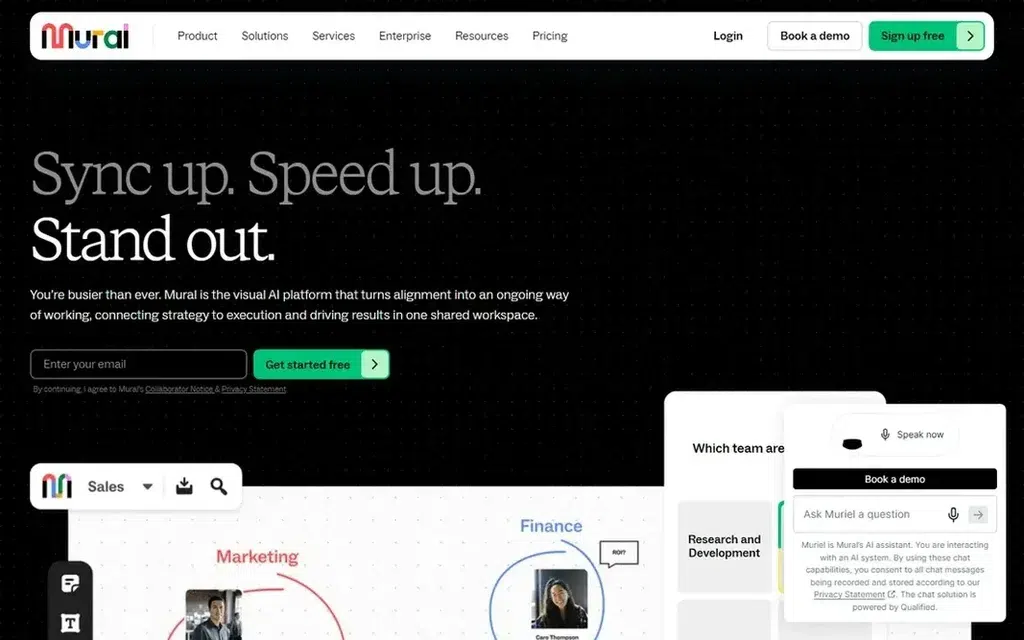
For team planning and strategy sessions, Mural is a natural candidate. Mural describes itself as an AI-powered visual workspace that boosts team collaboration and innovation.
As for the details, pick Mural when your tutoring team collaborates on planning and strategy more than on live lesson delivery. In practice, tutors who require student-facing classroom controls may find a dedicated teaching tool more direct. Price to start with Mural: $9.99 per member per month. Mural includes a free tier.
Where it falls short: Targeted at general teams instead of tutors.
- Supports planning through execution
- AI-powered visual workspace
- May need setup for recurring lessons
Whiteboard.fi
Best for: Formative assessment in lessons
Whiteboard.fi was built for formative assessment in lessons. Whiteboard.fi is an online whiteboard tool for teachers and classrooms, described as well suited to formative assessment. Its teaching focus keeps the experience centered on classroom interaction instead of wide project planning.
Trade-offs to know: Restricted fit for non-teaching planning work.
Pick Whiteboard.fi when live classroom assessment is the priority. On top of that, Whiteboard.fi is narrower than general visual workspaces, so it may not handle team planning or complicated project collaboration. Whiteboard.fi shows no starting price here, so confirm the cost on the vendor site. As for free access: Not stated.
- Straightforward classroom focus
- Online whiteboard for teachers and classrooms
- Narrower than general team workspaces
For Diagramming and brainstorming together, FigJam is a natural candidate. FigJam is an online collaborative whiteboard where teams can diagram, brainstorm and organize ideas together. FigJam is positioned for team collaboration and diagramming instead of formal classroom management.
Also, choose FigJam when diagramming and organized brainstorming are central to how your team prepares and gives sessions. Also, tutors who require teacher widgets or student assessment features may prefer a dedicated classroom board. Teams already comfortable with visual design tools may find the interface easy-to-learn for planning and live collaboration. FigJam shows no starting price here, so confirm the cost on the vendor site. Free options: Not stated.
Points against: Classroom controls are restricted.
- Collaborative whiteboard for teams
- Helps organize ideas visually
- Oriented toward design and product teams
What went into this list
Before you commit
- Ask Lucidspark, Whiteboard.fi and FigJam for a written quote, since no starting price is shown.
- Check what the free option really includes: Classroomscreen, Miro and Mural offer a free plan, and usage caps differ.
- Before choosing Lucidspark, weigh its main limit: not designed specifically for classrooms.
- Look at the renewal terms for Miro: auto-renewal, notice periods and price changes can matter more than the first-year price.
- List the apps you already depend on and check that Classroomscreen supports each one on the plan you would buy.
FAQ
Which options for Whiteboard apps for online tutoring teams have a free plan?
Classroomscreen, Miro and Mural offer a free plan in this list. Free plans usually cap users, projects or features, so check the limits on the vendor page.
Do these tools publish their prices?
Not all of them. Lucidspark, Whiteboard.fi and FigJam publish no starting price, so expect a quote request for those. The rest, Classroomscreen included, show a starting price, though seats and billing terms still change the final cost.
What is the cheapest option for Whiteboard apps for online tutoring teams in this list?
On published monthly entry prices, Classroomscreen is the lowest here at $3 per month. Entry price is only part of the cost, because seats, add-ons and billing terms can change the total.
Which whiteboard app is a good match for online tutoring teams overall?
For most readers this guide would start with Lucidspark, built for moving from ideation to planning. Classroomscreen is the alternative for managing live classroom sessions, and Miro for flexible visual workspace for tutoring teams. The right answer depends on budget and workflow.
Is Lucidspark the right pick for everyone comparing Whiteboard apps for online tutoring teams?
No single tool suits every team. Lucidspark comes first because it fits moving from ideation to planning, while Classroomscreen suits managing live classroom sessions and Miro suits flexible visual workspace for tutoring teams. Match the tool to your own size, budget and workflow before deciding.
Sources
- https://lucid.co/lucidspark
- https://classroomscreen.com
- https://miro.com
- https://www.mural.co
- https://whiteboard.fi
- https://www.figma.com/figjam