7 Best Crossword Puzzle Apps for Daily Solving
Compare 7 best crossword puzzle apps for daily puzzles, archives, difficulty levels, and offline play, with prices, free options, and app trade-offs noted.
- Editor's choice
 NYT Games
The classic daily crossword with a large archive
Starts atSee websiteVisit nytimes.comFull review - Great alternative
 LA Times Crossword
A daily newspaper puzzle with a different editorial voice
Starts atSee websiteVisit latimes.comFull review - Also consider
 USA TODAY Crossword
Accessible daily puzzles for newer solvers
Starts atSee websiteVisit usatoday.comFull review
TL;DR:
- The best daily puzzle app depends on whether you want edited newspaper puzzles, user made puzzles, or quick mini puzzles.
- Difficulty usually rises through the week in newspaper style puzzles, with Monday easiest and Saturday hardest.
- Archive access matters if you solve more than one puzzle a day, because a daily only app can run out quickly.
- Offline play, autocheck, and timer options affect daily habits more than graphics, so test those settings first.
- A subscription that includes other puzzles can be good value, but only if you actually play those extra games.
Quick comparison
| Tool | Best for | Starts at | Free plan? | |
|---|---|---|---|---|
| NYT Games | The classic daily crossword with a large archive | See website | Yes | Visit |
| LA Times Crossword | A daily newspaper puzzle with a different editorial voice | See website | Yes | Visit |
| USA TODAY Crossword | Accessible daily puzzles for newer solvers | See website | Yes | Visit |
 The New Yorker Crossword | Witty themed puzzles for magazine readers | See website | Yes | Visit |
 Puzzazz | A polished solving interface for puzzle fans | See website | Yes | Visit |
 Crosshare | Free community made crosswords | Free | Yes | Visit |
 Alphacross | Clean solving with puzzle packs and offline play | See website | Yes | Visit |
The best crossword puzzle apps
We focused on apps that are still updated in October 2026, that offer real crossword grids with clues, and that work on iOS or Android, or on the web with mobile access. We included edited newspaper puzzles, a solving app, and community options, because solvers differ on whether they want a famous editor, a large archive, or puzzles made by other fans.
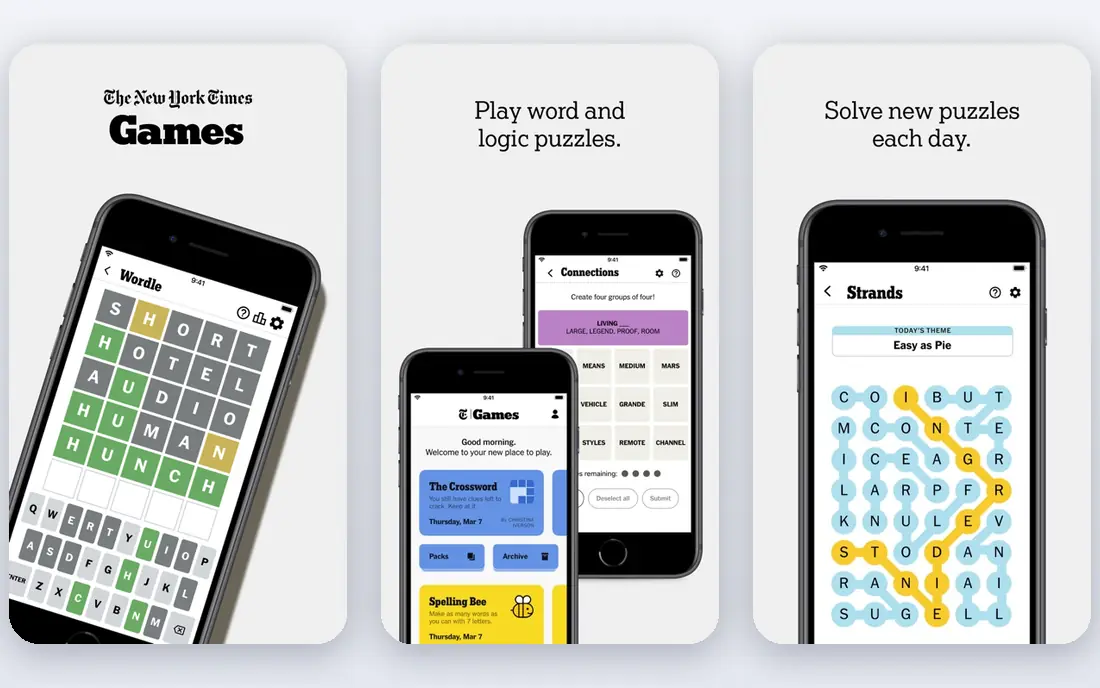
NYT Games, listed in app stores as NYT Games with Wordle and Crossword, fits solvers who want the standard that other crosswords are measured against. Each day brings a new puzzle edited for quality and wordplay, with Monday puzzles easiest and Saturday puzzles hardest, plus a larger Sunday grid. Subscribers also get access to a large archive, so you can work through older puzzles on days when the current puzzle feels too easy or too hard. The weakness is cost and control. Full daily puzzles sit behind a subscription, and you solve what the editors publish that day, with no option to generate a puzzle on a topic you choose. Some other games in the bundle are free, but the Mini moved behind the subscription in recent changes, so check the current bundle before assuming a quick puzzle is free. For serious daily solvers, the editing quality usually justifies the price.
- Human edited puzzles, Monday to Saturday difficulty curve, large Sunday puzzle, archive, Mini and other games included in bundle
- Full crossword needs a subscription, puzzles are fixed each day, no custom puzzle creation
LA Times Crossword
Best for: A daily newspaper puzzle with a different editorial voice
LA Times Crossword fits solvers who want a second daily newspaper puzzle, or who prefer its clue style to the New York Times. The puzzles are edited, themed on many days, and sized for a daily habit rather than a long weekend project. That makes it a good second puzzle for solvers who finish the NYT puzzle early and want another edited grid before lunch. The weakness is archive and bundle depth. Access to older puzzles and full features depends on the current subscription offer, and the app does not bundle as many extra puzzle games as NYT Games. If you only want one daily crossword and you like the LA Times voice, it is a solid choice. If you want a deep archive and many game types, compare the bundle value carefully.
- Daily edited puzzles, free puzzle options on some days, web and app access, varied themes
- Archive access depends on subscription, fewer extra games than NYT, interface varies by platform

USA TODAY Crossword fits newer solvers and casual daily players who want a puzzle they can finish without a dictionary on most days. Clues tend to be more direct than in harder newspaper puzzles, and the grid size suits a morning coffee routine or a commute. That approachable style helps beginners build vocabulary and confidence before moving to harder puzzles. The weakness is ceiling. Expert solvers may finish quickly and want more wordplay, rebuses, or trick themes, which are less central here. Archive access and advanced features also vary by the current offer, so check what is included before you rely on it for a large backlog. As a habit builder or a second easy puzzle, it works well.
- Approachable clue style, daily puzzles, web access, good for building a habit
- Less challenging for expert solvers, archive limits vary, fewer advanced solving tools
The New Yorker Crossword fits readers who already enjoy the magazine and want puzzles with a similar wit and cultural range. Themes often play with language and current topics in a way that feels distinct from a general newspaper puzzle, and the solving experience is clean on web and mobile. For solvers who like clever themes over sheer difficulty, it is a refreshing change of pace. The weakness is frequency and access. It is not a daily newspaper style grind with a Monday to Saturday curve in the same way, and full access usually requires a subscription. Solvers who want a new hard puzzle every single day may need a second app. As a weekly or regular themed puzzle alongside a daily app, it adds variety without demanding a large time commitment.
- Distinct editorial voice, themed puzzles, web and app access, ties to magazine content
- Subscription needed for full access, puzzle frequency differs from daily newspapers, smaller archive focus
Puzzazz fits solvers who care about how solving feels on a tablet or phone, not just about which puzzle they solve. The interface supports smooth grid navigation, note taking, and handwriting input on supported devices, which helps on small screens where tapping single letters can be fiddly. Puzzle packs let you build a library for travel, and owned puzzles can be solved offline. The weakness is publisher dependence. Which titles you can solve inside Puzzazz depends on current publisher arrangements, and the New York Times has changed how third party apps can download its puzzles, so you should check current title availability before buying packs for a specific newspaper. For its supported puzzles, though, the solving experience is among the most polished available.
- Smooth solving interface, handwriting input option, puzzle packs, offline solving for owned puzzles
- Puzzle availability depends on publisher deals, NYT direct download changes affect some titles, iOS focused
Crosshare fits solvers who want many puzzles for free and who enjoy discovering new constructors. The community library includes puzzles on varied topics and difficulty levels, and the built in creation tools let fans make and share their own grids. That variety is useful when you have finished the newspaper puzzle and want a second grid without paying for another subscription. The weakness is consistency. Because puzzles come from many makers, editing quality, clue fairness, and difficulty labels vary more than in a newspaper app. Some puzzles are excellent, while others have obscure fills or uneven themes. If you treat Crosshare as a supplement for extra solving, and keep an edited app for your main daily puzzle, the mix works well.
- Free to solve many puzzles, large community library, puzzle creation tools, daily community puzzles
- Quality varies by constructor, interface is simpler than newspaper apps, no famous edited daily puzzle
Alphacross fits solvers who want a straightforward app that focuses on solving, without a news bundle or social feed getting in the way. You can download puzzle packs, solve offline, and track progress across puzzles, which suits commutes, flights, and quiet evenings. The interface keeps the grid and clues readable, which matters on smaller phones. The weakness is that Alphacross does not carry the same famous daily puzzle brand as a newspaper app, so solvers who want that specific editorial voice will still need a newspaper subscription. Pack pricing and availability also vary, so check the current packs before committing. For a clean, offline friendly solving app, it is a practical choice that stays focused on the grid.
- Clean interface, offline play, puzzle packs, progress tracking
- Smaller brand recognition than newspapers, pack pricing varies, fewer social features
How we picked these
We checked app stores and publisher pages in October 2026 for active updates, current subscription terms, and whether daily puzzles, archives, or packs were still available to new users. We favored apps with real crossword grids and clue sets, not word search or letter tile games, and we included both edited and community options to cover different solving styles. We excluded apps that had stopped updates, that required payment before any trial puzzle, or that mainly offered puzzle solutions rather than puzzles to solve.
What to check before you subscribe
Start with difficulty and time. Try the free puzzle or trial period for at least a week, and note whether you finish most puzzles, whether Monday to Saturday progression feels right, and whether you actually use the archive. A subscription that looks good on day one can feel wasteful if you only solve three days a week, while a daily solver may save money by choosing a bundle with an archive instead of buying single packs. Track your solving time honestly for a week before you pay for a year. Check solving tools that affect your habit. Autocheck, check letter, reveal options, timer, and dark mode sound minor, but they change how frustrating a hard puzzle feels. Some solvers like autocheck off for a pure challenge, while others need it to learn new vocabulary. Test pencil mode, note entry, and rebus handling if you solve themed puzzles, because a missing rebus tool can ruin a Sunday puzzle. Also test offline mode on a real trip, not just in theory, by downloading a puzzle and turning on airplane mode. Finally, compare total cost across apps you already use. If you subscribe to a newspaper for news, a crossword bundle may already be included, or a games bundle may be cheaper than a standalone puzzle app. If you only want crosswords, a community app plus one edited daily puzzle may cost less than two newspaper subscriptions. Write down the renewal date and cancellation steps when you subscribe, so a yearly plan does not renew by surprise after you stop solving.
FAQ
What is the best crossword app for beginners? Start with an accessible daily puzzle such as USA TODAY, plus a free community app for extra practice. Use autocheck sparingly to learn new words, and move to harder newspaper puzzles as your vocabulary and pattern recognition improve.
Do I need a subscription for the NYT Crossword? You can download the app for free and play some games for free, but full daily crosswords and the archive require a subscription under the current bundle. Check the NYT Games page for the current monthly and yearly options before you subscribe.
Can I solve crosswords offline? Yes, in many apps, if you download puzzles or packs before you lose connection. Newspaper apps vary in how many puzzles you can store offline, so download a few puzzles before a flight and test airplane mode at home first.
Are community puzzles as good as newspaper puzzles? Some are excellent, and some are uneven, because community puzzles come from many constructors with different editing standards. Use ratings, comments, and constructor names to find makers you like, and keep an edited puzzle as your main daily standard.
How long should a daily crossword take? It varies widely. A Monday newspaper puzzle may take ten to twenty minutes for a regular solver, while a Saturday puzzle can take much longer. Mini puzzles take only a few minutes, which makes them a good habit for busy days.
Sources
https://nytimes.com https://latimes.com https://usatoday.com https://newyorker.com https://puzzazz.com https://crosshare.org https://alphacross.com