8 Absorb LMS Alternatives for Corporate Training in 2026
Compare 8 Absorb LMS alternatives for corporate training, including Docebo, TalentLMS, and Cornerstone, with pricing and honest trade-offs for L and D teams.
- Editor's choice
 Docebo
Large enterprises needing AI personalization
Starts atSee websiteVisit docebo.comFull review - Great alternative
 TalentLMS
Small and mid sized teams on a set budget
Starts atFrom $119 per month for up to 40 usersVisit talentlms.comFull review - Also consider
 Cornerstone
Global enterprises linking learning to talent
Starts atSee websiteVisit cornerstoneondemand.comFull review
TL;DR:
- TalentLMS and 360Learning give smaller teams clear pricing and fast setup, while Docebo and Cornerstone suit larger enterprises.
- LearnUpon and SAP Litmos fit customer and partner training, with multi audience portals as a key strength.
- iSpring Learn suits teams that build courses from PowerPoint style content quickly.
- Moodle Workplace offers open source control, but hosting and support add work.
Quick comparison
| Tool | Best for | Starts at | Free plan? | |
|---|---|---|---|---|
| Docebo | Large enterprises needing AI personalization | See website | No | Visit |
| TalentLMS | Small and mid sized teams on a set budget | From $119 per month for up to 40 users | Yes | Visit |
| Cornerstone | Global enterprises linking learning to talent | See website | No | Visit |
 LearnUpon | Customer and partner training programs | See website | Free trial | Visit |
 360Learning | Expert led and collaborative learning | From $8 per user per month for up to 100 users | Free trial | Visit |
 SAP Litmos | Fast deployment and compliance training | See website | Free trial | Visit |
 iSpring Learn | Teams building courses from slide content | From $3.97 per user per month billed annually | Free trial | Visit |
 Moodle Workplace | Teams wanting open source control | See website | No | Visit |
The best Absorb LMS alternatives
We compared these options on fit, pricing, and the details that matter in daily use, and the list below covers a range of budgets and team sizes. Each pick earns its place for a different reason, so start with your own workflow, then check the trade offs that matter most to you.
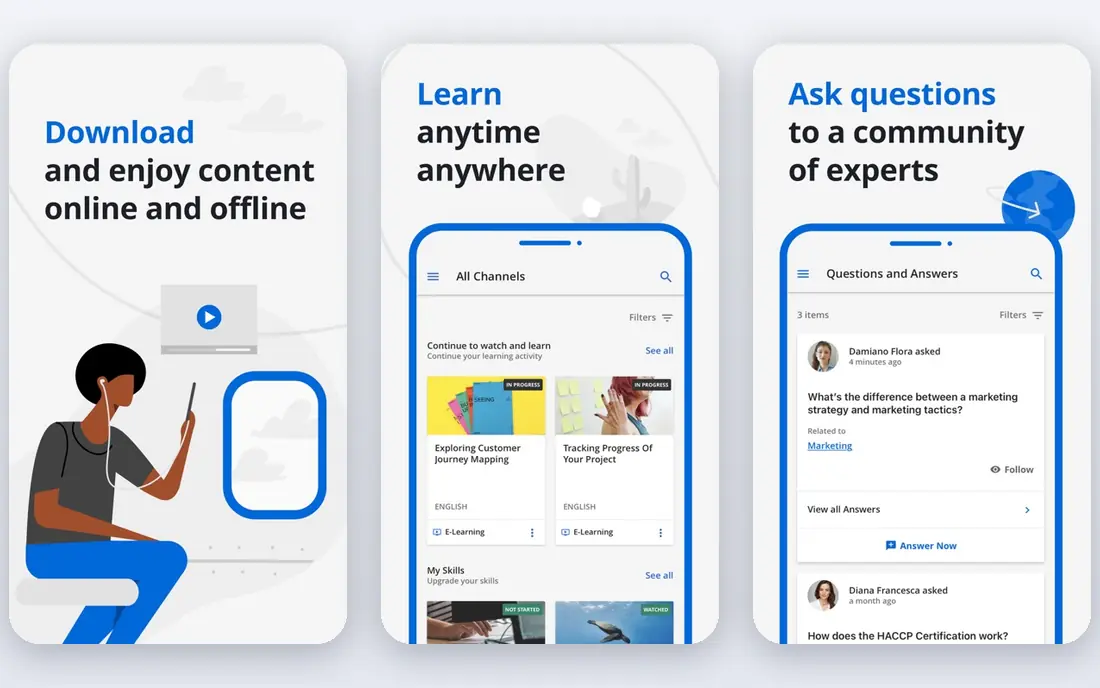
Docebo is the enterprise alternative most often compared with Absorb. Its platform combines course delivery, AI curation, and multi audience portals for employees, customers, and partners, which helps large teams run many programs from one system.
The catch is price and setup. Docebo publishes no simple list price, and a large rollout will need planning, integrations, and change management. Check the current pricing page before you buy, since plans and included features change over time, and run a trial with your real data where a free plan or trial is available.
- AI driven content and learning paths
- Strong multi audience support
- Broad integrations
- Quote based pricing
- Implementation effort for complex setups

TalentLMS is the straightforward pick for teams that need training live quickly. You can build courses, set up branches for departments or partners, and track completions without a dedicated learning team, and pricing is published by user tier.
The catch is depth. Teams that need deep skills mapping or complex AI personalization may outgrow TalentLMS as programs grow. Check the current pricing page before you buy, since plans and included features change over time, and run a trial with your real data where a free plan or trial is available.
- Clear tiered pricing
- Fast setup
- Gamification and branches for audiences
- Advanced personalization is lighter than Docebo
- Higher tiers needed for larger teams

Cornerstone suits organizations that want learning tied to careers, not just completions. Its talent suite links courses to skills, goals, and internal mobility, which helps HR show how training connects to workforce planning.
The catch is weight. The full suite can feel heavy for a team that only needs course delivery, and pricing requires a sales conversation. Check the current pricing page before you buy, since plans and included features change over time, and run a trial with your real data where a free plan or trial is available.
- Learning plus skills, performance, and talent tools in one suite
- Strong compliance reporting
- Suite complexity and quote based pricing
- Smaller teams may find it heavy
LearnUpon is built around training people outside your own staff. Its portals let you serve employees, customers, and partners separately, with their own branding and catalogs, while keeping reporting in one place.
The catch is entry point. LearnUpon starts from 100 users in published material, so very small teams should confirm fit before they invest time in a demo. Check the current pricing page before you buy, since plans and included features change over time, and run a trial with your real data where a free plan or trial is available.
- Multi portal support from 100 users
- Clean learner experience
- Strong reporting
- No published list price
- Minimum user count may exclude very small teams
360Learning takes a different approach by turning experts into course creators. Instead of a central team building every course, subject experts create and update content with peer feedback, which keeps material current and practical.
The catch is governance. Collaborative creation needs clear review steps, or quality and consistency can vary across courses. Check the current pricing page before you buy, since plans and included features change over time, and run a trial with your real data where a free plan or trial is available.
- Collaborative course creation by subject experts
- Social learning features
- Per user pricing rises with headcount
- Advanced admin controls need higher plans
SAP Litmos fits teams that need compliance training running fast. Its content library and straightforward course tools help distributed teams complete required training, and reporting makes audit follow up easier.
The catch is flexibility. Teams that need deep customization or complex learning paths may find Litmos simpler than Docebo or Cornerstone. Check the current pricing page before you buy, since plans and included features change over time, and run a trial with your real data where a free plan or trial is available.
- Ready made content library
- Quick rollout
- Strong compliance tracking
- Pricing is not published simply
- Customization is lighter than enterprise suites
iSpring Learn is the practical pick for teams with lots of existing slide decks and documents. Its authoring tools convert presentation style content into courses quickly, and the per user pricing is easy to budget.
The catch is scope. It is a learning platform first, not a full talent suite, so teams that need skills and performance tools will need another system. Check the current pricing page before you buy, since plans and included features change over time, and run a trial with your real data where a free plan or trial is available.
- Fast course creation from PowerPoint style material
- Clear per user pricing
- Advanced talent features are limited
- Design options are narrower than some rivals
Moodle Workplace gives teams control that hosted platforms cannot match. Because it builds on open source Moodle, you can customize workflows, reporting, and integrations, and you avoid per seat license fees for the software itself.
The catch is responsibility. Hosting, upgrades, security, and support fall to you or a partner, so the total cost depends on the partner you choose. Check the current pricing page before you buy, since plans and included features change over time, and run a trial with your real data where a free plan or trial is available.
- Open source flexibility
- No per seat license in the software itself
- Large plugin library
- Hosting, support, and upkeep come from partners
- Setup needs technical skill
How we picked these
We compared official pricing pages, feature pages, and vendor documentation for each LMS, and we checked audience support, course creation, reporting, and integrations. We favored platforms that are live and actively sold in October 2026, and we kept the list mixed across team sizes and budgets. We did not claim hands on testing, and we used See website where a vendor publishes no simple list price.
How to pick an Absorb LMS alternative
Start with your learners. Employee onboarding, compliance, customer training, and partner enablement each need different portals, reporting, and content tools, and a platform that excels at one may be weak at another. Count your learners, including external audiences, and confirm whether pricing is per active user, per registered user, or flat by tier.
Check content and reporting before you buy
Ask how courses are built, who can create them, and how completions, certifications, and overdue training appear in reports. If compliance matters, test certification expiry, reminders, and audit exports during a trial, not after rollout. A clean learner experience also matters, since a confusing portal will hurt completion rates no matter how strong the admin tools are.
Pilot with a real program
Run one real course end to end, from enrollment to certificate, with your actual audience and managers. Check mobile access, single sign on, and integrations with HR or CRM systems, and confirm support response times. A short pilot reveals setup effort and learner friction far better than a sales demo.
FAQ
Is TalentLMS cheaper than Absorb LMS?
TalentLMS publishes tiered pricing from $119 per month for up to 40 users, while Absorb LMS uses quote based pricing. For small and mid sized teams, TalentLMS is often easier to budget, but a direct quote comparison is still worth doing at your learner count.
Which Absorb LMS alternative is best for customer training?
LearnUpon and Docebo are strong for customer and partner training, thanks to multi portal support and separate branding. Check portal limits, ecommerce options, and reporting for external learners on the plan you would buy.
Can I migrate courses from Absorb LMS?
In many cases yes, using standard course formats and content exports, but quizzes, reports, and completion history may not move cleanly. Ask the new vendor for a migration plan and test it with a sample course before you commit.
Do these LMS platforms support compliance training?
Yes, most cover certifications, expiry reminders, and completion reporting, with SAP Litmos and Cornerstone particularly focused on compliance. Test your exact certification rules during a trial to confirm they work as expected.
What is the difference between an LMS and a learning experience platform?
An LMS focuses on structured courses, enrollments, and completions, while a learning experience platform adds discovery, recommendations, and social learning. Some vendors blend both, so check whether discovery features are included or sold as an add on.