Best Website Migration Service for WordPress (2026): 6 Picks Checked on Vendor Pages
Best website migration service for WordPress, compared. 6 tools with published prices, free plans and limits. Each entry gets a plain verdict. No filler.
- Editor's choice
 SiteGround
Accessible hosting with migration tools
Starts atSee websiteVisit siteground.comFull review - Great alternative
 Liquid Web
Managed hosting with reliability and scalability
Starts atSee websiteVisit liquidweb.comFull review - Also consider
 Cloudways
Managed cloud hosting with adaptability
Starts at$20 a monthVisit cloudways.comFull review
Direct answer
If you need accessible hosting with migration tools, SiteGround is the first tool to look at here. Listed starting prices: Cloudways from $20 a month, Kinsta from $17.50 a month and WP Engine from $28.00 a month. Alternatives: Liquid Web for managed hosting with reliability and scalability, and Cloudways for managed cloud hosting with adaptability. The full list of 6 tools follows, with prices and free plan facts.
TL;DR:
- Number one here is SiteGround, a fit for accessible hosting with migration tools.
- Neither SiteGround nor Pantheon, nor any of the other 4 tools, has a permanent free plan; trials and quotes are the norm.
- Check the limits for Cloudways before you commit: needs some technical understanding.
- Pantheon fits WebOps system for WordPress and other frameworks.
Last checked November 2026. Prices and plan details were read from the vendors' own pages in November 2026; vendors change plans often, so confirm the current price on the vendor site before you buy.
Quick comparison
| Tool | Best for | Starts at | Free plan? | |
|---|---|---|---|---|
| SiteGround | Accessible hosting with migration tools | See website | Not stated | Visit |
| Liquid Web | Managed hosting with reliability and scalability | See website | Not stated | Visit |
| Cloudways | Managed cloud hosting with adaptability | $20 a month | Free trial | Visit |
 Kinsta | Performance-focused WordPress hosting and migrations | $17.50 a month | Free trial | Visit |
 WP Engine | Established WordPress hosting with migration support | $28.00 a month | Not stated | Visit |
 Pantheon | WebOps product for WordPress and other frameworks | See website | Not stated | Visit |
Our 6 picks for website migration service for WordPress
Choosing website migration service for WordPress usually comes down to price, fit and limits. This LinkVetted guide sets 6 tools side by side on those three points, with the facts kept short and checkable.

Pick SiteGround if this describes you: accessible hosting with migration tools. Bigger or highly custom sites might need more tailored infrastructure. Worth adding: the service suits individuals and small companies looking for an approachable host with migration choices.
Downsides: Feature set varies by service.
In practice, SiteGround is a web hosting company offering services for domains and websites, including WordPress hosting. In daily use, consider dedicated WordPress hosts if your priority is a completely managed WordPress environment. As for the details, as a general hosting provider, SiteGround may not offer the same depth of WordPress-specific optimization as specialized systems. This comparison lists no price for SiteGround; ask the vendor. On free options: Not stated.
- Support available
- Wide range of hosting services
- Not exclusively WordPress-focused
Liquid Web makes the most sense for managed hosting with reliability and scalability. Liquid Web delivers hosting options designed for uptime, performance, and security, including managed hosting and dedicated servers. It supports websites and workloads with compliant infrastructure choices.
Compare its broader infrastructure offerings against your need for WordPress-specific support. Liquid Web is not exclusively centred on WordPress, so some WordPress-specific migration tooling may be less central. Pricing for Liquid Web is not stated here, so ask the vendor for current figures. Free options: Not stated.
Where it falls short: May need more setup decisions.
- Scalable infrastructure
- Managed hosting choices
- Broader hosting focus
In short, Cloudways is for managed cloud hosting with adaptability. Cloudways is a managed cloud hosting system that lets users run websites on selected cloud infrastructure providers.
Honest limits: Needs some technical understanding.
It supports WordPress among other applications and offers a simplified management layer. If you want a completely managed, WordPress-centric experience, a dedicated WordPress host may be a better fit. On cost, Cloudways starts like this: $20 per month. Free plan details: Free trial.
- Choice of cloud infrastructure
- Scalable choices
- Not WordPress-only

In short, Kinsta is for performance-focused WordPress hosting and migrations. Kinsta presents itself as a hosting provider aimed at WordPress with an emphasis on speed, security, and support. Its product is geared toward users who want a managed environment and are migrating a WordPress site to a performance-oriented host.
Worth adding: evaluate whether its managed approach matches your team's technical preferences. Kinsta's WordPress focus means it may not be the right fit for projects needing other CMS products or custom application hosting. The starting price for Kinsta: $17.50 per month. Free plan details: Free trial.
Where it falls short: May need technical familiarity.
- Optimized for WordPress speed
- Enterprise-grade security features
- Centred on WordPress and related stacks
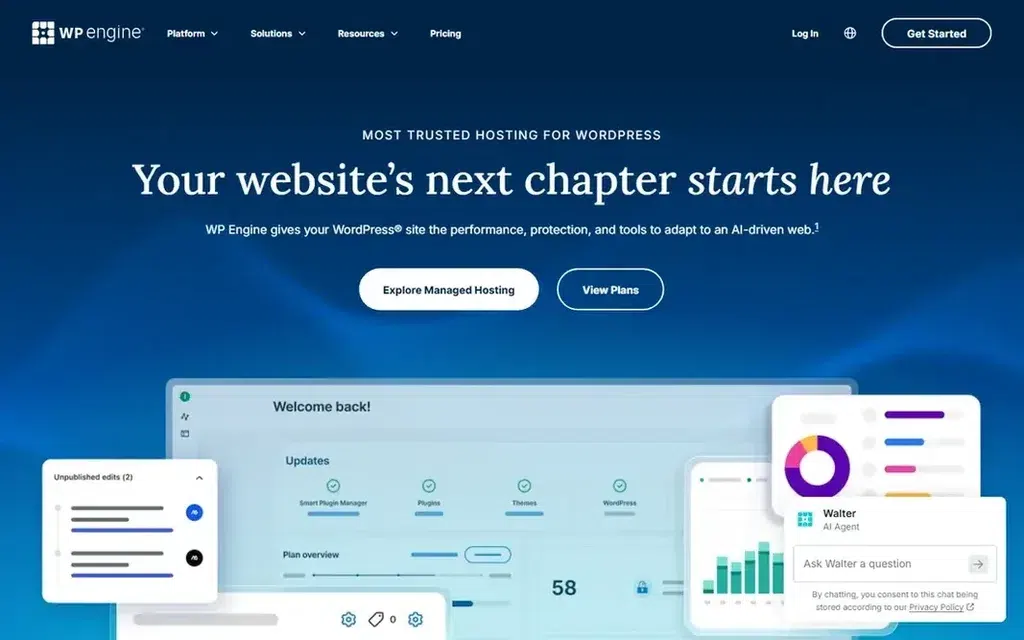
WP Engine serves established WordPress hosting with migration support. Since WP Engine centers on WordPress, it may not suit projects that require wide language or framework support outside its stack. More specifically, the platform suits firms and agencies that want a dedicated WordPress environment and are looking for migration help as part of a hosting move.
Downsides: May be more than small sites need.
WP Engine is a website hosting system centred on WordPress and related technologies. It provides managed hosting with security, support, and tools intended to help teams launch and maintain sites. The starting price for WP Engine: $28.00 per month. As for free access: Not stated.
- Migration assistance available
- Specialized WordPress system
- Restricted to WordPress and related stacks
Pantheon is designed for WebOps system for WordPress and other frameworks. It offers tools for building, hosting, and managing websites with an emphasis on digital speed and agility.
Limits to weigh: May be complicated for straightforward sites.
The product fits teams and organizations that require a structured workflow across several frameworks and are planning a migration. No starting price is listed for Pantheon here; confirm pricing on the vendor site. On free options: Not stated.
- WebOps workflow tools
- Supports WordPress, Drupal, Next.js
- Not exclusively WordPress
Selection criteria
The comparison looks at four things: starting price, free access, how well the feature set matches website migration service for WordPress, and the main limit of each tool. Figures are shown as the vendors publish them. Billing terms, seat minimums and add-ons can change the real cost. The ranking is editorial: typical fit first, then clear pricing, then free access. If your needs are unusual, read the profiles rather than relying on position.
Questions to settle before buying
- Confirm the entry price on the vendor page. For SiteGround, Liquid Web and Pantheon that means a quote rather than a fixed price.
- Take the trial from Cloudways and Kinsta and push a live task through it before you pay.
- Read the limits listed for SiteGround first: not exclusively WordPress-focused.
- Check how data leaves Kinsta: formats, limits and whether exports are available on every plan.
- Get the contract term, renewal terms and any onboarding fees from SiteGround in writing.
FAQ
Does any tool for website migration service for WordPress here have a free plan?
A permanent free plan is not offered by SiteGround, Pantheon or the other tools here. Cloudways, Kinsta offer a trial. Plan a short evaluation period instead.
How are the tools for website migration service for WordPress ordered?
The order follows typical fit for website migration service for WordPress, with SiteGround first and Pantheon last, then price clarity and free access. It is editorial judgement, not a score, so another team could rank the tools differently.
How do I choose between a WordPress-specific host and a general host?
WordPress-specific hosts frequently offer optimized performance and support tailored to the system, whereas general hosts may offer broader adaptability for several technologies.
Is SiteGround the right pick for everyone comparing website migration service for WordPress?
No single tool suits every team. SiteGround comes first because it fits accessible hosting with migration tools, while Liquid Web suits managed hosting with reliability and scalability and Cloudways suits managed cloud hosting with flexibility. Match the tool to your own size, budget and workflow before deciding.
Can I try these tools before paying?
Often, yes. Cloudways and Kinsta offer a free trial. Use your own data and a real task during the test, and check what the free tier or trial limits before you rely on it. For the full picture, the cards above cover all 6 entries of this website migration service for WordPress list, including price, free plan and limits.
Sources
- https://www.siteground.com
- https://www.liquidweb.com
- https://www.cloudways.com
- https://kinsta.com
- https://wpengine.com
- https://pantheon.io