6 Best Web Hosting for Online Course Creators for 2026, Vetted and Compared
Best web hosting for online course creators, compared. 6 tools with published prices, free plans and limits. Weak spots flagged for every entry. Costs up front.
- Editor's choice
 LearnDash
WordPress users who want course control
Starts atSee websiteVisit learndash.comFull review - Great alternative
 SiteGround
General web hosting for course websites
Starts atSee websiteVisit siteground.comFull review - Also consider
 Kajabi
Experts building a full knowledge business
Starts at$143 a monthVisit kajabi.comFull review
Direct answer
LearnDash is the first pick on this list for WordPress users who want course control. Listed starting prices: Kajabi from $143 a month, WP Engine from $28.00 per month and Teachable from $39 a month. Alternatives: SiteGround for general web hosting for course websites, and Kajabi for experts building a full knowledge business. Details, prices and limits for the rest of the 6 tools are below.
TL;DR:
- This list starts with LearnDash, which is built for WordPress users who want course control.
- LearnDash, Podia and the 4 others all need a premium plan or a trial, since no free plan is listed.
- The main caution on Kajabi: platform-centric approach limits server control.
- Starting prices begin at $28.00 per month with WP Engine.
- Podia suits courses, community, and email in one place.
Last checked November 2026. Prices and plan details were read from the vendors' own pages in November 2026; vendors change plans often, so confirm the current price on the vendor site before you buy.
Quick comparison
| Tool | Best for | Starts at | Free plan? | |
|---|---|---|---|---|
| LearnDash | WordPress users who want course control | See website | Not stated | Visit |
| SiteGround | General web hosting for course websites | See website | Not stated | Visit |
| Kajabi | Experts building a full knowledge business | $143 a month | Free trial | Visit |
 WP Engine | Managed WordPress hosting for course sites | $28.00 per month | Not stated | Visit |
 Teachable | All-in-one course and coaching product | $39 a month | Free trial | Visit |
 Podia | Courses, community, and email in one place | $42 a month | Free trial | Visit |
Tool-by-tool breakdown
Choosing web hosting for online course creators usually comes down to price, fit and limits. This LinkVetted guide sets 6 tools side by side on those three points, with the facts kept short and checkable.
Choose LearnDash for WordPress users who want course control. LearnDash is not hosting on its own, so you need a WordPress host and some technical comfort to begin.
In daily use, LearnDash is a WordPress LMS plugin and course software with a drag-and-drop builder, quizzes, memberships, and no per-student fees. Pairing LearnDash with a managed WordPress host hands you control over design, plugins, and student data. This comparison lists no price for LearnDash; ask the vendor. Trial and free access: Not stated.
Limits to weigh: Needs a WordPress host separately.
- Quizzes and memberships supported
- No per-student fees
- Plugin setup adds technical steps
SiteGround works best for general web hosting for course websites. SiteGround does not offer course-building features on its own, so you will need WordPress and a LMS plugin or another course tool.
Watch-outs: Course features need plugins or integrations.
Check the vendor site for SiteGround pricing; none is listed in this comparison. Free options: Not stated.
- Can host WordPress course sites
- Web hosting with speed and security features
- No course tools included
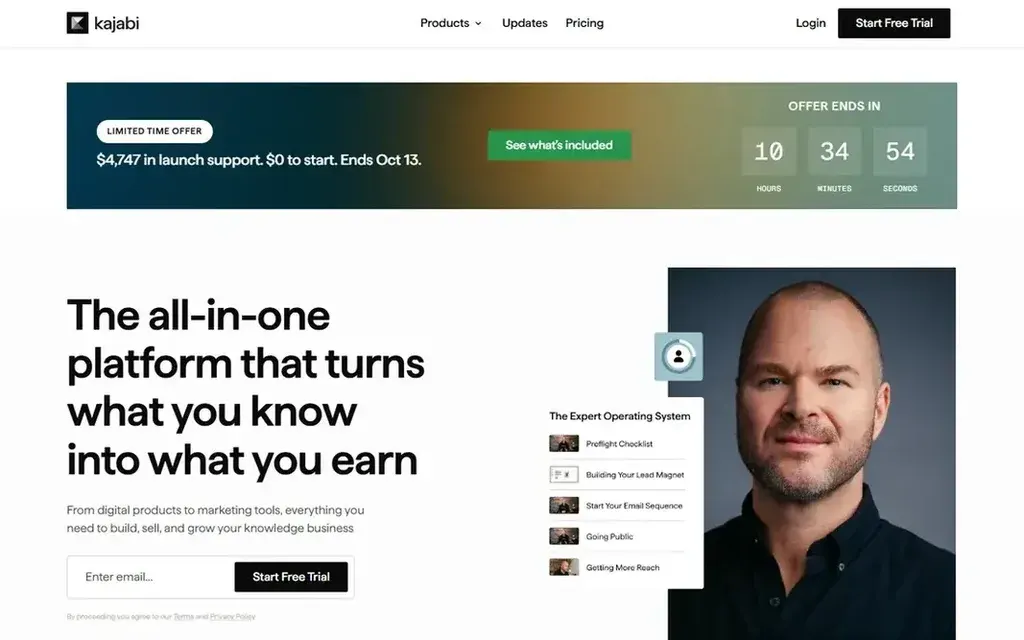
Kajabi was built for experts building a full knowledge business. Kajabi describes itself as an operating system for human expertise, helping experts build, sell, and grow trusted businesses with clarity and AI-powered support. The focus is on the entire expert business instead of hosting alone.
Points against: May be more than needed for straightforward course hosting.
Kajabi is not a general-purpose web host, so creators who require to run custom software or a WordPress site will want a different setup. It also may feel broader than necessary for someone who only needs a straightforward place to host course videos and lessons. Starting cost for Kajabi: $143 per month. Trial and free access: Free trial.
- AI-powered support for building and selling
- Merges course sales with business growth tools
- Platform-centric approach limits server control
WP Engine is designed for managed WordPress hosting for course sites. The system is targeted at website hosting instead of course selling, so the course features come from your WordPress setup.
In daily use, WP Engine is a managed WordPress hosting system with 24/7 support and security solutions. WP Engine starts at: $28.00 per month. On free options: Not stated.
Points against: Needs a separate LMS plugin for courses.
- Fits WordPress-based course builds
- Managed WordPress hosting system
- Not a course product on its own

Teachable makes the most sense for all-in-one course and coaching product. Teachable is an online course product for selling courses, coaching, memberships, and digital products.
Drawbacks to consider: Less control over server-level customization.
In practice, if you want full control over themes, plugins, and server settings, a WordPress host paired with a learning management plugin is the better route. Since Teachable is a course system instead of a general host, it may not suit creators who require to run a custom WordPress site or host unrelated web projects. Entry price for Teachable: $39 per month. Free options: Free trial.
- Build and sell courses, coaching, memberships
- No separate hosting setup required
- Not general web hosting

For courses, community, and email in one place, Podia is a natural candidate. Podia lets creators sell courses, host a community, and email their list from one place.
Creators with complicated technical requirements should look at a managed WordPress host and a separate learning management plugin instead. Price to start with Podia: $42 per month. Free access: Free trial.
Where it falls short: Not a traditional hosting provider.
- Sell courses and host a community together
- Straightforward all-in-one creator setup
- Restricted server-level customization
Selection criteria
The comparison looks at four things: starting price, free access, how well the feature set matches web hosting for online course creators, and the main limit of each tool. Plan names, prices and limits change often. Treat the figures here as a starting point and verify them with the vendor. The order reflects how well each tool fits the most common buying scenario for web hosting for online course creators, then price clarity, then free plan access. It is a starting point, not a verdict.
Questions to settle before buying
- Confirm the entry price on the vendor page. For LearnDash and SiteGround that means a quote rather than a fixed price.
- Run a trial of Kajabi, Teachable and Podia with real work before paying for a year; your own workflow is the best test.
- Read the limits listed for LearnDash first: requires a WordPress host separately.
- Check the support hours and onboarding help Podia offers; smaller vendors vary a lot here.
- List the apps you already depend on and check that WP Engine supports each one on the plan you would buy.
FAQ
Can I try these tools before paying?
Often, yes. Kajabi, Teachable and Podia offer a free trial. Use your own data and a real task during the test, and check what the free tier or trial limits before you rely on it.
Which choice is a good match for creators who also want email marketing and community?
For most readers this guide would start with LearnDash, built for WordPress users who want course control. SiteGround is the alternative for general web hosting for course websites, and Kajabi for experts building a full knowledge business. The right answer depends on budget and workflow.
Is LearnDash the right pick for everyone comparing web hosting for online course creators?
No single tool suits every team. LearnDash comes first because it fits WordPress users who want course control, while SiteGround suits general web hosting for course websites and Kajabi suits experts building a full knowledge business. Match the tool to your own size, budget and workflow before deciding.
What is the cheapest option for web hosting for online course creators in this list?
On published monthly entry prices, WP Engine is the lowest here at $28.00 per month. Entry price is only part of the cost, because seats, add-ons and billing terms can change the total.
How are the tools for web hosting for online course creators ordered?
LearnDash sits first and Podia last because the order follows typical fit for web hosting for online course creators, then price clarity and free access. It is a judgement call, so read each profile for fit and limits.
Sources
- https://www.learndash.com
- https://www.siteground.com
- https://kajabi.com
- https://wpengine.com
- https://teachable.com
- https://www.podia.com