Best Walkthrough Software for 2026: Our 6 Vetted Picks
Comparing the best walkthrough software? 6 contenders, each with entry cost, free tier and best-fit buyer. Each tool is judged on the same checks. No hype.
- Editor's choice
 Pendo
Product context and adoption insight
Starts atSee websiteVisit pendo.ioFull review - Great alternative
 Userpilot
No-code onboarding and retention growth
Starts at$299 a monthVisit userpilot.comFull review - Also consider
 UserGuiding
All-in-one adoption without coding
Starts at$249 a monthVisit userguiding.comFull review
Direct answer
For product context and adoption insight, Pendo is where this list starts. Listed starting prices: Userpilot from $299 a month, UserGuiding from $249 a month and Chameleon from $279 for 2,000 MTUs. Alternatives: Userpilot for no-code onboarding and retention growth, and UserGuiding for all-in-one adoption without coding. All 6 tools are compared below on price, free plan and limits.
TL;DR:
- This list starts with Pendo, which is built for product context and adoption insight.
- The lowest published monthly entry price here is $249 per month, from UserGuiding.
- The main caution on Userpilot: growth-focused instead of enterprise-wide.
- A free plan is available from 2 of the 6 tools: UserGuiding, Whatfix.
Last checked November 2026. Prices and plan details were read from the vendors' own pages in November 2026; vendors change plans often, so confirm the current price on the vendor site before you buy.
Quick comparison
| Tool | Best for | Starts at | Free plan? | |
|---|---|---|---|---|
| Pendo | Product context and adoption insight | See website | Not stated | Visit |
| Userpilot | No-code onboarding and retention growth | $299 a month | Free trial | Visit |
| UserGuiding | All-in-one adoption without coding | $249 a month | Yes | Visit |
 Chameleon | Personalized guidance based on user behavior | $279 for 2,000 MTUs | Free trial | Visit |
 Whatfix | In-app guidance with simulation training | See website | Yes | Visit |
 WalkMe | Enterprise digital adoption and automation | See website | Not stated | Visit |
The full walkthrough software list
Choosing walkthrough software usually comes down to price, fit and limits. This LinkVetted guide sets 6 tools side by side on those three points, with the facts kept short and checkable.
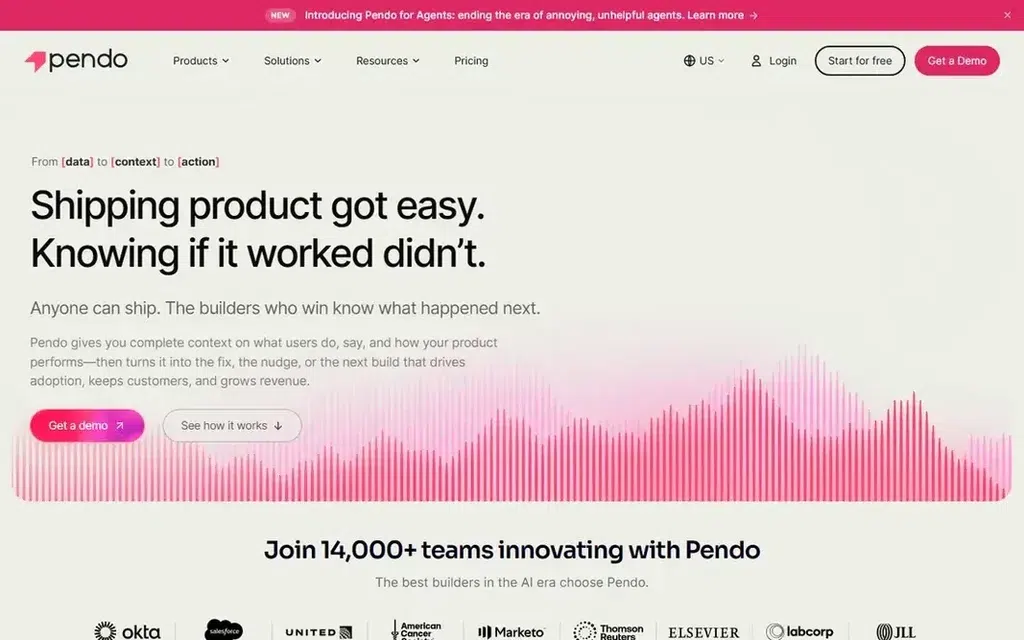
Where Pendo fits: product context and adoption insight. Pendo is a product context product that feeds context to the apps and AI agents teams build or buy, helping them understand users, act where it counts, and drive adoption and revenue. Confirm the guidance features you need on the vendor site.
What to check first: Positioned around product analytics context.
Pendo's framing centers on product context and analytics instead of walkthroughs alone. So teams wanting a dedicated tour builder may find it broader than needed. It is a solid choice when understanding user behavior and feeding context to AI features are central goals. Check the vendor site for Pendo pricing; none is listed in this comparison. Free access: Not stated.
- Helps understand user behavior
- Supports adoption and revenue goals
- Walkthroughs are part of a broader system
Userpilot is a good fit for no-code onboarding and retention growth. Userpilot is an AI-powered, no-code product growth product that helps teams onboard users, drive feature adoption, and boost retention across web and mobile.
Worth adding: choose Userpilot when onboarding, feature adoption, and retention for your own product are the priorities. The system is oriented toward measurable onboarding and retention outcomes for software. The starting price for Userpilot: $299 per month. Free options: Free trial.
Where it is weaker: Growth-focused instead of enterprise-wide.
- Supports onboarding and feature adoption
- No-code product growth product
- Most useful for product teams
Think of UserGuiding for all-in-one adoption without coding. Very large enterprises with complicated cross-app automation needs may need a broader system.
Downsides: Wide feature set may need setup time.
An all-in-one toolkit means multiple capabilities to configure, so teams should plan setup time and decide which modules matter most. Price to start with UserGuiding: $249 per month. UserGuiding has a free plan.
- No-code in-app experience builder
- Examines user behavior
- Fit relies on product complexity
Chameleon works best for personalized guidance based on user behavior. Chameleon is an AI digital adoption system that learns how people use your product, pinpoints where they struggle, and builds personalized in-app guidance for each user, then tracks what improved.
On top of that, teams wanting straightforward static tours may find the approach more involved than necessary. The product emphasizes personalization and measurement of guidance outcomes. Price to start with Chameleon: $279 for 2,000 MTUs. As for free access: Free trial.
Trade-offs to know: Personalization needs continuing tuning.
- Pinpoints where users struggle
- Tracks what improved
- Behavior-led setup needs data
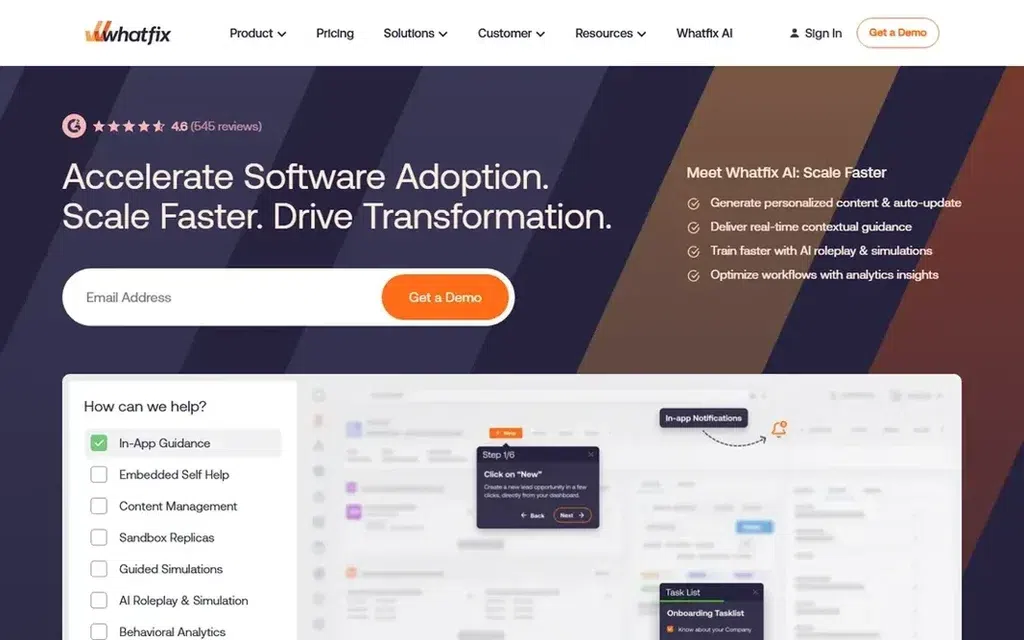
Whatfix is built with in-app guidance with simulation training in mind. Whatfix is an AI-powered digital adoption product that guides users in-app, supplies simulation training, and tracks adoption across enterprise software investments. In practice, pick Whatfix when training and adoption tracking across enterprise software matter most.
What to check first: Enterprise-focused positioning.
Also, if your goal is purely product-led growth for a web or mobile app, a growth-focused tool may fit better. More specifically, teams managing multiple enterprise systems frequently value this mix of guidance and training. Its enterprise orientation means the product is built for organizational adoption programs instead of small product teams seeking a fast onboarding widget. Pricing for Whatfix is not stated here, so ask the vendor for current figures. You can start on Whatfix without paying.
- Guides users inside applications
- Offers simulation training
- Wide scope may suit bigger teams best

WalkMe works best for enterprise digital adoption and automation. Choose WalkMe when cross-app guidance, automation, and usage insight across plenty of systems are the priority.
WalkMe is a digital adoption product that overlays every application with live context, cross-app workflows, and automation. Pricing for WalkMe is not stated here, so ask the vendor for current figures. Free access: Not stated.
The main drawbacks: May be more than small teams need.
- Visibility into software usage
- Overlays applications with live context
- Enterprise-oriented scope
What went into this list
For each of the 6 tools we noted price, free plan or trial, fit for walkthrough software and the main limit, using vendor pages and documentation. Seat minimums, billing terms and add-ons can move the real cost, so the starting prices here are a guide and not a quote. Tools are placed by general fit for walkthrough software, with price clarity and free access as tie-breakers. A different team can reasonably rank them differently.
Questions to settle before buying
- Confirm the entry price on the vendor page. For Pendo, Whatfix and WalkMe that means a quote rather than a fixed price.
- Check what the free option really includes: UserGuiding and Whatfix offer a free plan, and usage caps differ.
- Use real work to test the free trial from Userpilot and Chameleon, rather than a demo project.
- Read the limits listed for Pendo first: positioned around product analytics context.
- Confirm minimum seats and billing terms with UserGuiding before you commit to an annual plan.
- Let daily users try WalkMe on real work; their feedback beats any feature checklist.
FAQ
How are the tools for walkthrough software ordered?
Pendo sits first and WalkMe last because the order follows typical fit for walkthrough software, then price clarity and free access. It is a judgement call, so read each profile for fit and limits.
Can I try these options before paying?
Often, yes. UserGuiding and Whatfix have a free plan and Userpilot and Chameleon offer a free trial. Use your own data and a real task during the test, and check what the free tier or trial limits before you rely on it.
What is the cheapest option for walkthrough software in this list?
On published monthly entry prices, UserGuiding is the lowest here at $249 per month. Entry price is only part of the cost, because seats, add-ons and billing terms can change the total.
What is walkthrough software used for?
Teams use it to onboard new users, explain features, and track adoption. Some products extend this to cross-application guidance and automation for enterprises.
Which options for walkthrough software have a free plan?
On this list, UserGuiding and Whatfix include a free plan. Caps on seats, usage or features are common, so test the free plan against your real workload. Several others offer a trial instead.
Sources
- https://www.pendo.io
- https://userpilot.com
- https://userguiding.com
- https://www.trychameleon.com
- https://whatfix.com
- https://www.walkme.com