6 Best Video Communications Software for Small Business for 2026, Vetted and Compared
Best video communications software for small business, compared. 6 tools with published prices, free plans and limits. Hidden costs and gaps are flagged.
- Editor's choice
 GoTo Meeting
Straightforward web conferencing
Starts atSee websiteVisit goto.comFull review - Great alternative
 Livestorm
Marketing webinars with CRM sync
Starts at€2.50 per attendeeVisit livestorm.coFull review - Also consider
 Microsoft Teams
Teams already using Microsoft tools
Starts atSee websiteVisit microsoft.comFull review
Direct answer
This list puts GoTo Meeting first for straightforward web conferencing. Listed starting prices: Livestorm from €2.50 per attendee. Livestorm is the stronger choice for marketing webinars with CRM sync, while Microsoft Teams suits Teams already using Microsoft tools. Prices, free plans and limits for all 6 tools follow.
TL;DR:
- The list opens with GoTo Meeting, aimed at straightforward web conferencing.
- A free plan is available from 2 of the 6 tools: ClickMeeting, Cisco Webex.
- Cisco Webex fits AI-assisted collaboration with device choices.
- What to know about Zoom Workplace first: plenty of features can overwhelm very small teams.
Last checked November 2026. Prices and plan details were read from the vendors' own pages in November 2026; vendors change plans often, so confirm the current price on the vendor site before you buy.
Quick comparison
| Tool | Best for | Starts at | Free plan? | |
|---|---|---|---|---|
| GoTo Meeting | Straightforward web conferencing | See website | Not stated | Visit |
| Livestorm | Marketing webinars with CRM sync | €2.50 per attendee | Not stated | Visit |
| Microsoft Teams | Teams already using Microsoft tools | See website | Not stated | Visit |
 Zoom Workplace | All-in-one meetings, chat and phone | See website | Not stated | Visit |
 ClickMeeting | Webinars that capture leads | See website | Yes | Visit |
 Cisco Webex | AI-assisted collaboration with device choices | See website | Yes | Visit |
Our 6 picks for video communications software for small business
LinkVetted put together this guide to video communications software for small business for readers who want a clear shortlist without reading every vendor page. It compares 6 tools on starting price, free plans, who each one suits and where each one falls short.
GoTo Meeting works best for straightforward web conferencing. GoTo Meeting is a web conferencing product that centres on the virtual meeting experience and the features a business needs to run online meetings.
What to check first: Teams needing chat and phone may need other tools.
Worth adding: Teams with broader collaboration requirements should compare suite-style products, whereas meeting-focused firms will appreciate the direct approach. The meeting-first design keeps the product centered on calls. GoTo Meeting shows no starting price here, so confirm the cost on the vendor site. As for free access: Not stated.
- Concentrated on virtual meeting features
- Straightforward meeting-first approach
- Narrower scope than full collaboration suites
Livestorm was built for marketing webinars with CRM sync. Livestorm is an all-in-one webinar system for marketing teams, built to run branded events, capture engagement insights and sync data to a CRM to display return on investment, with AI enhancements.
It suits small companies whose video communication centers on demand generation and audience events instead of routine internal meetings. On cost, Livestorm starts like this: €2.50 per attendee. Free access: Not stated.
Drawbacks to consider: Value relies on having a CRM to connect.
- Engagement insights from events
- Syncs data to CRM to display ROI
- Marketing webinar focus limits general meeting use
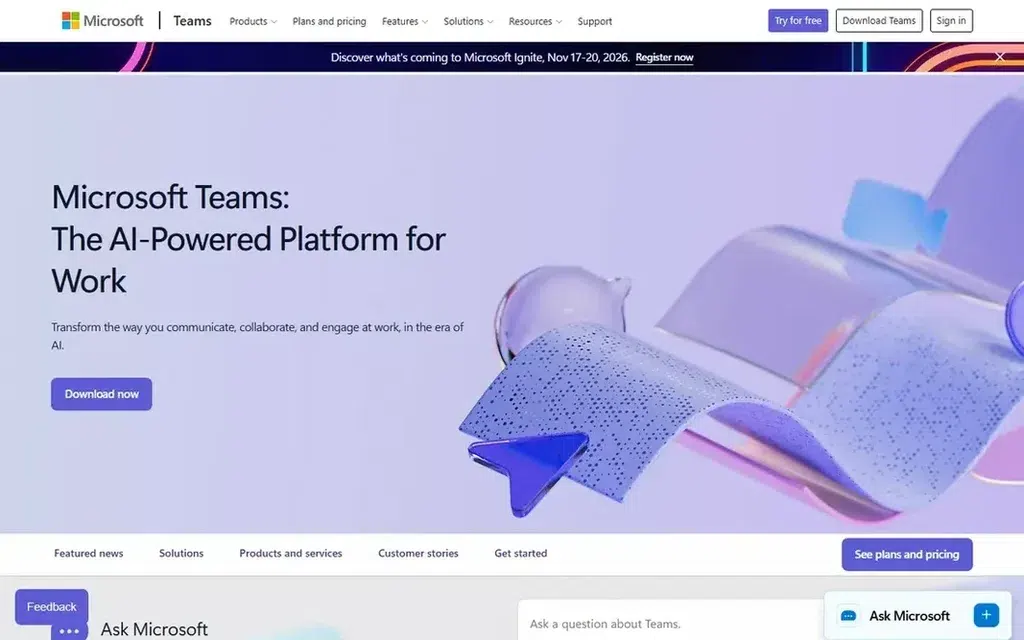
Microsoft Teams is designed for Teams already using Microsoft tools. Microsoft Teams is a collaboration hub where tools and files stay available in one place, built to help people link naturally and keep ideas moving.
Points against: Feature depth can slow down new users.
Highlights: organized collaboration. Teams carries plenty of functionality, and smaller teams may need time to configure channels and permissions sensibly. Beyond that, organizations outside the Microsoft ecosystem may prefer a standalone meeting system, whereas Microsoft-centric firms will find Teams cuts the number of separate tools they juggle. Microsoft Teams shows no starting price here, so confirm the cost on the vendor site. As for free access: Not stated.
- Suits companies standardized on Microsoft
- Chat
- Best value comes when already inside the Microsoft ecosystem
Where Zoom Workplace fits: all-in-one meetings, chat and phone. The breadth of the system means setup and administration take more thought than a straightforward meeting tool.
Where it is weaker: Numerous features can overwhelm very small teams.
Zoom Workplace does not show a starting price in this comparison, so check the vendor site for current pricing. Free access: Not stated.
Highlights: Meetings, chat.
- Whiteboard and events tools included
- Phone and webinars in one product
- Advanced extras sit outside the core meeting experience
ClickMeeting is built with webinars that capture leads in mind. Firms that mainly need internal calls should compare meeting-first products, whereas firms running recurring webinars will find the lead-capture focus relevant. ClickMeeting is oriented toward webinars instead of everyday team meetings, so it may not replace a general video meeting tool.
Also, ClickMeeting is a webinar product for running live, automatic and on-demand webinars and capturing leads after events end. It works in the browser without an install, which fits small firms that present to audiences and want to follow up with attendees. This comparison lists no price for ClickMeeting; ask the vendor. ClickMeeting includes a free tier.
Downsides: Webinar-first focus may not suit daily internal calls.
- Automatic and on-demand webinars
- Built around lead capture
- Marketing orientation is less relevant for pure meeting use

Cisco Webex is a good fit for AI-assisted collaboration with device choices. Cisco Webex presents AI-powered collaboration alongside customer experience, devices and system options. Beyond that, the homepage positions Webex as a platform instead of a single meeting app, which fits teams planning for scale.
The main drawbacks: Enterprise focus can feel heavy for tiny teams.
In practice, Webex is built with bigger organizations in mind, so very small teams may not use much of the product. From a buyer's view, companies that want a light meeting tool with minimal administration should compare more straightforward choices, whereas teams that value devices and system depth will find Webex a credible fit. Check the vendor site for Cisco Webex pricing; none is listed in this comparison. Free access exists with Cisco Webex.
- Customer experience and device options
- AI-powered collaboration features
- Full value relies on adopting the wider product
How we chose
The comparison looks at four things: starting price, free access, how well the feature set matches video communications software for small business, and the main limit of each tool. Figures are shown as the vendors publish them. Billing terms, seat minimums and add-ons can change the real cost. We ordered the tools by general fit, then by how clearly pricing is shown, then by free access. A buyer with unusual needs may reorder them.
Things to verify first
- Get a written quote from GoTo Meeting, Microsoft Teams, Zoom Workplace and others; the list shows no starting price for them.
- Look at free plan limits closely: ClickMeeting and Cisco Webex have one, and the caps decide whether it is usable for real work.
- Before choosing GoTo Meeting, weigh its main limit: narrower scope than full collaboration suites.
- Ask Cisco Webex whether prices are locked for the first term and what happens at renewal.
- Before you load data into Zoom Workplace, check what an export looks like and who can run it.
FAQ
Which video communications tool is a good match for a small business new to remote meetings?
This list starts with GoTo Meeting, which fits straightforward web conferencing. For other needs, Livestorm is aimed at marketing webinars with CRM sync, and Microsoft Teams at Teams already using Microsoft tools. Check each tool's price and main limit first.
How are the tools for video communications software for small business ordered?
GoTo Meeting sits first and Cisco Webex last because the order follows typical fit for video communications software for small business, then price clarity and free access. It is a judgement call, so read each profile for fit and limits.
Is GoTo Meeting the right pick for everyone comparing video communications software for small business?
No single tool suits every team. GoTo Meeting comes first because it fits straightforward web conferencing, while Livestorm suits marketing webinars with CRM sync and Microsoft Teams suits Teams already using Microsoft tools. Match the tool to your own size, budget and workflow before deciding.
Do these tools publish their prices?
Not all of them. GoTo Meeting, Microsoft Teams, Zoom Workplace and others publish no starting price, so expect a quote request for those. The rest, Livestorm included, show a starting price, though seats and billing terms still change the final cost.
Can I try these tools before paying?
Often, yes. ClickMeeting and Cisco Webex have a free plan. Use your own data and a real task during the test, and check what the free tier or trial limits before you rely on it. Prices, free plan details and limits for all 6 tools in this video communications software for small business roundup sit on the individual cards above.
Sources
- https://www.goto.com/meeting
- https://livestorm.co
- https://www.microsoft.com/en-us/microsoft-teams/group-chat-software
- https://www.zoom.com
- https://clickmeeting.com
- https://www.webex.com