Best Video Collaboration Software in 2026: 9 Tools Compared
Best video collaboration software in 2026: 9 tools for frame-accurate review, shared editing, hosting, and client approval, compared for creative teams.

- Editor's choice
 Frame.io
Frame-accurate client review
Starts at$15 per member per monthVisit frame.ioFull review - Great alternative
 Vimeo
Hosting plus review
Starts at$12 per seat per monthVisit vimeo.comFull review - Also consider
 Descript
Transcript-based team editing
Starts at$16 per monthVisit descript.comFull review
TL;DR:
- Frame.io remains our pick for most professional teams because comments sit on exact frames and inside Premiere Pro, so feedback rarely gets lost.
- Vimeo is the best all-rounder for smaller teams that also need hosting, a review page, and simple sharing in one account.
- DaVinci Resolve gives collaborative editing without a monthly fee for the core app, but the paid Studio version is needed for the full shared workflow.
- Review-only tools such as Wipster and Filestage suit teams that already edit elsewhere and mainly need fast, tidy approval rounds.
- Prices rise quickly when every reviewer needs a paid seat, so check who counts as a paid member before you commit.
Quick comparison
| Tool | Best for | Starts at | Free plan? | |
|---|---|---|---|---|
| Frame.io | Frame-accurate client review | $15 per member per month | Yes | Visit |
| Vimeo | Hosting plus review | $12 per seat per month | Yes | Visit |
| Descript | Transcript-based team editing | $16 per month | Yes | Visit |
 DaVinci Resolve | Collaborative post-production | $295 one-time | Yes | Visit |
 Kapwing | Browser-based team editing | $16 per month | Yes | Visit |
 Wipster | Simple video review and approval | $9.95 per month | Free trial | Visit |
 Filestage | Compliance-ready review workflows | See website | Yes | Visit |
 Ziflow | Complex approval workflows | See website | Yes | Visit |
 ReviewStudio | Simple online proofing | $12 per month | Free trial | Visit |
The best video collaboration software
Video work stalls in review far more often than in editing. These tools keep the cut, the comments, and the decisions in one place, so teams spend less time chasing email threads and re-cutting approved scenes.

Frame.io is the review layer many professional video teams standardize on, and the reason is simple to explain. A client can pause on a frame, leave a note, draw on the image, and the editor sees that note in context instead of decoding a vague email. The free plan covers two members and a small amount of storage, which is enough to test a real project with one client.
Our pick for most people is Frame.io when the team already edits in Adobe tools. Camera-to-cloud uploads help remote shoots, and version comparison makes it clear which cut a comment belongs to. The honest catch is scope. Frame.io will not replace an editor, and large groups of reviewers can push the monthly bill up, so agree early on who really needs a paid seat and who can review through a shared link.
- Comments pinned to exact frames
- Strong Premiere Pro integration
- Camera-to-cloud uploads
- It reviews video but does not edit it
- Per-member pricing adds up with large reviewer groups
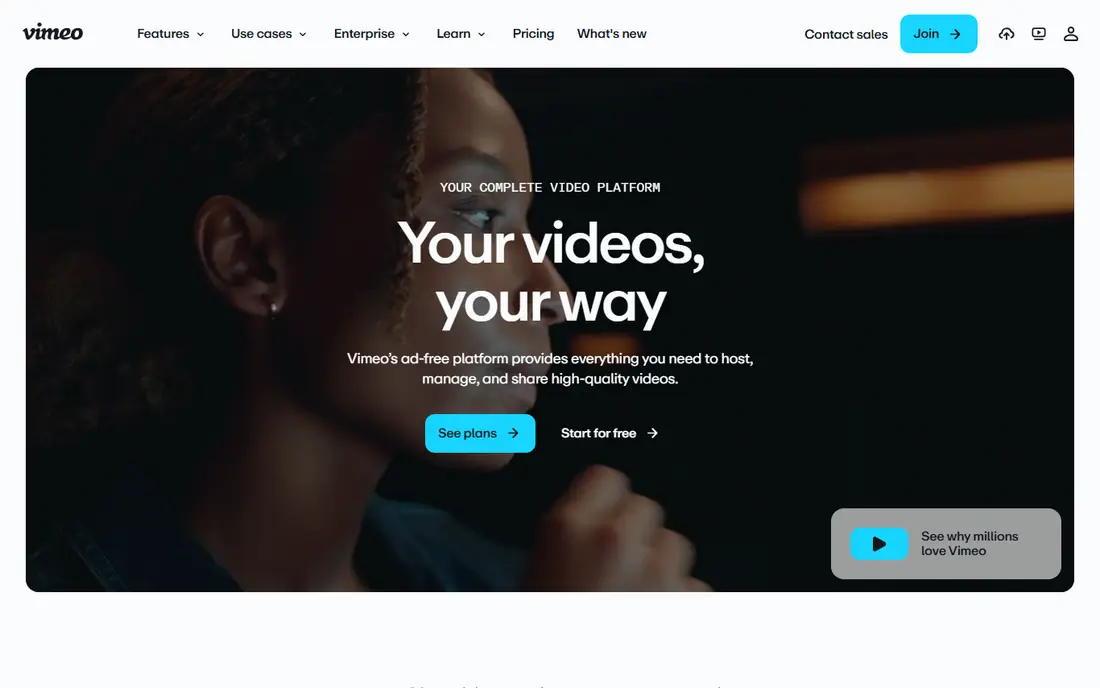
Vimeo suits teams that need a finished home for video as well as a review step. You can upload a draft, share a review link, collect timestamped comments, and then publish the final version without moving files between services. That single flow matters for marketing teams, course creators, and small agencies that do not want a separate hosting bill.
The review experience is clear and client friendly, though it lacks some of the approval routing found in Filestage or Ziflow. For straightforward sign-off, that simplicity is a strength. If your workflow needs multi-stage approvals, legal sign-off, or proofing for many asset types, a dedicated review tool may fit better.
- Hosting, review, and sharing in one place
- Clean review pages for clients
- Privacy controls
- Review tools are simpler than dedicated proofing platforms
- Higher tiers are needed for larger teams

Descript changes how non-editors take part in a project. Because the transcript acts as the timeline, a producer can cut filler words, reorder a section, or flag a line without learning a traditional editor. Teams can comment in shared projects, and the same project can serve both video and audio versions.
That approach shines for talking-head videos, interviews, courses, and podcasts. It is less convincing for projects built around layered visuals, color work, or precise motion design. Treat Descript as a collaboration and rough-cut tool first, and pair it with a full editor when the final polish demands that depth.
- Edit video by editing text
- Shared projects and comments
- Useful for podcasts and training videos
- Less suited to complex cinematic editing
- Performance depends on the project size and connection
DaVinci Resolve is the strongest value choice for teams that want real collaborative editing. The free version covers editing, color grading, audio, and effects at a level many paid apps struggle to match. With the paid Studio version, multiple editors can work in the same project through shared databases and timelines.
The trade-off is learning time. New editors may find the interface dense, and shared projects need careful setup for media, permissions, and storage. For a team with editing skill, however, Resolve removes the monthly subscription habit and keeps the whole post-production chain in one application.
- Editing, color, audio, and effects in one app
- Free version is unusually capable
- Multi-user collaboration
- Steep learning curve for beginners
- Full collaboration features require Studio and setup
Kapwing is built for speed. A team can open a browser tab, drop in clips, add captions, trim a social cut, and leave comments without installing software or moving large project files. Shared workspaces keep drafts, brand assets, and feedback together, which helps distributed marketing teams.
It works best for short-form, social, and internal video where turnaround matters more than cinematic control. Long projects, heavy effects, and precise color work will still belong in a desktop editor. Use Kapwing to publish quickly, and keep a desktop tool for flagship pieces.
- Runs in the browser with no install
- Shared workspaces and comments
- Fast for social and short-form video
- Not a replacement for high-end desktop editing
- Export and storage limits apply on lower plans
Wipster keeps the review step short. Clients open a link, watch the video, and leave comments tied to moments in the timeline. Version comparison shows what changed, which cuts down on the classic problem of feedback arriving for an old cut. Small creative teams often prefer this focus over a larger platform they will only partly use.
The limit is breadth. Wipster does not try to be an editor, a host for a full video library, or a company-wide approval system. If your main pain is slow client sign-off, that focus is exactly right. If you need compliance records, many asset types, or complex routing, look at Filestage or Ziflow instead.
- Clean review interface
- Side-by-side version comparison
- Easy for non-technical clients
- Narrower feature set than enterprise proofing tools
- Limited value if you also need editing
Filestage fits teams where approval is a formal step, not a casual comment. Reviewers can be assigned stages, deadlines can be tracked, and decisions are recorded in a way that suits regulated work and larger campaigns. It also handles files beyond video, so a campaign with video, images, and documents can move through one approval chain.
Smaller teams may find the structure heavier than they need, and the price reflects that enterprise focus. The value shows up when missed approvals cause delays, rework, or compliance risk. For a two-person team with one client, Wipster or Vimeo will feel faster.
- Structured review and approval workflows
- Supports many file types
- Audit-friendly tracking
- Pricing sits above simple review tools
- Setup takes longer for small teams
Ziflow is designed for marketing and creative operations teams that review a high volume of assets. Automated workflows route work to the right reviewers, chase decisions, and keep a clear record of each version. That structure helps when several stakeholders must approve a video before it can go live.
For a single video and a single client, Ziflow may feel like more system than the job needs. For teams juggling campaigns, regions, and legal review, the automation pays for itself in fewer stalled projects. Start with a trial on a real campaign, not a test file, to see if the workflow fits your approval chain.
- Automated approval routing
- Version control for creative assets
- Strong for marketing teams
- Can feel large for simple one-video reviews
- Pricing is not aimed at solo creators
ReviewStudio is a practical middle ground between a shared video link and a full approval platform. Reviewers can mark up frames, leave comments, and approve versions without training, which helps when clients are not technical. It also covers images, so mixed creative work can stay in one review flow.
The platform does not match Ziflow or Filestage for automated routing or compliance reporting. That is fine for many agencies and in-house teams. If your main goal is tidy, visual feedback at a fair price, ReviewStudio delivers it without a long setup.
- Straightforward proofing for video and images
- Markup tools for reviewers
- Affordable entry price
- Smaller integration library than larger platforms
- Less depth for enterprise approval chains
How we picked these
We compared official feature pages, pricing pages, and app listings for tools that cover video review, shared editing, or both. We favored tools with a clear collaboration feature, such as frame comments, shared timelines, version control, or approval routing, rather than simple video players. We also checked that each product is still offered in 2026 and that its homepage matches the product listed. Prices shown are starting prices from vendor or comparison sources, and we wrote See website where a vendor does not publish a simple starting price.
What to check before you choose
Start with the review problem you actually have. If clients send feedback by email, a review tool such as Frame.io, Wipster, or Vimeo will help more than a new editor. If editors overwrite each other or wait for files, a shared editing tool such as Descript or DaVinci Resolve matters more. Map the bottleneck first, then buy for that step.
Who needs a paid seat
Check the difference between editors, reviewers, and guests. Some tools charge for every person who comments, while others allow free reviewers through shared links. A team with five editors and twenty clients should not pay twenty-five full seats if a link-based review option exists.
Versions, permissions, and storage
Confirm how versions are stored, who can approve a final cut, and what happens when storage fills up. Clear version labels, expiry controls for shared links, and permission settings protect both the project and the client relationship. For sensitive work, ask about watermarking, password protection, and access logs before you upload a draft.
Editing depth and export quality
A browser tool may be perfect for social clips and weak for a broadcast piece. Check export resolution, caption support, audio handling, and whether the final file stays in the same quality as the source. If you need color grading or complex audio, keep a desktop editor in the workflow even when review happens online.
FAQ
What is the best video collaboration software for most teams?
Frame.io is our pick for most professional teams because it keeps feedback on exact frames and connects with Premiere Pro. Vimeo is a better fit when hosting and simple review matter more than deep approval routing. Small teams with a tight budget can start with Wipster or ReviewStudio and move up only when approval volume grows.
What is the best video collaboration platform for remote editors?
DaVinci Resolve Studio and Descript both support shared projects, but they solve different problems. Resolve suits editors working on the same timeline with shared media. Descript suits producers and writers who edit through a transcript. Frame.io adds the review layer on top of either approach.
What is the best video review and collaboration software for clients?
Wipster, Vimeo, and ReviewStudio are the easiest for clients because they work through a link and need no training. Frame.io is also client friendly, though its full value shows up when the editing team uses Adobe tools. Choose the option your least technical client can open and use without help.
Is there free video collaboration software?
Yes. DaVinci Resolve has a capable free version, and Frame.io, Vimeo, Kapwing, and Descript offer free plans or trials with limits. Free plans usually cap storage, projects, or export quality, so they work best for testing or small projects rather than full client work.
Do I need a separate review tool if I already have an editor?
Not always. If your editor already supports shared projects and comments, that may be enough. A separate review tool helps when clients, legal reviewers, or marketing approvers need a simple link, a clear approval record, and version control without access to the editing project itself.
Sources
- https://frame.io/pricing
- https://www.vimeo.com/pricing
- https://www.descript.com/pricing
- https://www.blackmagicdesign.com/products/davinciresolve
- https://www.kapwing.com/pricing
- https://www.wipster.io/pricing
- https://www.filestage.io/pricing
- https://www.ziflow.com/pricing
- https://www.reviewstudio.com/pricing