Best Translation Software for Multilingual Schools in 2026: Prices, Free Plans and 5 Picks
5 products for the best translation software for multilingual schools, ranked by fit, with starting costs and free tiers. Read the caveats before you buy.
- Editor's choice
 Crowdin
Collaborative translation projects
Starts atSee websiteVisit crowdin.comFull review - Great alternative
 Lokalise
Continuous localization for apps
Starts at$149 a monthVisit lokalise.comFull review - Also considerLionbridge
Enterprise-level translation services
Starts atSee websiteVisit lionbridge.comFull review
Direct answer
Crowdin is the first pick on this list for collaborative translation projects. Listed starting prices: Lokalise from $149 a month. Look at Lokalise for continuous localization for apps, and at Lionbridge for enterprise-level translation services. Details, prices and limits for the rest of the 5 tools are below.
TL;DR:
- Crowdin takes the first slot, best suited to collaborative translation projects.
- What to know about Lokalise first: centred on software products.
- The lowest published monthly entry price here is $149 per month, from Lokalise.
- None of the 5 tools, from Crowdin to Google Translate, has a free plan, so budget for a subscription or use a trial.
- For fast, free translations, Google Translate is worth a look.
Last checked November 2026. Prices and plan details were read from the vendors' own pages in November 2026; vendors change plans often, so confirm the current price on the vendor site before you buy.
Quick comparison
| Tool | Best for | Starts at | Free plan? | |
|---|---|---|---|---|
| Crowdin | Collaborative translation projects | See website | Free trial | Visit |
| Lokalise | Continuous localization for apps | $149 a month | Free trial | Visit |
| Lionbridge | Enterprise-level translation services | See website | Not stated | Visit |
 DeepL Pro | Accurate document and text translation | See website | Not stated | Visit |
 Google Translate | Fast, free translations | See website | Not stated | Visit |
Translation Software for Multilingual Schools profiles
Choosing translation software for multilingual schools usually comes down to price, fit and limits. This LinkVetted guide sets 5 tools side by side on those three points, with the facts kept short and checkable.
Where Crowdin fits: collaborative translation projects. Crowdin supports a workflow that can involve staff, volunteers, or professional translators. More specifically, Crowdin is an all-in-one localization and translation management system with software, tools, and integrations to localize content.
It is a strong match for schools that require to handle translation projects collaboratively, like translating school websites or educational materials. Worth adding: Crowdin's feature set may be more than a small school needs, and the ramp-up time can be steep. This comparison lists no price for Crowdin; ask the vendor. Trial and free access: Free trial.
Where it is weaker: Pricing may be high for small schools.
- Supports integrations
- Facilitates team collaboration
- Steeper ramp-up time
In short, Lokalise is for continuous localization for apps. Schools should evaluate whether its workflow aligns with their needs. Lokalise is a continuous localization and translation management product that integrates into development workflows to help ship localized products quicker.
Whereas it is built for software products, schools with digital products or apps might find it handy for managing multilingual content efficiently. Beyond that, the product's focus on product localization means it might lack features specifically for educational documents. Lokalise is tailored for technical teams and may not be the best fit for schools without development resources. Lokalise starts at: $149 per month. On free options: Free trial.
Main advantages: AI-powered localization.
Watch-outs: Centred on software products.
- Simplifies translation management
- Links up with development workflows
- May not suit non-technical users
Lionbridge
Best for: Enterprise-level translation services
Lionbridge is built with enterprise-level translation services in mind. Lionbridge is a translation and localization expert serving technology, games, life sciences, and e-commerce enterprises.
What to check first: May be expensive for schools.
For everyday use, smaller schools may find more accessible choices among the other tools listed. On top of that, Lionbridge is aimed at enterprise clients and may be costly for usual school budgets. No starting price is listed for Lionbridge here; confirm pricing on the vendor site. As for free access: Not stated.
- Serves several industries
- Expert translation and localization
- Geared toward enterprises
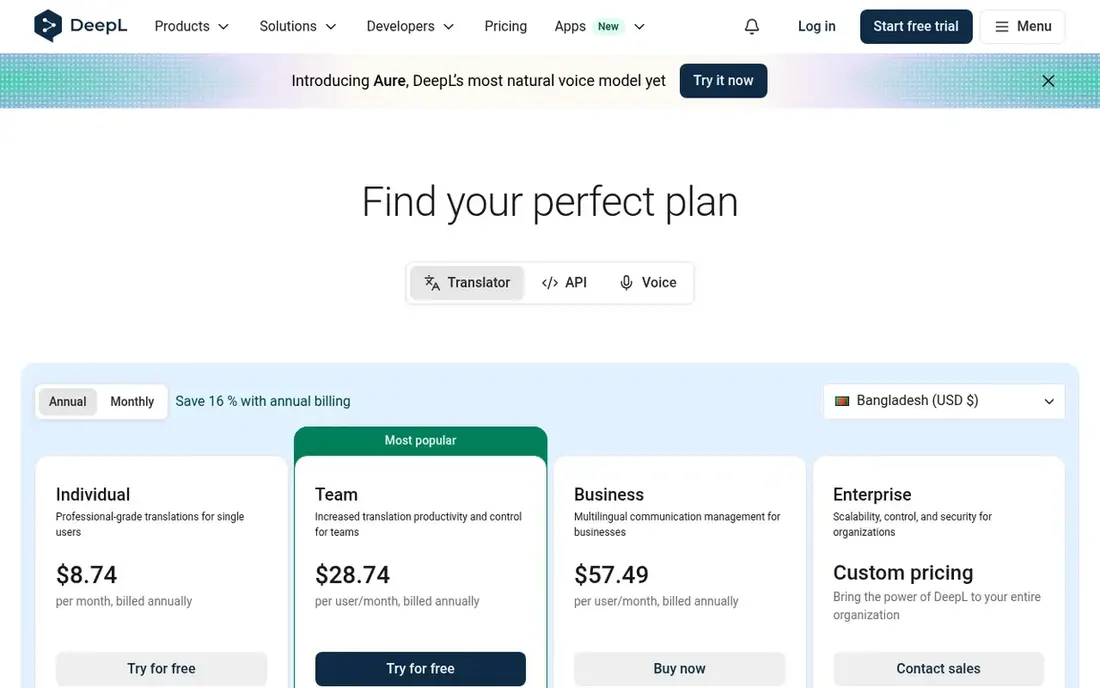
DeepL Pro is aimed squarely at accurate document and text translation. Schools with tight budgets might consider free alternatives for casual use, but for sensitive or official documents, DeepL Pro's security features are a capable advantage.
Where it is weaker: Pro features need subscription.
No starting price is listed for DeepL Pro here; confirm pricing on the vendor site. Free options: Not stated.
- Supports several file formats
- Secure handling of documents
- Restricted language pairs compared with some
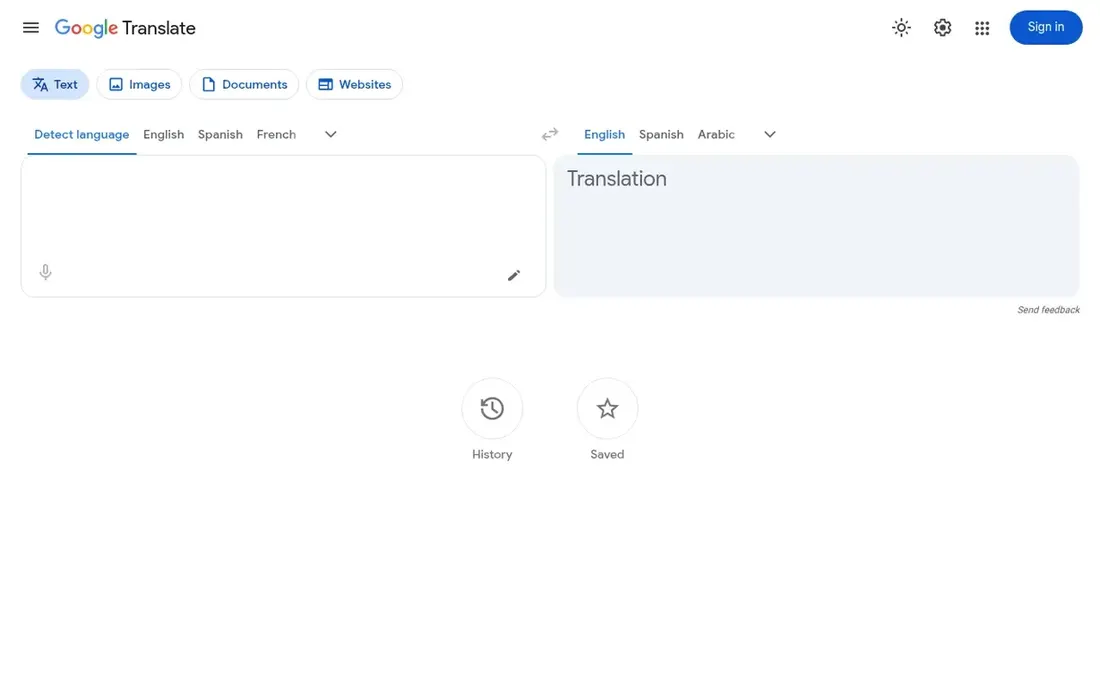
Google Translate is aimed squarely at fast, free translations. Google Translate is a widely used free translation tool that supports a vast number of languages. On top of that, schools requiring high accuracy for official communications should consider dedicated translation software with more solid security and quality controls.
Limits to weigh: Limited document formatting.
Beyond that, for schools needing entry-level, immediate translation, it is a practical choice. That said, Google Translate may produce less accurate results for nuanced or technical content, and it supplies restricted support for preserving document formatting. No starting price is listed for Google Translate here; confirm pricing on the vendor site. Free options: Not stated.
- Supports plenty of languages
- Free to use
- Less accurate for complicated text
How we compared the tools
Selection started from tools commonly considered for translation software for multilingual schools, then narrowed to 5 that have clear pricing information or a clear quote process. Plan names, prices and limits change often. Treat the figures here as a starting point and verify them with the vendor. Position on the page reflects fit for a typical buyer first, with price clarity and free access breaking ties. Treat it as a guide, not a ruling.
What to check before you buy
- Ask Crowdin, Lionbridge, DeepL Pro and Google Translate for a written quote, since no starting price is shown.
- Run a trial of Crowdin and Lokalise with real work before paying for a year; your own workflow is the best test.
- Before choosing Crowdin, weigh its main limit: steeper learning curve.
- Map your must-have features to a specific Lionbridge plan before you compare prices.
- Check the integration list for Google Translate against the tools you run today, and note which ones need a higher plan.
FAQ
Can I try these tools before paying?
Often, yes. Crowdin and Lokalise offer a free trial. Use your own data and a real task during the test, and check what the free tier or trial limits before you rely on it.
What is the cheapest option for translation software for multilingual schools in this list?
On published monthly entry prices, Lokalise is the lowest here at $149 per month. Entry price is only part of the cost, because seats, add-ons and billing terms can change the total. For the full picture, the cards above cover all 5 entries of this translation software for multilingual schools list, including price, free plan and limits.
Is Crowdin the right pick for everyone comparing translation software for multilingual schools?
No single tool suits every team. Crowdin comes first because it fits collaborative translation projects, while Lokalise suits continuous localization for apps and Lionbridge suits enterprise-level translation services. Match the tool to your own size, budget and workflow before deciding.
What is the best translation software for schools with restricted budgets?
For most readers this guide would start with Crowdin, built for collaborative translation projects. Lokalise is the alternative for continuous localization for apps, and Lionbridge for enterprise-level translation services. The right answer depends on budget and workflow.
How are the tools for translation software for multilingual schools ordered?
Crowdin sits first and Google Translate last because the order follows typical fit for translation software for multilingual schools, then price clarity and free access. It is a judgement call, so read each profile for fit and limits.
Sources
- https://crowdin.com
- https://lokalise.com
- https://www.lionbridge.com
- https://www.deepl.com/pro
- https://translate.google.com