Best Tools for Documenting APIs in 2026: 6 Tools Compared
Weighing the best tools for documenting APIs? We lined up 6 products by cost, free access and fit. Each profile ends with a plain caveat. Checked this month.
- Editor's choice
 Docusaurus
Building custom documentation websites
Starts atSee websiteVisit docusaurus.ioFull review - Great alternative
 Redocly
Generating reference docs from OpenAPI
Starts at$249 a monthVisit redocly.comFull review - Also consider
 Confluence
Team collaboration and knowledge sharing
Starts atSee websiteVisit atlassian.comFull review
Direct answer
Docusaurus leads the list, best for building custom documentation websites. Listed starting prices: Redocly from $249 a month, Postman from $9 a month and GitBook from $65 per site a month. If your case is different, Redocly suits generating reference docs from OpenAPI and Confluence suits team collaboration and knowledge sharing. The other 3 tools in the list cover narrower or pricier cases.
TL;DR:
- Docusaurus sits first on this list: building custom documentation websites.
- GitBook is the one to check for collaborative documentation with AI features.
- The main caution on ReadMe: restricted API testing features.
- Free plans exist at 2 of 6 tools (Postman, GitBook).
Last checked November 2026. Prices and plan details were read from the vendors' own pages in November 2026; vendors change plans often, so confirm the current price on the vendor site before you buy.
Quick comparison
| Tool | Best for | Starts at | Free plan? | |
|---|---|---|---|---|
| Docusaurus | Building custom documentation websites | See website | Not stated | Visit |
| Redocly | Generating reference docs from OpenAPI | $249 a month | Free trial | Visit |
| Confluence | Team collaboration and knowledge sharing | See website | Not stated | Visit |
 ReadMe | Developer-friendly interactive API documentation | See website | Not stated | Visit |
 Postman | All-in-one API development and documentation | $9 a month | Yes | Visit |
 GitBook | Collaborative documentation with AI features | $65 per site a month | Yes | Visit |
Every option for tools for documenting APIs explained
LinkVetted put together this guide to tools for documenting APIs for readers who want a clear shortlist without reading every vendor page. It compares 6 tools on starting price, free plans, who each one suits and where each one falls short.
Pick Docusaurus if this describes you: building custom documentation websites. Docusaurus is commonly used for open-source projects and technical documentation. Docusaurus is an optimized site generator in React that helps you build documentation websites, blogs, and marketing pages.
Trade-offs to know: No built-in API explorer.
Docusaurus needs coding to set up and customize, which may be a barrier for non-technical teams. It does not contain API-specific features like interactive explorers. This comparison lists no price for Docusaurus; ask the vendor. As for free access: Not stated.
- Supports blogs and marketing pages
- React-based site generator
- Needs development knowledge
Redocly is a good fit for generating reference docs from OpenAPI. Redocly is tightly coupled with OpenAPI, so it may not be the best choice for teams using other specifications.
Limits to weigh: Primarily OpenAPI-focused.
More specifically, Redocly, from the makers of Redoc, turns OpenAPI descriptions into reference docs, SDKs, and tests. Redocly starts at: $249 per month. Free access: Free trial.
- From the makers of Redoc
- Automatic reference docs
- May need CI/CD integration
Confluence is a good fit for team collaboration and knowledge sharing. Confluence is a team workspace for creating and sharing knowledge, with AI features to draft, summarize, and find answers.
Where it is weaker: Not API-specific.
In daily use, Confluence is not designed specifically for API documentation, so it may lack features like interactive API explorers or OpenAPI support. No starting price is listed for Confluence here; confirm pricing on the vendor site. On free options: Not stated.
- Adaptable page structure
- AI-powered drafting and summarization
- Can become disorganized without governance
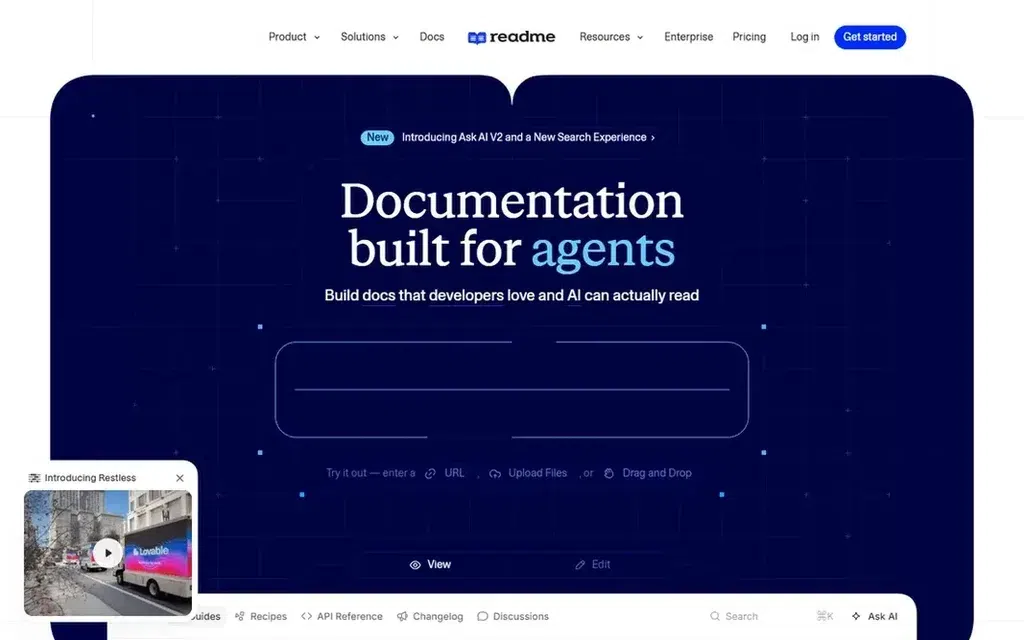
In short, ReadMe is for developer-friendly interactive API documentation. It is a good match for teams that already have APIs and have to present them plainly.
If you need an all-in-one development product, consider Postman. This comparison lists no price for ReadMe; ask the vendor. On free options: Not stated.
What to check first: May need technical setup.
- Focus on developer experience
- Interactive API documentation
- Restricted API testing features

In short, Postman is for all-in-one API development and documentation. Postman is an API product that supports the whole API lifecycle, from design to documentation.
As for the details, if you only have to publish API reference docs, a dedicated documentation tool might be more straightforward. Beyond that, Whereas Postman provides deep features, its documentation capabilities might be more than needed for teams focused solely on docs. Postman starts at: $9 per month. Postman has a free plan.
Limits to weigh: Can be complicated for beginners.
- Broad range of integrations
- Supports team collaboration
- Documentation features may need setup
Pick GitBook if this describes you: collaborative documentation with AI features. GitBook may lack some specialized API documentation features like interactive API explorers.
Points against: May need extras for API references.
Beyond that, for a dedicated API documentation product, consider ReadMe. GitBook starts at: $65 per site per month. GitBook offers a free plan.
- Approachable editing
- GitBook Agent keeps docs accurate
- Less API-specific features
How these tools were picked
The comparison looks at four things: starting price, free access, how well the feature set matches tools for documenting APIs, and the main limit of each tool. Treat prices as a snapshot: vendors change plans often, so check the vendor site for the figure that applies today. The order reflects how well each tool fits the most common buying scenario for tools for documenting APIs, then price clarity, then free plan access. It is a starting point, not a verdict.
Questions to settle before buying
- Confirm the entry price on the vendor page. For Docusaurus, Confluence and ReadMe that means a quote rather than a fixed price.
- Look at free plan limits closely: Postman and GitBook have one, and the caps decide whether it is usable for real work.
- Run a trial of Redocly with real work before paying for a year; your own workflow is the best test.
- Before choosing Docusaurus, weigh its main limit: needs development knowledge.
- See whether Confluence offers onboarding or training, and whether it is included in the price.
- Check how data leaves GitBook: formats, limits and whether exports are available on every plan.
FAQ
Is Docusaurus the right pick for everyone comparing tools for documenting APIs?
No single tool suits every team. Docusaurus comes first because it fits building custom documentation websites, while Redocly suits generating reference docs from OpenAPI and Confluence suits team collaboration and knowledge sharing. Match the tool to your own size, budget and workflow before deciding.
How does GitBook manage API documentation?
GitBook is a general documentation system that can contain API references, but it may not offer specialized features like interactive API explorers. It is right for teams that want a collaborative system with AI assistance.
What is the best tool for documenting APIs?
The first pick on this list is Docusaurus, because it suits building custom documentation websites. Redocly is better for generating reference docs from OpenAPI, and Confluence for team collaboration and knowledge sharing. Check price and limits against your own needs before choosing.
Which options for tools for documenting APIs have a free plan?
Postman and GitBook offer a free plan in this list. Free plans usually cap users, projects or features, so check the limits on the vendor page. One other tool offers a trial instead.
What is the cheapest option for tools for documenting APIs in this list?
On published monthly entry prices, Postman is the lowest here at $9 per month. Entry price is only part of the cost, because seats, add-ons and billing terms can change the total. Prices, free plan details and limits for all 6 tools in this tools for documenting APIs roundup sit on the individual cards above.
Do these tools publish their prices?
Not all of them. Docusaurus, Confluence and ReadMe publish no starting price, so expect a quote request for those. The rest, Redocly included, show a starting price, though seats and billing terms still change the final cost.
Sources
- https://docusaurus.io
- https://redocly.com
- https://www.atlassian.com/software/confluence
- https://readme.com
- https://www.postman.com
- https://www.gitbook.com