5 Time Tracking Software for Sales Teams Worth Shortlisting in 2026
Best time tracking software for sales teams in 2026: 5 contenders with entry costs and free tiers. Where a tool struggles is spelled out. Pick with confidence.
- Editor's choice
 QuickBooks Time
Time tracking tied to payroll
Starts atSee websiteVisit quickbooks.intuit.comFull review - Great alternative
 RescueTime
Automatic background time tracking
Starts at$7 a monthVisit rescuetime.comFull review - Also consider
 Clockify
Straightforward timesheets across projects
Starts atSee websiteVisit clockify.meFull review
Direct answer
Start with QuickBooks Time if you need Time tracking tied to payroll. Listed starting prices: RescueTime from $7 a month, Hubstaff from $10 per seat per month and Time Doctor from $6.67 per user a month. RescueTime is better for automatic background time tracking, and Clockify is better for straightforward timesheets across projects. Details, prices and limits for the rest of the 5 tools are below.
TL;DR:
- QuickBooks Time takes the first slot, best suited to Time tracking tied to payroll.
- Time Doctor fits visibility into distributed sales teams.
- A fair warning about QuickBooks Time: payroll focus may be more than needed.
- For the cheapest start, look at Time Doctor: $6.67 per user per month.
- Clockify is the only tool of the 5 with a free plan.
Last checked November 2026. Prices and plan details were read from the vendors' own pages in November 2026; vendors change plans often, so confirm the current price on the vendor site before you buy.
Quick comparison
| Tool | Best for | Starts at | Free plan? | |
|---|---|---|---|---|
| QuickBooks Time | Time tracking tied to payroll | See website | Not stated | Visit |
| RescueTime | Automatic background time tracking | $7 a month | Free trial | Visit |
| Clockify | Straightforward timesheets across projects | See website | Yes | Visit |
 Hubstaff | Time tracking with productivity insights | $10 per seat per month | Free trial | Visit |
 Time Doctor | Visibility into distributed sales teams | $6.67 per user a month | Free trial | Visit |
Time Tracking Software for Sales Teams compared in detail
This LinkVetted guide covers 5 time tracking software for sales teams. Each profile lists a starting price, free plan details, strengths and drawbacks, so you can drop poor fits quickly.
QuickBooks Time makes the most sense for Time tracking tied to payroll. Sales teams with field representatives or staff whose hours feed payroll can capture time and pass it through without duplicate entry, which cuts admin and keeps hours and pay aligned.
QuickBooks Time does not show a starting price in this comparison, so check the vendor site for current pricing. Free options: Not stated.
Watch-outs: Best fit when already in the QuickBooks ecosystem.
- Tracks employee time and jobs
- GPS tracking available
- Payroll focus may be more than needed
RescueTime is designed for automatic background time tracking. It supports goals and project tracking, which can help sales reps and managers see how much time goes to calls, email, research and distractions.
Teams that dislike manual timers may appreciate the passive approach to building a picture of the working day. The starting price for RescueTime: $7 per month. Free plan details: Free trial.
What to check first: Less suited to project billing workflows.
- Timesheet app included
- Automatic time tracking in the background
- Automatic capture may need categorization
In short, Clockify is for straightforward timesheets across projects. Clockify is a straightforward time tracker and timesheet app that lets teams track work hours across projects. Beyond that, choose Clockify when clean, straightforward timesheets are the priority and deeper analytics are not required.
What to check first: Fewer sales-specific insights.
In practice, the simplicity means fewer sales-specific insights and less depth in reporting for complicated organizations. From a buyer's view, teams needing in-depth productivity analysis or capacity planning may outgrow it. Check the vendor site for Clockify pricing; none is listed in this comparison. Free access exists with Clockify.
- Straightforward time tracker and timesheet
- Straightforward to introduce to a team
- Reporting depth is modest for complicated needs
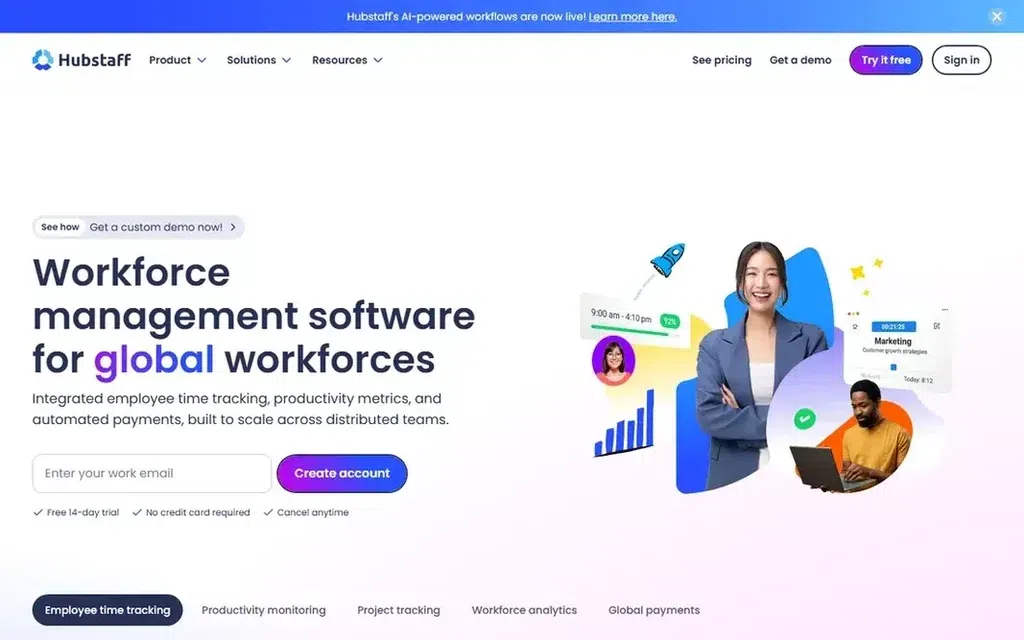
Where Hubstaff fits: Time tracking with productivity insights. The productivity monitoring angle is more solid than some teams want, and reps may prefer lighter tracking.
From a buyer's view, if you only need straightforward timesheets, a plainer tracker may be simpler, but for teams linking hours to payments and insights, Hubstaff is a reasonable first stop. What you pay to start with Hubstaff: $10 per seat per month. Free options: Free trial.
Trade-offs to know: Setup takes some configuration.
- Productivity monitoring built in
- Approved hours feed payments and insights
- Monitoring features may feel heavy for some reps
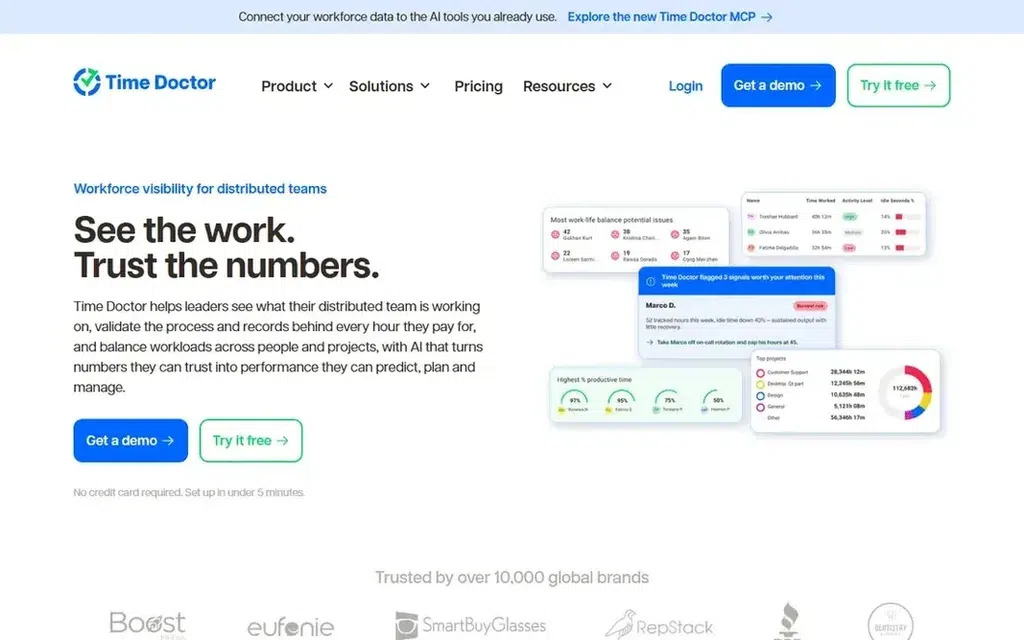
Time Doctor was built for visibility into distributed sales teams. Time Doctor is positioned around workforce visibility for distributed teams. It helps leaders see what remote team members are working on, validate the process behind every hour, and get answers grounded in real tracked data.
For everyday use, the depth of monitoring may not suit every sales culture. Also, for sales teams spread across regions, that visibility can clarify how time splits between calls, follow-ups and admin, and where coaching or process changes would help most. If your priority is straightforward hours logging instead of process visibility, a lighter tracker may fit better. The starting price for Time Doctor: $6.67 per user per month. On free options: Free trial.
Limits to weigh: Best value includes consistent team adoption.
- Validates the process behind each hour
- Displays what distributed teams work on
- In-depth monitoring can feel intrusive
Our selection method
Selection started from tools commonly considered for time tracking software for sales teams, then narrowed to 5 that have clear pricing information or a clear quote process. Treat prices as a snapshot: vendors change plans often, so check the vendor site for the figure that applies today. The ranking is editorial: typical fit first, then clear pricing, then free access. If your needs are unusual, read the profiles rather than relying on position.
A buyer's checklist
- Confirm the entry price on the vendor page. For QuickBooks Time and Clockify that means a quote rather than a fixed price.
- Look at the free plan from Clockify closely: its caps decide whether it is usable for real work.
- Use real work to test the free trial from RescueTime, Hubstaff and Time Doctor, rather than a demo project.
- Read the limits listed for QuickBooks Time first: payroll focus may be more than needed.
- Verify that exporting from RescueTime is possible on your plan and covers all your records.
- Confirm the exact QuickBooks Time plan that includes your must-have features.
FAQ
Can I try these tools before paying?
Often, yes. Clockify has a free plan and RescueTime, Hubstaff and Time Doctor offer a free trial. Use your own data and a real task during the test, and check what the free tier or trial limits before you rely on it.
Is QuickBooks Time the right pick for everyone comparing time tracking software for sales teams?
No single tool suits every team. QuickBooks Time comes first because it fits Time tracking tied to payroll, while RescueTime suits automatic background time tracking and Clockify suits simple timesheets across projects. Match the tool to your own size, budget and workflow before deciding.
What should a sales team look for in time tracking software?
Look for low-friction time capture, reporting that splits hours by client, project or rep, and any connection to payroll or invoicing you need. Consider how much monitoring your team culture accepts, since some tools emphasize visibility more than others.
Is automatic tracking better than manual timers for sales reps?
Automatic tracking cuts admin and catches time reps forget to log, but it usually needs categorization to be useful. Manual timers provide cleaner project data but rely on discipline. Plenty of teams combine both based on the task.
Which options for time tracking software for sales teams have a free plan?
Clockify is the only tool in this list with a free plan. Free plans usually cap users, projects or features, so check the limits on the vendor page. Several others offer a trial instead. For the full picture, the cards above cover all 5 entries of this time tracking software for sales teams list, including price, free plan and limits.
What is the cheapest option for time tracking software for sales teams in this list?
On published monthly entry prices, Time Doctor is the lowest here at $6.67 per user per month. Entry price is only part of the cost, because seats, add-ons and billing terms can change the total. Prices, free plan details and limits for all 5 tools in this time tracking software for sales teams roundup sit on the individual cards above.
Sources
- https://quickbooks.intuit.com/time-tracking
- https://www.rescuetime.com
- https://clockify.me
- https://hubstaff.com
- https://www.timedoctor.com