Best Time Tracking Software for Event Planners (2026): 5 Picks Checked on Vendor Pages
Best time tracking software for event planners in 2026: 5 contenders with entry costs and free tiers. Each tool is judged on the same checks. Compare quickly.
- Editor's choice
 FreshBooks
Small event firms needing accounting and time tracking
Starts at$23.00 a monthVisit freshbooks.comFull review - Great alternative
 QuickBooks Time
Planners needing payroll and job tracking
Starts atSee websiteVisit quickbooks.intuit.comFull review - Also consider
 Hubstaff
Event teams needing productivity insights
Starts at$10 per seat a monthVisit hubstaff.comFull review
Direct answer
Start with FreshBooks if you need small event firms needing accounting and time tracking. Listed starting prices: FreshBooks from $23.00 a month, Hubstaff from $10 per seat a month and Time Doctor from $6.67 per user a month. If your case is different, QuickBooks Time suits planners needing payroll and job tracking and Hubstaff suits event teams needing productivity insights. The other 2 tools in the list cover narrower or pricier cases.
TL;DR:
- Top of the list is FreshBooks, which targets small event firms needing accounting and time tracking.
- Time Doctor has the lowest monthly starting price in this list: $6.67 per user per month.
- Just one of the 5 tools, Harvest, has a free plan.
- Harvest is the one to check for billing event clients with tracked hours.
Last checked November 2026. Prices and plan details were read from the vendors' own pages in November 2026; vendors change plans often, so confirm the current price on the vendor site before you buy.
Quick comparison
| Tool | Best for | Starts at | Free plan? | |
|---|---|---|---|---|
| FreshBooks | Small event firms needing accounting and time tracking | $23.00 a month | Free trial | Visit |
| QuickBooks Time | Planners needing payroll and job tracking | See website | Not stated | Visit |
| Hubstaff | Event teams needing productivity insights | $10 per seat a month | Free trial | Visit |
 Time Doctor | Distributed event teams needing visibility | $6.67 per user a month | Free trial | Visit |
 Harvest | Billing event clients with tracked hours | $9 per seat a month | Yes | Visit |
Time Tracking Software for Event Planners, one by one
This LinkVetted guide covers 5 time tracking software for event planners. Each profile lists a starting price, free plan details, strengths and drawbacks, so you can drop poor fits quickly.
FreshBooks is aimed squarely at small event companies needing accounting and time tracking. It suits those who want an accounting hub with time tracking built in instead of a standalone tracker.
FreshBooks starts at: $23.00 per month. Trial and free access: Free trial.
The main drawbacks: May be more accounting-focused than needed.
- Cloud-based accounting
- Merges invoicing and time tracking
- Time tracking is one part of a broader suite
For planners needing payroll and job tracking, QuickBooks Time is a natural candidate. QuickBooks Time lets you track time and save on payroll in one place. On top of that, for event planners who run staff and have to link hours to payroll, this can simplify back-office work.
Worth adding: choose it when payroll and job tracking are central and you want an integrated approach with QuickBooks. QuickBooks Time is closely tied to the QuickBooks ecosystem, which may not suit planners using other accounting software. It is not primarily made for client invoicing based on tracked hours. QuickBooks Time shows no starting price here, so confirm the cost on the vendor site. Free plan details: Not stated.
Limits to weigh: Less focus on client invoicing for services.
- AI-powered all-in-one system
- Payroll integration
- May need QuickBooks ecosystem
Hubstaff makes the most sense for event teams needing productivity insights. It tracks employee time, watches productivity, and turns approved hours into payments and insights, helping teams run work, costs, and performance.
Trade-offs to know: May be more than needed for solo planners.
In practice, consider Hubstaff when team oversight and productivity data are important. The starting price for Hubstaff: $10 per seat per month. Free plan details: Free trial.
- Productivity monitoring features
- Turns approved hours into payments
- Focus on monitoring may not suit all teams
Time Doctor is designed for distributed event teams needing visibility. It helps leaders see what teams are working on, validate the process behind every hour, and get AI answers grounded in real data.
What to check first: Not a dedicated invoicing tool.
Event planners with remote staff or on-site teams across locations can use it to understand how time is allocated and to support accountability. What you pay to start with Time Doctor: $6.67 per user per month. Free options: Free trial.
- Validates process behind hours
- Workforce visibility for distributed teams
- Monitoring focus may not suit all planners
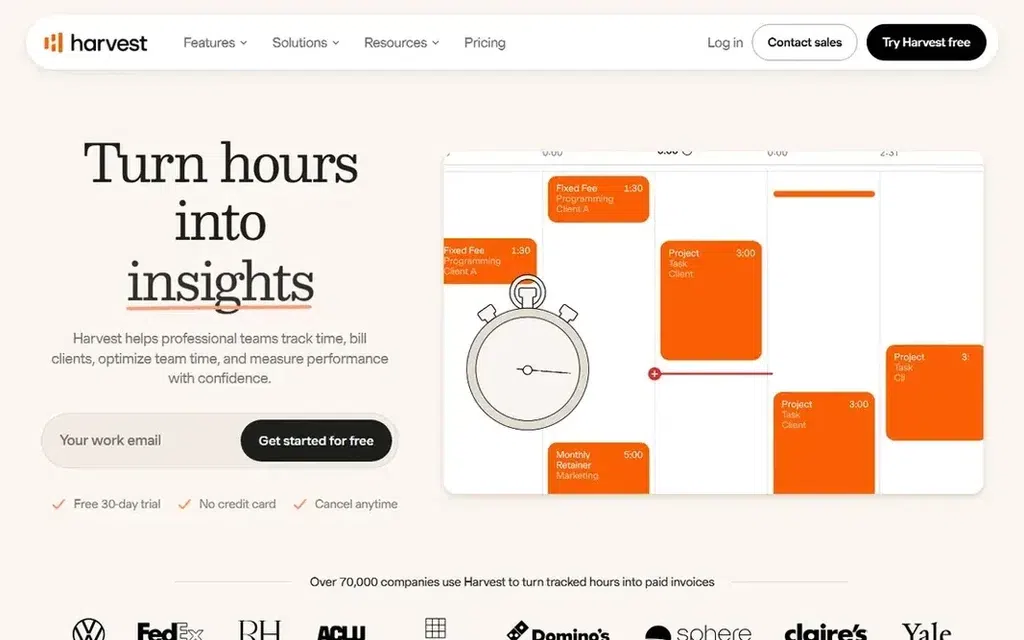
Harvest is built with billing event clients with tracked hours in mind. Harvest is time tracking and management software that emphasizes reporting and online invoicing. For everyday use, Harvest concentrates on time tracking and invoicing instead of deep productivity monitoring.
Points against: Restricted productivity monitoring.
More specifically, if you need in-depth activity insights or GPS tracking for on-site staff, another tool may be better. Choose Harvest when client billing is the priority and you want a straightforward path from hours to invoices. From a buyer's view, for event planners who bill clients by the hour, it links tracked time straight to invoices, reducing administrative steps. Harvest cost at the entry level: $9 per seat per month. Harvest offers a free plan.
- Simplified online invoicing
- Simple reporting on project hours
- May need extras for advanced team insights
How these tools were picked
LinkVetted looked at what each vendor publishes: pricing, plan limits, feature coverage for time tracking software for event planners and stated drawbacks. No hands-on testing is claimed. Treat prices as a snapshot: vendors change plans often, so check the vendor site for the figure that applies today. The order reflects how well each tool fits the most common buying scenario for time tracking software for event planners, then price clarity, then free plan access. It is a starting point, not a verdict.
A buyer's checklist
- Ask QuickBooks Time for a written quote, since no starting price is shown.
- Look at the free plan from Harvest closely: its caps decide whether it is usable for real work.
- Take the trial from FreshBooks, Hubstaff and Time Doctor and push a live task through it before you pay.
- Read the limits listed for FreshBooks first: Time tracking is one part of a broader suite.
- Find out whether the entry plan of QuickBooks Time covers your must-haves or only a trimmed-down version.
- Check whether Harvest bills monthly or annually, and what cancelling early costs.
FAQ
How are the tools for time tracking software for event planners ordered?
The order follows typical fit for time tracking software for event planners, with FreshBooks first and Harvest last, then price clarity and free access. It is editorial judgement, not a score, so another team could rank the tools differently.
Which time tracker is best for a solo event planner?
The first pick on this list is FreshBooks, because it suits small event firms needing accounting and time tracking. QuickBooks Time is better for planners needing payroll and job tracking, and Hubstaff for event teams needing productivity insights. Check price and limits against your own needs before choosing.
What is the cheapest option for time tracking software for event planners in this list?
On published monthly entry prices, Time Doctor is the lowest here at $6.67 per user per month. Entry price is only part of the cost, because seats, add-ons and billing terms can change the total. Prices, free plan details and limits for all 5 tools in this time tracking software for event planners roundup sit on the individual cards above.
Which options for time tracking software for event planners have a free plan?
Harvest is the only tool in this list with a free plan. Free plans usually cap users, projects or features, so check the limits on the vendor page. Several others offer a trial instead. Each of the 5 options in this time tracking software for event planners guide has its own card above with the price, free plan and limits.
How do these tools manage payroll for event staff?
QuickBooks Time and Hubstaff mention turning approved hours into payments or payroll integration. Other tools may need exporting hours to a separate payroll system. Check integration choices if payroll is a priority.
Can I try these tools before paying?
Often, yes. Harvest has a free plan and FreshBooks, Hubstaff and Time Doctor offer a free trial. Use your own data and a real task during the test, and check what the free tier or trial limits before you rely on it.
Sources
- https://www.freshbooks.com
- https://quickbooks.intuit.com/time-tracking
- https://hubstaff.com
- https://www.timedoctor.com
- https://www.getharvest.com