Top 6 Team Chat Software for Construction Crews for 2026 (Prices and Free Plans)
6 products for the best team chat software for construction crews, ranked by fit, with starting costs and free tiers. Real limits included. See the full list.
- Editor's choice
 Mattermost
Self-hosted and regulated environments
Starts atSee websiteVisit mattermost.comFull review - Great alternative
 Cisco Webex
AI-assisted collaboration with devices
Starts atSee websiteVisit webex.comFull review - Also consider
 Slack
Automation and workflow-heavy coordination
Starts at$4.38 per user per monthVisit slack.comFull review
Direct answer
Start with Mattermost if you need self-hosted and regulated environments. Listed starting prices: Slack from $4.38 per user per month and RingCentral from $52 per month. Alternatives: Cisco Webex for AI-assisted collaboration with devices, and Slack for automation and workflow-heavy coordination. Prices, free plans and limits for all 6 tools follow.
TL;DR:
- This list starts with Mattermost, which is built for self-hosted and regulated environments.
- Microsoft Teams suits all-in-one chat, files and meetings.
- What to know about Slack first: less centred on document storage.
- Cisco Webex, Slack: these are the 2 tools out of 6 that offer a free plan.
Last checked November 2026. Prices and plan details were read from the vendors' own pages in November 2026; vendors change plans often, so confirm the current price on the vendor site before you buy.
Quick comparison
| Tool | Best for | Starts at | Free plan? | |
|---|---|---|---|---|
| Mattermost | Self-hosted and regulated environments | See website | Not stated | Visit |
| Cisco Webex | AI-assisted collaboration with devices | See website | Yes | Visit |
| Slack | Automation and workflow-heavy coordination | $4.38 per user per month | Yes | Visit |
 RingCentral | Voice-first communication with messaging | $52 per month | Free trial | Visit |
 Zoom Team Chat | Messaging inside the Zoom Workplace | See website | Not stated | Visit |
 Microsoft Teams | All-in-one chat, files and meetings | See website | Not stated | Visit |
The best team chat software for construction crews
LinkVetted compared 6 team chat software for construction crews. The goal is a practical shortlist: published prices, free plan facts, best-fit use cases and honest limits for every entry.
Pick Mattermost if this describes you: self-hosted and regulated environments. Mattermost describes zero-trust collaboration, automation and AI in private cloud, self-hosted and air-gapped environments, built for critical infrastructure and regulated enterprises.
This comparison lists no price for Mattermost; ask the vendor. Trial and free access: Not stated.
The main drawbacks: Less familiar to general business users.
- Private cloud and self-hosted choices
- Air-gapped deployment support
- Needs more technical administration
Cisco Webex targets AI-assisted collaboration with devices. It suits teams with IT support that can configure a wide collaboration stack across offices and job trailers.
Downsides: Wide system can be complicated to configure.
On top of that, the product's breadth can add complexity for small crews that only need chat. Pricing for Cisco Webex is not stated here, so ask the vendor for current figures. Cisco Webex includes a free tier.
- AI-powered collaboration features
- Meetings and messaging together
- Best value for bigger deployments
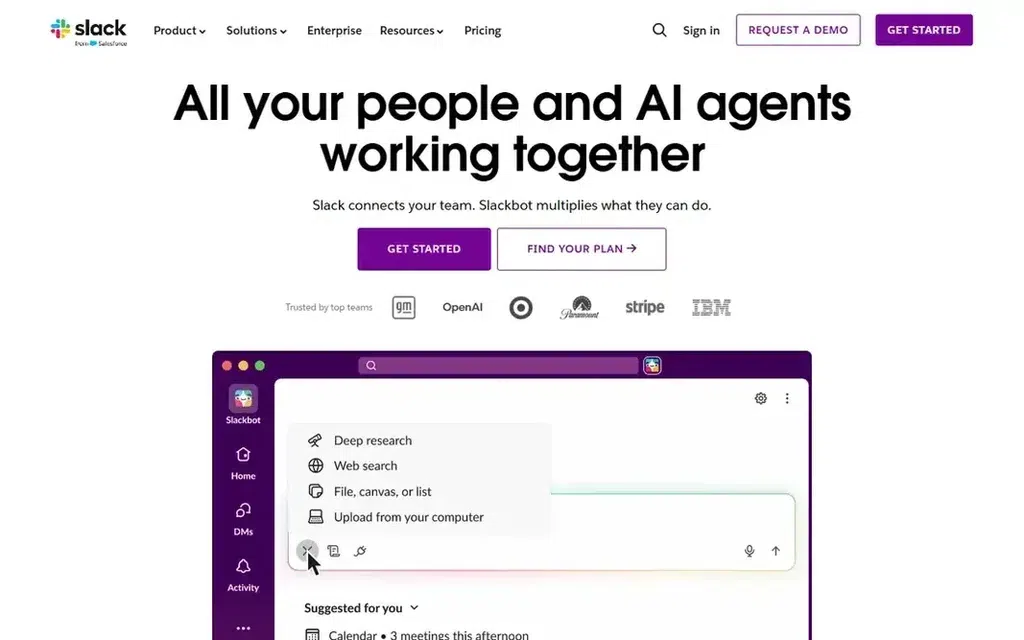
Pick Slack if this describes you: automation and workflow-heavy coordination. Slack presents itself as an AI work product for managing projects, automating workflows and connecting teams securely.
Slack is messaging-first, so file and meeting management may need other tools alongside it. From a buyer's view, for construction coordination, that means channels for each site or trade, plus automation for recurring updates. What you pay to start with Slack: $4.38 per user per month. Slack has a free plan.
Points against: Can need setup effort for automation.
- Secure team messaging
- Capable workflow automation features
- Less concentrated on document storage
RingCentral is a good fit for voice-first communication with messaging. RingCentral positions itself around business voice, with AI receptionist, virtual assistant and conversation tools alongside team messaging. More specifically, consider Microsoft Teams or Slack when chat organization is the priority.
What to check first: Messaging is not the headline feature.
From a buyer's view, messaging is not the primary focus. So teams that chiefly need project channels and file sharing may find other products more direct. The starting price for RingCentral: $52 per month. Free access: Free trial.
- AI receptionist and assistant features
- Capable focus on business voice
- Voice-centric setup may not suit chat-only teams
Zoom Team Chat serves messaging inside the Zoom Workplace. If file-centric project hubs matter most, Microsoft Teams or Slack may fit better. In practice, Zoom Team Chat gives you instant messaging integrated within the Zoom Workplace product.
Limits to weigh: Less suited as a standalone document hub.
So teams can link and collaborate anytime and anywhere. For construction crews already using Zoom for site meetings and client calls, chat stays in the same environment. Pricing for Zoom Team Chat is not stated here, so ask the vendor for current figures. Free access: Not stated.
- Anywhere messaging
- Familiar Zoom interface
- Chat is one part of a broader product
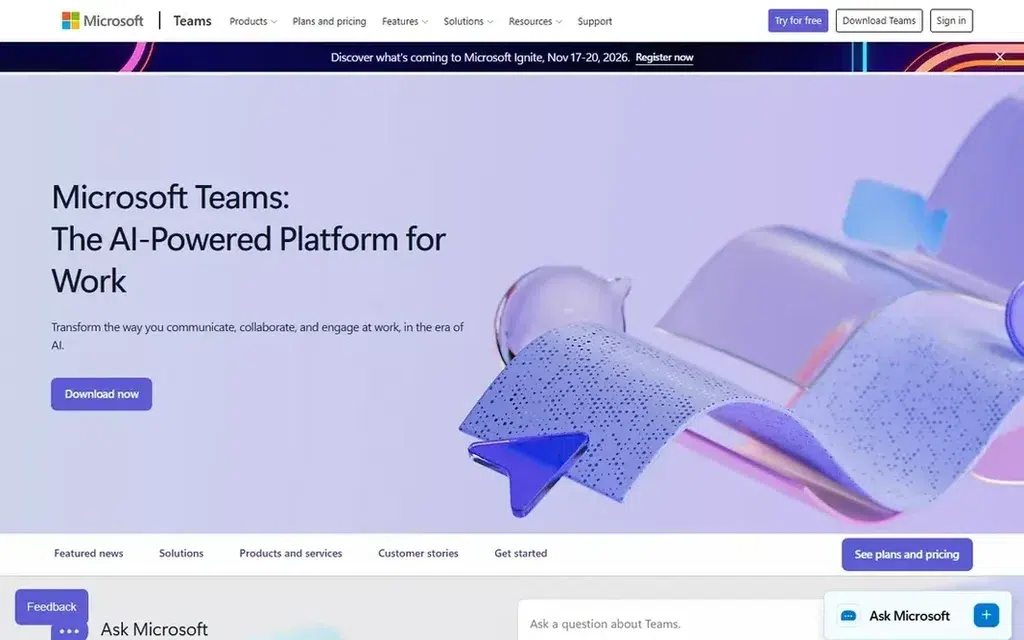
Microsoft Teams was built for all-in-one chat, files and meetings. The breadth can feel heavy for a crew that only wants fast messaging, and the experience relies on how the organization configures it.
Highlights: files and meetings in one hub.
Downsides: Can feel heavy for straightforward messaging.
The homepage stresses that tools and files are always available together, which fits construction teams that require project threads, shared documents and fast calls without switching apps. Microsoft Teams is a collaboration hub where conversations, files and meetings live in one place. Microsoft Teams shows no starting price here, so confirm the cost on the vendor site. Free plan details: Not stated.
- Suits organizations already using Microsoft tools
- Works across desktop and mobile
- Feature depth varies by configuration
How we built this list
For each of the 6 tools we noted price, free plan or trial, fit for team chat software for construction crews and the main limit, using vendor pages and documentation. Figures are shown as the vendors publish them. Billing terms, seat minimums and add-ons can change the real cost. Position on the page reflects fit for a typical buyer first, with price clarity and free access breaking ties. Treat it as a guide, not a ruling.
A buyer's checklist
- Get a written quote from Mattermost, Cisco Webex, Zoom Team Chat and Microsoft Teams; the list shows no starting price for them.
- Read the fine print on the free plans from Cisco Webex and Slack; seat, project and feature caps differ.
- Use real work to test the free trial from RingCentral, rather than a demo project.
- Before choosing Mattermost, weigh its main limit: needs more technical administration.
- Map your must-have features to a specific Slack plan before you compare prices.
- Ask Microsoft Teams how an export works before you move any records in; an easy exit lowers the risk.
FAQ
Do these tools publish their prices?
Not all of them. Mattermost, Cisco Webex, Zoom Team Chat and Microsoft Teams publish no starting price, so expect a quote request for those. The rest, Slack included, show a starting price, though seats and billing terms still change the final cost.
Can construction crews use these tools on mobile devices in the field?
Most of the systems listed offer desktop and mobile apps, which matters for crews moving between trailers and sites. Check each vendor's device support and offline behavior before rollout. Field connectivity conditions should guide your choice.
Which team chat tool is a good match for construction crews new to digital coordination?
Mattermost comes first here and is built for self-hosted and regulated environments. Buyers with other needs may prefer Cisco Webex (for AI-assisted collaboration with devices) or Slack (for automation and workflow-heavy coordination). Compare costs and limits first.
Can I try these tools before paying?
Often, yes. Cisco Webex and Slack have a free plan and RingCentral offers a free trial. Use your own data and a real task during the test, and check what the free tier or trial limits before you rely on it. Prices, free plan details and limits for all 6 tools in this team chat software for construction crews roundup sit on the individual cards above.
Is Mattermost the right pick for everyone comparing team chat software for construction crews?
No single tool suits every team. Mattermost comes first because it fits self-hosted and regulated environments, while Cisco Webex suits AI-assisted collaboration with devices and Slack suits automation and workflow-heavy coordination. Match the tool to your own size, budget and workflow before deciding.
Which options for team chat software for construction crews have a free plan?
Cisco Webex and Slack offer a free plan in this list. Free plans usually cap users, projects or features, so check the limits on the vendor page. One other tool offers a trial instead. Each of the 6 options in this team chat software for construction crews guide has its own card above with the price, free plan and limits.
Sources
- https://mattermost.com
- https://www.webex.com
- https://slack.com
- https://www.ringcentral.com
- https://www.zoom.com/en/products/team-chat
- https://www.microsoft.com/en-us/microsoft-teams/group-chat-software