Best Survey Software for Consultants in 2026: Prices, Free Plans and 5 Picks
Best survey software for consultants in 2026: 5 tools with starting prices, free plans and limits. Every pick includes one clear drawback. Numbers first.

- Editor's choice
 Qualtrics XM
Advanced experience management research
Starts atSee websiteVisit qualtrics.comFull review - Great alternative
 Formstack
Forms with documents and e-signatures
Starts at$83 a monthVisit formstack.comFull review - Also consider
 SurveyMonkey
General client surveys and feedback
Starts at$25 per user a monthVisit surveymonkey.comFull review
Direct answer
This list puts Qualtrics XM first for advanced experience management research. Listed starting prices: Formstack from $83 a month, SurveyMonkey from $25 per user a month and Jotform from $34 a month. Formstack is the stronger choice for Forms with documents and e-signatures, while SurveyMonkey suits general client surveys and feedback. The full list of 5 tools follows, with prices and free plan facts.
TL;DR:
- Qualtrics XM is the opening pick, best for advanced experience management research.
- Starting prices begin at $25 per user per month with SurveyMonkey.
- Microsoft Forms suits fast polls in Microsoft 365 environments.
- Qualtrics XM comes with a trade-off: heavy for small engagements.
- A free plan is available from 2 of the 5 tools: SurveyMonkey, Jotform.
Last checked November 2026. Prices and plan details were read from the vendors' own pages in November 2026; vendors change plans often, so confirm the current price on the vendor site before you buy.
Quick comparison
| Tool | Best for | Starts at | Free plan? | |
|---|---|---|---|---|
| Qualtrics XM | Advanced experience management research | See website | Not stated | Visit |
| Formstack | Forms with documents and e-signatures | $83 a month | Free trial | Visit |
| SurveyMonkey | General client surveys and feedback | $25 per user a month | Yes | Visit |
 Jotform | Quick forms with adaptable templates | $34 a month | Yes | Visit |
 Microsoft Forms | Fast polls in Microsoft 365 environments | See website | Not stated | Visit |
Survey Software for Consultants profiles
LinkVetted put together this guide to survey software for consultants for readers who want a clear shortlist without reading every vendor page. It compares 5 tools on starting price, free plans, who each one suits and where each one falls short.

Qualtrics XM serves advanced experience management research. Qualtrics XM is positioned around experience management, with messaging about simulating customer and employee experiences, predicting outcomes and acting on data. On top of that, if you just need a fast feedback form, a lighter choice is simpler.
Trade-offs to know: Broad system can take time to learn.
Worth adding: choose Qualtrics XM when the work is a sustained experience program with deeper analysis. Worth adding: the scope can be more than a small consulting project needs, and the ramp-up time is steeper than with straightforward form tools. No starting price is listed for Qualtrics XM here; confirm pricing on the vendor site. Free access: Not stated.
- Customer and employee experience focus
- Enterprise-grade research scope
- Heavy for small engagements
Formstack is aimed squarely at Forms with documents and e-signatures. Choose Formstack when forms, documents and signatures have to work together in one process.
What to check first: Survey depth is secondary to forms.
Also, survey design and analysis are less central than in dedicated survey systems, so research-heavy projects may need another tool. On top of that, workflow features also add setup overhead. Price to start with Formstack: $83 per month. Free access: Free trial.
- Forms combined with document generation
- E-signature support
- Broader workflow setup can add complexity
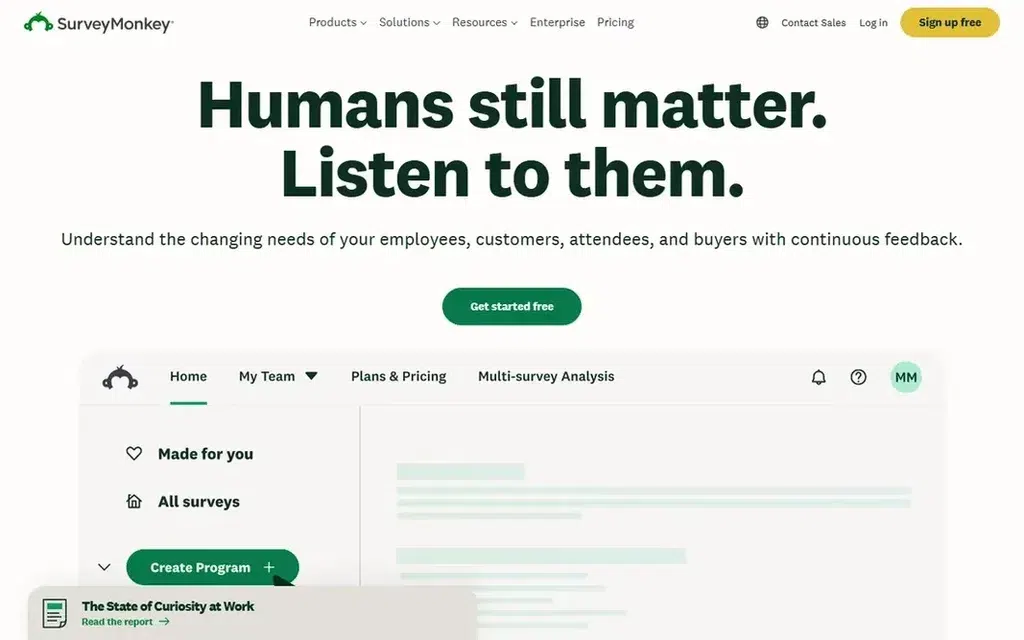
SurveyMonkey is aimed squarely at general client surveys and feedback. If your work is largely fast internal polls, a lighter tool may be faster. On top of that, since the platform serves a very broad audience, straightforward projects may feel overbuilt, and advanced question logic can push you toward premium levels.
Where it is weaker: Advanced logic may need a premium level.
Choose SurveyMonkey when reporting depth and survey variety matter. On top of that, SurveyMonkey is a dedicated survey system for building questionnaires with AI help and templates. What you pay to start with SurveyMonkey: $25 per user per month. SurveyMonkey includes a free tier.
- Established survey-focused system
- Wide survey and form use cases
- Interface can feel busy for straightforward polls
Jotform is built with quick forms with adaptable templates in mind. Consultants can use it for intake forms, event signups and short feedback surveys that sit alongside client work.
Honest limits: Design control varies by template.
Also, for complicated survey logic or in-depth analysis, a survey-focused product usually goes further. Template-driven design also means less control over every detail. What you pay to start with Jotform: $34 per month. A free plan is available with Jotform.
- Fast form and survey creation
- Straightforward drag-and-drop style building
- Advanced survey logic can be restricted
Microsoft Forms is built with quick polls in Microsoft 365 environments in mind. Consultants working inside Microsoft 365 can use it for fast client feedback, workshop polls and internal quizzes without leaving the ecosystem. It is best for short, practical data collection instead of deep research programs.
Pick Microsoft Forms when simplicity and Microsoft 365 fit are the priorities. Worth adding: if your engagement needs complicated instruments or detailed reporting, look elsewhere. Check the vendor site for Microsoft Forms pricing; none is listed in this comparison. As for free access: Not stated.
Trade-offs to know: Entry-level analysis for complicated research.
Highlights: Suits Microsoft 365 workflows.
- Straightforward surveys
- Polls and quizzes
- Restricted advanced survey features
How the list was put together
Before you commit
- Ask Qualtrics XM and Microsoft Forms for a written quote, since no starting price is shown.
- Check what the free option really includes: SurveyMonkey and Jotform offer a free plan, and usage caps differ.
- Use real work to test the free trial from Formstack, rather than a demo project.
- Before choosing Qualtrics XM, weigh its main limit: heavy for small engagements.
- Ask Microsoft Forms which support channels and response times come with the plan you would buy.
- Let daily users try Jotform on real work; their feedback beats any feature checklist.
FAQ
Which options for survey software for consultants have a free plan?
On this list, SurveyMonkey and Jotform include a free plan. Caps on seats, usage or features are common, so test the free plan against your real workload. One other tool offers a trial instead. All 5 picks in this Survey software for consultants comparison list a starting price, free plan details and the main limits on their cards above.
Which survey tool is a good match for client research projects?
For most readers this guide would start with Qualtrics XM, built for advanced experience management research. Formstack is the alternative for Forms with documents and e-signatures, and SurveyMonkey for general client surveys and feedback. The right answer depends on budget and workflow.
Can I try these tools before paying?
Often, yes. SurveyMonkey and Jotform have a free plan and Formstack offers a free trial. Use your own data and a real task during the test, and check what the free tier or trial limits before you rely on it. For the full picture, the cards above cover all 5 entries of this Survey software for consultants list, including price, free plan and limits.
Is Qualtrics XM the right pick for everyone comparing survey software for consultants?
No single tool suits every team. Qualtrics XM comes first because it fits advanced experience management research, while Formstack suits Forms with documents and e-signatures and SurveyMonkey suits general client surveys and feedback. Match the tool to your own size, budget and workflow before deciding.
Can I use form builders rather than survey software?
Yes, for plenty of consulting tasks. In daily use, Jotform and Formstack deal with intake, signups and feedback well, and Formstack layers on documents and e-signatures. If your work is research-heavy with complicated questionnaires, a survey-first product is normally the better fit.
Do these tools publish their prices?
Not all of them. Qualtrics XM and Microsoft Forms publish no starting price, so expect a quote request for those. The rest, Formstack included, show a starting price, though seats and billing terms still change the final cost.
Sources
- https://www.qualtrics.com
- https://www.formstack.com
- https://www.surveymonkey.com
- https://www.jotform.com
- https://www.microsoft.com/en-us/microsoft-365/online-surveys-polls-quizzes