Best Student Portfolio Software for Art Programs in 2026: 5 Tools Compared
Best student portfolio software for art programs: 5 contenders ranked by fit, with entry costs and free tiers. The catches are listed up front. Pick by budget.
- Editor's choice
 Pixpa
Portfolios with galleries and keeps
Starts atSee websiteVisit pixpa.comFull review - Great alternative
 Format
Creative portfolios aimed at artists
Starts at$10 a monthVisit format.comFull review - Also considerPortfolium
Academic portfolios tied to learning
Starts atSee websiteVisit portfolium.comFull review
Direct answer
Pixpa is the first pick on this list for portfolios with galleries and stores. Listed starting prices: Format from $10 a month, Squarespace from $12 per month and Carbonmade from $9.99 per month. Format is better for creative portfolios aimed at artists, and Portfolium is better for academic portfolios tied to learning. The other 2 tools in the list cover narrower or pricier cases.
TL;DR:
- The list opens with Pixpa, aimed at portfolios with galleries and keeps.
- Pixpa, Carbonmade and the 3 others all need a premium plan or a trial, since no free plan is listed.
- Pixpa comes with a trade-off: store features may exceed student needs.
- Carbonmade is the one to check for straightforward no-code creative portfolios.
- Carbonmade is the lowest-priced starter here at $9.99 per month.
Last checked November 2026. Prices and plan details were read from the vendors' own pages in November 2026; vendors change plans often, so confirm the current price on the vendor site before you buy.
Quick comparison
| Tool | Best for | Starts at | Free plan? | |
|---|---|---|---|---|
| Pixpa | Portfolios with galleries and keeps | See website | Free trial | Visit |
| Format | Creative portfolios aimed at artists | $10 a month | Free trial | Visit |
| Portfolium | Academic portfolios tied to learning | See website | Not stated | Visit |
 Squarespace | Refined template-driven sites | $12 per month | Free trial | Visit |
 Carbonmade | Straightforward no-code creative portfolios | $9.99 per month | Free trial | Visit |
The full student portfolio software for art programs list
This LinkVetted guide covers 5 student portfolio software for art programs. Each profile lists a starting price, free plan details, strengths and drawbacks, so you can drop poor fits quickly.
Pixpa is designed for portfolios with galleries and keeps. Pixpa is a portfolio website builder for photographers, artists, and designers, offering client galleries and a zero-commission store.
For everyday use, the gallery structure fits image-heavy practices. Pixpa does not show a starting price in this comparison, so check the vendor site for current pricing. Free options: Free trial.
Trade-offs to know: Geared toward client-facing work.
- Designed for artists and designers
- Zero-commission store
- Store features may exceed student needs
In short, Format is for creative portfolios built for artists. Format is a website builder geared toward creative professionals, with tools for presenting work, collaborating, and expanding an online presence. For art programs, that focus makes it a natural fit for students who require an image-first portfolio that puts the work forward.
Its creative orientation means less time adapting a generic business template. On top of that, since it is specialized, Format gives you fewer of the wide business and marketing features found in general builders. Pick Format when the portfolio itself is the priority and you want a creative-first structure. For everyday use, students who require a full personal site with a blog, store, and more may want a wider platform. What you pay to start with Format: $10 per month. Free access: Free trial.
Downsides: Narrower than general site builders.
- Made for creative professionals
- Supports presenting and collaborating on work
- Fewer non-portfolio features
Portfolium
Best for: Academic portfolios tied to learning

Portfolium makes the most sense for academic portfolios tied to learning. Students seeking gallery-style layouts or a personal brand site may prefer a dedicated creative builder.
Since its home is education technology, Portfolium is not built primarily as a visual showcase for fine art or photography. In practice, choose it when your program already uses the product and portfolio work is part of coursework. Pricing for Portfolium is not stated here, so ask the vendor for current figures. On free options: Not stated.
Trade-offs to know: May rely on institutional access.
- Supports showcasing coursework
- Built around educational portfolios
- Less concentrated on visual art presentation
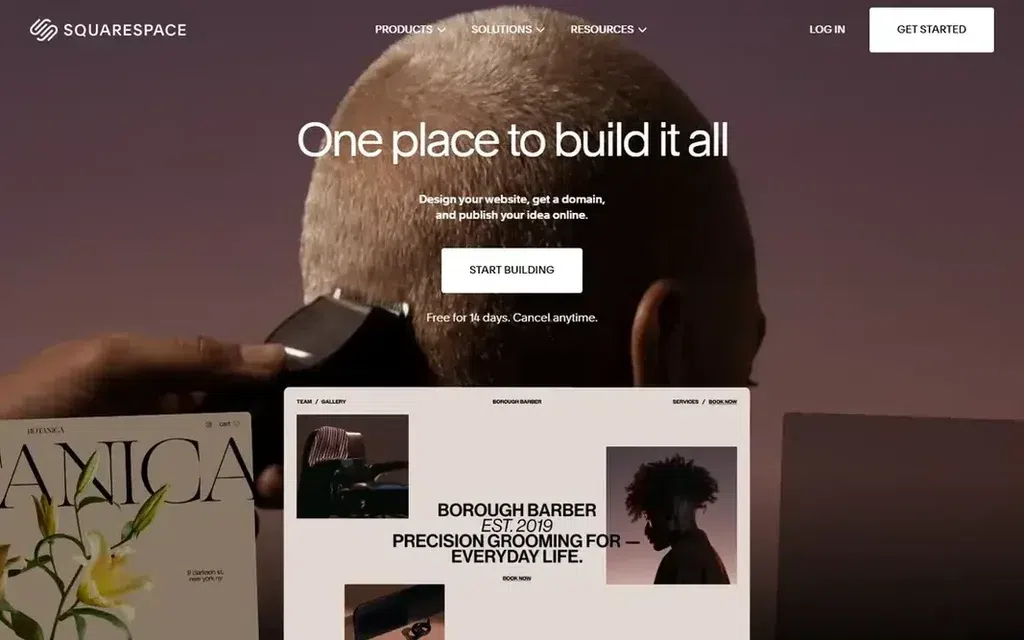
Squarespace targets refined template-driven sites. For art students, it fits a clean, professional portfolio where images and typography carry the work. On top of that, choose Squarespace when a refined, template-led portfolio matters more than deep layout experimentation.
What works well: AI website builder tools.
Limits to weigh: Template structure limits some changes. For everyday use, the structured templates help keep a consistent look across a body of work. That structure can constrain students who want unconventional, gallery-like layouts or in-depth process pages. It also leans toward finished presentation instead of continuing documentation. The starting price for Squarespace: $12 per month. On free options: Free trial.
- Configurable layouts
- Refined
- Less adaptable for unusual layouts
In short, Carbonmade is for simple no-code creative portfolios. Carbonmade concentrates on portfolio display, so students needing a store, blog, or broader marketing setup may find it restricted. It is also less about documenting process than presenting finished pieces.
Drawbacks to consider: Focused primarily on portfolio display.
From a buyer's view, Carbonmade describes itself as a place to show off work and get discovered, targeted at photographers, illustrators, motion designers, graphic designers, and writers. It needs no coding and gives you configurable layouts, which fits art students who want to publish a portfolio rapidly without wrestling with site structure. From a buyer's view, the creative framing keeps attention on the work. More specifically, choose it when a straightforward, no-code portfolio is the goal and additional features are not needed. Carbonmade pricing: $9.99 per month. On free options: Free trial.
- Pitched at illustrators and designers
- Completely configurable layouts
- Fewer surrounding business tools
How we compared the tools
LinkVetted looked at what each vendor publishes: pricing, plan limits, feature coverage for student portfolio software for art programs and stated drawbacks. No hands-on testing is claimed. Seat minimums, billing terms and add-ons can move the real cost, so the starting prices here are a guide and not a quote. The ranking is editorial: typical fit first, then clear pricing, then free access. If your needs are unusual, read the profiles rather than relying on position.
What to check before you buy
- Ask Pixpa and Portfolium for a written quote, since no starting price is shown.
- Take the trial from Pixpa, Format, Squarespace and Carbonmade and push a live task through it before you pay.
- Read the limits listed for Pixpa first: store features may exceed student needs.
- Work out what Format costs with your real seat count, add-ons and usage, not just the entry price.
- Map your must-have features to a specific Carbonmade plan before you compare prices.
FAQ
How are the tools for student portfolio software for art programs ordered?
Pixpa sits first and Carbonmade last because the order follows typical fit for student portfolio software for art programs, then price clarity and free access. It is a judgement call, so read each profile for fit and limits.
Do these tools publish their prices?
Not all of them. Pixpa and Portfolium publish no starting price, so expect a quote request for those. The rest, Format included, show a starting price, though seats and billing terms still change the final cost.
What is the cheapest option for student portfolio software for art programs in this list?
On published monthly entry prices, Carbonmade is the lowest here at $9.99 per month. Entry price is only part of the cost, because seats, add-ons and billing terms can change the total. Prices, free plan details and limits for all 5 tools in this Student portfolio software for Art programs roundup sit on the individual cards above.
Does any tool for student portfolio software for art programs here have a free plan?
No tool in this list, Pixpa and Carbonmade included, has a permanent free plan. Pixpa, Format, Squarespace, Carbonmade offer a trial. Trials and quotes are the usual route, so plan a short evaluation period.
Sources
- https://www.pixpa.com
- https://www.format.com
- https://portfolium.com
- https://www.squarespace.com
- https://carbonmade.com