Best Student Management Software in 2026: 8 Tools Compared
Compare the best student management software for K-12, private and district schools, with pricing, SIS features and fit for 8 tools. Compare. Read more.

- Editor's choice
 PowerSchool SIS
Large K-12 public districts
Starts atSee websiteVisit powerschool.comFull review - Great alternative
 Infinite Campus
US public districts and state reporting
Starts atSee websiteVisit infinitecampus.comFull review - Also consider
 Blackbaud
Independent schools and advancement
Starts atSee websiteVisit blackbaud.comFull review
TL;DR:
- Student management software, often called a student information system, covers enrolment, attendance, grades, schedules and family communication.
- Public districts, private schools and international schools need different strengths, so one list cannot crown a single winner for all.
- Quote only pricing dominates at district scale, while small school tools publish per-student or per-month prices.
- Data protection and state reporting matter more than a polished demo, so confirm both before you sign.
Quick comparison
| Tool | Best for | Starts at | Free plan? | |
|---|---|---|---|---|
| PowerSchool SIS | Large K-12 public districts | See website | No | Visit |
| Infinite Campus | US public districts and state reporting | See website | No | Visit |
| Blackbaud | Independent schools and advancement | See website | No | Visit |
 Alma | Modern K-12 schools replacing legacy SIS | See website | No | Visit |
 FACTS | Private and faith-based schools | See website | No | Visit |
 Gradelink | Small private schools | $121 per month for up to 50 students | No | Visit |
 Classter | International and multi-programme schools | See website | No | Visit |
 QuickSchools | Small schools on a budget | $0.99 per student per month | No | Visit |
The best student management software
We compared official feature pages, pricing pages, app store listings and public documentation for each option below, and we kept only products that are available now and fit the topic directly. Read the shortlist first, then use the buying guide to match one product to your budget and workflow.
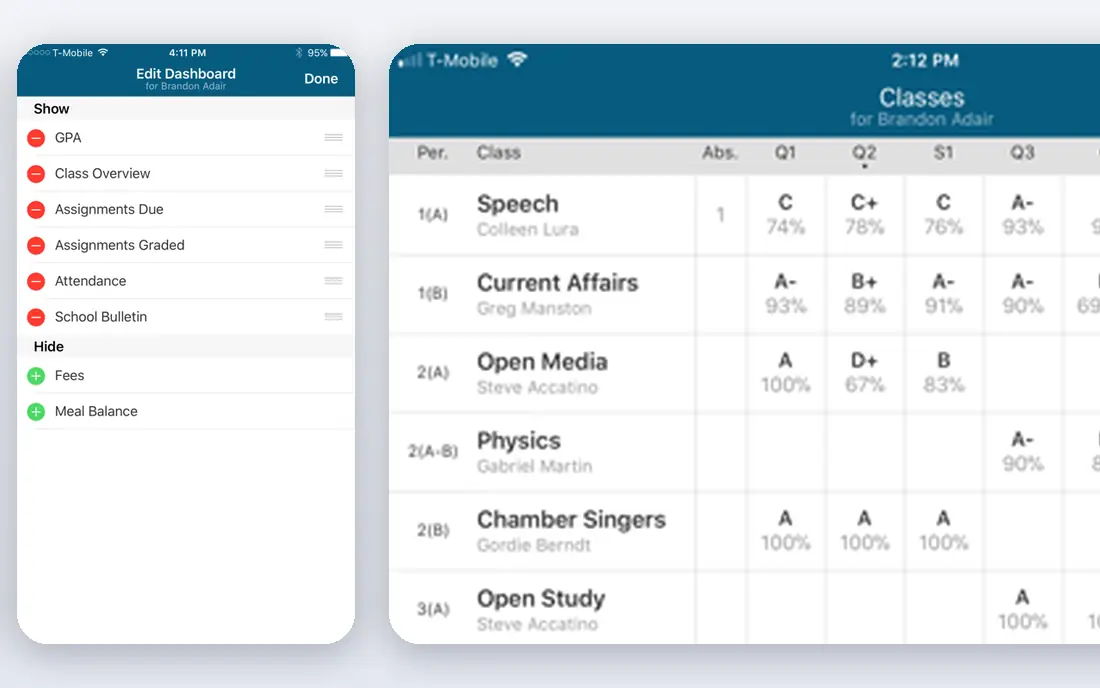
For teams that want large k-12 public districts without a long setup, PowerSchool SIS is a practical first look. PowerSchool SIS fits large public districts that need one student system across many schools. Its district scale tools handle enrolment, attendance, scheduling, grades and state reporting in one system, which helps central teams keep records consistent.
Smaller schools may find the contract and setup heavier than needed, so compare a simpler SIS first if you run a single site. That trade-off does not rule it out, but it does mean you should test it against your own data and team before you sign a longer contract. A short trial or demo with a real use case will tell you more than a sales page can.
- Student records, attendance, scheduling and grades at district scale
- Parent portal
- State reporting support
- Quote only
- Implementation and admin effort suit larger districts
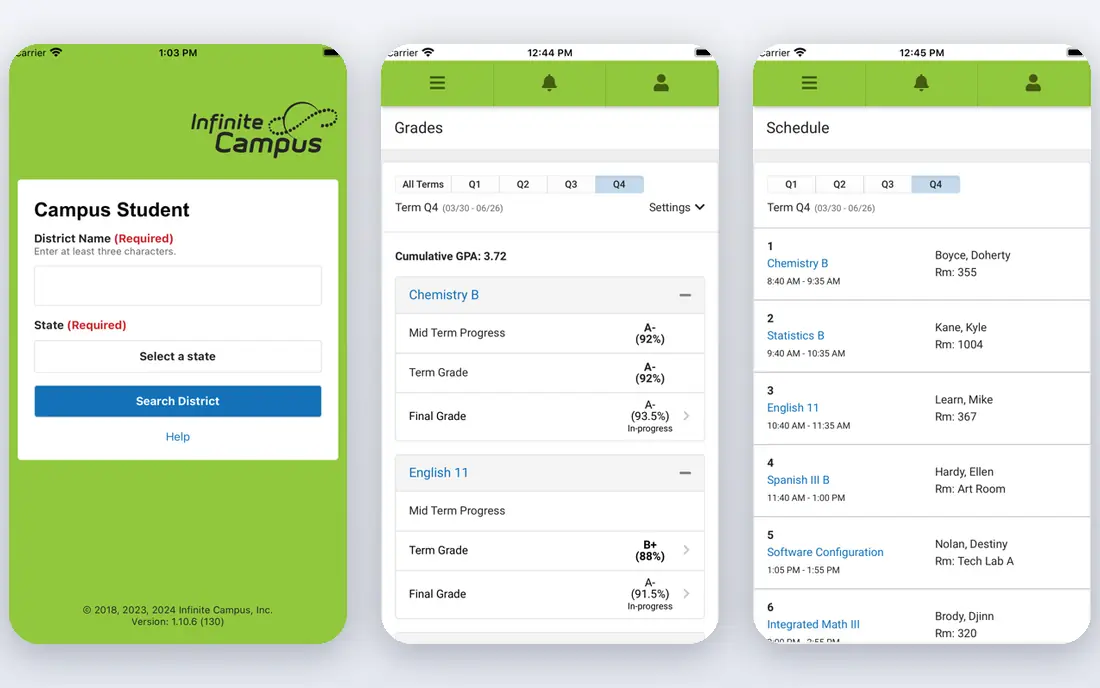
Start with Infinite Campus if us public districts and state reporting is the main job on your list. Infinite Campus fits US public districts where state reporting and district-wide data are the main job. Its compliance and reporting tools are built for district requirements, and the family portal gives parents grades and schedules without separate systems.
Private schools and academies that need fee management or admissions workflows may find gaps, so check those modules before shortlisting it. That trade-off does not rule it out, but it does mean you should test it against your own data and team before you sign a longer contract. A short trial or demo with a real use case will tell you more than a sales page can.
- District-wide student data
- Scheduling and grading
- State compliance tools
- Family portal
- Quote only
- Interface can feel dated
- Best for public districts
Blackbaud stands out for buyers who care most about independent schools and advancement. Blackbaud fits independent schools that want student management joined to enrolment, fundraising and finance. That joined suite helps a school see a family across admissions, billing and giving, which standalone SIS tools do not cover.
Pricing is quote based and the suite is broad, so schools that only need core SIS may pay for modules they do not use. That trade-off does not rule it out, but it does mean you should test it against your own data and team before you sign a longer contract. A short trial or demo with a real use case will tell you more than a sales page can.
- Student, enrolment, fundraising and finance tools for independent schools
- Integrated suite
- Quote only
- Suite pricing suits schools using several modules
If your shortlist is built around modern k-12 schools replacing legacy sis, Alma deserves a close read. Alma fits K-12 schools that want a modern SIS to replace an older, harder system. Its cleaner interface and portals for parents and students can ease adoption for teachers and families, while gradebook and attendance cover daily school work.
Because pricing is quote only, get a total for your enrolment size and confirm which integrations are included. That trade-off does not rule it out, but it does mean you should test it against your own data and team before you sign a longer contract. A short trial or demo with a real use case will tell you more than a sales page can.
- Modern interface
- Gradebook, attendance and reporting
- Parent and student portals
- Quote only
- Smaller footprint than PowerSchool
Buyers who put private and faith-based schools first will find FACTS easy to justify. FACTS fits private and faith-based schools that need student records plus tuition and admissions in one vendor. Combining SIS, tuition management and admissions reduces the number of vendors a small office must manage, and family portals keep billing and grades in one place.
Schools that only need a gradebook may find the wider suite more than required, so confirm the core SIS price separately. That trade-off does not rule it out, but it does mean you should test it against your own data and team before you sign a longer contract. A short trial or demo with a real use case will tell you more than a sales page can.
- SIS plus tuition management and admissions
- Family portals
- Support for private schools
- Quote only
- Breadth may exceed a small school need
Gradelink is the option we point to when small private schools keeps coming up in a brief. Gradelink fits small private schools that need core SIS functions without a district-scale contract. Its setup is simpler than enterprise SIS tools, and gradebook, attendance and parent communication cover daily needs for a single school.
Larger schools should check reporting and integration depth, since Gradelink is built for small school simplicity rather than district scale. That trade-off does not rule it out, but it does mean you should test it against your own data and team before you sign a longer contract. A short trial or demo with a real use case will tell you more than a sales page can.
- Simple SIS with gradebook and attendance
- Parent portal
- Fast setup for small schools
- Per-student cost rises with size
- Less depth for large districts
When international and multi-programme schools matters more than a long feature list, Classter fits well. Classter fits international schools and training centres running several programmes in one system. Its programme, timetable and billing tools handle varied course structures that a simple K-12 SIS may not, and portals serve students, parents and staff.
Pricing depends on student type and modules, so ask for a written total that matches your exact programme mix. That trade-off does not rule it out, but it does mean you should test it against your own data and team before you sign a longer contract. A short trial or demo with a real use case will tell you more than a sales page can.
- Admissions, timetabling, grading and billing
- Multi-programme support
- Portals
- Pricing varies by student type and modules
- Quote needed for a total
Consider QuickSchools early if small schools on a budget is where your current tool falls short. QuickSchools fits small schools that need affordable core student management and a fast start. Its low per-student price and simple setup make it accessible for a school with a tight budget, and core attendance, grading and communication are covered.
Add-on limits, such as form tools, mean you should check whether the features you need are in the base price or an extra module. That trade-off does not rule it out, but it does mean you should test it against your own data and team before you sign a longer contract. A short trial or demo with a real use case will tell you more than a sales page can.
- Core SIS, gradebook and attendance
- Simple setup
- Low per-student price
- Some features need add-ons
- Less depth for large districts
How we picked these
We compared official product and pricing pages, SIS features, reporting, portals and pricing models for student management software. We kept systems that manage student records as a core function and that are sold today to schools or districts. We favoured tools with attendance, grading, scheduling and family portals, and we marked quote only pricing plainly where no public price exists.
How to choose student management software
Start with your school type
A public district needs state reporting, a private school needs tuition and admissions, and an international school needs multi-programme timetabling. Shortlist by school type first, then compare features inside that group.
Protect student data from day one
Confirm data protection practices, access controls and data processing terms, since student records are sensitive. Ask how data is exported if you leave, and who can access records inside the system.
Trial with real school workflows
Test enrolment, attendance, grading and report cards with your own terms and grading scales, not demo data. A tool that handles your real timetable and report format will save months of workarounds later.
FAQ
What is student management software?
It is software that manages student records, enrolment, attendance, schedules, grades, billing and family communication in one system. It is often called a student information system, or SIS.
How much does student management software cost?
Small school tools start around $0.99 per student per month or $121 per month for a small school. District and independent school suites are quote based and priced by enrolment and modules.
What is the difference between an SIS and an LMS?
An SIS manages records, enrolment, attendance and grades, while a learning management system manages lessons, assignments and course content. Many schools use both, with data flowing between them.
Can parents and students access the system?
Most modern SIS tools include parent and student portals for grades, attendance, schedules and messages. Check whether portal access is included in the base price or an add-on.
How long does SIS implementation take?
Small school tools can launch in weeks, while district systems can take months with data migration, training and state reporting setup. Ask for a written timeline tied to your term dates.