Top 6 Software for Monitoring PC Temps for 2026 (Prices and Free Plans)
Best software for monitoring PC temps: 6 tools compared on price, free plans and fit. Every pick gets a straight assessment. Built for quick decisions.
- Editor's choice
 AIDA64
Diagnostics plus hardware monitoring
Starts atSee websiteVisit aida64.comFull review - Great alternativeCore Temp
Focused processor temperature checks
Starts atSee websiteVisit alcpu.comFull review - Also considerSpeedFan
Sensor access with fan speed control
Starts atSee websiteVisit almico.comFull review
Direct answer
For diagnostics plus hardware monitoring, AIDA64 is where this list starts. Listed starting prices: Argus Monitor from €14.95 / US $16.45 for 1 year. If your case is different, Core Temp suits focused processor temperature checks and SpeedFan suits sensor access with fan speed control. The full list of 6 tools follows, with prices and free plan facts.
TL;DR:
- Top of the list is AIDA64, which targets diagnostics plus hardware monitoring.
- For AIDA64, Core Temp, SpeedFan and others, you have to request a quote because no starting price is shown.
- None of the 6 tools, from AIDA64 to HWiNFO, has a free plan, so budget for a subscription or use a trial.
- A fair warning about HWMonitor: restricted logging and graphing depth.
- HWiNFO suits deep sensor detail and reporting.
Last checked November 2026. Prices and plan details were read from the vendors' own pages in November 2026; vendors change plans often, so confirm the current price on the vendor site before you buy.
Quick comparison
| Tool | Best for | Starts at | Free plan? | |
|---|---|---|---|---|
| AIDA64 | Diagnostics plus hardware monitoring | See website | Not stated | Visit |
| Core Temp | Focused processor temperature checks | See website | Not stated | Visit |
| SpeedFan | Sensor access with fan speed control | See website | Not stated | Visit |
| HWMonitor | Fast everyday sensor readouts | See website | Not stated | Visit |
| Argus Monitor | Temperature-driven fan control | €14.95 / US $16.45 for 1 year | Not stated | Visit |
| HWiNFO | Deep sensor detail and reporting | See website | Not stated | Visit |
Our 6 software for monitoring PC temps
Short on time? The summary and table above give the quick view of 6 software for monitoring PC temps, and the profiles that follow give the detail behind each entry.
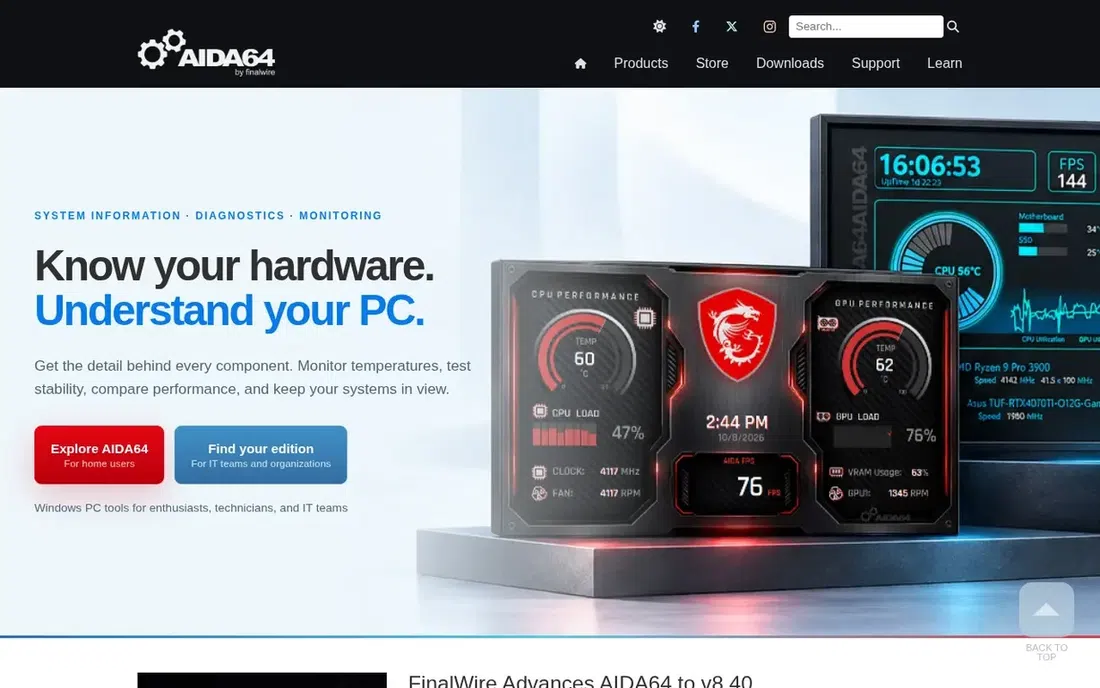
Where AIDA64 fits: diagnostics plus hardware monitoring. Users who just want a compact readout may prefer a more straightforward utility.
Choose AIDA64 when you value combined diagnostics, reporting and monitoring in a single suite. This comparison lists no price for AIDA64; ask the vendor. Free plan details: Not stated.
Downsides: Interface is targeted at technical users.
- Diagnostics and benchmarking included
- Advanced hardware monitoring
- Wide feature set may be more than needed
Core Temp
Best for: Focused processor temperature checks
Core Temp targets focused processor temperature checks. Core Temp is described as a compact, no-fuss, small footprint yet capable program for monitoring processor temperature and other vital information. Its narrow focus makes it simple to run and read, which fits users who chiefly care about CPU heat, for example when checking a cooler installation or watching temperatures during demanding tasks.
The emphasis on the processor means broader system sensors, in-depth logging and fan control are not the central draw. Core Temp performs best as a light companion for CPU-focused checks. Core Temp shows no starting price here, so confirm the cost on the vendor site. Trial and free access: Not stated.
Drawbacks to consider: Narrow focus beyond the CPU.
- Compact and small footprint
- Straightforward processor temperature view
- Fewer advanced monitoring features
SpeedFan
Best for: Sensor access with fan speed control
In short, SpeedFan is for sensor access with fan speed control. This makes it relevant for users who want to combine temperature reading with adjusting how fast fans spin, particularly on desktop systems.
The main drawbacks: Setup can need technical care.
The interface and configuration reflect a long-standing utility instead of a modern dashboard, and fan control setup can demand care to avoid unwanted behavior. Check the vendor site for SpeedFan pricing; none is listed in this comparison. Free access: Not stated.
- Can control fan accelerates
- Reads voltages and fan accelerates
- Older-style interface
HWMonitor
Best for: Fast everyday sensor readouts
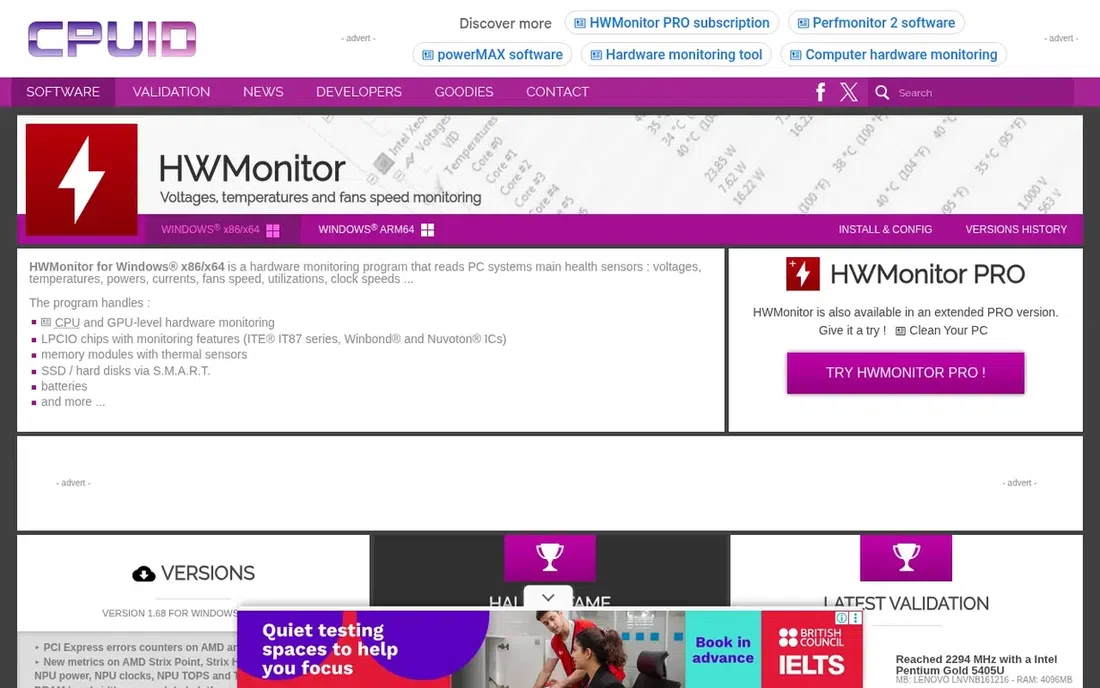
HWMonitor serves fast everyday sensor readouts. HWMonitor is a hardware monitoring program from CPUID that reads the primary health sensors on a PC, including voltages, temperatures, power, currents, fan accelerates, utilizations and clock accelerates. Fan control is not a focus.
Downsides: Fewer fan control choices.
For everyday use, the tool leans toward displaying sensor data instead of deep analysis, so advanced graphing, logging and alerting are restricted compared to more feature-heavy suites. More specifically, if you need long-term logging, in-depth reports or automatic fan curves, a more capable monitoring package is the better fit. This comparison lists no price for HWMonitor; ask the vendor. Free access: Not stated.
- Light interface
- Includes voltages, temperatures
- Restricted logging and graphing depth
Argus Monitor
Best for: Temperature-driven fan control
Argus Monitor is a good fit for Temperature-driven fan control. Argus Monitor is presented as fan control software for Windows that adjusts fans based on temperatures from the CPU, GPU, mainboard, AIO liquid coolers and external sources. For users whose primary concern is keeping temperatures in check through smarter fan behavior, it pairs monitoring with control in a way that more straightforward readout tools do not.
Highlights: mainboard and AIO sensors.
Its center of gravity is fan control, so those who only want to observe temperatures may find the setup more involved than necessary. Choose Argus Monitor when automatic, temperature-driven fan management is the priority instead of passive monitoring alone. Argus Monitor cost at the entry level: €14.95 / US $16.45 for 1 year. Free access: Not stated. Where it is weaker: Emphasis on fan control over pure monitoring.
- Manages external temperature sources
- Fan control based on plenty of temperatures
- Configuration takes some effort
HWiNFO
Best for: Deep sensor detail and reporting

HWiNFO was built for deep sensor detail and reporting. For straightforward checks, a lighter tool like Core Temp or HWMonitor may be simpler, whereas HWiNFO rewards users who require the additional detail. As for the details, HWiNFO describes itself as free system information, monitoring and diagnostics software with in-depth hardware analysis, live monitoring and reporting.
It exposes a very wide set of sensors and hardware details. That depth includes a busy interface and a large number of choices, which can be intimidating for someone who only wants a fast temperature reading. No starting price is listed for HWiNFO here; confirm pricing on the vendor site. Free access: Not stated.
Watch-outs: Many settings to learn.
- In-depth hardware information
- Broad live monitoring
- Dense interface can overwhelm beginners
Selection criteria
Pre-purchase checklist
- Ask AIDA64, Core Temp, SpeedFan and others for a written quote, since no starting price is shown.
- Read the limits listed for AIDA64 first: wide feature set may be more than needed.
- Check how data leaves HWMonitor: formats, limits and whether exports are available on every plan.
- Compare total cost, not headline price: for Core Temp, add extra seats, add-ons and any usage-based charges.
- Pick one real project and run it in HWiNFO first; a small pilot shows fit faster than a checklist.
FAQ
Does any tool for software for monitoring PC temps here have a free plan?
A permanent free plan is not offered by AIDA64, HWiNFO or the other tools here. Plan a short evaluation period instead.
Do I need fan control in a monitoring tool?
Only if you want fans to react automatically to temperatures. Argus Monitor and SpeedFan both emphasize fan speed control, whereas tools like HWMonitor and Core Temp focus on reading sensors.
Is AIDA64 the right pick for everyone comparing software for monitoring PC temps?
No single tool suits every team. AIDA64 comes first because it fits diagnostics plus hardware monitoring, while Core Temp suits focused processor temperature checks and SpeedFan suits sensor access with fan speed control. Match the tool to your own size, budget and workflow before deciding.
How are the tools for software for monitoring PC temps ordered?
The order follows typical fit for software for monitoring PC temps, with AIDA64 first and HWiNFO last, then price clarity and free access. It is editorial judgement, not a score, so another team could rank the tools differently.
Do these tools publish their prices?
Not all of them. AIDA64, Core Temp, SpeedFan and others publish no starting price, so expect a quote request for those. The rest, Argus Monitor included, show a starting price, though seats and billing terms still change the final cost.
Sources
- https://www.aida64.com
- https://www.alcpu.com/CoreTemp
- https://www.almico.com/speedfan.php
- https://www.cpuid.com/softwares/hwmonitor.html
- https://www.argusmonitor.com
- https://www.hwinfo.com