Best Apps for Crop Monitoring in 2026: 8 Apps Compared
Compare the best apps for crop monitoring in 2026, with satellite imagery, field scouting, weather data, soil insight, and maps for farms of all sizes.
- Editor's choice
 OneSoil
Free satellite monitoring and scouting
Starts atFreeVisit onesoil.aiFull review - Great alternative
 EOSDA Crop Monitoring
Satellite scouting with task reports
Starts atFreeVisit eos.comFull review - Also consider
 Climate FieldView
Machine-connected field data
Starts atSee websiteVisit climate.comFull review
TL;DR:
- OneSoil and EOSDA Crop Monitoring are the easiest starting points, with free core tools for satellite views and scouting notes.
- Climate FieldView and xarvio suit larger operations that need machine data, variable-rate maps, and agronomic recommendations.
- CropTracker, Agrivi, and Agworld add record keeping and task management on top of field monitoring.
- CropX focuses on soil and irrigation data, which pairs well with a satellite monitoring app.
Quick comparison
| Tool | Best for | Starts at | Free plan? | |
|---|---|---|---|---|
| OneSoil | Free satellite monitoring and scouting | Free | Yes | Visit |
| EOSDA Crop Monitoring | Satellite scouting with task reports | Free | Yes | Visit |
| Climate FieldView | Machine-connected field data | See website | Free trial | Visit |
 xarvio FIELD MANAGER | Agronomic recommendations and alerts | See website | Free trial | Visit |
 CropTracker | Farm records and field activity tracking | See website | Free trial | Visit |
 Agrivi | Farm management with crop monitoring | See website | Free trial | Visit |
 CropX | Soil moisture and irrigation insight | See website | Free trial | Visit |
 Agworld | Collaboration between growers and advisors | See website | Free trial | Visit |
The best apps for crop monitoring
We compared satellite imagery, scouting tools, weather data, machine connections, and record keeping to shortlist apps that help growers spot problems early. The best pick depends on your farm size, your crops, and how much data you want to manage yourself.
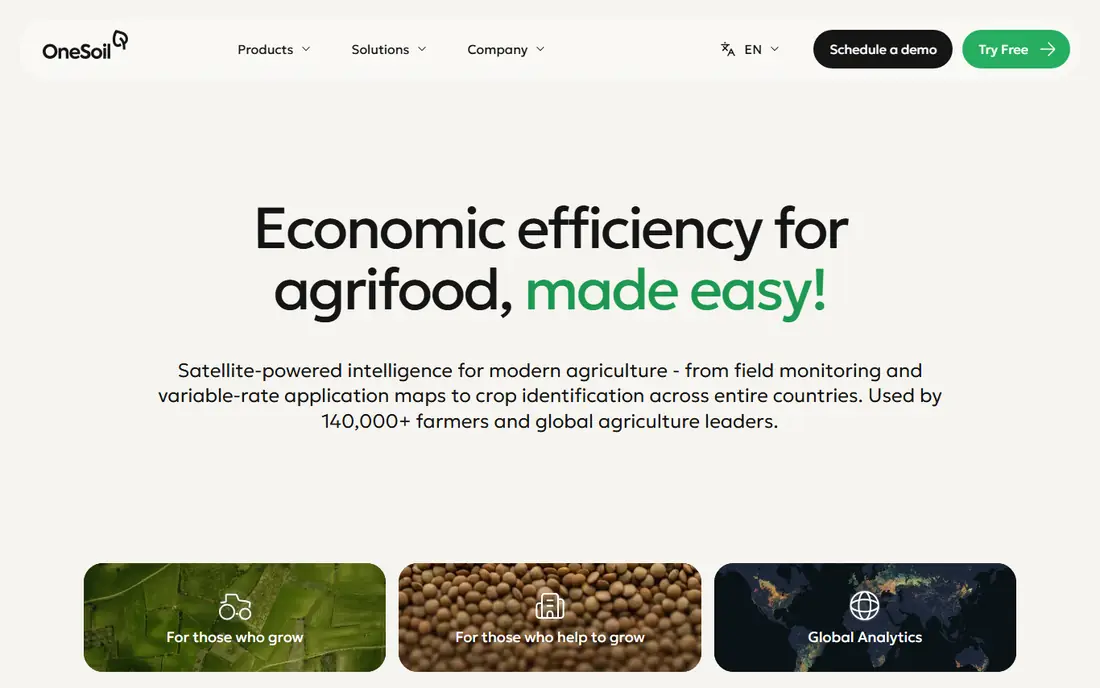
OneSoil is our pick for most growers who want to start monitoring without a large upfront cost. Its mobile app lets you add fields, view satellite imagery, check vegetation and moisture layers, and record scouting notes with photos. Weather data and field-level forecasts help with timing for spraying and other fieldwork.
The catch is that the deepest tools live in the paid Pro web product, including variable-rate maps and productivity zone analysis. For many farms, the free mobile tools are enough to spot stress early and direct scouting to the right field. If you later need prescription maps, you can upgrade without moving your field data.
- Free core field monitoring
- Satellite and vegetation views
- Scouting notes and weather data
- Advanced precision tools require a paid Pro plan
- Pricing varies by region and farm size
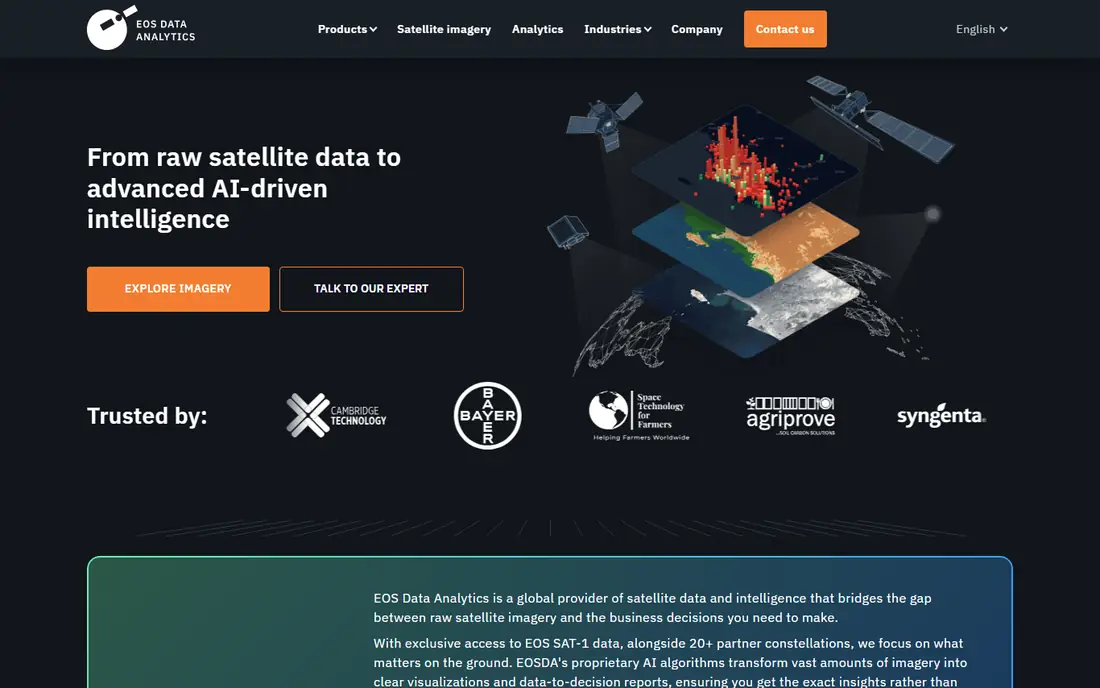
EOSDA Crop Monitoring uses multispectral satellite imagery to track crop performance across your fields. Its app lets you set scouting tasks, assign them to team members, and attach photos to reports on pests, disease, weeds, drought, and flood damage. A field activity log keeps sowing, spraying, fertilizing, and harvest work in one place.
The limit is common to all satellite tools. Cloud cover can delay a clear image, and satellite data shows patterns rather than a diagnosis on its own. Ground scouting still matters to confirm what the imagery suggests. For a free, structured scouting app with satellite context, EOSDA is a strong choice for farms and agronomy teams.
- Free mobile app for scouting
- Satellite-based vegetation indices
- Field activity log and notifications
- Full platform features require a paid plan
- Satellite revisit timing depends on location and cloud cover
Climate FieldView, from Climate LLC, is built around data that flows from the field itself. When connected to compatible equipment, it collects planting, spraying, and harvest data and pairs that with field health imagery and maps. That combination helps growers compare what was planted, how the crop grew, and what yielded, field by field.
The trade-off is ecosystem fit. FieldView works best when your equipment and workflow connect cleanly to it, and some features vary by region. A trial lets you test compatibility with your machines before you commit. For larger operations that already collect machine data, FieldView turns monitoring into a full-season record.
- Connects to farm equipment for planting and harvest data
- Field health imagery
- Mapping and analysis tools
- Best value inside the Climate and equipment ecosystem
- Pricing varies by region and features
xarvio FIELD MANAGER, from BASF Digital Farming, pairs field monitoring with agronomic advice. It tracks growth stages, flags disease and pest risk, and suggests timing for crop protection work based on field data and weather. Its companion scouting app uses image recognition to help identify stress and damage in the field.
The catch is that no model replaces local judgment. Recommendations should be checked against your own scouting and your agronomist's advice, especially for crops or regions where model coverage is thinner. For growers who want monitoring plus a clear next step, xarvio is a practical, advice-led option.
- Field-specific agronomic recommendations
- Disease and pest alerts
- Growth-stage tracking
- Recommendations need local validation
- Feature availability varies by crop and region
CropTracker is a farm management app with strong record keeping at its core. It tracks planting, spraying, irrigation, and harvest activity by field, block, and crop, and it can produce reports used for food safety and traceability programs. That record layer makes monitoring more useful, because a stress pattern can be checked against what was actually applied and when.
The trade-off is imagery. CropTracker is not primarily a satellite analytics platform, so growers who want deep vegetation index analysis may pair it with OneSoil or EOSDA. For operations that need clean, auditable records next to field observations, CropTracker is a solid pick.
- Detailed crop production records
- Spray and harvest tracking
- Reporting for food safety programs
- Less satellite imagery depth than specialist monitoring apps
- Setup takes time for large operations
Agrivi combines crop monitoring with wider farm management, including planning, task assignment, inventory, and cost tracking. Satellite imagery and field data sit next to the work plan, so a manager can see a problem field, assign a scouting task, and track the follow-up in one system. That structure suits cooperatives and larger farms with several team members.
The catch is scope. A small farm that only wants a satellite view may find Agrivi more than it needs. For a farm that wants monitoring tied to budgets, tasks, and reports, Agrivi gives a single system instead of several separate apps.
- Field monitoring plus planning and budgeting
- Task management for teams
- Analytics and reports
- Broad feature set can feel heavy for a single-field farm
- Paid plans needed for full features
CropX approaches monitoring from below the surface. Its soil sensors measure moisture and related soil conditions, and its platform turns that data into irrigation recommendations. That view is especially useful where water costs are high or irrigation timing drives yield, since canopy imagery alone cannot show how wet the root zone is.
The trade-off is hardware. Sensors cost money and need installation and maintenance, unlike a satellite-only app. Many growers use CropX alongside a satellite tool, pairing soil data with canopy views for a fuller picture. If irrigation is your main concern, CropX is the most focused pick on this list.
- Soil sensing and irrigation recommendations
- Agronomic data platform
- Integrates with irrigation systems
- Hardware sensors add cost
- Soil data complements, but does not replace, canopy monitoring
Agworld is built for the relationship between a grower and an agronomist or advisor. Both sides can work from the same farm plan, field records, and recommendations, which cuts down on duplicate data entry and missed messages. Budgeting and reporting tools sit alongside the field data, so plans and costs stay connected.
The catch is adoption. Agworld works best when your advisor also uses it, so check that before you commit. For farms that rely on outside agronomy advice, Agworld turns crop monitoring into a shared plan rather than a solo app.
- Shared farm plans for growers and advisors
- Field records and recommendations in one place
- Budgeting tools
- Collaboration value depends on advisor adoption
- Pricing is plan-based
How we picked these
We compared official product pages, app store listings, and public documentation, focusing on apps that are available now and truly support crop monitoring, not just general farm accounting. We favored apps with a free tier or trial, satellite or sensor data, and scouting or record tools that help a grower act on what the data shows. We treated vendor claims about yield gains and accuracy as claims to verify with field trials and local advice, not as proven results for every farm.
How to choose the right crop monitoring app
Start with the problem you see most often. If stress and pests are found too late, a satellite app such as OneSoil or EOSDA gives you an early warning view across all fields. If irrigation timing is the issue, CropX soil data will help more than another satellite map. If records and advisor collaboration are the bottleneck, CropTracker, Agrivi, or Agworld may matter more than imagery depth.
Test on two fields before you pay
Pick one field you know well and one field that often causes trouble, and run your shortlist on both for a few weeks. Check how clear the imagery is after cloudy weather, how easy scouting notes are to record in the field, and how quickly you can turn a finding into a task. Also check data export, so your field boundaries and history are not locked into one app. The best app for crop monitoring is the one your team will actually open during a busy week.
Use imagery as a prompt, not a diagnosis
Satellite indices show where a crop looks different from its neighbors or from its own history. That pattern can point to water stress, nutrient issues, pests, or disease, but it cannot confirm the cause on its own. Walk the flagged areas, check soil moisture, and talk to your agronomist before changing a spray or fertilizer plan. Good monitoring shortens the time from first sign to field check, and that speed is where most of the value lies.
FAQ
What are the best apps for crop monitoring for small farms?
OneSoil and EOSDA Crop Monitoring are strong small farm picks because their core mobile tools are free. They cover satellite views, scouting notes, and weather data without hardware costs. Start free, and upgrade only when you need prescription maps or deeper analytics.
How does satellite crop monitoring work?
Satellite sensors measure light reflected from crops, and software turns those measurements into vegetation indices that show plant vigor. Changes over time or differences within a field can signal stress before it is visible from the road. Cloud cover can delay clear images, so ground scouting remains an important check.
Do crop monitoring apps work without sensors or drones?
Yes, satellite-based apps work without on-farm hardware, using imagery from orbit plus weather data. Soil sensors and drones add detail, especially for irrigation and high-resolution problem areas. Many growers start with satellite apps and add sensors only for fields where water or variability justifies the cost.
Can crop monitoring apps help with irrigation decisions?
Yes, especially tools such as CropX that measure soil moisture and give irrigation recommendations. Satellite apps also help by showing which fields look stressed, so irrigation can be checked there first. Pair soil data with canopy views for the most reliable timing.
What should I check before paying for a crop monitoring app?
Check satellite revisit timing for your region, crop coverage, data export options, and the cost at your field count. Test scouting and task features on real fields during a trial. Confirm that your agronomist or team can access the same data without extra friction.
Are free crop monitoring apps good enough?
For many small and mid-sized farms, yes. Free tiers from OneSoil and EOSDA cover the core job of spotting problems early and recording scouting notes. Paid plans add history, prescription maps, and deeper analytics that matter more for large or precision-focused operations.