6 Best Software for Lawn Care Design for 2026, Vetted and Compared
Best software for lawn care design: 6 contenders ranked by fit, with entry costs and free tiers. For live 3D rendering, begin with Lumion. Real limits included.

- Editor's choice
 Lumion
Live 3D rendering
Starts at$96 named user a monthVisit lumion.comFull review - Great alternative
 PRO Landscape
AI photo imaging and client presentations
Starts atSee websiteVisit prolandscape.comFull review - Also considerStructure Studios VIP3D
3D pools and outdoor living design
Starts at$84 per user a monthVisit structurestudios.comFull review
Direct answer
This list puts Lumion first for live 3D rendering. Listed starting prices: Lumion from $96 named user a month, Structure Studios VIP3D from $84 per user a month and DynaSCAPE from $48 a month. PRO Landscape fits AI photo imaging and client presentations; Structure Studios VIP3D fits 3D pools and outdoor living design. Prices, free plans and limits for all 6 tools follow.
TL;DR:
- Number one here is Lumion, a fit for real-time 3D rendering.
- For design and business management integration, DynaSCAPE is worth a look.
- Starting prices begin at $48 per month with DynaSCAPE.
- Neither Lumion nor DynaSCAPE, nor any of the other 4 tools, has a permanent free plan; trials and quotes are the norm.
- Check the limits for Structure Studios VIP3D before you commit: focus on pools may limit lawn-specific tools.
Last checked November 2026. Prices and plan details were read from the vendors' own pages in November 2026; vendors change plans often, so confirm the current price on the vendor site before you buy.
Quick comparison
| Tool | Best for | Starts at | Free plan? | |
|---|---|---|---|---|
| Lumion | Live 3D rendering | $96 named user a month | Free trial | Visit |
| PRO Landscape | AI photo imaging and client presentations | See website | Not stated | Visit |
| Structure Studios VIP3D | 3D pools and outdoor living design | $84 per user a month | Free trial | Visit |
 Vectorworks Landmark | Full 3D landscape design | See website | Not stated | Visit |
 AutoCAD | Precise 2D drafting and DWG collaboration | See website | Not stated | Visit |
 DynaSCAPE | Design and business management integration | $48 a month | Free trial | Visit |
Our 6 picks for software for lawn care design
Choosing software for lawn care design usually comes down to price, fit and limits. This LinkVetted guide sets 6 tools side by side on those three points, with the facts kept short and checkable.
Lumion serves live 3D rendering. For lawn care design, Lumion can bring landscape plans to life, helping clients visualize planting schemes and outdoor features with speed and quality. Lumion does not build designs itself; it depends on imported models.
What to check first: Not a design tool.
It is an add-on for visualization instead of a complete design option. Choose Lumion when presentation-quality rendering is the missing piece in your workflow. In daily use, Lumion is industry-leading 3D rendering software for architects that transforms design workflows with live visualization. It is used to build stunning images and animations from models built in other software. Starting cost for Lumion: $96 named user per month. As for free access: Free trial.
- Quick live rendering
- High-quality visuals
- Needs separate modeling software

Think of PRO Landscape for AI photo imaging and client presentations. It is built to help professionals design, present, and sell projects quicker.
Check the vendor site for PRO Landscape pricing; none is listed in this comparison. Trial and free access: Not stated.
Where it falls short: Full suite can be complicated.
- AI tools for photo imaging
- Mobile apps for field use
- AI features may need adjustment
Structure Studios VIP3D
Best for: 3D pools and outdoor living design
Structure Studios VIP3D is designed for 3D pools and outdoor living design. The software can be complicated for straightforward lawn projects. Choose VIP3D for high-end outdoor living presentations.
Structure Studios VIP3D is 3D pool and landscape design software that lets you produce outdoor living spaces in impressive detail. In practice, the tool emphasizes visual impact, helping clients see the finished space before construction begins. What you pay to start with Structure Studios VIP3D: $84 per user per month. Free plan details: Free trial.
Trade-offs to know: Ramp-up time for advanced features.
- Build-ready designs
- Photoreal presentations
- Focus on pools may limit lawn-specific tools
Vectorworks Landmark is built with thorough 3D landscape design in mind. Vectorworks Landmark is a professional 3D landscape design product that merges design, presentation, irrigation, and documentation in one environment.
Trade-offs to know: Steeper ramp-up time.
Also, the software supports master planning and helps transform concepts into buildable documents, making it a good fit for businesses handling complicated residential or commercial projects. Vectorworks Landmark shows no starting price here, so confirm the cost on the vendor site. On free options: Not stated.
- All-in-one design and documentation
- Irrigation and presentation workflows
- May be overkill for straightforward lawns
AutoCAD is aimed squarely at precise 2D drafting and DWG collaboration. AutoCAD is a general-purpose tool, so it lacks built-in plant libraries or irrigation tools specific to landscaping. It may need significant setup to match dedicated landscape software.
Points against: Needs customization for lawn design.
Beyond that, pick AutoCAD when drafting precision and file compatibility are top priorities. If you need fast 3D visualization, other tools are more direct. No starting price is listed for AutoCAD here; confirm pricing on the vendor site. On free options: Not stated.
- Shared DWG collaboration
- Industry-standard drafting
- Restricted 3D landscape tools
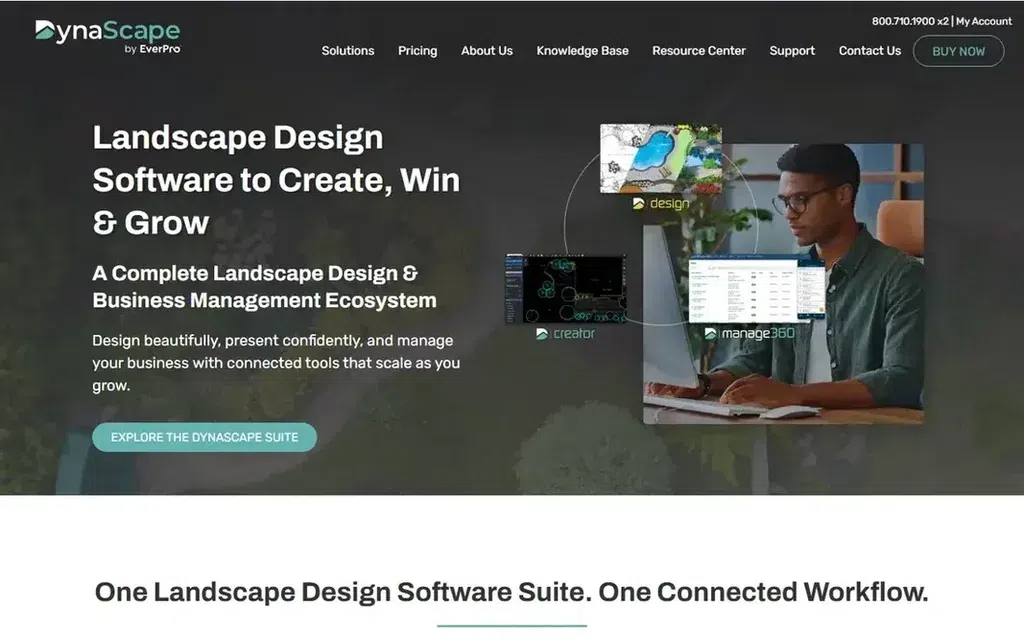
Where DynaSCAPE fits: design and business management integration. DynaSCAPE supplies landscape software for both design and business management, targeted at helping professional landscape firms scale. It integrates design work with estimating, scheduling, and other operational tasks, which can simplify workflows for expanding companies.
Where it is weaker: Design tools less centred on 3D.
If your focus is purely on rendering, consider a specialized tool. For everyday use, choose DynaSCAPE when you want to link design with daily business operations. On cost, DynaSCAPE starts like this: $48 per month. On free options: Free trial.
- Helps scale operations
- Aimed at landscape industry
- Business features may add complexity
How we built this list
The comparison looks at four things: starting price, free access, how well the feature set matches software for lawn care design, and the main limit of each tool. Where a price is missing, the vendor does not list one publicly or ties it to a quote. Always confirm before budgeting. Position on the page reflects fit for a typical buyer first, with price clarity and free access breaking ties. Treat it as a guide, not a ruling.
Questions to settle before buying
- Ask PRO Landscape, Vectorworks Landmark and AutoCAD for a written quote, since no starting price is shown.
- Use real work to test the free trial from Lumion, Structure Studios VIP3D and DynaSCAPE, rather than a demo project.
- Read the limits listed for Lumion first: not a design tool.
- The entry price of Vectorworks Landmark is only the starting point; model the full cost with seats and extras.
- Make sure PRO Landscape lets you export your data in a format another tool can read.
FAQ
Is Lumion the right pick for everyone comparing software for lawn care design?
No single tool suits every team. Lumion comes first because it fits real-time 3D rendering, while PRO Landscape suits AI photo imaging and client presentations and Structure Studios VIP3D suits 3D pools and outdoor living design. Match the tool to your own size, budget and workflow before deciding.
Do these tools publish their prices?
Not all of them. PRO Landscape, Vectorworks Landmark and AutoCAD publish no starting price, so expect a quote request for those. The rest, Lumion included, show a starting price, though seats and billing terms still change the final cost.
Do I need 3D rendering software for lawn care design?
3D rendering can help clients visualize the finished landscape, which is handy for sales and approvals. Lumion is a dedicated rendering tool that works with models from other software.
Can I try these tools before paying?
Often, yes. Lumion, Structure Studios VIP3D and DynaSCAPE offer a free trial. Use your own data and a real task during the test, and check what the free tier or trial limits before you rely on it.
Does any tool for software for lawn care design here have a free plan?
No tool in this list, Lumion and DynaSCAPE included, has a permanent free plan. Lumion, Structure Studios VIP3D, DynaSCAPE offer a trial. Trials and quotes are the usual route, so plan a short evaluation period.
How does AutoCAD fit into lawn care design?
AutoCAD is often used for precise 2D drafting, base plans, and construction details in landscape projects. It is a good match for businesses that require accurate technical drawings and already have drafting expertise.
Sources
- https://lumion.com
- https://www.prolandscape.com
- https://www.structurestudios.com
- https://www.vectorworks.net/en-US/landmark
- https://www.autodesk.com/products/autocad/overview
- https://www.dynascape.com