Best Software for Landscaping Crew Management in 2026: Prices, Free Plans and 6 Picks
Shortlisting the best software for landscaping crew management? 6 products compared on cost, free access and ideal buyer. Real limits included. Prices checked.
- Editor's choice
 Samsara
Connected operations and fleet visibility
Starts atSee websiteVisit samsara.comFull review - Great alternative
 Fieldwire
Jobsite task and drawing management
Starts at$39 per user per monthVisit fieldwire.comFull review - Also consider
 Aspire
Landscape contractors scaling field service operations
Starts atSee websiteVisit youraspire.comFull review
Direct answer
Samsara is the first pick on this list for connected operations and fleet visibility. Listed starting prices: Fieldwire from $39 per user per month, Housecall Pro from $59 a month and Connecteam from $29 a month. For a different need, Fieldwire covers Jobsite task and drawing management and Aspire covers landscape contractors scaling field service operations. The remaining 3 options are covered below with prices and limits.
TL;DR:
- Top of the list is Samsara, which targets connected operations and fleet visibility.
- Connecteam suits frontline team scheduling and time tracking.
- The lowest published monthly entry price here is $29 per month, from Connecteam.
- Check the limits for Aspire before you commit: may be more than small crews need.
- A free plan is available from 2 of the 6 tools: Fieldwire, Connecteam.
Last checked November 2026. Prices and plan details were read from the vendors' own pages in November 2026; vendors change plans often, so confirm the current price on the vendor site before you buy.
Quick comparison
| Tool | Best for | Starts at | Free plan? | |
|---|---|---|---|---|
| Samsara | Connected operations and fleet visibility | See website | Not stated | Visit |
| Fieldwire | Jobsite task and drawing management | $39 per user per month | Yes | Visit |
| Aspire | Landscape contractors scaling field service operations | See website | Not stated | Visit |
 Housecall Pro | Home service companies managing field teams | $59 a month | Free trial | Visit |
 Jobber | Service companies organizing quotes and scheduling | See website | Not stated | Visit |
 Connecteam | Frontline team scheduling and time tracking | $29 a month | Yes | Visit |
Software for Landscaping Crew Management, one by one
Choosing software for landscaping crew management usually comes down to price, fit and limits. This LinkVetted guide sets 6 tools side by side on those three points, with the facts kept short and checkable.
Samsara targets connected operations and fleet visibility. Samsara is a connected operations system that supports visibility across fleets and field operations. Samsara is not designed specifically for landscaping crew scheduling.
So it may not include dispatch and job workflows in the same way as contractor software. Pick it when connected operations and fleet visibility are priorities, and confirm the relevant capabilities on the vendor site. No starting price is listed for Samsara here; confirm pricing on the vendor site. Free plan details: Not stated.
What to check first: May be broader than crew scheduling needs.
- Connected operations system
- Wide operational visibility
- Not a landscaping-specific management tool
Fieldwire serves Jobsite task and drawing management. Fieldwire centers on jobsite management instead of daily crew scheduling and routing, so it may not replace a full field service product.
Points against: Not a full crew scheduling suite.
On top of that, choose it when jobsite task and drawing coordination is the priority, and check the vendor site for fit. Starting cost for Fieldwire: $39 per user per month. Fieldwire has a free plan.
- Used by owners, GCs, subcontractors
- Live jobsite management
- Centred on construction jobsites

Aspire works best for landscape contractors scaling field service operations. Aspire is field service management software with an end-to-end product targeted at large-scale businesses and landscape scheduling software for expanding contractors.
Firms that only need entry-level scheduling and time tracking might prefer a lighter app. Pricing for Aspire is not stated here, so ask the vendor for current figures. Free access: Not stated.
Where it falls short: Setup needs planning.
- Landscape scheduling for expanding contractors
- End-to-end field service platform
- May be more than small crews need
Housecall Pro is built with home service firms managing field teams in mind. Housecall Pro is not built exclusively for landscaping, so some landscape-specific workflows may need workarounds.
Worth adding: consider it when you want a home service management product and confirm the details that matter to your crews. On cost, Housecall Pro starts like this: $59 per month. Free options: Free trial.
Where it falls short: Not tailored specifically to landscaping.
- Wide feature set for service work
- Field service professional focus
- Feature depth may exceed small crews
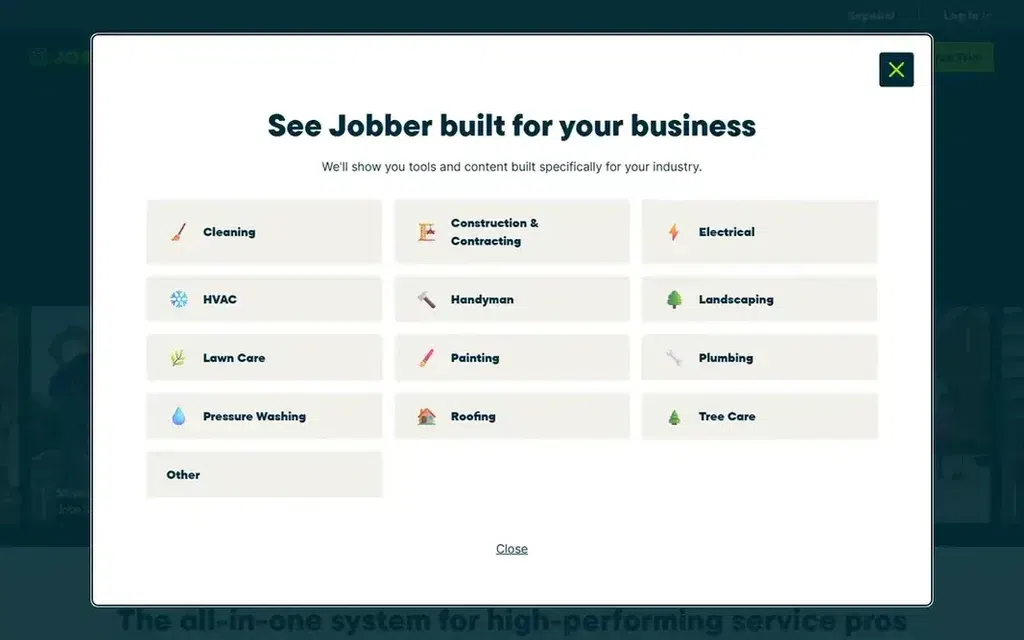
Pick Jobber if this describes you: service companies organizing quotes and scheduling. Jobber presents its home and commercial service software as a way to organize a service business, with quoting, scheduling, invoicing, and payments in one place. Its app is described as powering sales, operations, and customer service, which fits landscaping crews that want a straightforward workflow from quote to payment.
Main advantages: Supports sales, operations; Quote, schedule.
Pick Jobber when simplicity and a quote-to-payment flow matter more than specialized landscape modules. As for the details, crews that require deep construction or project management features might look at other choices. As for the details, Jobber is general service software instead of a landscape-specific product, so very large operations may outgrow it. Jobber shows no starting price here, so confirm the cost on the vendor site. Free access: Not stated. Downsides: May lack deep construction project tools.
- Easy-to-use app for field teams
- Invoice in one place
- Less specialized for large landscape operations
Where Connecteam fits: frontline team scheduling and time tracking. Connecteam is an employee management app aimed at frontline teams to schedule, track time, communicate, and more with clarity and control.
The main drawbacks: Less field service dispatch depth.
Consider it when frontline scheduling and time tracking are the primary gaps you have to close. Connecteam is not a landscape-specific field service product, so advanced dispatch and job costing may be restricted compared to contractor suites. What you pay to start with Connecteam: $29 per month. A free plan is available with Connecteam.
- Meant to replace scattered tools
- Communication for frontline teams
- May lack landscape-specific features
Selection criteria
The comparison looks at four things: starting price, free access, how well the feature set matches software for landscaping crew management, and the main limit of each tool. Where a price is missing, the vendor does not list one publicly or ties it to a quote. Always confirm before budgeting. We ordered the tools by general fit, then by how clearly pricing is shown, then by free access. A buyer with unusual needs may reorder them.
A buyer's checklist
- Get a written quote from Samsara, Aspire and Jobber; the list shows no starting price for them.
- Look at free plan limits closely: Fieldwire and Connecteam have one, and the caps decide whether it is usable for real work.
- Take the trial from Housecall Pro and push a live task through it before you pay.
- Read the limits listed for Samsara first: not a landscaping-specific management tool.
- Check whether Connecteam bills monthly or annually, and what cancelling early costs.
- Find out whether the entry plan of Fieldwire covers your must-haves or only a trimmed-down version.
FAQ
How do I evaluate jobsite management features for landscaping projects?
Check whether the tool supports task tracking, drawing updates, and field communication for project work. Fieldwire concentrates on live jobsite management, which can help on installation projects.
Can I use a frontline team app instead of a full field service product?
Connecteam is built for frontline teams and can replace scattered tools for those tasks. In practice, if you also need dispatch, job costing, or service visit management, a fuller system may be a better fit.
How are the tools for software for landscaping crew management ordered?
The order follows typical fit for software for landscaping crew management, with Samsara first and Connecteam last, then price clarity and free access. It is editorial judgement, not a score, so another team could rank the tools differently.
Which options for software for landscaping crew management have a free plan?
Fieldwire and Connecteam offer a free plan in this list. Free plans usually cap users, projects or features, so check the limits on the vendor page. One other tool offers a trial instead.
Can I try these tools before paying?
Often, yes. Fieldwire and Connecteam have a free plan and Housecall Pro offers a free trial. Use your own data and a real task during the test, and check what the free tier or trial limits before you rely on it.
What is the cheapest option for software for landscaping crew management in this list?
On published monthly entry prices, Connecteam is the lowest here at $29 per month. Entry price is only part of the cost, because seats, add-ons and billing terms can change the total.
Sources
- https://www.samsara.com
- https://www.fieldwire.com
- https://www.youraspire.com
- https://www.housecallpro.com
- https://www.getjobber.com
- https://connecteam.com