Best Invoice Software for Landscaping in 2026: 8 Tools Compared
best invoice software for landscaping compared in 2026: 8 tools for quotes, invoices, and payments for yard care crews and outdoor service firms today.
- Editor's choice
 Jobber
Scheduling plus invoicing
Starts atSee websiteVisit getjobber.comFull review - Great alternative
 Housecall Pro
Crews needing dispatch
Starts atSee websiteVisit housecallpro.comFull review - Also consider
 QuickBooks Online
Invoices feeding full books
Starts atSee websiteVisit quickbooks.intuit.comFull review
TL;DR:
- Jobber and Housecall Pro combine scheduling, quoting, and invoicing for outdoor crews.
- QuickBooks Online is the strongest choice when invoices must feed full business books.
- FreshBooks and Zoho Invoice suit solo operators who mainly need clean, fast invoices.
- Wave and Square Invoices keep costs low for new firms starting out.
- Check recurring billing and on-site payment support, since both save weekly admin time.
Quick comparison
| Tool | Best for | Starts at | Free plan? | |
|---|---|---|---|---|
| Jobber | Scheduling plus invoicing | See website | Free trial | Visit |
| Housecall Pro | Crews needing dispatch | See website | Free trial | Visit |
| QuickBooks Online | Invoices feeding full books | See website | Free trial | Visit |
 FreshBooks | Simple invoices for solo operators | See website | Free trial | Visit |
 Zoho Invoice | Free invoicing with depth | Free | Yes | Visit |
 Wave | Free start for new firms | Free | Free trial | Visit |
 Square Invoices | Card payments on site | Free | Yes | Visit |
 Invoice2go | Fast mobile invoicing | See website | Free trial | Visit |
The best invoice software for yard care and outdoor firms
Outdoor service firms bill in the field, often with deposits, recurring visits, and seasonal work. The tools below handle quotes, invoices, and payments, and two of them add scheduling for crews that need more than billing alone.
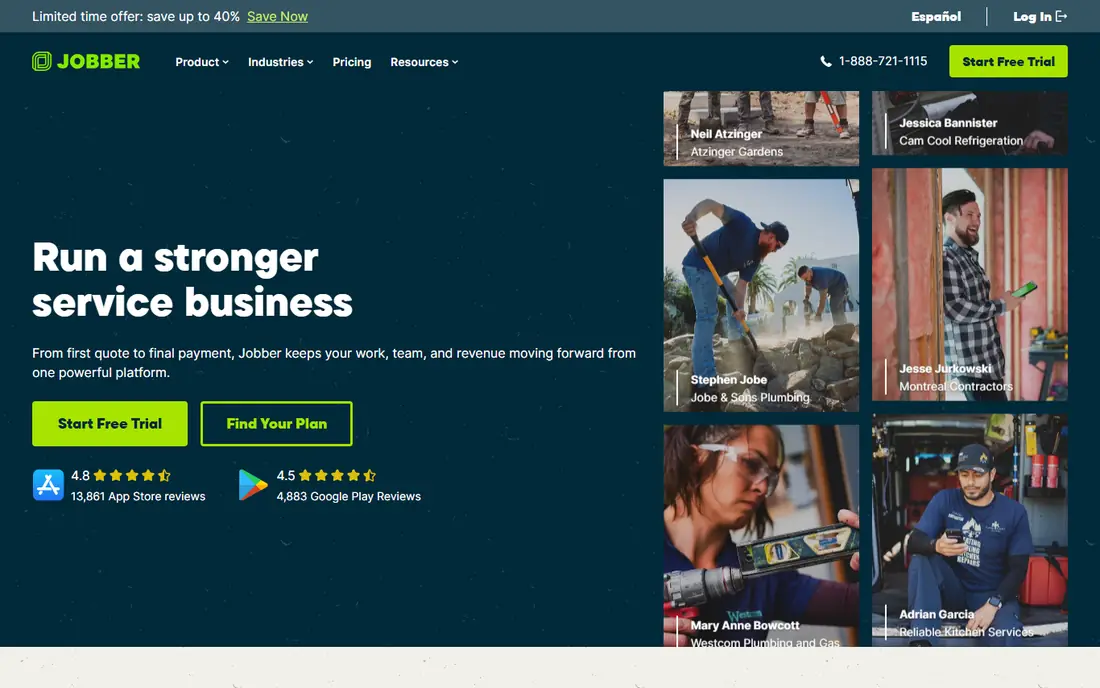
Jobber lets outdoor firms quote a job, schedule the crew, invoice the client, and collect payment without juggling four apps. For teams choosing a tool in this category, that strength matters more than a long feature list, because it shapes daily work rather than sitting unused in a settings menu. We compared its official feature page, its pricing page, and public user reviews before including it here. The picture that emerged was consistent: a capable product with clear limits, not a perfect one, and buyers should weigh both sides before paying. The honest catch is this: It is not a full accounting system, so many firms connect it to QuickBooks or Xero for tax-ready books. If that trade-off fits your budget and your workflow, this is a solid pick. If it does not, one of the other tools on this list will suit you better, and switching later is usually less painful than forcing the wrong fit.
- Quotes, scheduling, and invoicing in one flow
- Reminders
- Online payments
- Monthly cost above pure invoice tools
- Full accounting needs a separate app
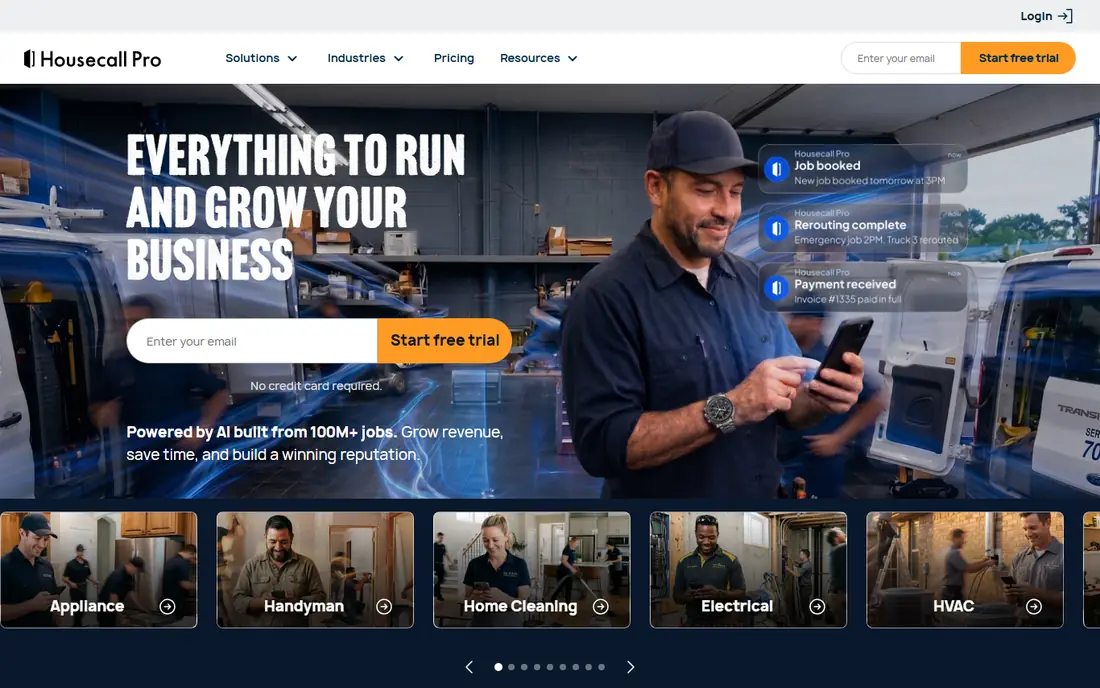
Housecall Pro helps outdoor teams book jobs, dispatch crews, send estimates, and take payment at the property. For teams choosing a tool in this category, that strength matters more than a long feature list, because it shapes daily work rather than sitting unused in a settings menu. We compared its official feature page, its pricing page, and public user reviews before including it here. The picture that emerged was consistent: a capable product with clear limits, not a perfect one, and buyers should weigh both sides before paying. The honest catch is this: Like Jobber, it pairs best with dedicated accounting software when a firm needs full financial reporting. If that trade-off fits your budget and your workflow, this is a solid pick. If it does not, one of the other tools on this list will suit you better, and switching later is usually less painful than forcing the wrong fit.
- Dispatch and scheduling
- Estimates and invoices
- On-site payments
- Price grows with team size
- Bookkeeping depth is lighter than QuickBooks
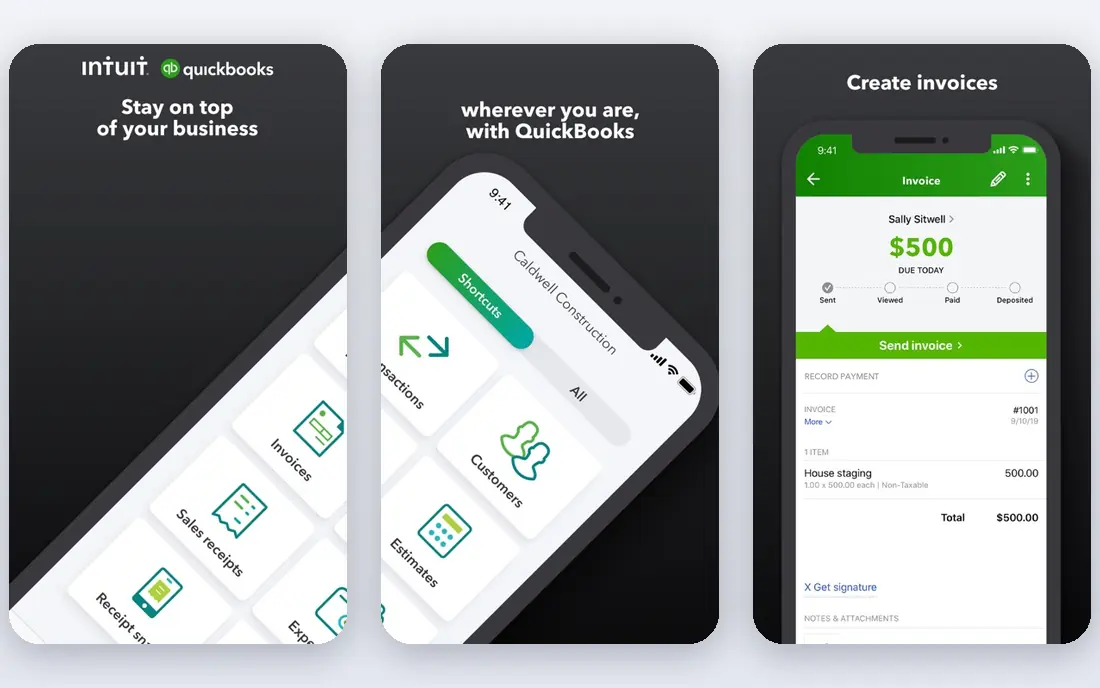
QuickBooks Online turns estimates into invoices, tracks payments, and shows whether each job made money after labour and materials. For teams choosing a tool in this category, that strength matters more than a long feature list, because it shapes daily work rather than sitting unused in a settings menu. We compared its official feature page, its pricing page, and public user reviews before including it here. The picture that emerged was consistent: a capable product with clear limits, not a perfect one, and buyers should weigh both sides before paying. The honest catch is this: Smaller firms may find its setup heavier than a pure invoice tool, but that depth pays off at tax time. If that trade-off fits your budget and your workflow, this is a solid pick. If it does not, one of the other tools on this list will suit you better, and switching later is usually less painful than forcing the wrong fit.
- Invoicing and estimates
- Bank feeds
- Job profit tracking
- Price rises with add-ons
- Setup takes more time than simple invoice apps
FreshBooks makes it easy to send a professional invoice from a phone, track expenses, and chase late payments. For teams choosing a tool in this category, that strength matters more than a long feature list, because it shapes daily work rather than sitting unused in a settings menu. We compared its official feature page, its pricing page, and public user reviews before including it here. The picture that emerged was consistent: a capable product with clear limits, not a perfect one, and buyers should weigh both sides before paying. The honest catch is this: Firms with several crews may need a field tool as well, but solo operators often prefer its simplicity. If that trade-off fits your budget and your workflow, this is a solid pick. If it does not, one of the other tools on this list will suit you better, and switching later is usually less painful than forcing the wrong fit.
- Easy invoices and estimates
- Payment links
- Late fee and reminder tools
- Recurring and crew features are lighter than Jobber
- Inventory is limited
Zoho Invoice is free for many small firms and still covers recurring invoices, estimates, and a client portal. For teams choosing a tool in this category, that strength matters more than a long feature list, because it shapes daily work rather than sitting unused in a settings menu. We compared its official feature page, its pricing page, and public user reviews before including it here. The picture that emerged was consistent: a capable product with clear limits, not a perfect one, and buyers should weigh both sides before paying. The honest catch is this: It is an invoicing tool rather than a full accounting suite, so growing firms often add Zoho Books alongside it. If that trade-off fits your budget and your workflow, this is a solid pick. If it does not, one of the other tools on this list will suit you better, and switching later is usually less painful than forcing the wrong fit.
- Free invoicing for small firms
- Recurring invoices
- Client portal
- Payroll and full accounting need other Zoho apps
- Support varies by plan
Wave lets a new outdoor firm send invoices and track income without a monthly software bill. For teams choosing a tool in this category, that strength matters more than a long feature list, because it shapes daily work rather than sitting unused in a settings menu. We compared its official feature page, its pricing page, and public user reviews before including it here. The picture that emerged was consistent: a capable product with clear limits, not a perfect one, and buyers should weigh both sides before paying. The honest catch is this: It has no scheduling or dispatch, so firms that grow into crew work usually add a field service tool later. If that trade-off fits your budget and your workflow, this is a solid pick. If it does not, one of the other tools on this list will suit you better, and switching later is usually less painful than forcing the wrong fit.
- Free invoicing and accounting
- Simple expense tracking
- Payment links
- Payroll costs extra
- Scheduling features are absent
Square Invoices suits firms that take card payments on site, with free invoicing and straightforward payment links. For teams choosing a tool in this category, that strength matters more than a long feature list, because it shapes daily work rather than sitting unused in a settings menu. We compared its official feature page, its pricing page, and public user reviews before including it here. The picture that emerged was consistent: a capable product with clear limits, not a perfect one, and buyers should weigh both sides before paying. The honest catch is this: It is lighter than QuickBooks for books and reporting, so pair it with accounting software as the firm grows. If that trade-off fits your budget and your workflow, this is a solid pick. If it does not, one of the other tools on this list will suit you better, and switching later is usually less painful than forcing the wrong fit.
- Free invoicing
- Card payments
- Simple estimates and reminders
- Full accounting depth is limited
- Fees apply to card payments
Invoice2go focuses on fast mobile invoicing, so an operator can estimate, invoice, and track payment from a phone. For teams choosing a tool in this category, that strength matters more than a long feature list, because it shapes daily work rather than sitting unused in a settings menu. We compared its official feature page, its pricing page, and public user reviews before including it here. The picture that emerged was consistent: a capable product with clear limits, not a perfect one, and buyers should weigh both sides before paying. The honest catch is this: It does not replace full accounting software, but for simple billing needs its speed is a real advantage. If that trade-off fits your budget and your workflow, this is a solid pick. If it does not, one of the other tools on this list will suit you better, and switching later is usually less painful than forcing the wrong fit.
- Mobile-first invoices
- Estimates
- Payment tracking
- Accounting depth is limited
- Plan features vary
How we picked these
We started with the vendors own feature pages and pricing pages, then checked app store listings and public reviews for signs of real, current use. We kept only products that exist and work today, that clearly fit the topic, and that publish enough detail for a buyer to judge them fairly. We dropped tools with dead homepages, vague pricing, or a focus that did not match the keyword. Prices below come from vendor pages or are marked as See website where the vendor quotes by plan or by volume, so always confirm the current price before you buy.
What to check before you choose an invoicing tool
Start with a real job cycle. Can you quote, schedule, invoice, record a deposit, and track the balance without a spreadsheet step in between? If any step breaks, that gap becomes weekly admin work. Next, check recurring billing for regular visits, since seasonal and repeat work is common in this trade. Start with a short trial on real work, not a demo script. Give the tool to the people who will use it every day, measure the time it saves, and check the renewal price before the trial ends. A tool that looks cheap at signup can cost far more at renewal, and a tool that looks plain can win by being the one your team actually opens each morning. Finally, test payment on a phone in the field. Clients pay faster when they can tap a link or a card reader at the property, and faster payment is worth more than a slightly cheaper monthly plan.
FAQ
What invoice software do outdoor service firms use most?
Jobber and Housecall Pro are common for firms with crews, because they combine scheduling and invoicing. QuickBooks Online is common for firms that want invoices tied to full books. Solo operators often start with FreshBooks, Wave, or Zoho Invoice and add a field tool later.
Should I use field service software or just invoicing software?
A solo operator who books by phone may only need invoicing software. Once you have crews, routes, and repeat visits, scheduling and dispatch save daily time and reduce missed jobs. Many firms run both and connect them so invoices flow into the books without retyping.
Can I send recurring invoices for regular visits?
Yes. Jobber, Housecall Pro, Zoho Invoice, FreshBooks, and QuickBooks Online all support recurring invoices or recurring jobs in some form. Set the schedule, price, and payment terms once, then review the draft before it sends each cycle to catch price or service changes.
How do I get clients to pay faster?
Send the invoice on site or the same day, include a payment link, and offer card payment as well as bank transfer. Add clear due dates and polite automatic reminders. Firms that invoice within a day of the work typically collect far faster than firms that batch invoices weekly.
Is free invoicing software enough to start?
Wave, Zoho Invoice, and Square Invoices all offer free invoicing that suits a new solo firm. As you add crews, payroll, or detailed job costing, a paid plan or a field service tool usually pays for itself. Start free, then upgrade when admin time starts costing you jobs.