Best Software for Construction Daily Reports for 2026: Our 6 Vetted Picks
Shortlisting the best software for construction daily reports? 6 products compared on cost, free access and ideal buyer. Every tool lists pros and cons.

- Editor's choice
 CoConstruct
Custom home builders and remodelers
Starts atSee websiteVisit coconstruct.comFull review - Great alternative
 Fieldwire
Field-first task and drawing tracking
Starts at$39 per user a monthVisit fieldwire.comFull review - Also consider
 PlanGrid
Familiar field documentation workflows
Starts atSee websiteVisit plangrid.comFull review
Direct answer
This list puts CoConstruct first for custom home builders and remodelers. Listed starting prices: Fieldwire from $39 per user a month. Fieldwire fits field-first task and drawing tracking; PlanGrid fits familiar field documentation workflows. The remaining 3 options are covered below with prices and limits.
TL;DR:
- Number one here is CoConstruct, a fit for custom home builders and remodelers.
- Before buying PlanGrid, weigh this: product transition to Forma.
- The lowest published monthly entry price here is $39 per user per month, from Fieldwire.
- Contractor Foreman fits smaller contractors wanting all-in-one tools.
- Fieldwire stands alone as the one tool in this list with a free plan.
Last checked November 2026. Prices and plan details were read from the vendors' own pages in November 2026; vendors change plans often, so confirm the current price on the vendor site before you buy.
Quick comparison
| Tool | Best for | Starts at | Free plan? | |
|---|---|---|---|---|
| CoConstruct | Custom home builders and remodelers | See website | Not stated | Visit |
| Fieldwire | Field-first task and drawing tracking | $39 per user a month | Yes | Visit |
| PlanGrid | Familiar field documentation workflows | See website | Not stated | Visit |
 Autodesk Construction Cloud | Connected documentation across project teams | See website | Not stated | Visit |
 Procore | Full project management with daily logs | See website | Not stated | Visit |
 Contractor Foreman | Smaller contractors wanting all-in-one tools | See website | Not stated | Visit |
6 software for construction daily reports in detail
Short on time? The summary and table above give the quick view of 6 software for construction daily reports, and the profiles that follow give the detail behind each entry.
CoConstruct targets custom home builders and remodelers. CoConstruct is construction management software for builders, now sharing a unified brand with Buildertrend. Its residential orientation means large commercial or infrastructure teams may find other systems better matched.
In daily use, choose CoConstruct when residential project communication and daily updates go hand in hand. Also, buyers should confirm the current product direction given the brand unification. Pricing for CoConstruct is not stated here, so ask the vendor for current figures. Free plan details: Not stated.
Watch-outs: Narrower fit for large commercial work.
- Project communication focus
- Designed for builder and remodeler workflows
- Confirm current product direction

Fieldwire is designed for field-first task and drawing tracking. Fieldwire by Hilti is live jobsite management software where teams track tasks, update drawings, and cut expensive rework. Worth adding: for daily reports, that field focus helps crews capture what happened on site whereas staying tied to current drawings and open tasks.
Drawbacks to consider: Daily reports are one part of a field toolset.
Pick Fieldwire when field documentation and drawing accuracy are the priority. Fieldwire centers on jobsite management, so teams needing deep office-side project controls may pair it with other systems. Entry price for Fieldwire: $39 per user per month. Fieldwire has a free plan.
- Drawing updates on site
- Task tracking in the field
- Office-side depth varies by need
PlanGrid makes the most sense for familiar field documentation workflows. PlanGrid is a construction app now part of Autodesk Forma, bringing its field documentation approach with it.
The main drawbacks: New users should confirm current features.
In practice, new buyers may compare it straight with Autodesk Construction Cloud. Also, since PlanGrid is now folded into Autodesk Forma, teams should confirm current capabilities and how daily reporting suits the combined offering. Check the vendor site for PlanGrid pricing; none is listed in this comparison. Free access: Not stated.
- Now part of Autodesk Forma
- Support and login resources provided
- Product transition to Forma
Autodesk Construction Cloud
Best for: Connected documentation across project teams
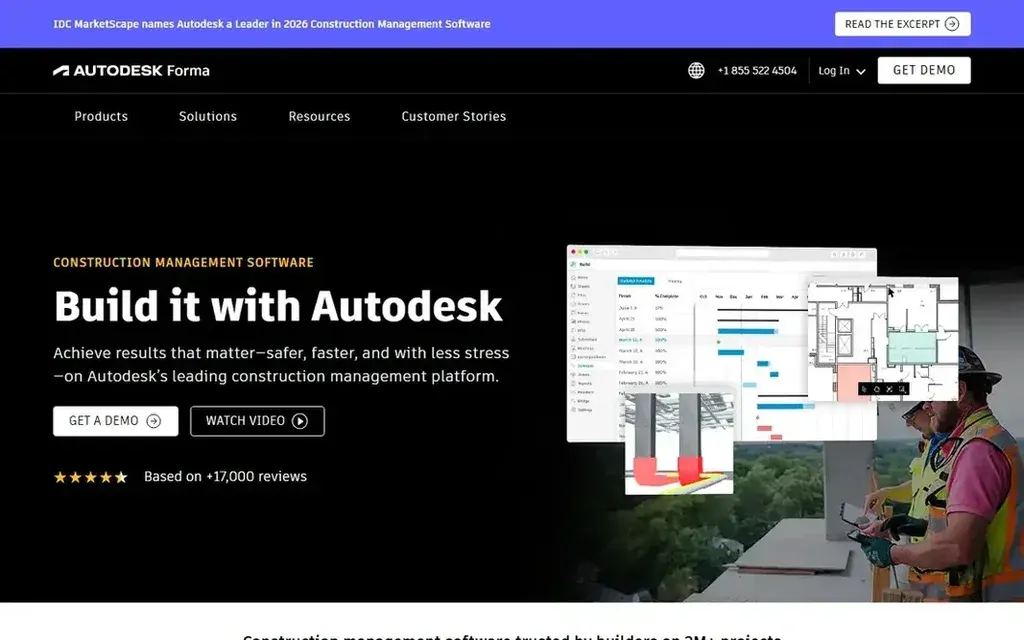
Autodesk Construction Cloud is a good fit for connected documentation across project teams. Autodesk Construction Cloud, now presented as Autodesk Forma, is construction management software built so project teams can collaborate securely and rapidly.
Choose this when daily documentation should link to a wider, coordinated project environment. In practice, a team wanting only daily report capture may prefer a narrower tool. No starting price is listed for Autodesk Construction Cloud here; confirm pricing on the vendor site. As for free access: Not stated.
Where it is weaker: Wide system can feel complicated.
- Supports on-time delivery goals
- Secure team collaboration
- Setup effort for smaller teams

Procore targets full project management with daily logs. Teams that only want a straightforward daily log may find a lighter tool quicker to adopt.
Daily reporting sits within a broader set of project management tools, so field notes, photos, and site records can live alongside schedules and documentation. From a buyer's view, consider Procore when daily reports must feed into wider project controls and shared visibility. Check the vendor site for Procore pricing; none is listed in this comparison. On free options: Not stated.
The main drawbacks: May exceed small crew needs.
- Wide construction management coverage
- Live project visibility
- Large system to learn
Contractor Foreman
Best for: Smaller contractors wanting all-in-one tools
Contractor Foreman is a good fit for smaller contractors wanting all-in-one tools. Bigger teams with complicated reporting requirements may outgrow it. An all-in-one approach can mean individual modules are less deep than dedicated tools, so confirm daily report fields and output match your needs.
Upsides: Invoicing in one system.
Watch-outs: Confirm daily report features straight.
On top of that, pick Contractor Foreman when simplicity and combined operations matter most. Contractor Foreman is all-in-one construction management software handling estimating, scheduling, time cards, and invoicing. This comparison lists no price for Contractor Foreman; ask the vendor. On free options: Not stated.
- All-in-one construction management
- Time cards
- Depth varies by module
What went into this list
LinkVetted looked at what each vendor publishes: pricing, plan limits, feature coverage for software for construction daily reports and stated drawbacks. No hands-on testing is claimed. Where a vendor does not publish a price, the entry says quote. Where a price depends on seats or billing term, the entry says so. We ordered the tools by general fit, then by how clearly pricing is shown, then by free access. A buyer with unusual needs may reorder them.
A buyer's checklist
- Confirm the entry price on the vendor page. For CoConstruct, PlanGrid, Autodesk Construction Cloud and others that means a quote rather than a fixed price.
- Test the free plan from Fieldwire against your real workload before relying on it.
- Before choosing CoConstruct, weigh its main limit: narrower fit for large commercial work.
- Look at which plan of Autodesk Construction Cloud unlocks the features you need; entry tiers are often cut down.
- Check the support hours and onboarding help CoConstruct offers; smaller vendors vary a lot here.
FAQ
Which options for software for construction daily reports have a free plan?
Fieldwire is the only tool in this list with a free plan. Free plans usually cap users, projects or features, so check the limits on the vendor page. Each of the 6 options in this software for construction daily reports guide has its own card above with the price, free plan and limits.
Can I try these tools before paying?
Often, yes. Fieldwire has a free plan. Use your own data and a real task during the test, and check what the free tier or trial limits before you rely on it. All 6 picks in this software for construction daily reports comparison list a starting price, free plan details and the main limits on their cards above.
What is the cheapest option for software for construction daily reports in this list?
On published monthly entry prices, Fieldwire is the lowest here at $39 per user per month. Entry price is only part of the cost, because seats, add-ons and billing terms can change the total. For the full picture, the cards above cover all 6 entries of this software for construction daily reports list, including price, free plan and limits.
How do field crews benefit from daily report software?
Mobile capture lets crews record site activity whereas it is fresh, attach photos, and tie notes to current drawings or tasks. That cuts rework and keeps the office informed. Check mobile usability and offline behavior before committing.
What should a construction daily report contain?
Most daily reports capture date, weather, labor and crews on site, work performed, equipment used, deliveries, and issues or delays. Photos and notes help support the record.
Do these tools publish their prices?
Not all of them. CoConstruct, PlanGrid, Autodesk Construction Cloud and others publish no starting price, so expect a quote request for those. The rest, Fieldwire included, show a starting price, though seats and billing terms still change the final cost.
Sources
- https://www.coconstruct.com
- https://www.fieldwire.com
- https://www.plangrid.com
- https://construction.autodesk.com
- https://www.procore.com
- https://www.contractorforeman.com