Best Software for Construction Cost Allocation for 2026: Our 5 Vetted Picks
Best software for construction cost allocation, compared. 5 tools with published prices, free plans and limits. Every entry states what it lacks. No hype.
- Editor's choice
 CMiC
Unified accounting, projects and people management
Starts atPricing on requestVisit cmicglobal.comFull review - Great alternative
 CoConstruct
Builder-focused project and cost tracking
Starts atPricing on requestVisit coConstruct.comFull review - Also consider
 Autodesk Construction Cloud
Collaborative project cost and delivery oversight
Starts atPricing on requestVisit construction.autodesk.comFull review
Direct answer
If you need unified accounting, projects and people management, CMiC is the first tool to look at here. CoConstruct is the stronger choice for builder-focused project and cost tracking, while Autodesk Construction Cloud suits collaborative project cost and delivery oversight. The other 2 tools in the list cover narrower or pricier cases. None of these vendors publish plan prices, so pricing is on request for every option.
TL;DR:
- CMiC is the opening pick, best for unified accounting, projects and people management.
- Before buying CoConstruct, weigh this: less suited to large commercial accounting.
- Viewpoint Vista fits ERP-driven cost allocation and accounting.
- Neither CMiC nor Viewpoint Vista, nor any of the other 3 tools, has a permanent free plan; trials and quotes are the norm.
- Pricing across the list, from CMiC to Viewpoint Vista, is by quote only.
Last checked November 2026. Pricing on request: vendors did not publish plan prices when this guide was last checked (November 2026), so ask each vendor for a written quote.
Quick comparison
| Tool | Best for | Starts at | Free plan? | |
|---|---|---|---|---|
| CMiC | Unified accounting, projects and people management | Pricing on request | Not stated | Visit |
| CoConstruct | Builder-focused project and cost tracking | Pricing on request | Not stated | Visit |
| Autodesk Construction Cloud | Collaborative project cost and delivery oversight | Pricing on request | Not stated | Visit |
 Procore | Connecting field activity to cost visibility | Pricing on request | Not stated | Visit |
 Viewpoint Vista | ERP-driven cost allocation and accounting | Pricing on request | Not stated | Visit |
Our 5 picks for software for construction cost allocation
Short on time? The summary and table above give the quick view of 5 tools for software for construction cost allocation, and the profiles that follow give the detail behind each entry.
Choose CMiC for unified accounting, projects and people management. CMiC is construction management software that positions itself around managing accounting, projects and people through one simplified product. That unified structure is handy for cost allocation since financial and project data sit within the same system.
In daily use, a unified enterprise product generally brings more setup and process design than a narrow tool, which can be demanding for lean teams. In practice, organizations that primarily need straightforward job costing may find the scope bigger than necessary. Pricing for CMiC is not stated here, so ask the vendor for current figures. On free options: Not stated.
Where it is weaker: Smaller businesses may not use full breadth.
What users get: Positioned for construction firms.
- Projects and people
- Single simplified system
- Enterprise orientation can mean heavier implementation
In short, CoConstruct is for builder-focused project and cost tracking. CoConstruct is construction management software now presented as a unified brand with Buildertrend, committed to a smooth experience for builders. From a buyer's view, the product is oriented toward residential and builder workflows, so large commercial contractors may find its accounting depth restricted compared to dedicated construction ERPs.
For cost allocation, it supports builder-level tracking of project finances alongside client and schedule information. For everyday use, businesses needing complicated multi-entity allocation should look at accounting-first systems. This comparison lists no price for CoConstruct; ask the vendor. Trial and free access: Not stated.
Where it falls short: Cost allocation depth may be restricted.
- Aims at smooth project experience
- Construction management for builders
- Less suited to large commercial accounting
Autodesk Construction Cloud
Best for: Collaborative project cost and delivery oversight
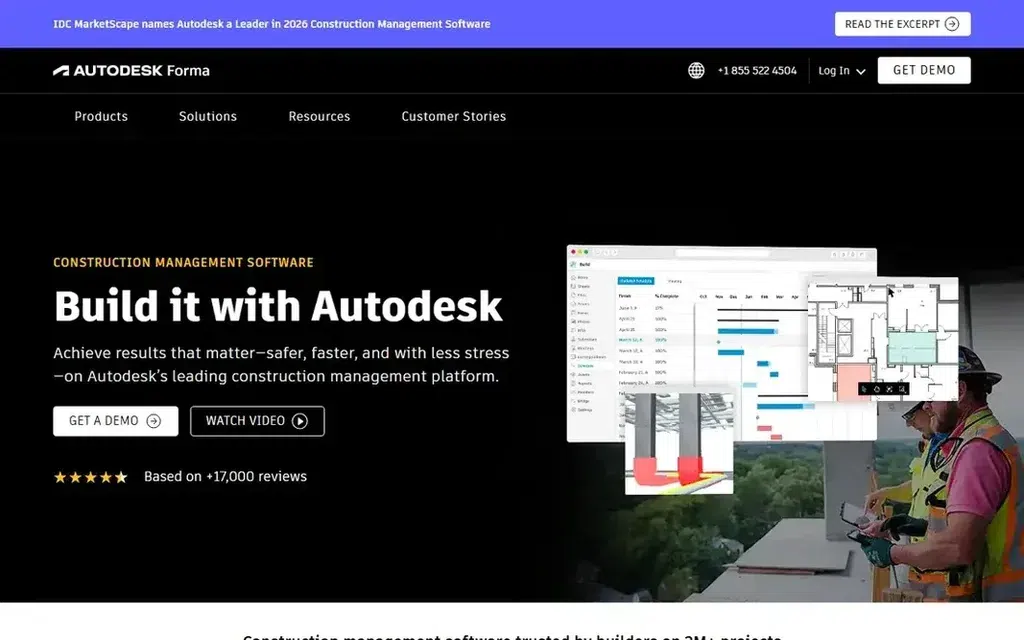
Autodesk Construction Cloud was built for collaborative project cost and delivery oversight. Autodesk Construction Cloud, now presented under Autodesk Forma, is construction management software made for secure and fast collaboration across project teams.
Beyond that, the system is oriented toward project collaboration and delivery instead of dedicated construction accounting, so granular cost allocation may need linking with finance systems. Autodesk Construction Cloud does not show a starting price in this comparison, so check the vendor site for current pricing. On free options: Not stated.
Honest limits: Cost allocation features are not the core focus.
- Aims at on-time
- Links project data in one environment
- May need integration with accounting systems

Procore works best for connecting field activity to cost visibility. Procore is centered on project management instead of being a dedicated accounting system, so deep allocation and payroll logic often relies on how it links with finance software. Procore is a construction management product that links the site and the office, giving teams live visibility into project progress.
Watch-outs: Cost allocation depth relies on connected finance tools.
On top of that, teams wanting a single accounting-first product may prefer an ERP. For cost allocation, that visibility helps teams understand where work and spending stand as projects move, which supports more informed cost decisions. Pricing for Procore is not stated here, so ask the vendor for current figures. Free access: Not stated.
- Supports delivery on time and on budget
- Links site and office on one product
- Wide system may need process changes

Where Viewpoint Vista fits: ERP-driven cost allocation and accounting. If your priority is field-level project management instead of back-office cost control, a project-focused product may be a better starting point.
On top of that, Viewpoint Vista is construction ERP software from Trimble that brings accounting, resource planning and project collaboration together. More specifically, since it is a full ERP, the product carries more configuration and process overhead than a focused project tool. This comparison lists no price for Viewpoint Vista; ask the vendor. On free options: Not stated.
Upsides: Made for construction operations.
Watch-outs: May be more than small crews need.
- Resource planning and project collaboration
- Merges accounting
- ERP scope can mean a longer setup
Our selection method
Pre-purchase checklist
- Ask each vendor, from CMiC to Viewpoint Vista, for a written quote; none of them publishes a starting price.
- Before choosing CMiC, weigh its main limit: enterprise orientation can mean heavier implementation.
- Confirm that CoConstruct connects to the apps your team already uses, on the plan you would actually buy.
- Check whether CMiC bills monthly or annually, and what cancelling early costs.
- Involve the people who will use Viewpoint Vista daily; a short pilot beats a long feature checklist.
FAQ
How do residential builders differ from commercial contractors here?
Residential and remodeling builders frequently want practical project and cost tracking, which is where CoConstruct fits. Commercial contractors usually need deeper accounting, payroll and multi-job allocation, which points toward construction ERPs.
What is the safest way to evaluate these tools?
Start by documenting how your team allocates costs today, including cost codes, payroll links and reporting needs. For everyday use, then compare each vendor's documented features against that list and confirm details straight with the vendor.
Is CMiC the right pick for everyone comparing software for construction cost allocation?
No single tool suits every team. CMiC comes first because it fits unified accounting, projects and people management, while CoConstruct suits builder-focused project and cost tracking and Autodesk Construction Cloud suits collaborative project cost and delivery oversight. Match the tool to your own size, budget and workflow before deciding.
Does any tool for software for construction cost allocation here have a free plan?
A permanent free plan is not offered by CMiC, Viewpoint Vista or the other tools here. Plan a short evaluation period instead.
Is an ERP or a project management product better for cost allocation?
Project systems like Procore or Autodesk Construction Cloud emphasize field-to-office visibility and frequently link to finance tools. Worth adding: the better choice relies on whether your bottleneck is accounting depth or project visibility.
How are the tools for software for construction cost allocation ordered?
CMiC sits first and Viewpoint Vista last because the order follows typical fit for software for construction cost allocation, then price clarity and free access. It is a judgement call, so read each profile for fit and limits.
Sources
- https://www.cmicglobal.com
- https://www.coConstruct.com
- https://construction.autodesk.com
- https://www.procore.com
- https://www.viewpoint.com/products/vista