Choosing Shopify Website Designers in 2026: 6 Options Compared
Best shopify website designers in 2026: 6 contenders with entry costs and free tiers. Each profile ends with a plain caveat. A comparison table is included.

- Editor's choice
 BigCommerce
Multichannel brands selling across regions
Starts atSee websiteVisit bigcommerce.comFull review - Great alternative
 Webflow
Designers wanting visual control and CMS
Starts at$15 a monthVisit webflow.comFull review - Also consider
 Wix
Small firms wanting built-in tools
Starts atSee websiteVisit wix.comFull review
Direct answer
BigCommerce is the first pick on this list for multichannel brands selling across regions. Listed starting prices: Webflow from $15 a month, Squarespace from $12 per month and WooCommerce from $29 per month. Webflow is better for designers wanting visual control and CMS, and Wix is better for small companies wanting built-in tools. Details, prices and limits for the rest of the 6 tools are below.
TL;DR:
- BigCommerce takes the first slot, best suited to multichannel brands selling across regions.
- Just one of the 6 tools, Webflow, has a free plan.
- WooCommerce is the one to check for developers wanting open-source adaptability.
- For the cheapest start, look at Squarespace: $12 per month.
Last checked November 2026. Prices and plan details were read from the vendors' own pages in November 2026; vendors change plans often, so confirm the current price on the vendor site before you buy.
Quick comparison
| Tool | Best for | Starts at | Free plan? | |
|---|---|---|---|---|
| BigCommerce | Multichannel brands selling across regions | See website | Not stated | Visit |
| Webflow | Designers wanting visual control and CMS | $15 a month | Yes | Visit |
| Wix | Small firms wanting built-in tools | See website | Not stated | Visit |
 Shopify Plus | Brands committed to the Shopify ecosystem | See website | Not stated | Visit |
 Squarespace | Design-led sites with configurable templates | $12 per month | Free trial | Visit |
 WooCommerce | Developers wanting open-source adaptability | $29 per month | Not stated | Visit |
6 shopify website designers in detail
LinkVetted put together this guide to shopify website designers for readers who want a clear shortlist without reading every vendor page. It compares 6 tools on starting price, free plans, who each one suits and where each one falls short.

Pick BigCommerce if this describes you: multichannel brands selling across regions. BigCommerce presents itself as commerce aimed at momentum, powering buying experiences across brands, regions, and channels from one scalable foundation.
Where BigCommerce stands out: Supports brands.
Where it falls short: Not a Shopify-native choice.
For website design projects, it provides an alternative to Shopify when multichannel operations are a priority. In daily use, choose BigCommerce when cross-region and cross-channel commerce is central to your roadmap. Pricing for BigCommerce is not stated here, so ask the vendor for current figures. Free options: Not stated.
- Single scalable foundation
- Modern buying experiences
- Design adaptability relies on theme choices
Webflow targets designers wanting visual control and CMS. Webflow is a visual web system for designing, building, optimizing, and ranking sites, with CMS, hosting, and enterprise-grade security built in.
Webflow has a ramp-up time and is not a Shopify-native commerce product, so merchants needing deep ecommerce functionality may pair it with other tools. Worth adding: choose Webflow when design control and CMS adaptability are central. Starting cost for Webflow: $15 per month. Webflow has a free plan.
Downsides: Not a dedicated Shopify commerce tool.
- CMS and hosting built in
- Enterprise-grade security features
- Steeper ramp-up time for beginners
For small businesses wanting built-in tools, Wix is a natural candidate. For design projects, it gives you an accessible path for users who prefer an all-in-one environment. Choose Wix when simplicity and built-in business tools matter more than system extensibility.
On top of that, Wix is not aimed at complicated enterprise commerce stacks or deep custom development. Teams needing open-source control or advanced integrations may outgrow it. Wix does not show a starting price in this comparison, so check the vendor site for current pricing. Free plan details: Not stated.
Where it is weaker: Less suited to complicated enterprise stacks.
- Accessible for non-technical users
- Hosting and business tools built in
- Design confined to the Wix ecosystem

Shopify Plus targets brands committed to the Shopify ecosystem. Shopify Plus is the enterprise level of the Shopify commerce product, positioned for brands that need scale and a commerce foundation without compromise. From a buyer's view, pick Shopify Plus when ecosystem alignment and enterprise scale matter more than system independence.
The system is described as aimed at unrivaled scale, making it a natural reference point when planning a Shopify website design project. Beyond that, merchants who require open-source control or a different backend should look at other choices. Check the vendor site for Shopify Plus pricing; none is listed in this comparison. As for free access: Not stated.
Downsides: Less suited to non-Shopify stacks.
- Enterprise commerce foundation
- Aimed at scale and brand growth
- Needs Shopify-specific expertise
Squarespace is designed for design-led sites with customizable templates. Squarespace is a website builder concentrated on configurable templates, AI website builder tools, and domain management.
Beyond that, merchants with advanced commerce needs may find it limiting. In practice, for a Shopify-adjacent design project, it serves as a comparison point for template-driven builds. Squarespace cost at the entry level: $12 per month. As for free access: Free trial.
Downsides: Design stays within product templates.
- Domain and site management included
- Configurable website templates
- Restricted deep commerce customization
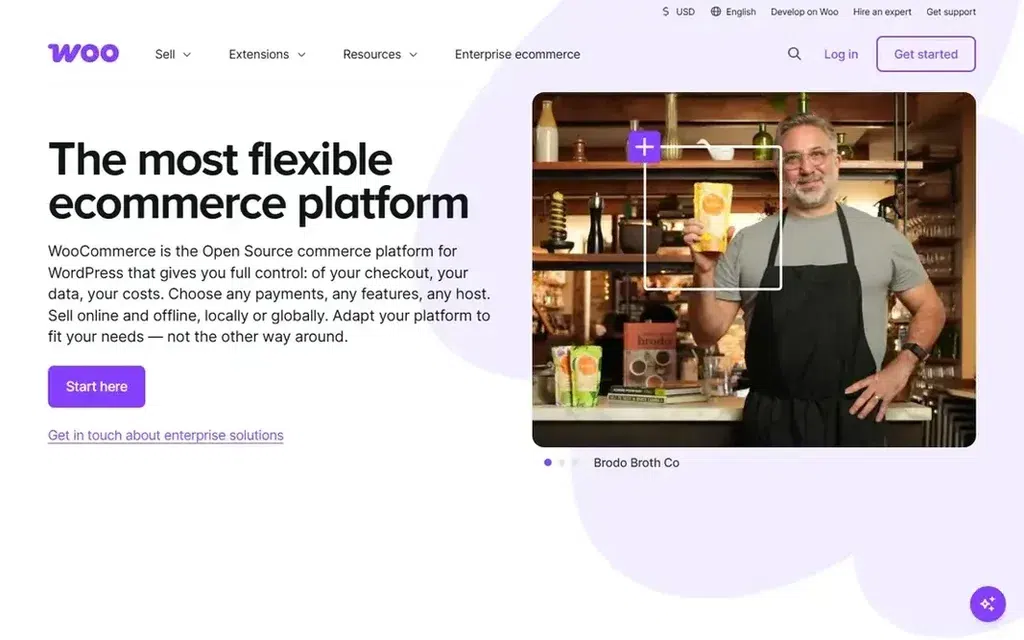
WooCommerce works best for developers wanting open-source adaptability. For website design projects, it supplies an adaptable foundation instead of a closed ecosystem.
Where it is weaker: Design relies on themes and plugins.
Also, WooCommerce relies on WordPress hosting, themes, and plugins, so design quality and performance vary with the setup. Worth adding: WooCommerce is the open-source ecommerce system that helps merchants and developers build successful companies for the long term. What you pay to start with WooCommerce: $29 per month. On free options: Not stated.
- Open-source ecommerce product
- Made for merchants and developers
- Needs WordPress expertise
How we built this list
For each of the 6 tools we noted price, free plan or trial, fit for shopify website designers and the main limit, using vendor pages and documentation. Prices and plan limits come from vendor pages and can change, so confirm them on the vendor site before you buy. We ordered the tools by general fit, then by how clearly pricing is shown, then by free access. A buyer with unusual needs may reorder them.
What to check before you buy
- Get a written quote from BigCommerce, Wix and Shopify Plus; the list shows no starting price for them.
- Test the free plan from Webflow against your real workload before relying on it.
- Use real work to test the free trial from Squarespace, rather than a demo project.
- Before choosing BigCommerce, weigh its main limit: design adaptability relies on theme choices.
- See whether Webflow offers onboarding or training, and whether it is included in the price.
- Ask Shopify Plus whether prices are locked for the first term and what happens at renewal.
FAQ
How are the tools for shopify website designers ordered?
The order follows typical fit for shopify website designers, with BigCommerce first and WooCommerce last, then price clarity and free access. It is editorial judgement, not a score, so another team could rank the tools differently.
Which choice is best for open-source adaptability?
BigCommerce comes first here and is built for multichannel brands selling across regions. Buyers with other needs may prefer Webflow (for designers wanting visual control and CMS) or Wix (for small companies wanting built-in tools). Compare costs and limits first.
Which options for shopify website designers have a free plan?
Webflow is the only tool in this list with a free plan. Free plans usually cap users, projects or features, so check the limits on the vendor page. One other tool offers a trial instead. Each of the 6 options in this shopify website designers guide has its own card above with the price, free plan and limits.
What is the cheapest option for shopify website designers in this list?
On published monthly entry prices, Squarespace is the lowest here at $12 per month. Entry price is only part of the cost, because seats, add-ons and billing terms can change the total. All 6 picks in this shopify website designers comparison list a starting price, free plan details and the main limits on their cards above.
Is BigCommerce the right pick for everyone comparing shopify website designers?
No single tool suits every team. BigCommerce comes first because it fits multichannel brands selling across regions, while Webflow suits designers wanting visual control and CMS and Wix suits small businesses wanting built-in tools. Match the tool to your own size, budget and workflow before deciding.
Sources
- https://www.bigcommerce.com
- https://webflow.com
- https://www.wix.com
- https://www.shopify.com/plus
- https://www.squarespace.com
- https://woocommerce.com