Top 6 School Cafeteria Management Software for 2026 (Prices and Free Plans)
Best school cafeteria management software: 6 tools compared on price, free plans and fit. The weak spots sit next to the strengths. Pick with confidence.
- Editor's choiceHeartland School Solutions
School nutrition and payment processing
Starts atPricing on requestVisit heartlandschoolsolutions.comFull review - Great alternative
 LINQ
Integrated K-12 district operations
Starts atPricing on requestVisit linq.comFull review - Also considerPrimeroEdge
District and state nutrition programs
Starts atPricing on requestVisit primeroedge.comFull review
Direct answer
Our first pick is Heartland School Solutions, best for School nutrition and payment processing. LINQ is better for integrated K-12 district operations, and PrimeroEdge is better for district and state nutrition programs. The remaining 3 options are covered below with prices and limits. None of these vendors publish plan prices, so pricing is on request for every option.
TL;DR:
- Heartland School Solutions takes the first slot, best suited to School nutrition and payment processing.
- Heartland School Solutions, MealTime and the 4 others all need a premium plan or a trial, since no free plan is listed.
- A fair warning about MySchoolBucks: primarily parent-facing instead of back-office.
- Heartland School Solutions, MealTime and the 4 others all sell by quote; expect sales conversations before you see a price.
- MealTime fits general meal and nutrition operations.
Last checked November 2026. Pricing on request: vendors did not publish plan prices when this guide was last checked (November 2026), so ask each vendor for a written quote.
Quick comparison
| Tool | Best for | Starts at | Free plan? | |
|---|---|---|---|---|
| Heartland School Solutions | School nutrition and payment processing | Pricing on request | Not stated | Visit |
| LINQ | Integrated K-12 district operations | Pricing on request | Not stated | Visit |
| PrimeroEdge | District and state nutrition programs | Pricing on request | Not stated | Visit |
| MySchoolBucks | Parent payments and meal balance tracking | Pricing on request | Not stated | Visit |
| PaySchools | Nutrition services with fees and ticketing | Pricing on request | Not stated | Visit |
| MealTime | General meal and nutrition operations | Pricing on request | Not stated | Visit |
School Cafeteria Management Software profiles
If you are comparing school cafeteria management software, this page covers 6 tools in one place: what each is best for, what it costs to start, whether it has a free plan, and the main limit to know about.
Heartland School Solutions
Best for: School nutrition and payment processing
Heartland School Solutions targets School nutrition and payment processing. Districts that require deep nutrition program reporting may want a dedicated nutrition system, whereas those centred on payment handling can weigh it against MySchoolBucks and PaySchools.
What to check first: Feature scope needs direct confirmation.
Pricing for Heartland School Solutions is not stated here, so ask the vendor for current figures. Free access: Not stated.
- Known name in school nutrition payments
- Targeted at K-12 food service
- Restricted public detail on the homepage
LINQ is aimed squarely at integrated K-12 district operations. LINQ describes itself as enabling districts with integrated financial, administrative, and nutrition options.
That combination appeals to districts that want cafeteria management connected to the rest of their operations instead of standing alone. LINQ does not show a starting price in this comparison, so check the vendor site for current pricing. Trial and free access: Not stated.
Points against: Broader suite may be more than small sites need.
- Made for K-12 districts
- Merges nutrition with finance and administration
- Nutrition depth needs confirmation
PrimeroEdge
Best for: District and state nutrition programs
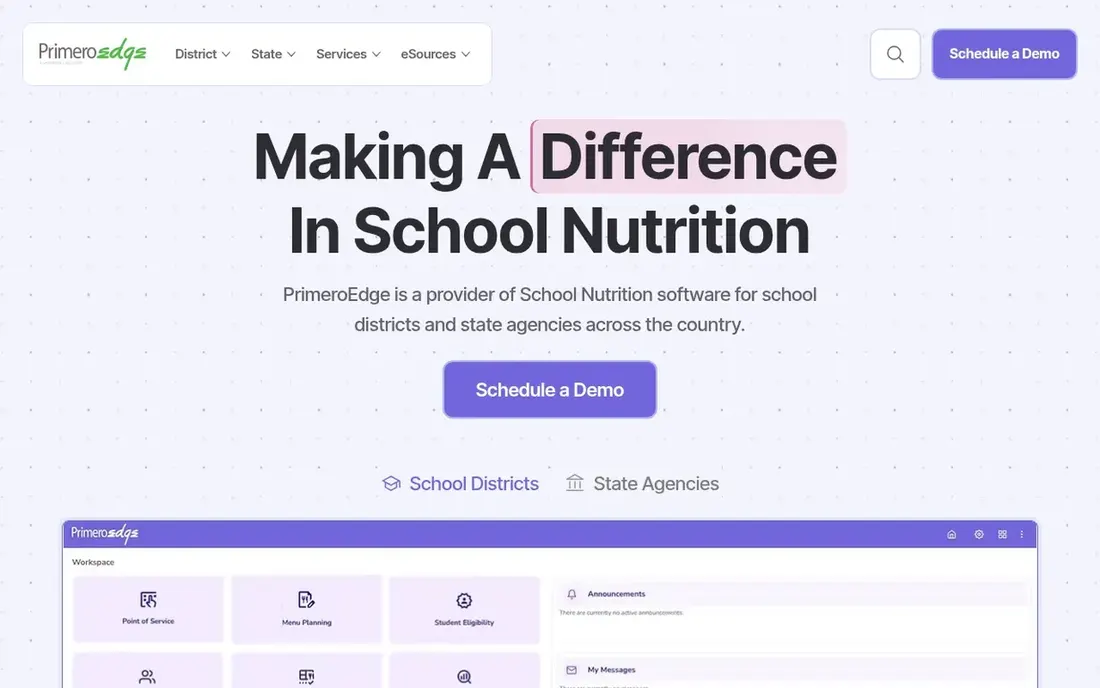
PrimeroEdge targets district and state nutrition programs. Confirm module coverage and integration choices directly with the vendor before committing, since public documentation is restricted to high-level positioning. For everyday use, PrimeroEdge is a school nutrition software provider serving districts and state agencies across the country.
Its homepage positions it squarely in the cafeteria and nutrition space instead of general school administration, which makes it a natural starting point for food service directors who want a dedicated system. Districts that require meal tracking, nutrition program support, and reporting tied to school food service are the core audience here. PrimeroEdge does not show a starting price in this comparison, so check the vendor site for current pricing. Free plan details: Not stated.
The main drawbacks: Narrower than full district suites.
- Concentrated on cafeteria operations
- Designed for school nutrition
- Details need vendor confirmation
MySchoolBucks
Best for: Parent payments and meal balance tracking
MySchoolBucks is aimed squarely at parent payments and meal balance tracking. MySchoolBucks lets parents pay for school meals and fees securely online, view cafeteria purchases, check meal balances, register for activities, and buy event tickets. That makes it a solid fit for districts that want a parent-friendly portal handling meals and more.
What to check first: Primarily parent-facing instead of back-office.
In daily use, the emphasis is on the parent experience, so districts needing deep back-office nutrition management should confirm whether those features are included. Beyond that, families get visibility into spending, whereas schools gain an online payment channel for cafeteria and activity costs. Check the vendor site for MySchoolBucks pricing; none is listed in this comparison. Free options: Not stated.
- Parents pay for meals securely online
- Also handles fees, activities, tickets
- Nutrition reporting scope needs checking
PaySchools
Best for: Nutrition services with fees and ticketing
Think of PaySchools for Nutrition services with fees and ticketing. PaySchools, offered through i3 Verticals, offers K-12 management software with features like nutrition services, school fees, and ticketing.
Also, since the offering spans multiple areas, the depth of cafeteria-specific features should be verified straight. Check the vendor site for PaySchools pricing; none is listed in this comparison. Free options: Not stated.
Honest limits: Specific nutrition features need confirmation.
- Part of i3 Verticals K-12 software
- Comes with ticketing features
- Wide scope may dilute cafeteria focus
MealTime
Best for: General meal and nutrition operations
Where MealTime fits: general meal and nutrition operations. MealTime appears in school nutrition conversations as a meal service and point-of-sale choice for cafeterias.
For everyday use, districts that require documented K-12 features should compare it against PrimeroEdge or LINQ, which describe school-focused offerings more explicitly. No starting price is listed for MealTime here; confirm pricing on the vendor site. Free plan details: Not stated.
The main drawbacks: Fit for K-12 cafeterias needs verification.
- Name associated with meal service
- Widely known in food service circles
- Homepage excerpt does not describe school features
How we chose
LinkVetted looked at what each vendor publishes: pricing, plan limits, feature coverage for school cafeteria management software and stated drawbacks. No hands-on testing is claimed. Seat minimums, billing terms and add-ons can move the real cost, so the starting prices here are a guide and not a quote. We ordered the tools by general fit, then by how clearly pricing is shown, then by free access. A buyer with unusual needs may reorder them.
Before you commit
- Confirm the entry price with every vendor: no tool from Heartland School Solutions to MealTime shows a fixed starting price.
- Read the limits listed for Heartland School Solutions first: restricted public detail on the homepage.
- Let daily users try PaySchools on real work; their feedback beats any feature checklist.
- Find out what support PrimeroEdge includes on your plan, and whether onboarding help costs extra.
- Ask LINQ about contract length, onboarding fees and user minimums before you sign.
FAQ
Is an integrated K-12 suite better than a dedicated cafeteria tool?
LINQ merges nutrition with financial and administrative options, which can cut disconnected systems in bigger districts. Smaller schools may prefer a focused cafeteria tool that is more straightforward to adopt.
How do we verify features before choosing?
Ask each vendor for a walkthrough of the specific cafeteria workflows you depend on and confirm integration and reporting details in writing.
Does any tool for school cafeteria management software here have a free plan?
No tool in this list, Heartland School Solutions and MealTime included, has a permanent free plan. Trials and quotes are the usual route, so plan a short evaluation period.
Do these tools publish their prices?
No. None of the tools, from Heartland School Solutions to MealTime, shows a fixed starting price here, so budget time for quotes.
What should a district look for in cafeteria management software?
Start with the functions you need most, for example meal payments, balance tracking, nutrition reporting, or menu planning. Then check integration with your student information system and how reporting supports nutrition program requirements.
Is Heartland School Solutions the right pick for everyone comparing school cafeteria management software?
No single tool suits every team. Heartland School Solutions comes first because it fits School nutrition and payment processing, while LINQ suits integrated K-12 district operations and PrimeroEdge suits district and state nutrition programs. Match the tool to your own size, budget and workflow before deciding.
Sources
- https://www.heartlandschoolsolutions.com
- https://www.linq.com
- https://www.primeroedge.com
- https://www.myschoolbucks.com
- https://www.payschools.com
- https://www.mealtime.com