IEP Management Software for School Districts in 2026: The 5 Best Options Side by Side
Best IEP management software for school districts, compared. 5 tools with published prices, free plans and limits. Read the caveats before you buy. No filler.
- Editor's choiceRethinkEd
Combining special education with professional development
Starts atSee websiteVisit rethinked.comFull review - Great alternativeEmbrace
Not applicable for IEP management
Starts at$80 per monthVisit embrace.ioFull review - Also considerSEAS (Special Education Administration System)
Custom special education administration
Starts atSee websiteVisit seasweb.comFull review
Direct answer
Start with RethinkEd if you need combining special education with professional development. Listed starting prices: Embrace from $80 per month. Embrace is the stronger choice for not applicable for IEP management, while SEAS (Special Education Administration System) suits custom special education administration. Details, prices and limits for the rest of the 5 tools are below.
TL;DR:
- This list starts with RethinkEd, which is built for combining special education with professional development.
- eSped is the one to check for legacy users transitioning to Frontline.
- Only Embrace offers a free plan among these 5 tools.
- Starting prices begin at $80 per month with Embrace.
- What to know about SEAS (Special Education Administration System) first: restricted public documentation in English.
Last checked November 2026. Prices and plan details were read from the vendors' own pages in November 2026; vendors change plans often, so confirm the current price on the vendor site before you buy.
Quick comparison
| Tool | Best for | Starts at | Free plan? | |
|---|---|---|---|---|
| RethinkEd | Combining special education with professional development | See website | Not stated | Visit |
| Embrace | Not applicable for IEP management | $80 per month | Yes | Visit |
| SEAS (Special Education Administration System) | Custom special education administration | See website | Not stated | Visit |
| Frontline Special Education Management | Thorough special education administration | See website | Not stated | Visit |
| eSped | Legacy users transitioning to Frontline | See website | Not stated | Visit |
The 5 tools in detail
Short on time? The summary and table above give the quick view of 5 IEP management software for school districts, and the profiles that follow give the detail behind each entry.
RethinkEd
Best for: Combining special education with professional development
Choose RethinkEd for combining special education with professional development. RethinkEd merges technology and research to deliver options in social-emotional learning, mental health, professional development, and special education. Its product aims to support healthier schools by addressing both student well-being and educator training.
Main advantages: Gives you professional development resources.
Worth adding: districts with complicated compliance and documentation needs might have to supplement it. On top of that, consider RethinkEd if professional development and mental health supports are priorities alongside special education. No starting price is listed for RethinkEd here; confirm pricing on the vendor site. On free options: Not stated.
Drawbacks to consider: Districts may need extra compliance tools.
- Mental health
- Special education
- Wide focus may dilute depth in IEP management
Embrace
Best for: Not applicable for IEP management
Think of Embrace for not applicable for IEP management. For IEP compliance and documentation, districts should consider dedicated special education products. As for the details, whereas it is a valuable tool for software teams, it is not intended for IEP management or special education administration in school districts.
Points against: Not made for special education or IEP workflows.
On top of that, Embrace is a user-focused observability product that offers real user monitoring for mobile and web applications. It helps engineering teams identify issues, boost app performance, and boost user experience with full visibility and context. For everyday use, districts looking for IEP management software will not find relevant features in Embrace, as it centres on application performance monitoring instead of educational workflows. What you pay to start with Embrace: $80 per month. Embrace offers a free plan.
- Helps engineering teams identify performance issues
- Real user monitoring for mobile and web apps
- No IEP documentation or compliance features
SEAS (Special Education Administration System)
Best for: Custom special education administration

SEAS (Special Education Administration System) works best for custom special education administration. SEAS (Special Education Administration System) is offered by a company that develops custom systems for business operations, including special education administration. For everyday use, districts should confirm the scope of special education features and continuing support straight with the vendor.
The vendor concentrates on building systems that align with an organization's specific workflows, which can suit districts with unique administrative requirements. Beyond that, if you need a well-documented, out-of-the-box IEP product, other choices may be more suitable. Check the vendor site for SEAS (Special Education Administration System) pricing; none is listed in this comparison. Free options: Not stated.
Limits to weigh: Restricted public documentation in English.
- Tailored system development for district needs
- Vendor provides continuing maintenance and support
- May need custom development effort
Frontline Special Education Management
Best for: Thorough special education administration
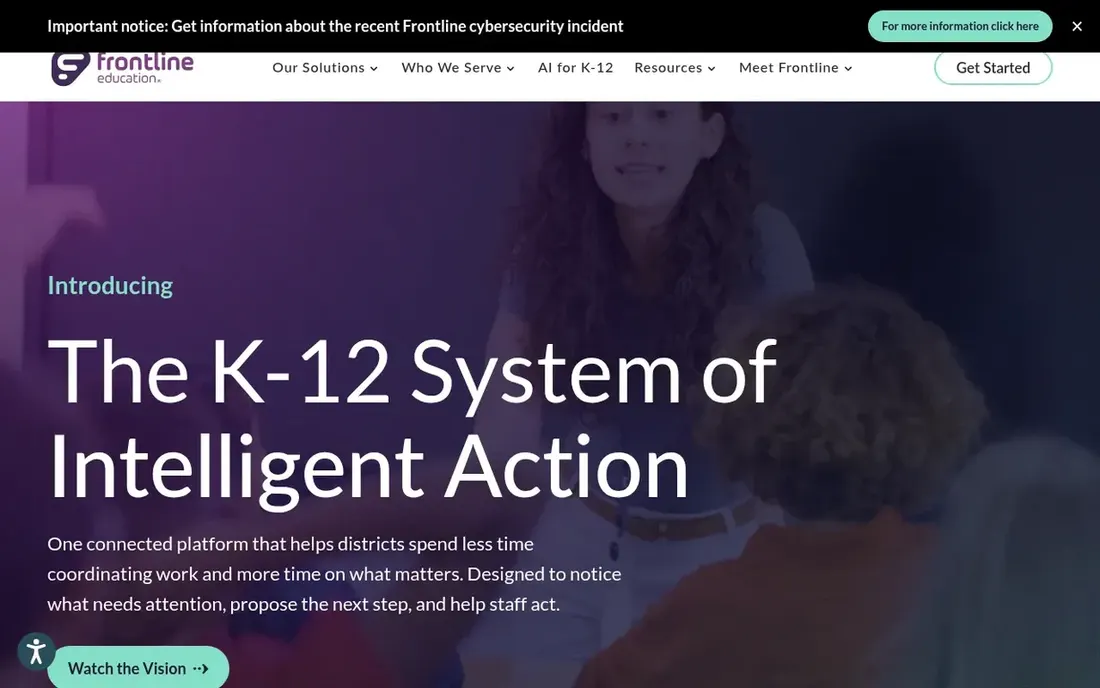
Frontline Special Education Management is aimed squarely at full special education administration. Frontline Special Education Management is a full product built to help districts run special education processes, from IEP development to compliance tracking.
What to check first: May need training for full adoption.
Smaller districts or those seeking a narrowly focused IEP writer might find the feature set overwhelming. The system's breadth means implementation may demand dedicated training and setup time, which can be challenging for districts with restricted administrative resources. This comparison lists no price for Frontline Special Education Management; ask the vendor. Free options: Not stated.
- Supports compliance and reporting for districts
- Connects with other Frontline K-12 tools
- Wide feature set can feel complicated for small teams
eSped
Best for: Legacy users transitioning to Frontline

Where eSped fits: legacy users transitioning to Frontline. The product continues to serve special education teams with IEP management capabilities, and existing users retain the same service and support. More specifically, districts seeking a standalone eSped product may have to consider Frontline's current suite instead.
What to check first: New buyers should evaluate Frontline straight.
In daily use, the legacy name may cause confusion when comparing choices. Worth adding: districts that have used eSped in the past will find continuity under the Frontline brand, whereas new buyers are usually directed to Frontline's broader system. Check the vendor site for eSped pricing; none is listed in this comparison. On free options: Not stated.
- Continued product and support
- Now part of Frontline Special Education Management
- Brand has transitioned to Frontline
How we chose
LinkVetted looked at what each vendor publishes: pricing, plan limits, feature coverage for IEP management software for school districts and stated drawbacks. No hands-on testing is claimed. Figures are shown as the vendors publish them. Billing terms, seat minimums and add-ons can change the real cost. The ranking is editorial: typical fit first, then clear pricing, then free access. If your needs are unusual, read the profiles rather than relying on position.
Pre-purchase checklist
- Ask RethinkEd, SEAS (Special Education Administration System), Frontline Special Education Management and eSped for a written quote, since no starting price is shown.
- Test the free plan from Embrace against your real workload before relying on it.
- Read the limits listed for RethinkEd first: wide focus may dilute depth in IEP management.
- Map your must-have features to a specific eSped plan before you compare prices.
- List the apps you already depend on and check that SEAS (Special Education Administration System) supports each one on the plan you would buy.
FAQ
Which options for IEP management software for school districts have a free plan?
Embrace is the only tool in this list with a free plan. Free plans usually cap users, projects or features, so check the limits on the vendor page.
What is the cheapest option for IEP management software for school districts in this list?
On published monthly entry prices, Embrace is the lowest here at $80 per month. Entry price is only part of the cost, because seats, add-ons and billing terms can change the total.
Is RethinkEd the right pick for everyone comparing IEP management software for school districts?
No single tool suits every team. RethinkEd comes first because it fits combining special education with professional development, while Embrace suits not applicable for IEP management and SEAS (Special Education Administration System) suits custom special education administration. Match the tool to your own size, budget and workflow before deciding.
Do these tools publish their prices?
Not all of them. RethinkEd, SEAS (Special Education Administration System), Frontline Special Education Management and eSped publish no starting price, so expect a quote request for those. The rest, Embrace included, show a starting price, though seats and billing terms still change the final cost.
Sources
- https://www.rethinked.com
- https://www.embrace.io
- https://www.seasweb.com
- https://www.frontlineeducation.com
- https://www.esped.com