6 Robot Simulation Software Worth Shortlisting in 2026
Searching for the best robot simulation software? Here are 6 options with prices and free plans. Strengths and gaps are listed per tool. Skim the table first.
- Editor's choiceSiemens Tecnomatix Process Simulate
Manufacturing process verification in 3D
Starts atPricing on requestVisit plm.sw.siemens.comFull review - Great alternativeSimulink
Model-based design and control testing
Starts atPricing on requestVisit mathworks.comFull review - Also considerCoppeliaSim
Versatile algorithm development and prototyping
Starts atPricing on requestVisit coppeliarobotics.comFull review
Direct answer
For manufacturing process verification in 3D, Siemens Tecnomatix Process Simulate is where this list starts. For a different need, Simulink covers model-based design and control testing and CoppeliaSim covers versatile algorithm development and prototyping. The other 3 tools in the list cover narrower or pricier cases. None of these vendors publish plan prices, so pricing is on request for every option.
TL;DR:
- Siemens Tecnomatix Process Simulate takes the first slot, best suited to manufacturing process verification in 3D.
- Neither Siemens Tecnomatix Process Simulate nor MATLAB, nor any of the other 4 tools, has a permanent free plan; trials and quotes are the norm.
- The main caution on CoppeliaSim: feature breadth can overwhelm beginners.
- No starting price is shown for any of the 6 tools, Siemens Tecnomatix Process Simulate and MATLAB included, so plan time for sales calls.
Last checked November 2026. Pricing on request: vendors did not publish plan prices when this guide was last checked (November 2026), so ask each vendor for a written quote.
Quick comparison
| Tool | Best for | Starts at | Free plan? | |
|---|---|---|---|---|
| Siemens Tecnomatix Process Simulate | Manufacturing process verification in 3D | Pricing on request | Not stated | Visit |
| Simulink | Model-based design and control testing | Pricing on request | Free trial | Visit |
| CoppeliaSim | Versatile algorithm development and prototyping | Pricing on request | Not stated | Visit |
| Dassault Systèmes DELMIA | Digital manufacturing and operations planning | Pricing on request | Not stated | Visit |
| NVIDIA Isaac Sim | AI robot training and synthetic data | Pricing on request | Not stated | Visit |
 MATLAB | Engineering computation around robot models | Pricing on request | Not stated | Visit |
Robot Simulation Software, one by one
If you are comparing robot simulation software, this page covers 6 tools in one place: what each is best for, what it costs to start, whether it has a free plan, and the main limit to know about.
Siemens Tecnomatix Process Simulate
Best for: Manufacturing process verification in 3D
Siemens Tecnomatix Process Simulate is built with manufacturing process verification in 3D in mind. It fits production engineers who require to validate robot cells, line layouts, and process sequences digitally before physical commissioning.
Trade-offs to know: Enterprise-oriented deployment.
For everyday use, the tool is made for manufacturing engineering workflows, so research groups and hobbyists will find it excessive. This comparison lists no price for Siemens Tecnomatix Process Simulate; ask the vendor. Free plan details: Not stated.
- Targets higher manufacturing quality
- 3D environment for process verification
- Centred on manufacturing, not research
Simulink
Best for: Model-based design and control testing
Simulink targets model-based design and control testing. Simulink is a block diagram environment for Model-Based Design that supports simulation, automatic code generation, and continuous testing of embedded systems. Simulink is not a scene-based robot simulator, so visualization and sensor-rich environments need other tools.
In practice, projects centered on mechanical scene design or AI perception training should choose a dedicated robotics simulator and use Simulink for the control side. Robotics teams use it to model controllers, plant dynamics, and embedded logic, then create code for deployment, making it a natural fit for controls-focused engineering organizations. No starting price is listed for Simulink here; confirm pricing on the vendor site. Trial and free access: Free trial.
The main drawbacks: Add-on dependent for robotics specifics.
- Block diagram modeling environment
- Supports simulation and continuous testing
- Block modeling fits controls more than scene building
CoppeliaSim
Best for: Versatile algorithm development and prototyping
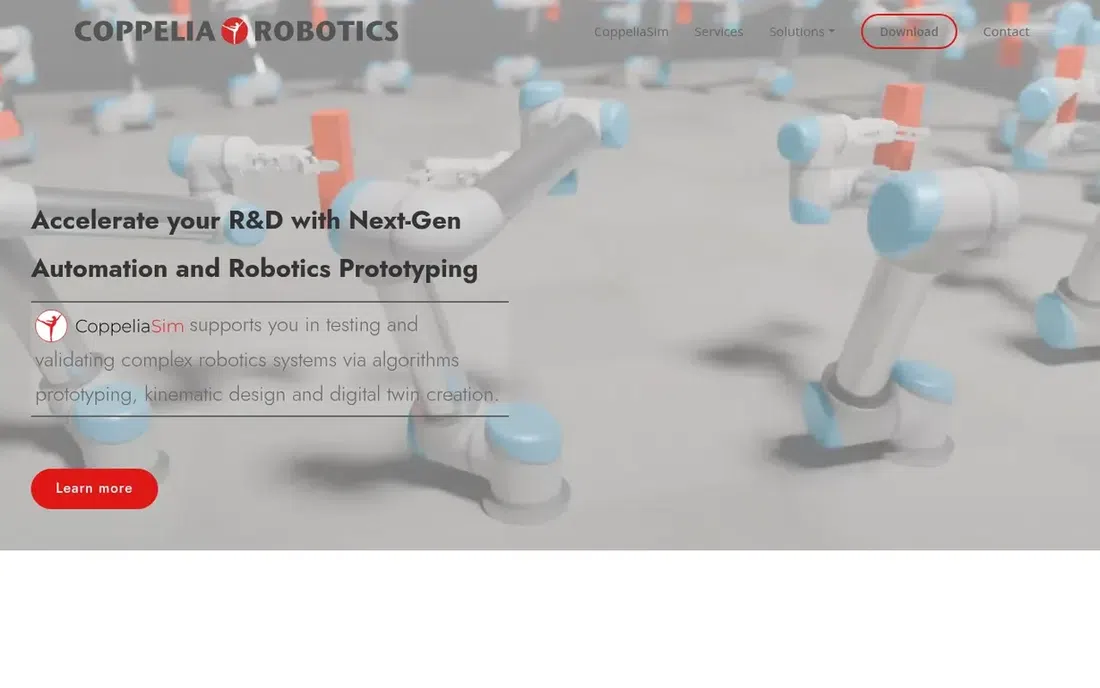
CoppeliaSim is built with versatile algorithm development and prototyping in mind. CoppeliaSim from Coppelia Robotics describes itself as one of the most versatile and feature-rich robot simulation products available. It is used for quick algorithm development, factory automation simulation, quick prototyping and verification, and remote monitoring.
So it appeals to researchers and integrators who want one environment across multiple robot tasks. The breadth of features means new users face a real ramp-up time, and scripting choices can vary between projects. Worth adding: teams wanting a narrow, guided tool for a single workflow may prefer a simpler simulator, while those needing wide experimentation will find the adaptability worthwhile. CoppeliaSim shows no starting price here, so confirm the cost on the vendor site. Free plan details: Not stated.
Honest limits: Scripting approach varies by use case.
- Supports quick algorithm development
- Described as versatile and feature-rich
- Feature breadth can overwhelm beginners
Dassault Systèmes DELMIA
Best for: Digital manufacturing and operations planning
Choose Dassault Systèmes DELMIA for digital manufacturing and operations planning. DELMIA is an enterprise system, and adopting it involves coordination across teams and systems instead of a fast install.
Dassault Systèmes DELMIA does not show a starting price in this comparison, so check the vendor site for current pricing. Free plan details: Not stated.
What to check first: Not geared toward small research projects.
- Suits production operations context
- Digital manufacturing and planning focus
- Enterprise-scale setup effort
NVIDIA Isaac Sim
Best for: AI robot training and synthetic data

NVIDIA Isaac Sim is a good fit for AI robot training and synthetic data. The product assumes modern GPU hardware and some familiarity with NVIDIA tooling, which can slow newcomers.
Points against: Wide system with a ramp-up time.
In daily use, teams that primarily need light kinematic studies or classroom exercises may find it heavier than necessary and should look at more straightforward simulators instead. NVIDIA Isaac Sim does not show a starting price in this comparison, so check the vendor site for current pricing. As for free access: Not stated.
- Designed for testing and training AI robots
- Physically based virtual environment
- Needs capable GPU hardware
MATLAB is built with engineering computation around robot models in mind. MATLAB from MathWorks is an engineering and scientific computing environment positioned as productive software for engineers and scientists. More specifically, MATLAB alone is not a robot simulator, so teams expecting built-in 3D robot scenes will need extra tooling.
It is best chosen as part of a broader workflow, and groups wanting an all-in-one simulation environment should pair it or look elsewhere. In robotics work it generally serves as the computation and analysis layer around simulation, handling algorithm design, data processing, and controller development that later links to a simulator or hardware. MATLAB shows no starting price here, so confirm the cost on the vendor site. On free options: Not stated.
Drawbacks to consider: Not a dedicated robot simulator.
- Broad engineering and scientific environment
- Solid matrix and algorithm work
- Needs add-on tooling for robotics
What went into this list
Selection started from tools commonly considered for robot simulation software, then narrowed to 6 that have clear pricing information or a clear quote process. Figures are shown as the vendors publish them. Billing terms, seat minimums and add-ons can change the real cost. Position on the page reflects fit for a typical buyer first, with price clarity and free access breaking ties. Treat it as a guide, not a ruling.
A buyer's checklist
- Request quotes from Siemens Tecnomatix Process Simulate, MATLAB and the others; the list shows no fixed prices.
- Take the trial from Simulink and push a live task through it before you pay.
- Read the limits listed for Siemens Tecnomatix Process Simulate first: enterprise-oriented deployment.
- Before you load data into MATLAB, check what an export looks like and who can run it.
- Check the support hours and onboarding help Siemens Tecnomatix Process Simulate offers; smaller vendors vary a lot here.
FAQ
When should I choose DELMIA or Process Simulate instead?
Choose these when robot simulation is part of manufacturing planning and process verification instead of research. DELMIA supports digital manufacturing and operations optimization, whereas Process Simulate centres on 3D verification for quicker launches and higher quality.
Can I try these options before paying?
Often, yes. Simulink offers a free trial. Use your own data and a real task during the test, and check what the free tier or trial limits before you rely on it. All 6 picks in this Robot simulation software comparison list a starting price, free plan details and the main limits on their cards above.
How are the tools for robot simulation software ordered?
The order follows typical fit for robot simulation software, with Siemens Tecnomatix Process Simulate first and MATLAB last, then price clarity and free access. It is editorial judgement, not a score, so another team could rank the tools differently.
Is Siemens Tecnomatix Process Simulate the right pick for everyone comparing robot simulation software?
No single tool suits every team. Siemens Tecnomatix Process Simulate comes first because it fits manufacturing process verification in 3D, while Simulink suits model-based design and control testing and CoppeliaSim suits versatile algorithm development and prototyping. Match the tool to your own size, budget and workflow before deciding.
Which robot simulation tool is a good match for AI and machine learning work?
Siemens Tecnomatix Process Simulate is the pick this page puts first, mainly for manufacturing process verification in 3D. If your situation differs, Simulink suits model-based design and control testing, and CoppeliaSim suits versatile algorithm development and prototyping. Compare price and limits before you decide.
Do these tools publish their prices?
No. None of the tools, from Siemens Tecnomatix Process Simulate to MATLAB, shows a fixed starting price here, so budget time for quotes.
Sources
- https://plm.sw.siemens.com/en-US/tecnomatix/products/process-simulate-software
- https://www.mathworks.com/products/simulink.html
- https://www.coppeliarobotics.com
- https://www.3ds.com/products/delmia
- https://developer.nvidia.com/isaac-sim
- https://www.mathworks.com/products/matlab.html