5 Robot Programming Software Worth Shortlisting in 2026
Best robot programming software, compared. 5 tools with published prices, free plans and limits. Read the caveats before you buy. Budget notes included.
- Editor's choice
 Visual Components
Manufacturing simulation and visualization
Starts atPricing on requestVisit visualcomponents.comFull review - Great alternativeSiemens Process Simulate
Digital manufacturing process verification
Starts atPricing on requestVisit plm.sw.siemens.comFull review - Also considerRoboDK
Multi-brand robot programming and simulation
Starts atPricing on requestVisit robodk.comFull review
Direct answer
Our first pick is Visual Components, best for manufacturing simulation and visualization. Look at Siemens Process Simulate for digital manufacturing process verification, and at RoboDK for multi-brand robot programming and simulation. Free plan facts and limits for all 5 tools follow. None of these vendors publish plan prices, so pricing is on request for every option.
TL;DR:
- Number one here is Visual Components, a fit for manufacturing simulation and visualization.
- Visual Components, Yaskawa MotoSim EG-VRC and the 3 others all sell by quote; expect sales conversations before you see a price.
- Neither Visual Components nor Yaskawa MotoSim EG-VRC, nor any of the other 3 tools, has a permanent free plan; trials and quotes are the norm.
- One limit worth knowing about ABB RobotStudio: primarily centred on ABB robots.
- Yaskawa MotoSim EG-VRC suits Yaskawa Motoman robot simulation and programming.
Last checked November 2026. Pricing on request: vendors did not publish plan prices when this guide was last checked (November 2026), so ask each vendor for a written quote.
Quick comparison
| Tool | Best for | Starts at | Free plan? | |
|---|---|---|---|---|
| Visual Components | Manufacturing simulation and visualization | Pricing on request | Not stated | Visit |
| Siemens Process Simulate | Digital manufacturing process verification | Pricing on request | Not stated | Visit |
| RoboDK | Multi-brand robot programming and simulation | Pricing on request | Not stated | Visit |
| ABB RobotStudio | ABB robot offline programming and simulation | Pricing on request | Not stated | Visit |
| Yaskawa MotoSim EG-VRC | Yaskawa Motoman robot simulation and programming | Pricing on request | Not stated | Visit |
Robot Programming Software profiles
This LinkVetted guide covers 5 options for robot programming software. Each profile lists a starting price, free plan details, strengths and drawbacks, so you can drop poor fits quickly.
Think of Visual Components for manufacturing simulation and visualization. Visual Components is a simulation software made for manufacturing professionals, built on an adaptable and easy-to-use system. Some features may need extra modules.
Watch-outs: May need extras for robot programming.
From a buyer's view, for pure robot programming, other choices might be more focused. It is a strong match for simulation-driven manufacturing design. Pricing for Visual Components is not stated here, so ask the vendor for current figures. Free options: Not stated.
- Easy-to-use product
- Quick concept to reality workflow
- Focus on simulation over programming
Siemens Process Simulate
Best for: Digital manufacturing process verification
Siemens Process Simulate is aimed squarely at digital manufacturing process verification. It is right for manufacturers looking to validate processes before physical implementation.
Points against: Centred on manufacturing processes, not just robots.
From a buyer's view, Process Simulate is a thorough tool that may be complicated for straightforward robot programming tasks. It is also part of a bigger suite, so integration with other Siemens software may be expected. Check the vendor site for Siemens Process Simulate pricing; none is listed in this comparison. Trial and free access: Not stated.
- 3D environment for process verification
- Helps cut launch time
- Complex and may need training
RoboDK
Best for: Multi-brand robot programming and simulation
Choose RoboDK for multi-brand robot programming and simulation. It lets users to program and simulate robots offline, making it a versatile choice for those working with mixed fleets. It is widely used in education and industry for a mix of robotic applications.
Drawbacks to consider: Ramp-up time for advanced features.
Beyond that, if you need deep integration with a specific robot brand, the manufacturer's own software might be more smooth. On top of that, otherwise, RoboDK provides adaptability. RoboDK does not show a starting price in this comparison, so check the vendor site for current pricing. On free options: Not stated.
- Offline programming and simulation
- Supports a broad set of robot brands
- May need extras for full functionality
ABB RobotStudio
Best for: ABB robot offline programming and simulation
ABB RobotStudio serves ABB robot offline programming and simulation. ABB RobotStudio is a suite for programming and simulating ABB robots. It is built to cut commissioning time by allowing users to program and visualize automation ideas offline.
For everyday use, if you have to program robots from several manufacturers, consider a more brand-agnostic option. RobotStudio is tailored to ABB's ecosystem, so it may not be well suited to mixed-brand environments. No starting price is listed for ABB RobotStudio here; confirm pricing on the vendor site. Free options: Not stated.
Honest limits: May need training for full use.
- Cuts commissioning time with offline programming
- Links up with ABB robot systems
- Primarily concentrated on ABB robots
Yaskawa MotoSim EG-VRC
Best for: Yaskawa Motoman robot simulation and programming
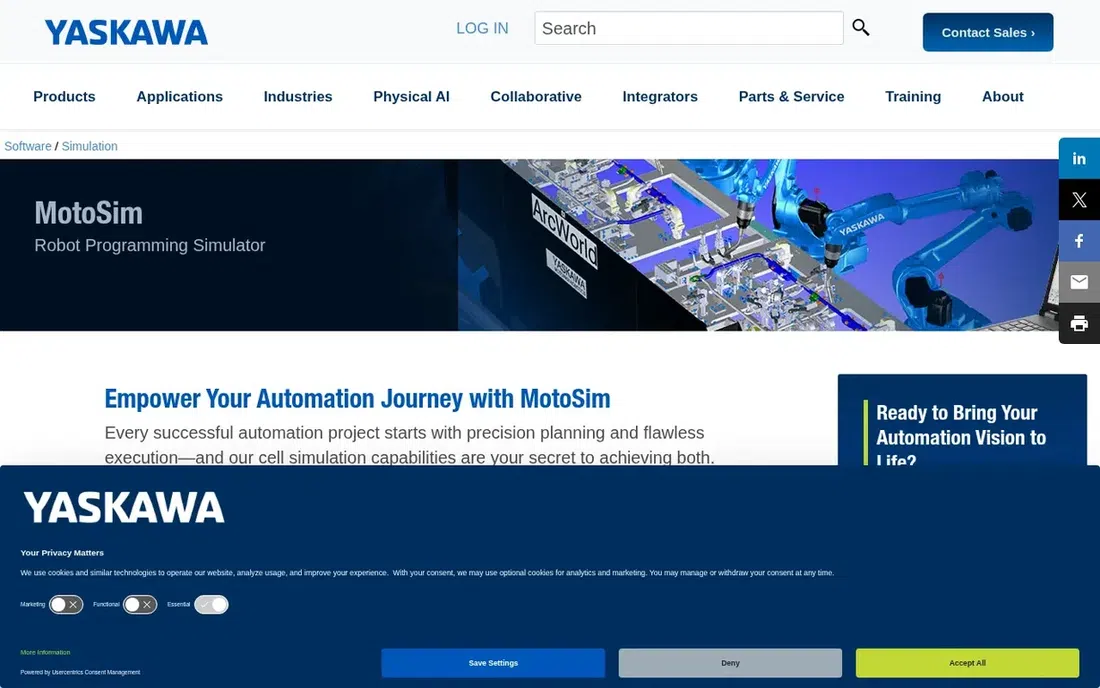
For Yaskawa Motoman robot simulation and programming, Yaskawa MotoSim EG-VRC is a natural candidate. Yaskawa MotoSim EG-VRC is a simulation and offline programming tool for Motoman robots. It gives you realistic 3D visualization and a deep library of robot models, tools, and cell components.
Honest limits: May have a ramp-up time for new users.
This makes it a capable choice for Yaskawa users who want to design and validate robotic cells virtually. It may also need training to use effectively. Beyond that, if you work with several robot brands, a more universal tool might be better. It is well suited to Yaskawa-centric operations. Pricing for Yaskawa MotoSim EG-VRC is not stated here, so ask the vendor for current figures. Free options: Not stated.
- Supports offline programming
- Deep library of robots and components
- Concentrated on Yaskawa robots
Selection criteria
We compared the tools on published pricing, free plan or trial availability, feature coverage for robot programming software, and the limits each vendor documents. Treat prices as a snapshot: vendors change plans often, so check the vendor site for the figure that applies today. The ranking is editorial: typical fit first, then clear pricing, then free access. If your needs are unusual, read the profiles rather than relying on position.
Pre-purchase checklist
- Request quotes from Visual Components, Yaskawa MotoSim EG-VRC and the others; the list shows no fixed prices.
- Before choosing Visual Components, weigh its main limit: may need extras for robot programming.
- Run a one or two week pilot of Yaskawa MotoSim EG-VRC with the people who will use it every day.
- Ask ABB RobotStudio about contract length, onboarding fees and user minimums before you sign.
- List the apps you already depend on and check that Siemens Process Simulate supports each one on the plan you would buy.
FAQ
How do I choose the right robot programming software?
Consider the robot brands you use, your need for simulation, and your budget. Also evaluate simplicity, support, and integration with your existing systems.
How are the tools for robot programming software ordered?
The order follows typical fit for robot programming software, with Visual Components first and Yaskawa MotoSim EG-VRC last, then price clarity and free access. It is editorial judgement, not a score, so another team could rank the tools differently.
Is Visual Components the right pick for everyone comparing robot programming software?
No single tool suits every team. Visual Components comes first because it fits manufacturing simulation and visualization, while Siemens Process Simulate suits digital manufacturing process verification and RoboDK suits multi-brand robot programming and simulation. Match the tool to your own size, budget and workflow before deciding.
Does any tool for robot programming software here have a free plan?
A permanent free plan is not offered by Visual Components, Yaskawa MotoSim EG-VRC or the other tools here. Plan a short evaluation period instead.
Can I try these options before paying?
Not by default. None of the tools, from Visual Components to Yaskawa MotoSim EG-VRC, lists a free plan or a free trial here, so ask each vendor for a demo before committing.
Sources
- https://www.visualcomponents.com
- https://plm.sw.siemens.com/en-US/tecnomatix/products/process-simulate-software
- https://robodk.com
- https://new.abb.com/products/robotics/robotstudio
- https://www.motoman.com/en-us/products/software/motosim