Best Java Programming Tools for 2026: Our 6 Vetted Picks
Comparing the best Java programming tools? 6 contenders, each with entry cost, free tier and best-fit buyer. The catches are listed up front. Start here.
- Editor's choiceJUnit
Writing repeatable Java unit tests
Starts atPricing on requestVisit junit.orgFull review - Great alternative
 Visual Studio Code
Light, extensible Java editing
Starts atPricing on requestVisit code.visualstudio.comFull review - Also considerJProfiler
Diagnosing JVM performance problems
Starts atPricing on requestVisit ej-technologies.comFull review
Direct answer
For writing repeatable Java unit tests, JUnit is where this list starts. Visual Studio Code is better for light, extensible Java editing, and JProfiler is better for Diagnosing JVM performance problems. The other 3 tools in the list cover narrower or pricier cases. None of these vendors publish plan prices, so pricing is on request for every option.
TL;DR:
- JUnit sits first on this list: writing repeatable Java unit tests.
- Pricing across the list, from JUnit to Apache Maven, is by quote only.
- What to know about JUnit first: restricted to testing concerns.
- JUnit, Apache Maven and the 4 others all need a premium plan or a trial, since no free plan is listed.
- Apache Maven fits standardized Java project builds.
Last checked November 2026. Pricing on request: vendors did not publish plan prices when this guide was last checked (November 2026), so ask each vendor for a written quote.
Quick comparison
| Tool | Best for | Starts at | Free plan? | |
|---|---|---|---|---|
| JUnit | Writing repeatable Java unit tests | Pricing on request | Not stated | Visit |
| Visual Studio Code | Light, extensible Java editing | Pricing on request | Not stated | Visit |
| JProfiler | Diagnosing JVM performance problems | Pricing on request | Not stated | Visit |
 IntelliJ IDEA | Full-featured Java and Kotlin development | Pricing on request | Not stated | Visit |
| YourKit Java Profiler | Feature-rich JVM profiling and analysis | Pricing on request | Not stated | Visit |
| Apache Maven | Standardized Java project builds | Pricing on request | Not stated | Visit |
The 6 tools in detail
LinkVetted compared 6 Java programming tools. The goal is a practical shortlist: published prices, free plan facts, best-fit use cases and honest limits for every entry.
JUnit
Best for: Writing repeatable Java unit tests
Where JUnit fits: writing repeatable Java unit tests. It integrates naturally with IDEs and build tools, so tests become part of the normal development cycle. More specifically, large suites can become slow and hard to maintain without conventions and structure.
Beyond that, JUnit deals with testing only, so it does not replace an IDE, profiler or build tool. From a buyer's view, pick JUnit as the testing layer and pair it with the editor and build tooling your team already uses. JUnit does not show a starting price in this comparison, so check the vendor site for current pricing. On free options: Not stated.
Where it falls short: Needs discipline to keep suites maintainable.
- Widely used Java testing framework
- Does well with build tools and IDEs
- Limited to testing concerns
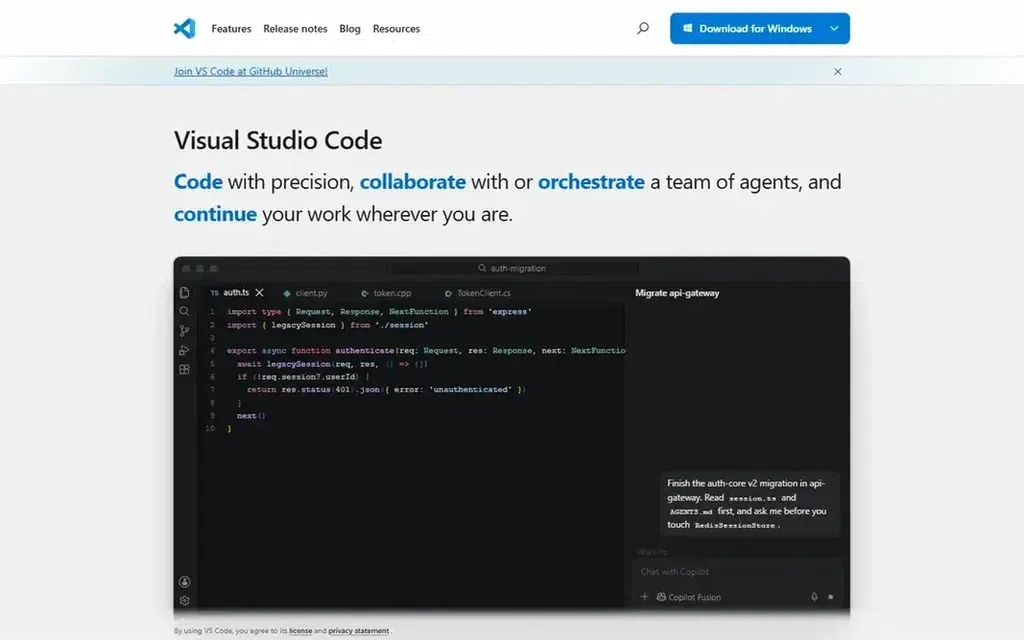
Visual Studio Code is built with light, extensible Java editing in mind. The homepage emphasizes coding with precision, collaborating with agents and continuing work across locations.
Strengths: Built-in support for AI agent workflows.
That setup effort can be a drawback for teams wanting an out-of-the-box Java IDE. Visual Studio Code does not show a starting price in this comparison, so check the vendor site for current pricing. Trial and free access: Not stated. Trade-offs to know: Needs configuration to match a full IDE.
- Large extension marketplace
- Light editor core
- Java support relies on extensions
JProfiler
Best for: Diagnosing JVM performance problems
JProfiler is a good fit for Diagnosing JVM performance problems. JProfiler from ej-technologies is a Java profiler that merges high-level analytics with low-level JVM data to pinpoint performance bottlenecks, memory leaks, slow JDBC queries and costly HTTP calls. It is a profiling tool, not a code editor, so it complements instead of replaces an IDE.
Downsides: Needs JVM knowledge to interpret results.
Worth adding: choose JProfiler when production-style performance questions are central to your work. Also, reading its output well takes some JVM familiarity, and casual developers may find it more depth than they need. Pricing for JProfiler is not stated here, so ask the vendor for current figures. Free options: Not stated.
- Helps trace costly HTTP calls
- Merges high-level analytics with low-level JVM data
- Concentrated on profiling instead of editing

Where IntelliJ IDEA fits: full-featured Java and Kotlin development. IntelliJ IDEA is a JetBrains IDE built around Java and Kotlin, with deep code intelligence and built-in tools that handle everyday development tasks. It also supports running AI agents and verifying their work inside the editor.
Also, if you prefer a minimal editor you configure yourself, Visual Studio Code is the better fit. Beyond that, since it is a full IDE, it demands more memory and disk than a light editor, and newcomers may find the interface dense. As for the details, pick IntelliJ IDEA when integrated Java intelligence is the priority. Pricing for IntelliJ IDEA is not stated here, so ask the vendor for current figures. Trial and free access: Not stated.
Limits to weigh: Advanced capabilities can overwhelm beginners.
- Support for running and verifying AI agents
- Deep code intelligence for Java and Kotlin
- Heavier resource footprint than a plain editor
YourKit Java Profiler
Best for: Feature-rich JVM profiling and analysis
Where YourKit Java Profiler fits: feature-rich JVM profiling and analysis. If you only occasionally inspect performance, built-in IDE or JVM tooling may be enough.
On top of that, compare YourKit against JProfiler on the specific examines you need before committing. This comparison lists no price for YourKit Java Profiler; ask the vendor. Trial and free access: Not stated.
Where it is weaker: Overkill for small or straightforward projects.
- Recognized in the profiling space
- Spans CPU and memory analysis
- Commercial tool with a ramp-up time
Apache Maven
Best for: Standardized Java project builds
Choose Apache Maven for standardized Java project builds. Its XML configuration can grow verbose, and the fixed conventions feel restrictive to teams wanting scripted adaptability.
Also, choose Maven when consistency and wide familiarity across a Java codebase are the priority. As for the details, if you need highly custom build logic, alternatives may fit better. Pricing for Apache Maven is not stated here, so ask the vendor for current figures. Free options: Not stated.
Trade-offs to know: Less adaptable than scripted build approaches.
- Convention-based project structure
- Dependency and build lifecycle management
- XML configuration can feel verbose
How we chose
The comparison looks at four things: starting price, free access, how well the feature set matches Java programming tools, and the main limit of each tool. Prices and plan limits come from vendor pages and can change, so confirm them on the vendor site before you buy. Position on the page reflects fit for a typical buyer first, with price clarity and free access breaking ties. Treat it as a guide, not a ruling.
Pre-purchase checklist
- Confirm the entry price with every vendor: no tool from JUnit to Apache Maven shows a fixed starting price.
- Read the limits listed for JUnit first: restricted to testing concerns.
- List the apps you already depend on and check that IntelliJ IDEA supports each one on the plan you would buy.
- Total up the real monthly cost of Apache Maven, including add-ons, extra users and usage-based fees.
- Get the contract term, renewal terms and any onboarding fees from JProfiler in writing.
FAQ
Do these tools publish their prices?
No. None of the tools, from JUnit to Apache Maven, shows a fixed starting price here, so budget time for quotes.
Which Java IDE is a good match for beginners?
JUnit comes first here and is built for writing repeatable Java unit tests. Buyers with other needs may prefer Visual Studio Code (for light, extensible Java editing) or JProfiler (for Diagnosing JVM performance problems). Compare costs and limits first.
Is JUnit the right pick for everyone comparing Java programming tools?
No single tool suits every team. JUnit comes first because it fits writing repeatable Java unit tests, while Visual Studio Code suits lightweight, extensible Java editing and JProfiler suits Diagnosing JVM performance problems. Match the tool to your own size, budget and workflow before deciding.
Can I try these options before paying?
Not by default. None of the tools, from JUnit to Apache Maven, lists a free plan or a free trial here, so ask each vendor for a demo before committing.
How are the tools for Java programming tools ordered?
The order follows typical fit for Java programming tools, with JUnit first and Apache Maven last, then price clarity and free access. It is editorial judgement, not a score, so another team could rank the tools differently.
Sources
- https://junit.org
- https://code.visualstudio.com
- https://www.ej-technologies.com/jprofiler
- https://www.jetbrains.com/idea
- https://www.yourkit.com/java/profiler
- https://maven.apache.org