The 5 Best Remote Support Software for Consultants in 2026, Ranked
Need the best remote support software for consultants? We compare 5 tools on cost, free access and who each suits. Real limits included. Skim the table first.
- Editor's choice
 RemotePC
Cross-platform access to PCs, Macs and Linux
Starts at$1.84 a monthVisit remotepc.comFull review - Great alternative
 RustDesk
Self-hosted open-source remote desktop
Starts at$11.88 a monthVisit rustdesk.comFull review - Also considerN-able Take Control
MSP-style consultants serving numerous clients
Starts atSee websiteVisit n-able.comFull review
Direct answer
RemotePC is the first pick on this list for cross-platform access to PCs, Macs and Linux. Listed starting prices: RemotePC from $1.84 a month, RustDesk from $11.88 a month and Splashtop Business Access from $6 per month. If your case is different, RustDesk suits self-hosted open-source remote desktop and N-able Take Control suits MSP-style consultants serving plenty of clients. The other 2 tools in the list cover narrower or pricier cases.
TL;DR:
- RemotePC takes the first slot, best suited to cross-platform access to PCs, Macs and Linux.
- TeamViewer Remote is the one to check for all-around remote access and client support.
- Only RustDesk offers a free plan among these 5 tools.
- What to know about RustDesk first: self-hosting needs technical effort.
Last checked November 2026. Prices and plan details were read from the vendors' own pages in November 2026; vendors change plans often, so confirm the current price on the vendor site before you buy.
Quick comparison
| Tool | Best for | Starts at | Free plan? | |
|---|---|---|---|---|
| RemotePC | Cross-platform access to PCs, Macs and Linux | $1.84 a month | Free trial | Visit |
| RustDesk | Self-hosted open-source remote desktop | $11.88 a month | Yes | Visit |
| N-able Take Control | MSP-style consultants serving numerous clients | See website | Not stated | Visit |
| Splashtop Business Access | Quick remote access to office and client machines | $6 per month | Free trial | Visit |
| TeamViewer Remote | All-around remote access and client support | See website | Free trial | Visit |
Remote Support Software for Consultants profiles
This LinkVetted guide covers 5 remote support software for consultants. Each profile lists a starting price, free plan details, strengths and drawbacks, so you can drop poor fits quickly.
RemotePC serves cross-platform access to PCs, Macs and Linux. RemotePC is remote desktop and secure remote access software for PCs, Macs, Linux machines and mobile devices. The tool is access-oriented, so consultants who require richer support workflows for example session recording or integrated management may find it restricted.
The main drawbacks: Restricted support-workflow depth.
In practice, features can also differ by device type, so verify that your specific combination of systems is covered. It is a solid fit when wide product reach matters more than deep support tooling. RemotePC cost at the entry level: $1.84 per month. Free access: Free trial.
- Linux and mobile devices
- Straightforward remote desktop focus
- Feature set varies across device types
For self-hosted open-source remote desktop, RustDesk is a natural candidate. Self-hosting shifts maintenance, updates and troubleshooting onto you, which can be a real burden for a busy consultant. It also gives you fewer managed support conveniences than commercial products.
Consultants with technical skills and data control requirements may prefer it, since self-hosting keeps sessions on infrastructure you run. Choose RustDesk when control and openness outweigh convenience. Starting cost for RustDesk: $11.88 per month. RustDesk includes a free tier.
Honest limits: Self-hosting needs technical effort.
- Linux and Android
- Open-source remote desktop software
- Fewer managed support conveniences
N-able Take Control
Best for: MSP-style consultants serving numerous clients
N-able Take Control is built with MSP-style consultants serving numerous clients in mind. N-able Take Control is a remote control and support tool built to help managed service providers resolve issues rapidly whereas delivering decent customer service. For everyday use, the tool concentrates on the support session itself, keeping remote control central instead of spreading across unrelated functions.
Its MSP orientation means solo consultants with occasional support requests may find it heavier than necessary. It is narrower than a full IT management suite. N-able Take Control shows no starting price here, so confirm the cost on the vendor site. Free plan details: Not stated.
Where it falls short: MSP orientation may not suit solo consultants.
- Geared toward managed service providers
- Focus on resolving issues rapidly
- Narrower than full IT management suites
Splashtop Business Access
Best for: Quick remote access to office and client machines
Pick Splashtop Business Access if this describes you: quick remote access to office and client machines. Splashtop Business Access is remote access software built around letting remote teams work from anywhere on any device. Worth adding: consultants who need steady, low-friction access to their own office computers or to client machines will find the access-first approach simple to understand.
Confirm device coverage and session features for your exact setup on the vendor page before deciding. In daily use, since it centers on access instead of help desk workflows, consultants who require ticketing, unattended support at scale or device management may have to look elsewhere or pair it with another tool. On cost, Splashtop Business Access starts like this: $6 per month. As for free access: Free trial.
Where it falls short: Less emphasis on help desk style support.
- Straightforward remote access focus
- Positioned as fast and simple to use
- Access-centric design may lack deeper management
TeamViewer Remote
Best for: All-around remote access and client support
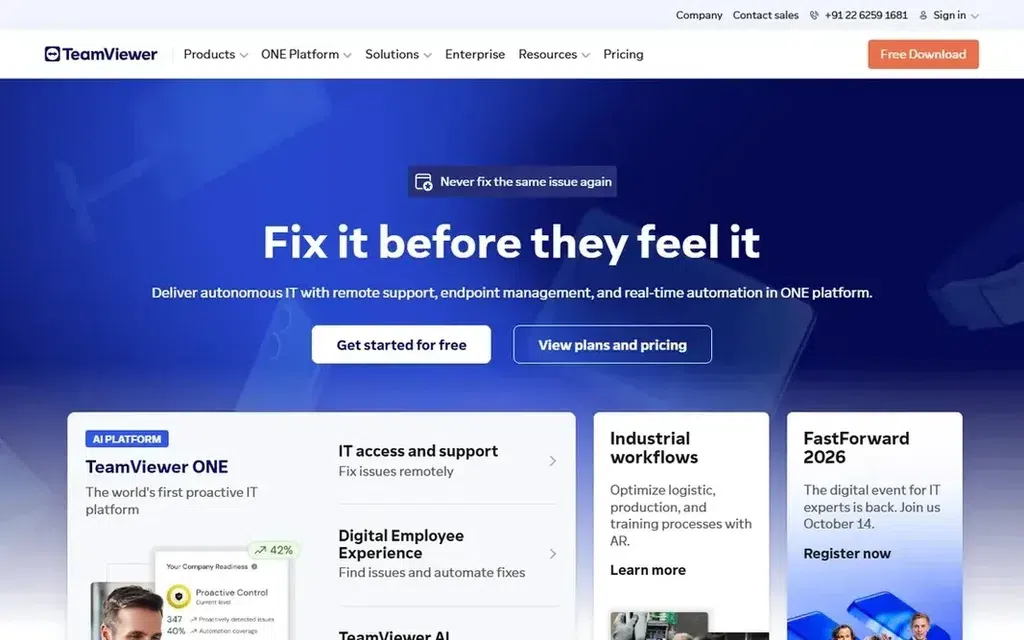
Think of TeamViewer Remote for all-around remote access and client support. TeamViewer Remote is a digital workplace system centered on remote desktop access.
In practice, since it is a broad platform, some capabilities may go beyond what a solo consultant needs, and commercial use sits under separate terms from personal use. If your work is narrowly concentrated on unattended access to a handful of machines, a more straightforward or self-hosted choice may be simpler to justify. Pricing for TeamViewer Remote is not stated here, so ask the vendor for current figures. Free plan details: Free trial.
The main drawbacks: Personal-use terms differ from commercial use.
- Collaboration features built in
- Remote desktop access and support in one system
- Wide product may bundle features you do not need
How we compared the tools
The comparison looks at four things: starting price, free access, how well the feature set matches remote support software for consultants, and the main limit of each tool. Figures are shown as the vendors publish them. Billing terms, seat minimums and add-ons can change the real cost. Position on the page reflects fit for a typical buyer first, with price clarity and free access breaking ties. Treat it as a guide, not a ruling.
Things to verify first
- Ask N-able Take Control and TeamViewer Remote for a written quote, since no starting price is shown.
- Look at the free plan from RustDesk closely: its caps decide whether it is usable for real work.
- Use real work to test the free trial from RemotePC, Splashtop Business Access and TeamViewer Remote, rather than a demo project.
- Read the limits listed for RemotePC first: restricted support-workflow depth.
- Check how data leaves RemotePC: formats, limits and whether exports are available on every plan.
- Let daily users try TeamViewer Remote on real work; their feedback beats any feature checklist.
FAQ
Is open-source remote support a solid fit for consultants?
RustDesk presents that open-source remote desktop software with a self-hosted server is a viable choice when you want control over your infrastructure. The trade-off is that setup and maintenance fall to you, so it fits consultants comfortable with technical administration.
Can I try these tools before paying?
Often, yes. RustDesk has a free plan and RemotePC, Splashtop Business Access and TeamViewer Remote offer a free trial. Use your own data and a real task during the test, and check what the free tier or trial limits before you rely on it.
Which options for remote support software for consultants have a free plan?
RustDesk is the only tool in this list with a free plan. Free plans usually cap users, projects or features, so check the limits on the vendor page. Several others offer a trial instead. For the full picture, the cards above cover all 5 entries of this remote support software for consultants list, including price, free plan and limits.
What should consultants look for in remote support software?
Focus on the products your clients use, whether you need unattended access, and how sessions are initiated with clients. Licensing terms for commercial use matter as much as the feature list, so confirm them before committing to a tool.
How are the tools for remote support software for consultants ordered?
The order follows typical fit for remote support software for consultants, with RemotePC first and TeamViewer Remote last, then price clarity and free access. It is editorial judgement, not a score, so another team could rank the tools differently.
Do these tools publish their prices?
Not all of them. N-able Take Control and TeamViewer Remote publish no starting price, so expect a quote request for those. The rest, RemotePC included, show a starting price, though seats and billing terms still change the final cost.
Sources
- https://www.remotepc.com
- https://rustdesk.com
- https://www.n-able.com/products/take-control
- https://www.splashtop.com/business
- https://www.teamviewer.com