The 5 Best Real Estate Website Builders Software in 2026, Ranked
Need the best real estate website builders software? We compare 5 tools on cost, free access and who each suits. Verdicts stay brief and factual. Decide faster.

- Editor's choice
 Webflow
Designers building custom, scalable property sites
Starts at$15 per monthVisit webflow.comFull review - Great alternative
 WordPress.com
Content-rich real estate sites with themes
Starts at$4 a monthVisit wordpress.comFull review - Also consider
 Squarespace
Image-led property pages with refined templates
Starts at$12 a monthVisit squarespace.comFull review
Direct answer
Our first pick is Webflow, best for designers building custom, scalable property sites. Listed starting prices: Webflow from $15 per month, WordPress.com from $4 a month and Squarespace from $12 a month. Look at WordPress.com for content-rich real estate sites with themes, and at Squarespace for image-led property pages with polished templates. Prices, free plans and limits for all 5 tools follow.
TL;DR:
- This list starts with Webflow, which is built for designers building custom, scalable property sites.
- Showit fits designers wanting drag-and-drop creative freedom.
- The main caution on Wix: large feature set can feel overwhelming.
- A free plan is available from 3 of the 5 tools: Webflow, WordPress.com, Showit.
Last checked November 2026. Prices and plan details were read from the vendors' own pages in November 2026; vendors change plans often, so confirm the current price on the vendor site before you buy.
Quick comparison
| Tool | Best for | Starts at | Free plan? | |
|---|---|---|---|---|
| Webflow | Designers building custom, scalable property sites | $15 per month | Yes | Visit |
| WordPress.com | Content-rich real estate sites with themes | $4 a month | Yes | Visit |
| Squarespace | Image-led property pages with refined templates | $12 a month | Free trial | Visit |
 Wix | All-in-one real estate sites with marketing tools | See website | Not stated | Visit |
| Showit | Designers wanting drag-and-drop creative freedom | $22 a month | Yes | Visit |
Tool-by-tool breakdown
LinkVetted put together this guide to real estate website builders software for readers who want a clear shortlist without reading every vendor page. It compares 5 tools on starting price, free plans, who each one suits and where each one falls short.
Pick Webflow if this describes you: designers building custom, scalable property sites. The visual development environment bridges design and code without requiring a separate engineering team.
Honest limits: More complicated than template-only builders.
In daily use, if you need a straightforward site with minimal setup, a more guided product is likely the better choice. Webflow pricing: $15 per month. You can start on Webflow without paying.
- Built-in CMS and hosting
- Visual design with code-level control
- Steeper ramp-up time
WordPress.com targets content-rich real estate sites with themes. WordPress.com is a hosted version of WordPress with built-in hosting, premium themes and tools for building a site without technical setup.
It fits real estate agents and teams who publish market updates, neighborhood guides and listing content on a regular basis and want a familiar publishing workflow. Price to start with WordPress.com: $4 per month. You can start on WordPress.com without paying.
Downsides: Plugin adaptability differs from self-hosted WordPress.
- No technical setup required to start
- Built-in hosting
- Advanced customization may need premium upgrades

Squarespace targets image-led property pages with refined templates. Squarespace is a website builder centered on configurable templates, an AI website builder and domain choices.
On top of that, the design-first approach helps present listings and neighborhood guides in a cohesive brand style. In practice, if your site depends on heavy listing feeds or custom applications, look at a more extensible builder. Squarespace pricing: $12 per month. On free options: Free trial.
Where it falls short: Template styling can need workarounds.
- AI website builder tools
- Domain name choices available
- Fewer external extras than open products
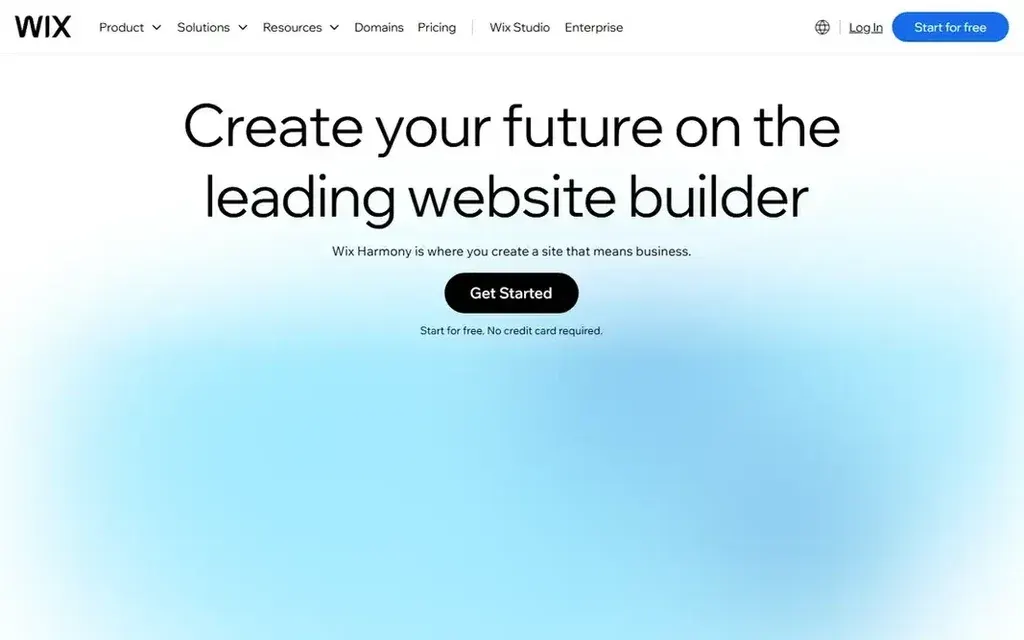
In short, Wix is for all-in-one real estate sites with marketing tools. Wix is a hosted website system that bundles hosting, business tools, domains and marketing into one place.
If you need deep code-level control or a highly specialized listing integration, compare a more open system before committing. From a buyer's view, the breadth of features can slow down beginners, and advanced developers may find the customization ceiling limiting. Wix does not show a starting price in this comparison, so check the vendor site for current pricing. Free options: Not stated.
Watch-outs: Large feature set can feel overwhelming.
- Business tools included on the product
- Hosting
- Less control over underlying code
Showit
Best for: Designers wanting drag-and-drop creative freedom

Choose Showit for designers wanting drag-and-drop creative freedom. Showit is a web builder positioned as a tool by creatives for creatives, with design freedom that goes beyond standard template constraints.
Showit has a smaller add-on ecosystem than mainstream products, and non-designers may find the freedom intimidating at first. The canvas-style approach appeals to users who prioritize layout control over plug-and-play simplicity. On cost, Showit starts like this: $22 per month. Free access exists with Showit.
Best features of Showit: Designs can move outside standard templates.
Honest limits: Steeper ramp-up time for non-designers.
- Built by creatives for creatives
- Capable visual layout control
- Smaller ecosystem of extras
Selection criteria
We compared the tools on published pricing, free plan or trial availability, feature coverage for real estate website builders software, and the limits each vendor documents. Figures are shown as the vendors publish them. Billing terms, seat minimums and add-ons can change the real cost. We ordered the tools by general fit, then by how clearly pricing is shown, then by free access. A buyer with unusual needs may reorder them.
A buyer's checklist
- Ask Wix for a written quote, since no starting price is shown.
- Look at free plan limits closely: Webflow, WordPress.com and Showit have one, and the caps decide whether it is usable for real work.
- Take the trial from Squarespace and push a live task through it before you pay.
- Read the limits listed for Webflow first: steeper ramp-up time.
- Find out what support Wix includes on your plan, and whether onboarding help costs extra.
- Get the contract term, renewal terms and any onboarding fees from Webflow in writing.
FAQ
Which website builder is a good match for a real estate agent just starting out?
Webflow comes first here and is built for designers building custom, scalable property sites. Buyers with other needs may prefer WordPress.com (for content-rich real estate sites with themes) or Squarespace (for image-led property pages with refined templates). Compare costs and limits first.
How are the tools for real estate website builders software ordered?
Webflow sits first and Showit last because the order follows typical fit for real estate website builders software, then price clarity and free access. It is a judgement call, so read each profile for fit and limits.
Can I build a real estate site with solid visual property galleries?
Squarespace and Showit both emphasize design, with configurable templates and creative layout freedom respectively. Confirm that the template you choose supports the gallery structure you have in mind.
What is the cheapest option for real estate website builders software in this list?
On published monthly entry prices, WordPress.com is the lowest here at $4 per month. Entry price is only part of the cost, because seats, add-ons and billing terms can change the total. For the full picture, the cards above cover all 5 entries of this real estate website builders software list, including price, free plan and limits.
Do these tools publish their prices?
Not all of them. Wix publishes no starting price, so expect a quote request for it. The rest, Webflow included, show a starting price, though seats and billing terms still change the final cost.
Is Webflow the right pick for everyone comparing real estate website builders software?
No single tool suits every team. Webflow comes first because it fits designers building custom, scalable property sites, while WordPress.com suits content-rich real estate sites with themes and Squarespace suits image-led property pages with polished templates. Match the tool to your own size, budget and workflow before deciding.
Sources
- https://webflow.com
- https://wordpress.com
- https://www.squarespace.com
- https://www.wix.com
- https://showit.co