Top 6 Privileged Access Management Software for Remote Teams for 2026 (Prices and Free Plans)
Best Privileged access management software for remote teams: 6 tools compared on price, free plans and fit. Details on cost, catches and fit. Jump to the table.
- Editor's choiceMicrosoft Entra Privileged Identity Management
Microsoft-centric organizations
Starts atSee websiteVisit microsoft.comFull review - Great alternativeOkta Privileged Access
Identity-centric access with automation
Starts at$6 per user a monthVisit okta.comFull review - Also consider
 One Identity Safeguard
Unified identity security programs
Starts atSee websiteVisit oneidentity.comFull review
Direct answer
This list puts Microsoft Entra Privileged Identity Management first for Microsoft-centric organizations. Listed starting prices: Okta Privileged Access from $6 per user a month. Look at Okta Privileged Access for Identity-centric access with automation, and at One Identity Safeguard for unified identity security programs. Details, prices and limits for the rest of the 6 tools are below.
TL;DR:
- Number one here is Microsoft Entra Privileged Identity Management, a fit for Microsoft-centric organizations.
- Delinea Secret Server fits credential vaulting with AI governance focus.
- Before buying Microsoft Entra Privileged Identity Management, weigh this: best value inside the Microsoft ecosystem.
- AWS Secrets Manager is the only tool of the 6 with a free plan.
- Okta Privileged Access is the lowest-priced starter here at $6 per user per month.
Last checked November 2026. Prices and plan details were read from the vendors' own pages in November 2026; vendors change plans often, so confirm the current price on the vendor site before you buy.
Quick comparison
| Tool | Best for | Starts at | Free plan? | |
|---|---|---|---|---|
| Microsoft Entra Privileged Identity Management | Microsoft-centric organizations | See website | Not stated | Visit |
| Okta Privileged Access | Identity-centric access with automation | $6 per user a month | Free trial | Visit |
| One Identity Safeguard | Unified identity security programs | See website | Not stated | Visit |
| CyberArk Privileged Access Manager | Wide identity security across hybrid cloud | See website | Not stated | Visit |
 AWS Secrets Manager | Managing secrets in AWS workloads | See website | Yes | Visit |
 Delinea Secret Server | Credential vaulting with AI governance focus | See website | Not stated | Visit |
Privileged Access Management Software for Remote Teams profiles
If you are comparing Privileged access management software for remote teams, this page covers 6 tools in one place: what each is best for, what it costs to start, whether it has a free plan, and the main limit to know about.
Microsoft Entra Privileged Identity Management
Best for: Microsoft-centric organizations
Think of Microsoft Entra Privileged Identity Management for Microsoft-centric organizations. Microsoft Entra Privileged Identity Management is the privileged access component of Microsoft's identity offerings, pitched at controlling raised roles and access for organizations that already depend on Microsoft cloud services.
Remote teams working primarily within Microsoft environments can run privileged assignments using the same administrative tools they already use daily. No starting price is listed for Microsoft Entra Privileged Identity Management here; confirm pricing on the vendor site. As for free access: Not stated.
Limits to weigh: Best value inside the Microsoft ecosystem.
- Suits organizations standardized on Microsoft
- Handles privileged roles and access
- Less handy for non-Microsoft environments
Okta Privileged Access
Best for: Identity-centric access with automation
In short, Okta Privileged Access is for Identity-centric access with automation. Remote teams already standardizing on Okta for workforce identity may value keeping privileged access in the same ecosystem, reducing the number of separate consoles and policy models to run.
Watch-outs: Privileged features are one part of the product.
The starting price for Okta Privileged Access: $6 per user per month. On free options: Free trial.
- Includes employees
- Emphasizes authentication and automation
- Configuration spans several product areas
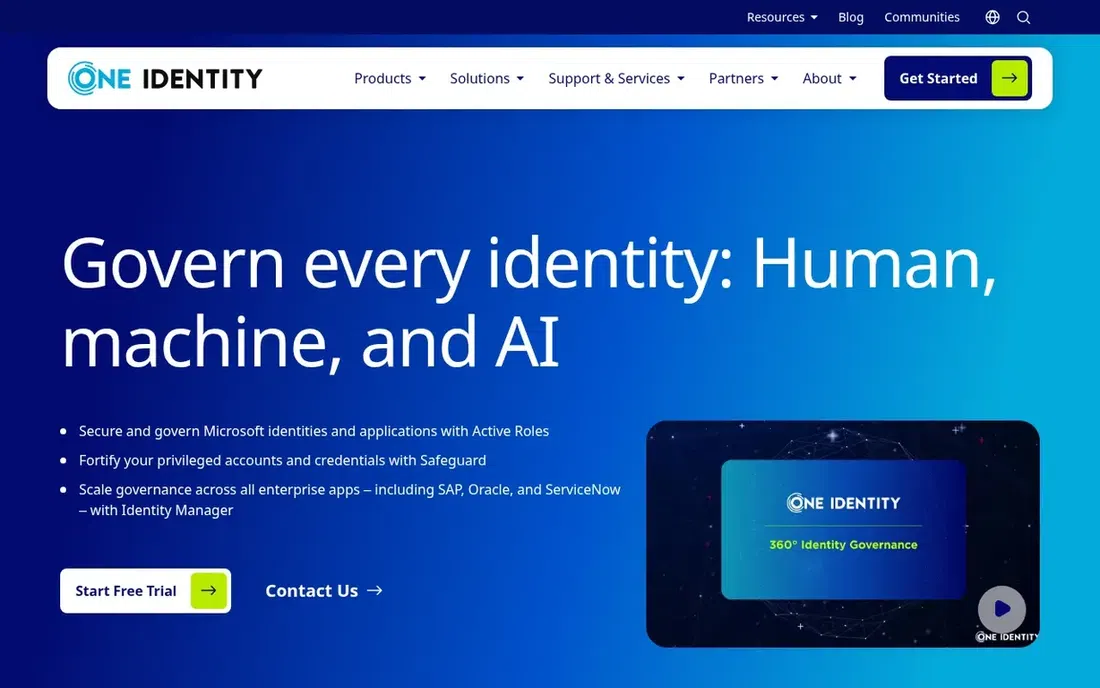
One Identity Safeguard makes the most sense for unified identity security programs. Remote teams that want privileged access managed as part of a wider identity and access program may find this consolidated approach appealing, since it frames privileged controls alongside broader identity protections.
Trade-offs to know: Product breadth can slow initial rollout.
Check the vendor site for One Identity Safeguard pricing; none is listed in this comparison. Free access: Not stated.
- Fits structured security programs
- Positions identity as a unified system
- Less specialized toward infrastructure access
CyberArk Privileged Access Manager
Best for: Wide identity security across hybrid cloud
Pick CyberArk Privileged Access Manager if this describes you: wide identity security across hybrid cloud. CyberArk Privileged Access Manager is positioned within a broader identity security system that emphasizes protecting every identity across hybrid cloud environments. Its documented focus contains modernizing identity governance and automating access reviews, which fits organizations that want privileged access handled alongside wider identity controls instead of as a standalone vault.
Drawbacks to consider: May exceed the needs of small teams.
For everyday use, if you primarily need a straightforward credential vault for a small remote group, a narrower tool may be more straightforward to run and maintain. The breadth of the system can translate into more configuration effort and a steeper ramp-up time for lean teams. CyberArk Privileged Access Manager does not show a starting price in this comparison, so check the vendor site for current pricing. Trial and free access: Not stated.
- Part of a wider identity security product
- Handles identity governance and access reviews
- Wide scope can mean complicated setup
AWS Secrets Manager was built for managing secrets in AWS workloads. Remote teams building cloud-native systems can use it to centralize the credentials their services rely on, keeping secret handling close to the infrastructure where those workloads actually run.
Pricing for AWS Secrets Manager is not stated here, so ask the vendor for current figures. AWS Secrets Manager has a free plan.
What to check first: Not a full workforce identity tool.
- Centers on protecting application credentials
- Suits teams building on AWS
- Restricted to the AWS context

Delinea Secret Server serves credential vaulting with AI governance focus. Delinea Secret Server is presented as privileged identity security software with attention to AI agents and AI governance.
Where it is weaker: Narrower than full identity systems.
No starting price is listed for Delinea Secret Server here; confirm pricing on the vendor site. As for free access: Not stated.
- Centers on privileged identity security
- Suits teams concentrated on secret management
- Governance features may need additional setup
Selection criteria
What to check before you buy
- Get a written quote from Microsoft Entra Privileged Identity Management, One Identity Safeguard, CyberArk Privileged Access Manager and others; the list shows no starting price for them.
- Test the free plan from AWS Secrets Manager against your real workload before relying on it.
- Use real work to test the free trial from Okta Privileged Access, rather than a demo project.
- Before choosing Microsoft Entra Privileged Identity Management, weigh its main limit: best value inside the Microsoft ecosystem.
- Before rolling out AWS Secrets Manager, verify the integrations your workflow depends on.
- Find out whether the entry plan of Okta Privileged Access covers your must-haves or only a trimmed-down version.
FAQ
How are the tools for Privileged access management software for remote teams ordered?
Microsoft Entra Privileged Identity Management sits first and Delinea Secret Server last because the order follows typical fit for Privileged access management software for remote teams, then price clarity and free access. It is a judgement call, so read each profile for fit and limits.
Do these tools publish their prices?
Not all of them. Microsoft Entra Privileged Identity Management, One Identity Safeguard, CyberArk Privileged Access Manager and others publish no starting price, so expect a quote request for those. The rest, Okta Privileged Access included, show a starting price, though seats and billing terms still change the final cost.
Which options for Privileged access management software for remote teams have a free plan?
AWS Secrets Manager is the only tool in this list with a free plan. Free plans usually cap users, projects or features, so check the limits on the vendor page. One other tool offers a trial instead.
Is a cloud secrets service enough for privileged access?
A service like AWS Secrets Manager takes care of application secrets well within its cloud context, but it does not replace broader privileged access controls for people and mixed environments.
What should remote teams look for in privileged access management?
Look for solid authentication, session logging and controls that work without a corporate network. In daily use, confirm the tool handles the systems your team actually uses, whether cloud infrastructure, business applications or both, and that it links up with your existing identity provider.
What is the cheapest option for Privileged access management software for remote teams in this list?
On published monthly entry prices, Okta Privileged Access is the lowest here at $6 per user per month. Entry price is only part of the cost, because seats, add-ons and billing terms can change the total. Prices, free plan details and limits for all 6 tools in this Privileged access management software for remote teams roundup sit on the individual cards above.
Sources
- https://www.microsoft.com
- https://www.okta.com
- https://www.oneidentity.com
- https://www.cyberark.com
- https://aws.amazon.com
- https://delinea.com