Best Privileged Access Management Tools in 2026: 8 Tools Compared
Compare the best privileged access management tools for vaulting, session control, and least privilege in 2026, with pricing notes and honest trade-offs.
- Editor's choice
 CyberArk
Large regulated organizations
Starts atSee websiteVisit cyberark.comFull review - Great alternative
 Delinea
Mid-market vaulting and cloud PAM
Starts atSee websiteVisit delinea.comFull review - Also consider
 BeyondTrust
Vaulting plus remote privileged access
Starts atSee websiteVisit beyondtrust.comFull review
TL;DR:
- CyberArk, Delinea, and BeyondTrust lead for large organizations that need deep vaulting, session recording, and audit evidence.
- Keeper and ManageEngine give smaller teams a more affordable path to vaulting, rotation, and endpoint privilege control.
- Teleport and StrongDM suit engineering teams that need short-lived access to servers, databases, and cloud resources.
- Most enterprise PAM pricing is quoted, so budget on a demo and a scoped quote, not on a headline price.
Quick comparison
| Tool | Best for | Starts at | Free plan? | |
|---|---|---|---|---|
| CyberArk | Large regulated organizations | See website | No | Visit |
| Delinea | Mid-market vaulting and cloud PAM | See website | Free trial | Visit |
| BeyondTrust | Vaulting plus remote privileged access | See website | Free trial | Visit |
 KeeperPAM | Small teams starting with PAM | See website | Free trial | Visit |
 HashiCorp Vault | Secrets and dynamic credentials | Free | Yes | Visit |
 Teleport | Engineering access to infrastructure | Free | Yes | Visit |
 ManageEngine PAM360 | Full PAM suite on a budget | See website | Free trial | Visit |
 StrongDM | Short-lived access without VPNs | See website | Free trial | Visit |
The best privileged access management tools
Privileged accounts are the keys to a network. When an admin password, a cloud console login, or a service account is shared or left unchanged, one breach can open many systems. Privileged access management, often shortened to PAM, vaults those credentials, rotates them, controls who can use them, and records sessions for audit. The tools below cover enterprise vaults, smaller team options, and developer-focused access.

CyberArk is the reference point for enterprise PAM. Its Privilege Cloud and self-hosted options vault human and machine credentials, rotate passwords, isolate privileged sessions, and record activity for auditors. Banks, health care providers, and other regulated organizations use it because it can show exactly who accessed what, when, and why, which matters during an audit or an incident review.
That depth comes with cost and effort. Pricing is quoted by account and module, and large deployments often need planning, integration work, and training. Small teams will find it more than they need. For an organization with many privileged accounts, strict compliance duties, and a dedicated security team, CyberArk is hard to beat, but it should be bought with eyes open about implementation time.
- Deep vaulting, session isolation, and rotation
- Strong audit and compliance evidence
- Broad platform coverage
- Quote-based pricing and complex deployment
- Professional services often needed for large rollouts
Delinea, built around Secret Server, aims at organizations that want enterprise-grade vaulting without a year-long rollout. It covers credential vaulting, rotation, privileged session management, and remote access, with cloud and self-hosted options. Many mid-market teams pick it because the admin experience is clearer than older enterprise tools, and deployment tends to move faster.
Pricing is quoted, so the total depends on account count, modules, and deployment model. Teams should ask for a full quote that includes the modules they will actually use, not just the vault. Delinea is a strong middle ground: deeper than a password manager, more approachable than the largest enterprise suites, and well suited to IT teams that need audit evidence without a huge security staff.
- Faster deployment than many enterprise rivals
- Secret Server vault plus cloud PAM
- Usable admin experience
- Quote-based pricing
- Some advanced modules add cost and complexity
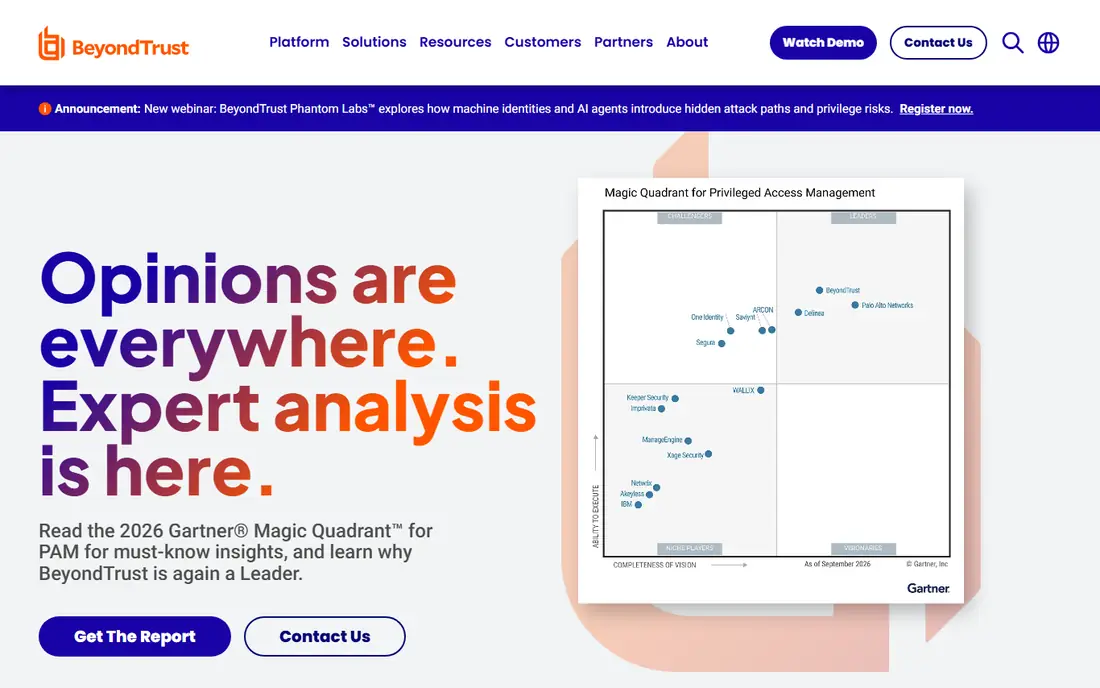
BeyondTrust bundles several PAM strengths into one platform: Password Safe for vaulting, endpoint privilege management for removing local admin rights, and Privileged Remote Access for vendor and contractor sessions. That combination matters when third parties need access, since BeyondTrust can give them a recorded session without handing over a VPN login or a shared password.
The main drawback is scoping. With so many modules, a quote can grow quickly, and teams need to be clear about which capabilities they will use in the first year. BeyondTrust also had remote-access flaws reported in 2026 in public research, so buyers should ask about patching and current security advisories during evaluation. For organizations that rank remote access and endpoint control alongside vaulting, it remains a leading choice.
- Unified vault, endpoint privilege, and remote access
- Strong vendor session control
- Good discovery tools
- Quote-based pricing
- Suite breadth can make scoping tricky
KeeperPAM builds on Keeper, a well-known password manager, and adds privileged session management, credential rotation, discovery, and endpoint privilege control. That path suits a small business that already trusts Keeper for team passwords and wants to step up to PAM without replacing its vault. The base Keeper Business plans are published from $2 per user per month for Starter, but KeeperPAM itself is quoted, so the base price is a floor, not the full budget.
Teams should get a quote that covers every add-on they need and check the five-user minimum on Starter. KeeperPAM will not match CyberArk on depth for a large, complex estate, but for a team moving from shared spreadsheets or a basic vault to controlled privileged access, it is a practical and affordable step.
- Familiar vault interface
- Session management, rotation, and discovery as add-ons
- Fast to start
- Full PAM features are quoted add-ons, not the base price
- Less deep than enterprise suites for complex estates
HashiCorp Vault, now under IBM, is best known for secrets management, but it belongs in a PAM conversation for teams with heavy machine and application access. Vault can issue dynamic database credentials that expire after a short time, store API keys and certificates, and enforce fine-grained policies. The community edition is free to self-host, while managed HCP Vault Dedicated plans are billed by cluster hour and client, so managed costs need a careful quote.
Vault is not a drop-in replacement for a human-focused PAM suite. Session recording and human approval workflows are less central than in CyberArk or Delinea, and running Vault well takes engineering time for high availability, backup, and upgrades. For DevOps-heavy teams that want secrets to be short-lived by default, it is a strong and flexible core.
- Dynamic, short-lived secrets for apps and databases
- Strong policy engine
- Self-hosted community edition
- Needs engineering skill to run well
- Human PAM features are thinner than dedicated PAM suites
Teleport replaces standing SSH keys and long-lived database passwords with short-lived certificates tied to identity. Engineers get access for a set time, sessions can be recorded, and access can be revoked centrally. The community edition is open source, and commercial plans add enterprise features, support, and compliance controls. That model fits teams that want to remove static keys from laptops and code.
Teleport does not try to be a general password vault for all staff, so a company will still need a vault for human credentials outside infrastructure. It also assumes a modern identity setup, which can take work to wire up. For engineering organizations that live in servers, Kubernetes, and databases, Teleport is one of the cleanest ways to apply least privilege.
- Short-lived certificates instead of static keys
- Session recording for servers and databases
- Open source community edition
- Best for infrastructure access, not general password vaulting
- Enterprise pricing is quoted
ManageEngine PAM360 is a full PAM suite that covers credential vaulting, rotation, session recording, and privileged account discovery at a price point that mid-market teams can often justify. It also ties in with other ManageEngine IT tools, which helps teams that already use that ecosystem. A free trial lets a team test the vault and session features before buying.
The interface is more functional than modern, and very large or highly regulated estates may still prefer CyberArk or BeyondTrust for depth and audit tooling. For a team that wants a complete PAM suite without enterprise-suite pricing, PAM360 is a credible option, provided the team checks that its key platforms and cloud accounts are supported.
- Vault, session recording, and password management in one suite
- Competitive pricing for mid-market teams
- Good Windows and cloud coverage
- Interface feels dated next to newer rivals
- Enterprise depth trails the top suites in some areas
StrongDM gives engineers and admins access to servers, databases, Kubernetes clusters, and cloud consoles through one gateway, without a traditional VPN. Access is granted per resource, sessions are logged, and credentials can stay hidden from the user, which reduces the risk of a copied password living on a laptop. That design suits remote and hybrid teams with many data stores.
Pricing is quoted, and StrongDM is not meant to replace a company-wide password vault for everyday staff logins. Teams should scope it to the infrastructure and data access problem it solves best, and pair it with a vault for the rest. For organizations where database and server access is the main privileged risk, it is a focused and effective choice.
- One gateway for servers, databases, and cloud consoles
- Short-lived access and audit logs
- No VPN needed for managed access
- Quoted pricing
- Less suited as a general enterprise password vault
How we picked these
We compared official product pages, pricing pages, documentation, and public reviews for tools that vault privileged credentials, rotate them, control sessions, or enforce least privilege. We kept tools that are actively maintained in 2026 and that cover different buyer sizes, from small teams to large regulated organizations. Where pricing was not published, we wrote See website rather than repeating a third-party estimate as fact.
How to buy PAM without overbuying
Start with discovery
Before choosing a tool, list every privileged account you can find: domain admins, cloud console users, database admins, service accounts, and vendor logins. Discovery is often the longest part of a PAM project, and the tool that finds the most accounts in your environment may matter more than a small feature difference.
Pilot on one high-risk area
Pick one area, such as cloud console access or database admins, and run a pilot with vaulting, rotation, and session recording. Measure how long approvals take, how often sessions break, and whether auditors get the evidence they need. A pilot that frustrates admins will fail at scale, no matter how strong the feature list looks.
Ask for the full quote in writing
Enterprise PAM quotes often split vaulting, session management, endpoint privilege, and remote access into separate modules. Ask for a quote that lists each module, the account or user count it covers, and the support tier. Compare that total, not the entry price, across vendors.
FAQ
What is privileged access management?
Privileged access management is the practice and software for controlling accounts with higher-level rights, such as admins, root users, and cloud console owners. A PAM tool vaults those credentials, rotates them, grants access for a limited time, and records sessions so an organization can audit who did what.
Which privileged access management tool is best?
CyberArk is the deepest choice for large regulated organizations, Delinea and BeyondTrust are strong for mid-market and remote access needs, and Keeper or ManageEngine suit smaller budgets. The best tool depends on account count, compliance duties, and whether the main risk is human access, machine secrets, or vendor access.
How much does PAM software cost?
Most enterprise PAM is quoted, and totals often start in five figures per year for mid-market deployments and rise well into six figures for large estates. Smaller options and open source editions lower the entry cost, but support, implementation, and add-on modules should be included in any budget.
Do small businesses need PAM?
Yes, at some level. If anyone holds domain admin, cloud console, or database admin rights, those credentials need vaulting, rotation, and multi-factor authentication. A small team can start with vaulting and rotation and add session recording later, rather than buying a full enterprise suite on day one.
Can PAM replace a password manager?
Not fully. A password manager helps all staff store everyday logins safely, while PAM focuses on privileged accounts, session control, and audit evidence. Many organizations use both, with the password manager for general staff and PAM for admins, service accounts, and vendors.
What is the difference between PAM and secrets management?
Secrets management focuses on application and machine credentials such as API keys and database passwords used by code. PAM focuses on human privileged access, sessions, and approvals. Tools like HashiCorp Vault bridge both areas, but many teams run a PAM suite for people and a secrets manager for applications side by side.