Top 6 Panel Management Software for 2026 (Prices and Free Plans)
Shortlisting the best panel management software? 6 products compared on cost, free access and ideal buyer. Every entry states what it lacks. No filler.
- Editor's choice
 Buildxact
Estimating and project management for builders
Starts atSee websiteVisit buildxact.comFull review - Great alternative
 Contractor Foreman
All-in-one contractor operations
Starts atSee websiteVisit contractorforeman.comFull review - Also consider
 PlanGrid
Existing PlanGrid users seeking support
Starts atSee websiteVisit plangrid.comFull review
Direct answer
Our first pick is Buildxact, best for estimating and project management for builders. Listed starting prices: Fieldwire from $39 per user a month. Contractor Foreman is better for all-in-one contractor operations, and PlanGrid is better for existing PlanGrid users seeking support. Prices, free plans and limits for all 6 tools follow.
TL;DR:
- This list starts with Buildxact, which is built for estimating and project management for builders.
- Fieldwire is the lowest-priced starter here at $39 per user per month.
- Fieldwire stands alone as the one tool in this list with a free plan.
- What to know about PlanGrid first: standalone product is being folded into Autodesk.
Last checked November 2026. Prices and plan details were read from the vendors' own pages in November 2026; vendors change plans often, so confirm the current price on the vendor site before you buy.
Quick comparison
| Tool | Best for | Starts at | Free plan? | |
|---|---|---|---|---|
| Buildxact | Estimating and project management for builders | See website | Free trial | Visit |
| Contractor Foreman | All-in-one contractor operations | See website | Not stated | Visit |
| PlanGrid | Existing PlanGrid users seeking support | See website | Not stated | Visit |
 Autodesk Construction Cloud | Secure collaborative project delivery | See website | Not stated | Visit |
 Fieldwire | Live jobsite task and drawing management | $39 per user a month | Yes | Visit |
 Bluebeam Revu | Document collaboration and markup | See website | Free trial | Visit |
The best panel management software
If you are comparing panel management software, this page covers 6 tools in one place: what each is best for, what it costs to start, whether it has a free plan, and the main limit to know about.
Buildxact is built with estimating and project management for builders in mind. The homepage positions it for residential and light commercial builders who require to manage jobs and estimates without a steep ramp-up time.
The main drawbacks: Regional homepage may emphasize different markets.
For everyday use, Buildxact is oriented toward builders and contractors instead of large commercial panel operations. In practice, choose Buildxact when simplicity and estimating for residential or light commercial projects are the primary requirements. No starting price is listed for Buildxact here; confirm pricing on the vendor site. Trial and free access: Free trial.
- Easy-to-use project management
- Estimating included
- Less suited to large commercial panel projects
Contractor Foreman targets all-in-one contractor operations. The homepage presents it as a unified system for running contractor operations.
Worth adding: Contractor Foreman may not match the depth of enterprise products for complicated, multi-stakeholder panel projects. No starting price is listed for Contractor Foreman here; confirm pricing on the vendor site. On free options: Not stated.
Points against: May be less specialized for large enterprises.
- Invoicing in one
- Time cards included
- Feature depth varies by module
For existing PlanGrid users seeking support, PlanGrid is a natural candidate. PlanGrid is a construction app that is now part of Autodesk Forma, bringing its capabilities into the broader Autodesk ecosystem.
The homepage gives you restricted detail on current features. No starting price is listed for PlanGrid here; confirm pricing on the vendor site. On free options: Not stated.
The main drawbacks: Standalone product is being folded into Autodesk.
- Widely known construction app
- Now part of Autodesk Forma
- Restricted public feature detail on current page
Autodesk Construction Cloud
Best for: Secure collaborative project delivery
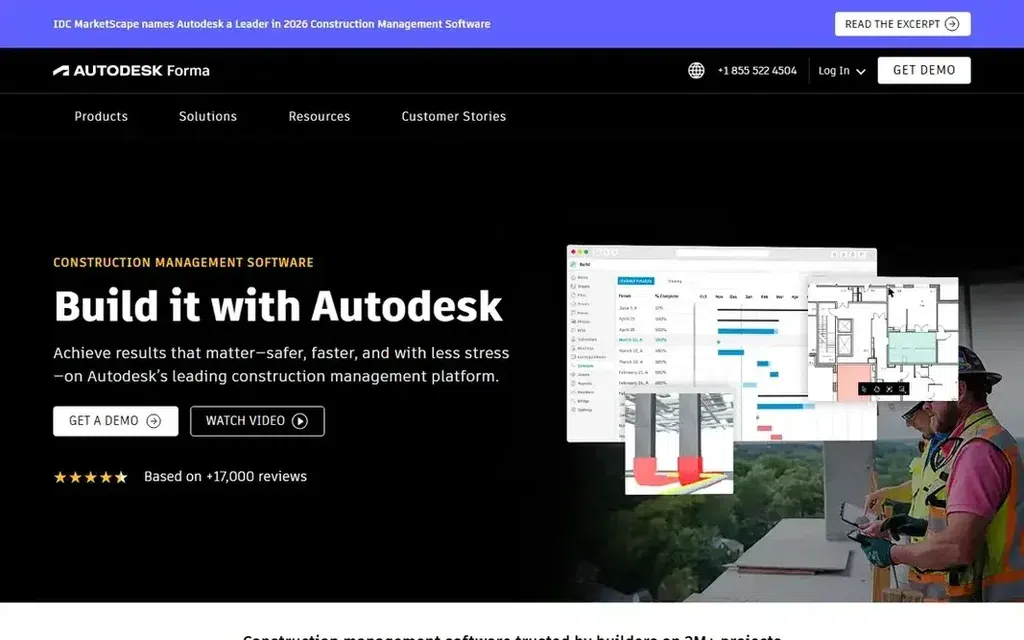
Choose Autodesk Construction Cloud for secure collaborative project delivery. For panel management, it can support coordination and document sharing across project participants.
What to check first: Needs familiarity with Autodesk ecosystem.
In daily use, the homepage positions it around delivering projects on time and on budget. Autodesk Construction Cloud, now under the Autodesk Forma name, is a construction management system for project teams that require to collaborate securely and rapidly. This comparison lists no price for Autodesk Construction Cloud; ask the vendor. As for free access: Not stated.
- On-budget delivery
- Now part of Autodesk Forma
- Rebranding may confuse existing users

Fieldwire was built for live jobsite task and drawing management. Fieldwire by Hilti is a jobsite management system made for live task tracking and drawing updates. If your panel management process relies on integrated financials or procurement, you may have to pair it with other systems.
Teams that want a field-first tool for panel installation coordination and punch lists frequently shortlist Fieldwire for its straightforward jobsite focus. Beyond that, the homepage emphasizes reducing expensive rework by keeping drawings current and tasks visible. Starting cost for Fieldwire: $39 per user per month. A free plan is available with Fieldwire.
Honest limits: May require extras for full project controls.
- Used by owners, GCs, subcontractors
- Helps cut expensive rework
- Less emphasis on back-office accounting
For document collaboration and markup, Bluebeam Revu is a natural candidate. The homepage describes tools that support collaboration from design through completion, accessible anywhere. It is a solid fit for panel management workflows that revolve around markups, drawing reviews, and document control.
Teams frequently use it alongside a broader project management system. More specifically, choose Bluebeam when drawing and document collaboration is the core need. Also, Bluebeam Revu is document-centric and does not replace scheduling, estimating, or full project controls. If you need an all-in-one management system, you will likely pair it with another tool. Bluebeam Revu does not show a starting price in this comparison, so check the vendor site for current pricing. Free plan details: Free trial.
Downsides: Not a full project management suite.
- Live document collaboration
- Works anywhere with Bluebeam
- Focus is on documents instead of scheduling
Selection criteria
Questions to settle before buying
- Get a written quote from Buildxact, Contractor Foreman, PlanGrid and others; the list shows no starting price for them.
- Test the free plan from Fieldwire against your real workload before relying on it.
- Use real work to test the free trial from Buildxact and Bluebeam Revu, rather than a demo project.
- Read the limits listed for Buildxact first: regional homepage may emphasize different markets.
- Check whether Fieldwire bills monthly or annually, and what cancelling early costs.
- Involve the people who will use Autodesk Construction Cloud daily; a short pilot beats a long feature checklist.
FAQ
Can Bluebeam Revu replace a full project management system?
It excels at drawing markups and document control but does not handle scheduling or estimating. Most teams use it alongside a project management system.
What is the cheapest option for panel management software in this list?
On published monthly entry prices, Fieldwire is the lowest here at $39 per user per month. Entry price is only part of the cost, because seats, add-ons and billing terms can change the total. All 6 picks in this panel management software comparison list a starting price, free plan details and the main limits on their cards above.
Is Buildxact the right pick for everyone comparing panel management software?
No single tool suits every team. Buildxact comes first because it fits estimating and project management for builders, while Contractor Foreman suits all-in-one contractor operations and PlanGrid suits existing PlanGrid users seeking support. Match the tool to your own size, budget and workflow before deciding.
Do these tools publish their prices?
Not all of them. Buildxact, Contractor Foreman, PlanGrid and others publish no starting price, so expect a quote request for those. The rest, Fieldwire included, show a starting price, though seats and billing terms still change the final cost.
How are the tools for panel management software ordered?
Buildxact sits first and Bluebeam Revu last because the order follows typical fit for panel management software, then price clarity and free access. It is a judgement call, so read each profile for fit and limits.
Sources
- https://www.buildxact.com
- https://www.contractorforeman.com
- https://www.plangrid.com
- https://construction.autodesk.com
- https://www.fieldwire.com
- https://www.bluebeam.com