Best Absence Management Software in 2026: 8 Tools Compared
Compare the best absence management software for leave requests, approvals and team calendars, with pricing from free plans to full HR suites included.
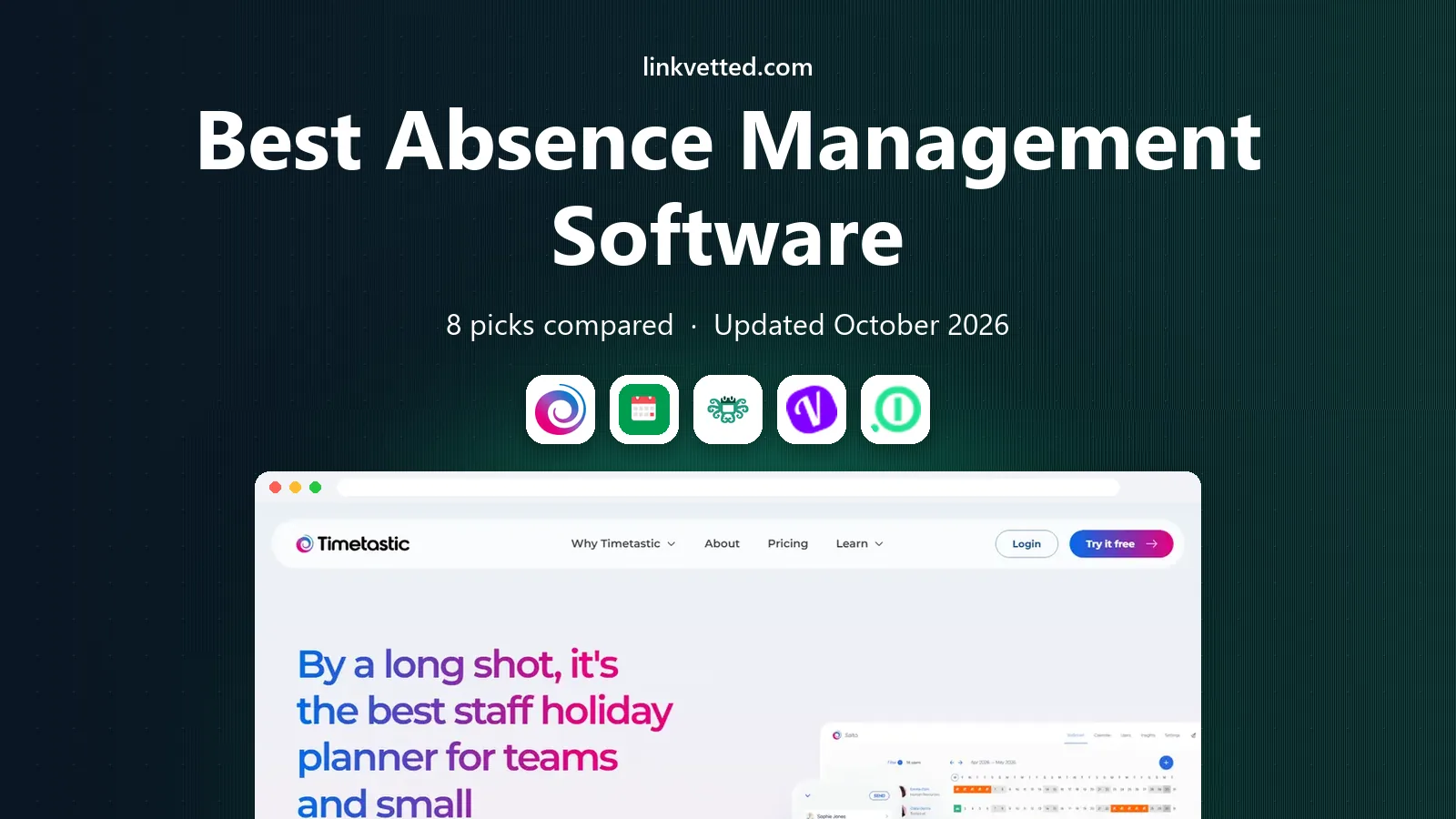
- Editor's choice
 Timetastic
Simple shared leave calendars
Starts at$1.50 per user per monthVisit timetastic.co.ukFull review - Great alternative
 LeaveBoard
Free leave tracking for tiny teams
Starts at$1.35 per employee per monthVisit leaveboard.comFull review - Also consider
 Calamari
Multi-country leave policies
Starts at$2 per employee per monthVisit calamari.ioFull review
TL;DR:
- Dedicated leave trackers like Timetastic, LeaveBoard and Calamari start under $3 per user per month and suit teams that only need absence tracking.
- LeaveBoard and Vacation Tracker offer real free plans, making them the cheapest way for tiny teams to leave spreadsheets behind.
- BambooHR, Sage HR and Factorial bundle absence into full HR suites, which costs more but removes a separate system.
- Watch billing units and minimums, since per-employee pricing, flat monthly floors and monthly minimums change the real cost.
Quick comparison
| Tool | Best for | Starts at | Free plan? | |
|---|---|---|---|---|
| Timetastic | Simple shared leave calendars | $1.50 per user per month | Free trial | Visit |
| LeaveBoard | Free leave tracking for tiny teams | $1.35 per employee per month | Yes | Visit |
| Calamari | Multi-country leave policies | $2 per employee per month | Free trial | Visit |
 Vacation Tracker | Leave requests inside Slack or Teams | $2 per user per month | Yes | Visit |
 absence.io | EU-focused absence tracking | 2 euros per user per month | Free trial | Visit |
 Sage HR | Absence inside a small business HR suite | From 4 pounds per employee per month | Free trial | Visit |
 BambooHR | Time off inside a complete HRIS | $10 per employee per month | Free trial | Visit |
 Factorial | All-in-one HR with time off | See website | No | Visit |
The best absence management software
We compared official pricing pages, feature documentation and public reviews for absence tools that handle leave requests, approvals, balances, calendars and reporting. The list mixes single-purpose trackers with full HR platforms, so choose by whether absence is your only need or one part of HR.
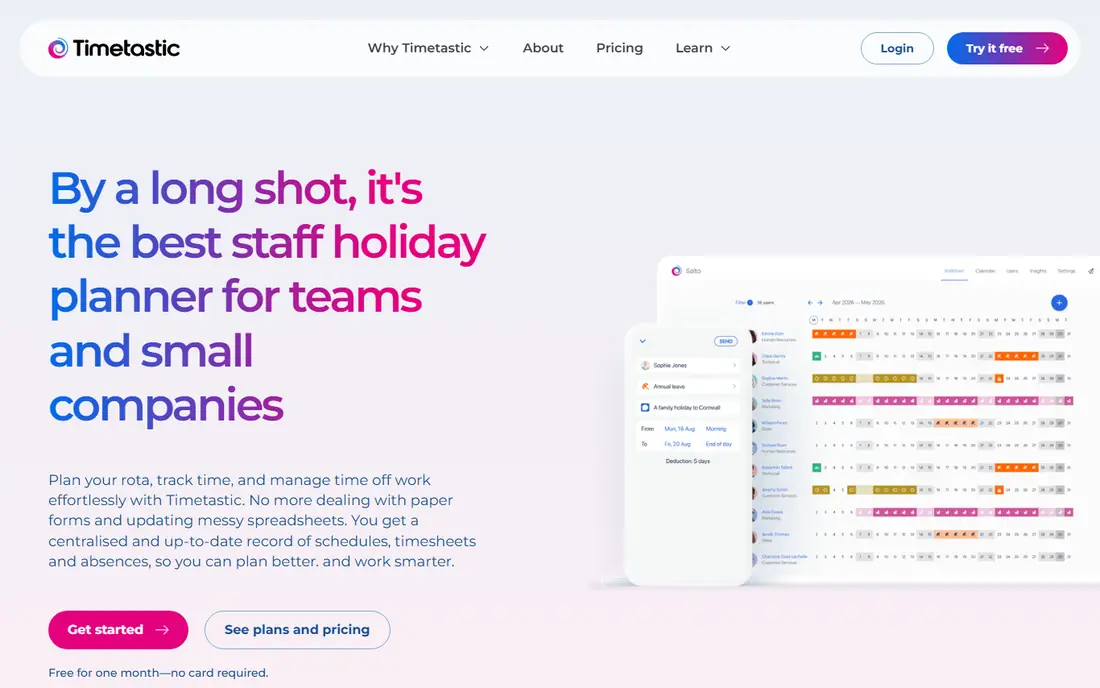
Timetastic is our pick for teams that want leave tracking done simply. Staff request holidays and sick leave, managers approve in a click, and everyone sees a shared calendar showing who is away. Its Business plan starts at $1.50 per user per month, and a 30-day trial gives a full month to test it with a real team. For small companies moving off a spreadsheet, that simplicity is the point.
The limit is scope. Timetastic does not run payroll, onboarding or performance, so teams that later need a full HR system will add another tool. It also suits straightforward leave policies better than highly complex multi-country rules. If your main problem is knowing who is off and when, Timetastic solves it cheaply and cleanly.
- Very easy to use
- Shared team calendars
- Clear low starting price
- No full HR suite behind it
- Larger companies may want deeper policy controls
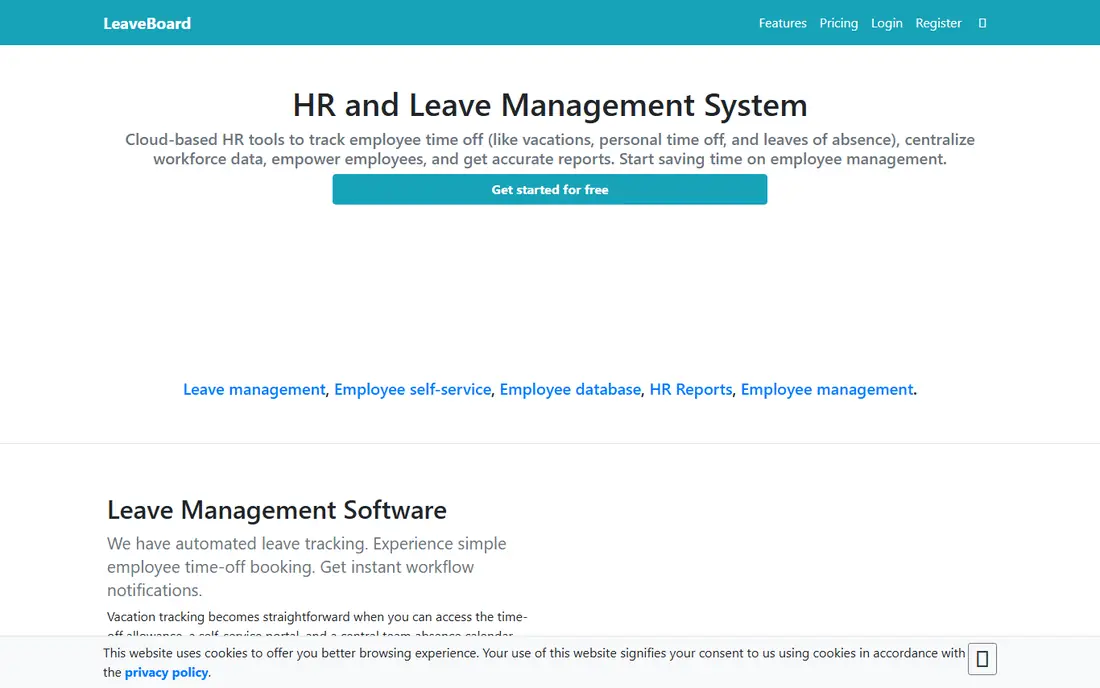
LeaveBoard is the best free starting point for tiny teams. Its free plan covers up to 9 employees, and paid Pro pricing starts at $1.35 per employee per month, covering leave requests, approvals, balances and team calendars. A startup or small charity can therefore run proper leave tracking at no cost, then pay only when headcount grows past the free limit.
Larger teams should check policy depth and integrations before committing, since LeaveBoard is a leave tool first, not a full HRIS. Reporting and calendar sync cover the basics well, but complex accrual rules may need a more configurable rival like Calamari. For teams under 10 people, the free plan is hard to argue with.
- Free plan for up to 9 employees
- Low paid starting price
- Leave balances and approvals included
- Free tier limits team size
- Advanced HR features are thinner than full suites
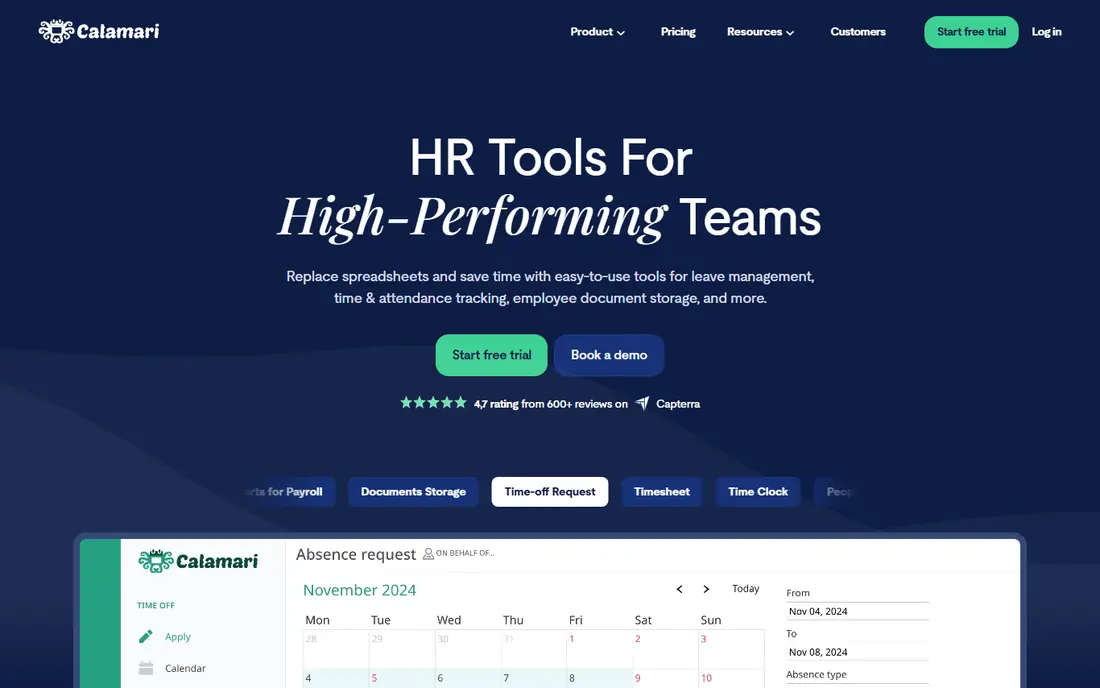
Calamari suits companies with staff in several countries or with varied leave rules. Its Leave Management module starts at $2 per employee per month, with optional time and attendance and core HR modules added only when needed. That modular pricing keeps entry costs low, and its policy engine handles different holiday calendars, accrual rules and approval chains across locations.
Buyers should confirm monthly minimums and module totals for their headcount, since the per-employee figure is not the whole bill. Calamari also needs configuration time for complex policies, though onboarding is described as quick. For distributed teams that outgrow simple calendars but do not want a full enterprise suite, Calamari is a strong middle option.
- Modular leave, attendance and core HR
- Multi-country policy support
- Low per-employee price
- Monthly minimums may apply
- Full HR depth requires added modules
Vacation Tracker is built for teams that live in Slack or Microsoft Teams. Staff request leave without leaving chat, managers approve there too, and team calendars stay visible in the same workspace. Its Core plan starts at $2 per user per month with a monthly minimum, and a free plan lets small teams try the basics. That chat-native flow drives adoption, since nobody needs to remember another login.
The trade-off is depth. Vacation Tracker is a leave tool, not an HR suite, so records, onboarding and performance stay elsewhere. Monthly minimums also mean very tiny teams should check the real monthly floor. If your team already coordinates in Slack or Teams, Vacation Tracker is the most convenient absence tool on this list.
- Works inside Slack and Microsoft Teams
- Free plan available
- Simple approvals and calendars
- Monthly minimums apply on paid plans
- Not a full HR platform
absence.io is a German-hosted absence tracker that appeals to European businesses with data residency concerns. It starts at 2 euros per user per month, with tiered plans adding approvals, calendars, reporting and integrations. Teams get a clean leave system with European holiday handling and a free trial to test policy setup.
US buyers should weigh currency, support hours and payroll integration before choosing, since absence.io leans European. It is also a dedicated absence tool rather than a full HR platform. For EU-based teams that want a straightforward, locally hosted leave tracker, absence.io is a credible and fairly priced pick.
- German-hosted option for EU data concerns
- Clear tiered pricing
- Absence, calendar and reporting tools
- Euro pricing for US buyers
- Less suited to US payroll-linked HR needs
Sage HR suits small businesses that want absence inside a broader HR tool rather than a standalone tracker. It covers employee records, leave, expenses, onboarding and performance, with absence calendars and approvals built in. Starting pricing is listed from 4 pounds per employee per month, with a 30-day trial. Teams already using Sage accounting may also value the familiar vendor.
If absence is the only need, Sage HR costs more than Timetastic or LeaveBoard, and pricing in pounds needs converting for US buyers. The value case is bundling: one system for records, leave and performance instead of three logins. Small businesses planning to grow their HR tooling will find Sage HR a sensible step up.
- Absence plus records, onboarding and performance
- Trusted small business brand
- 30-day trial
- Pricing varies by currency and plan
- Absence alone is cheaper elsewhere
BambooHR includes time off as part of its Core HRIS plan, starting at $10 per employee per month with a 7-day trial. Staff request leave, managers approve, balances update automatically, and time off sits beside records, onboarding and reporting in one system. That integration is the reason to choose BambooHR for absence: leave data never needs reconciling with a separate HR record.
The price is the catch. At $10 per employee per month with a monthly floor around $250 for teams of 25 or fewer, BambooHR costs far more than a dedicated tracker. It only makes sense when the team also needs full HR records and onboarding. If absence is the whole requirement, pick a cheaper tool above. If a full HRIS is already on the shopping list, BambooHR handles time off very well.
- Excellent time-off workflows inside a full HRIS
- Employee self-service
- Reporting and onboarding included
- Higher price than dedicated trackers
- Flat monthly floor for smaller teams
Factorial is an all-in-one HR platform with time off, shift scheduling, expenses, documents and performance in one place. Growing companies that need absence alongside shift planning and HR records often pick it for its modern interface and broad coverage. Its time-off tools handle requests, approvals, balances and team calendars, with policy controls for larger teams.
Final pricing is quote-based depending on modules chosen, so small teams should request a written quote before assuming it beats a dedicated tracker. Factorial fits best when HR is expanding beyond leave alone. If your team only tracks holidays, a $2 tracker is cheaper. If you need HR, scheduling and expenses together, Factorial is a strong all-in-one contender.
- Time off plus scheduling, expenses and HR records
- Popular with growing European and global teams
- Modern interface
- Pricing is quote-based for final plans
- Smaller teams may not need the full suite
How we picked these
We compared official pricing pages, product documentation and public reviews for absence tools available in October 2026, keeping only products with real leave request, approval and calendar features. We weighted pricing transparency, free plans, policy flexibility, chat and calendar integrations, and whether the tool is standalone or part of a full HR suite. Unverified prices are listed as See website. We did not claim hands-on testing.
How to choose absence software
Start with policy complexity. A single office with one holiday rule needs only a simple calendar tool, while multi-country teams need accrual rules, local holidays and approval chains that a cheap tracker may lack. Write down your leave types, accrual rules, carry-over policy and blackout dates, then test each one in a trial.
Next, check where staff already work. If the team lives in Slack or Teams, a chat-native tool will get used. If HR already runs an HRIS, absence inside that system avoids duplicate records. Also confirm calendar sync, mobile requests and manager delegation, since approvals stall when a manager is on leave too.
Finally, model the real monthly cost. Multiply the per-user price by billable users, add monthly minimums and flat floors, and compare at next year's headcount. Pilot with one team for a month, measure approval times and calendar accuracy, and confirm data export before rolling out company-wide.
FAQ
What is absence management software?
It is software that handles leave requests, manager approvals, leave balances, team calendars and absence reporting. It replaces spreadsheets and email threads, so managers can see who is away and staff can check balances without asking HR.
Is there free absence management software?
Yes. LeaveBoard is free for up to 9 employees, and Vacation Tracker offers a free plan. Free tiers suit tiny teams, while larger teams usually move to paid plans from about $1.35 to $2 per user per month.
How much does absence management software cost?
Dedicated trackers start under $3 per user per month, while full HR suites with absence start around $10 per employee per month or by quote. Monthly minimums and flat floors can raise the real bill for very small teams.
Should I buy a standalone tracker or a full HR suite?
Buy standalone if absence is your only need and budget is tight. Buy a suite like BambooHR, Sage HR or Factorial if you also need employee records, onboarding, scheduling or performance in the same system.
Can absence software handle sick leave and remote work?
Most tools track sick leave, holidays, parental leave and remote or work-from-home days as separate leave types with their own balances. Confirm your specific leave types, accrual rules and carry-over policy in a trial before buying.