Best Agile Project Management Software in 2026: 8 Tools Compared
We compare 8 best agile project management software options for 2026, covering sprints, boards, backlogs, and prices, for software teams and mixed teams.
- Editor's choice
 Jira
Software teams running sprints
Starts at$7.91 per user per monthVisit atlassian.comFull review - Great alternative
 Asana
Cross team work and timelines
Starts at$10.99 per user per monthVisit asana.comFull review - Also consider
 monday.com
Visual boards and custom workflows
Starts at$9 per user per monthVisit monday.comFull review
TL;DR:
- Jira suits software teams that need deep sprint and backlog control, while Trello suits small teams that want simple boards.
- Asana, monday.com, and ClickUp suit mixed teams that run agile work alongside marketing, operations, and client work.
- Per user pricing adds up fast, so price your real team, including viewers and guests, before you choose.
- Linear suits product and engineering teams that want speed and clean issue tracking without heavy setup.
Quick comparison
| Tool | Best for | Starts at | Free plan? | |
|---|---|---|---|---|
| Jira | Software teams running sprints | $7.91 per user per month | Yes | Visit |
| Asana | Cross team work and timelines | $10.99 per user per month | Yes | Visit |
| monday.com | Visual boards and custom workflows | $9 per user per month | Yes | Visit |
 ClickUp | Most features per dollar | $7 per user per month | Yes | Visit |
 Trello | Simple kanban boards | $5 per user per month | Yes | Visit |
 Linear | Product and engineering teams | $10 per user per month | Yes | Visit |
 Azure DevOps | Microsoft shops and large dev teams | See website | Free trial | Visit |
 Wrike | Complex cross department work | $10 per user per month | Yes | Visit |
The best agile project management software
We compared official feature pages, pricing pages, and app store listings to build this list, and we focused on tools that work today and fit the topic closely. Use the comparison table to narrow the field, then read the write ups for the two or three options that match your needs best.
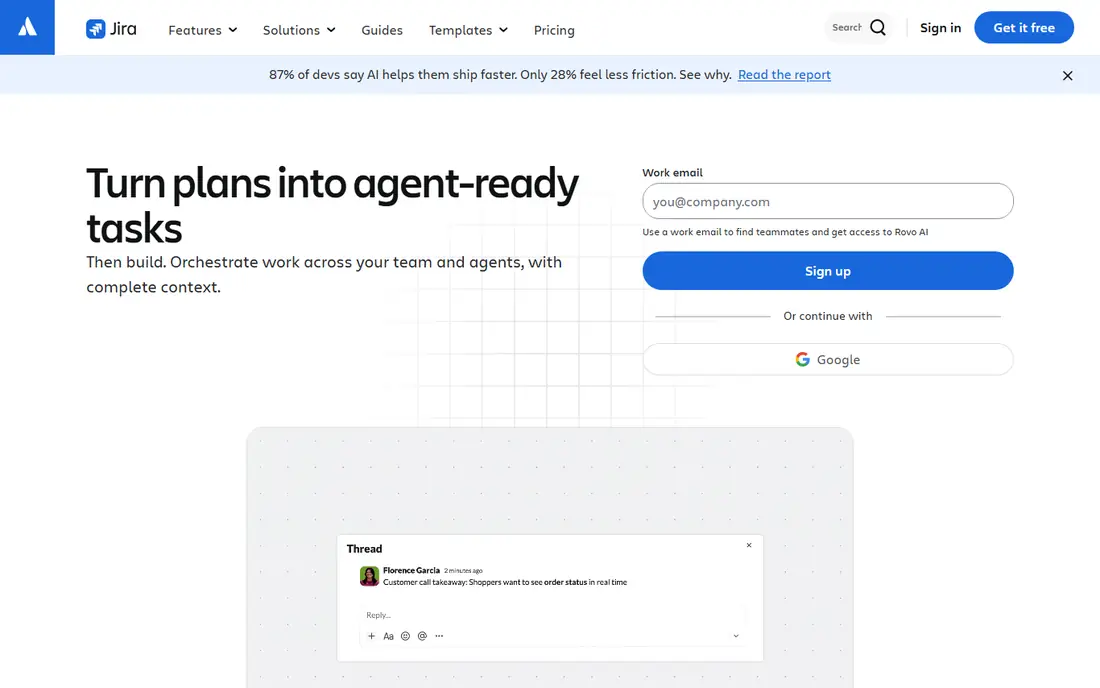
For teams weighing Jira, the fit depends on daily workflow more than on a feature list. Jira is built for agile software delivery, with scrum boards, kanban boards, backlogs, roadmaps, and issue types that match how dev teams work. That focus matters because a tool that tries to do everything often makes its core job harder to find, while a focused tool keeps the daily path clear.
Jira works best when you set it up around one real project first. Add your team, import a small set of real items, and run a full week of work before you judge it. That trial will reveal gaps in permissions, integrations, and exports that a demo will not show.
The honest catch with Jira is in its limits, so read the cons above as a checklist, not a warning to avoid it. Every tool here trades depth for simplicity or breadth for focus, and Jira is no exception. If those limits touch your core workflow, pick a different option. If they touch only edge cases, Jira can still be the right pick, especially when its strengths match your main job.
- Deep sprint and backlog tools
- Strong integrations
- Free for small teams
- Setup can be heavy
- Interface can feel busy for non technical teams

If you want cross team work and timelines, Asana is worth a close look, because it centers that job in its design. Asana suits teams that need tasks, timelines, and portfolios in one clean view, with automation that routes work without constant manual updates. That focus matters because a tool that tries to do everything often makes its core job harder to find, while a focused tool keeps the daily path clear.
Pricing deserves a second look before you commit to Asana. Check what the free plan actually includes, what happens when you hit limits, and whether guests, viewers, or extra seats change the bill. Annual billing often lowers the monthly rate, but it also locks you in, so start monthly when you can.
Our view on Asana is balanced: it earns its place for cross team work and timelines, but it will not suit every team or every project. Test it against your real constraints, such as budget, team size, and existing tools, before you buy. A short pilot with clear success measures will tell you more than any review, including this one, so use the free plan or trial to prove the fit.
- Clear task ownership
- Timelines
- Portfolios and goals
- Free plan is limited
- Costs rise with team size

Our pick for visual boards and custom workflows is monday.com, and the reason is practical rather than flashy. monday.com lets teams build visual boards for sprints, launches, and operations, with columns and automations that match non technical teams well. That focus matters because a tool that tries to do everything often makes its core job harder to find, while a focused tool keeps the daily path clear.
A practical test for monday.com is to hand it to the least technical person on your team and watch how long a basic task takes. Clear labels, search, and templates help new users succeed, while hidden settings and jargon slow adoption.
Choose monday.com when visual boards and custom workflows is your priority and its limits are acceptable for now. Revisit the choice as your team grows, since needs change and pricing changes with them. Keep your data exportable, document your setup, and review the tool each quarter. That habit keeps a good pick from turning into a costly default.
- Visual boards
- Many templates
- Fast onboarding
- Seat minimums apply
- Advanced features cost more
ClickUp stands out for most features per dollar, especially when you need a tool that stays simple under real use. ClickUp packs tasks, docs, goals, whiteboards, and dashboards into one platform, which suits teams that want to cut down on separate tools. That focus matters because a tool that tries to do everything often makes its core job harder to find, while a focused tool keeps the daily path clear.
ClickUp works best when you set it up around one real project first. Add your team, import a small set of real items, and run a full week of work before you judge it. That trial will reveal gaps in permissions, integrations, and exports that a demo will not show.
The honest catch with ClickUp is in its limits, so read the cons above as a checklist, not a warning to avoid it. Every tool here trades depth for simplicity or breadth for focus, and ClickUp is no exception. If those limits touch your core workflow, pick a different option. If they touch only edge cases, ClickUp can still be the right pick, especially when its strengths match your main job.
- Many views
- Docs and goals
- Generous free plan
- Feature breadth can overwhelm new users
- Setup takes time
When simple kanban boards is the main job, Trello earns its place by doing that job with fewer detours. Trello keeps agile work visible on simple kanban boards, which suits small teams, freelancers, and teams that want a board up in minutes. That focus matters because a tool that tries to do everything often makes its core job harder to find, while a focused tool keeps the daily path clear.
Pricing deserves a second look before you commit to Trello. Check what the free plan actually includes, what happens when you hit limits, and whether guests, viewers, or extra seats change the bill. Annual billing often lowers the monthly rate, but it also locks you in, so start monthly when you can.
Our view on Trello is balanced: it earns its place for simple kanban boards, but it will not suit every team or every project. Test it against your real constraints, such as budget, team size, and existing tools, before you buy. A short pilot with clear success measures will tell you more than any review, including this one, so use the free plan or trial to prove the fit.
- Instant onboarding
- Simple boards
- Low cost
- Limited reporting
- Weak for complex agile planning
Teams that need product and engineering teams often land on Linear, since it keeps that workflow front and center. Linear focuses on speed and clean issue tracking, with cycles, roadmaps, and integrations that product teams use every day. That focus matters because a tool that tries to do everything often makes its core job harder to find, while a focused tool keeps the daily path clear.
A practical test for Linear is to hand it to the least technical person on your team and watch how long a basic task takes. Clear labels, search, and templates help new users succeed, while hidden settings and jargon slow adoption.
Choose Linear when product and engineering teams is your priority and its limits are acceptable for now. Revisit the choice as your team grows, since needs change and pricing changes with them. Keep your data exportable, document your setup, and review the tool each quarter. That habit keeps a good pick from turning into a costly default.
- Fast interface
- Clean issue tracking
- Good sprint support
- Fewer non engineering features
- Less suited to marketing teams
Azure DevOps is a strong match for microsoft shops and large dev teams, with a setup that rewards a short trial. Azure DevOps pairs agile boards with repos, pipelines, and test plans, which suits teams already building on Microsoft cloud and developer tools. That focus matters because a tool that tries to do everything often makes its core job harder to find, while a focused tool keeps the daily path clear.
Azure DevOps works best when you set it up around one real project first. Add your team, import a small set of real items, and run a full week of work before you judge it. That trial will reveal gaps in permissions, integrations, and exports that a demo will not show.
The honest catch with Azure DevOps is in its limits, so read the cons above as a checklist, not a warning to avoid it. Every tool here trades depth for simplicity or breadth for focus, and Azure DevOps is no exception. If those limits touch your core workflow, pick a different option. If they touch only edge cases, Azure DevOps can still be the right pick, especially when its strengths match your main job.
- Boards plus repos and pipelines
- Strong permissions
- Enterprise scale
- Learning curve is high
- Best inside Microsoft tooling
For complex cross department work, Wrike offers a focused path that is easy to test before you commit. Wrike suits agencies and enterprises that run many linked projects, with Gantt views, approvals, and reporting across departments. That focus matters because a tool that tries to do everything often makes its core job harder to find, while a focused tool keeps the daily path clear.
Pricing deserves a second look before you commit to Wrike. Check what the free plan actually includes, what happens when you hit limits, and whether guests, viewers, or extra seats change the bill. Annual billing often lowers the monthly rate, but it also locks you in, so start monthly when you can.
Our view on Wrike is balanced: it earns its place for complex cross department work, but it will not suit every team or every project. Test it against your real constraints, such as budget, team size, and existing tools, before you buy. A short pilot with clear success measures will tell you more than any review, including this one, so use the free plan or trial to prove the fit.
- Gantt charts
- Proofing
- Cross team reporting
- Setup can be heavy
- Interface takes time to learn
How we picked these
We started with official homepages, pricing pages, and app store listings, and we kept only products that exist today and truly fit the topic. We checked free plans, entry paid prices, and core features on vendor pages, and we used See website where a price could not be verified at the time of writing. We favored a mix of well known leaders and smaller options, and we noted honest limits for each pick rather than listing only strengths.
How to choose agile project management software
Start with how your team actually works. Scrum teams need sprint planning, backlog grooming, and velocity views, while kanban teams need WIP limits and flow views. Mixed teams may need both, plus timelines and docs. Map one real sprint in the trial, including planning, daily updates, and a review, before you buy. If the tool slows that loop down, it will not help in real use.
Check permissions, integrations, and reporting next. Your tool should connect to code repos, chat, and docs without fragile workarounds. Look at how guests are billed, how automation is priced, and whether reports export cleanly for stakeholders. A short pilot with one team, with clear success measures, beats a company wide rollout based on a demo.
FAQ
What is the best agile project management software?
Jira is the most common pick for software teams, while Asana and monday.com suit mixed teams. Linear is a strong pick for product teams that want speed. The best choice depends on team size, technical skill, and how much structure you want.
Is there free agile project management software?
Yes, Jira, Asana, ClickUp, Trello, and Linear all offer free plans with limits. Free plans suit small teams and pilots, but larger teams usually need paid plans for timelines, advanced reports, and automation.
What is the difference between Scrum and Kanban tools?
Scrum tools plan work in fixed sprints with backlogs and reviews, while Kanban tools focus on continuous flow and limits on work in progress. Many tools here support both, so you can switch or mix methods by team.
Do I need Jira for agile?
No, you need a tool that fits your workflow. Jira suits complex software delivery, but smaller teams often move faster in Trello, Linear, or Asana. Choose the tool your team will actually update each day.
How much does agile software cost per user?
Prices in this article range from $5 to about $11 per user per month on annual billing for entry paid plans. Check seat rules, minimums, and guest billing, since those details change the total more than the headline price.