5 Best Online Form Builder for Property Managers for 2026, Vetted and Compared
Best online form builder for property managers: 5 tools compared on price, free plans and fit. Every profile names its biggest catch. Read before you buy.
- Editor's choice
 Typeform
Conversational tenant-facing forms
Starts atSee websiteVisit typeform.comFull review - Great alternativeGravity Forms
Custom WordPress form builds
Starts at$59 per yearVisit gravityforms.comFull review - Also consider
 Formstack
Approvals, documents and e-signatures
Starts at$83 per monthVisit formstack.comFull review
Direct answer
Start with Typeform if you need conversational tenant-facing forms. Listed starting prices: Gravity Forms from $59 per year, Formstack from $83 per month and 123FormBuilder from $18.5 a month. Gravity Forms is the stronger choice for custom WordPress form builds, while Formstack suits approvals, documents and e-signatures. The full list of 5 tools follows, with prices and free plan facts.
TL;DR:
- Typeform is the opening pick, best for conversational tenant-facing forms.
- 123FormBuilder, Jotform: these are the 2 tools out of 5 that offer a free plan.
- For wide form library and quick setup, Jotform is worth a look.
- Before buying 123FormBuilder, weigh this: fewer deep workflow choices.
Last checked November 2026. Prices and plan details were read from the vendors' own pages in November 2026; vendors change plans often, so confirm the current price on the vendor site before you buy.
Quick comparison
| Tool | Best for | Starts at | Free plan? | |
|---|---|---|---|---|
| Typeform | Conversational tenant-facing forms | See website | Not stated | Visit |
| Gravity Forms | Custom WordPress form builds | $59 per year | No | Visit |
| Formstack | Approvals, documents and e-signatures | $83 per month | Free trial | Visit |
 123FormBuilder | Straightforward no-code forms and applications | $18.5 a month | Yes | Visit |
 Jotform | Wide form library and quick setup | $34 per month | Yes | Visit |
Online Form Builder for Property Managers profiles
Short on time? The summary and table above give the quick view of 5 online form builder for property managers, and the profiles that follow give the detail behind each entry.
Where Typeform fits: conversational tenant-facing forms. The vendor flags AI-powered forms and automatic workflows that follow up after submission, so property managers can route responses without manual steps.
The conversational format is less comfortable for long or dense internal forms for example in-depth inspection checklists. Typeform does not show a starting price in this comparison, so check the vendor site for current pricing. Free access: Not stated.
Drawbacks to consider: Less suited to dense internal forms.
- Engaging one-question-at-a-time layout
- AI-assisted form building
- Design focus can slow long forms
Gravity Forms
Best for: Custom WordPress form builds
Think of Gravity Forms for custom WordPress form builds. It is positioned around secure and steady form building within the WordPress ecosystem.
It assumes a WordPress site and some technical comfort, so it is not the easiest choice for teams without site support. Gravity Forms cost at the entry level: $59 per year. Gravity Forms has no free plan.
Where Gravity Forms stands out: steady positioning.
Watch-outs: Needs WordPress knowledge.
- Adaptable field and logic choices
- Secure
- Not a hosted standalone builder
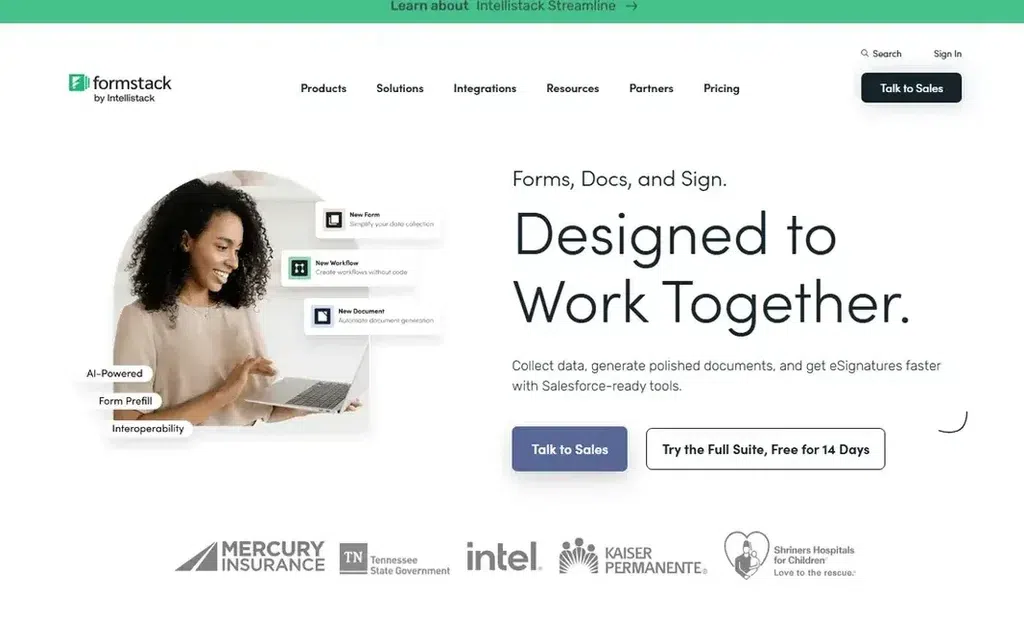
Formstack is aimed squarely at approvals, documents and e-signatures. Rather than stitching tools together, teams can collect data and produce signed documents within one workflow, which is handy when a form feeds straight into a formal record.
On top of that, if your priority is a fast tenant survey or a light contact form, Jotform or Typeform may be simpler starting points. Formstack starts at: $83 per month. Free options: Free trial.
Drawbacks to consider: Feature set may overwhelm beginners.
- E-signature support
- Workflow-oriented
- Less suited to straightforward surveys
123FormBuilder is a good fit for straightforward no-code forms and applications. That range fits property managers who require tenant applications, maintenance requests and straightforward order or booking forms from one straightforward builder without technical setup.
More specifically, if your processes involve multi-step approvals and signed documents, compare those tools before settling on a more straightforward builder. What you pay to start with 123FormBuilder: $18.5 per month. 123FormBuilder has a free plan.
Honest limits: Less WordPress-specific.
- Deals with applications and orders
- Straightforward builder
- Fewer deep workflow choices

Jotform is a good fit for wide form library and quick setup. If you chiefly need conversational, design-forward forms, Typeform may suit you better; if you need document generation and e-signatures built in, look at Formstack. In practice, Jotform is an online form builder geared toward creating forms and surveys rapidly.
Its template-driven approach and drag-and-drop editor make it approachable for small teams, and the same tool takes care of surveys and data collection. In daily use, the breadth of choices can make the builder feel crowded, and complicated conditional logic may need a ramp-up time. Starting cost for Jotform: $34 per month. Free access exists with Jotform.
Drawbacks to consider: Advanced logic can take time to learn.
- Large template selection
- Drag-and-drop builder
- Interface can feel busy
How we built this list
We compared the tools on published pricing, free plan or trial availability, feature coverage for online form builder for property managers, and the limits each vendor documents. Prices and plan limits come from vendor pages and can change, so confirm them on the vendor site before you buy. Position on the page reflects fit for a typical buyer first, with price clarity and free access breaking ties. Treat it as a guide, not a ruling.
Questions to settle before buying
- Get a written quote from Typeform; the list shows no starting price for them.
- Look at free plan limits closely: 123FormBuilder and Jotform have one, and the caps decide whether it is usable for real work.
- Take the trial from Formstack and push a live task through it before you pay.
- Before choosing Typeform, weigh its main limit: less suited to dense internal forms.
- Ask Gravity Forms how an export works before you move any records in; an easy exit lowers the risk.
- Find out whether the entry plan of Formstack covers your must-haves or only a trimmed-down version.
FAQ
Do these tools publish their prices?
Not all of them. Typeform publishes no starting price, so expect a quote request for it. The rest, Gravity Forms included, show a starting price, though seats and billing terms still change the final cost.
Which options for online form builder for property managers have a free plan?
123FormBuilder and Jotform offer a free plan in this list. Free plans usually cap users, projects or features, so check the limits on the vendor page. One other tool offers a trial instead.
How are the tools for online form builder for property managers ordered?
The order follows typical fit for online form builder for property managers, with Typeform first and Jotform last, then price clarity and free access. It is editorial judgement, not a score, so another team could rank the tools differently.
How should I evaluate a form builder before committing?
Build a test version of a real form you use, like a tenant application, and check the logic, file uploads and notification routing. Then confirm security and record-keeping details on the vendor site before deciding.
Can I try these tools before paying?
Often, yes. 123FormBuilder and Jotform have a free plan and Formstack offers a free trial. Use your own data and a real task during the test, and check what the free tier or trial limits before you rely on it.
Sources
- https://www.typeform.com
- https://www.gravityforms.com
- https://www.formstack.com
- https://www.123formbuilder.com
- https://www.jotform.com