Top 5 Office Suites Software for 2026 (Prices and Free Plans)
Shortlisting the best office suites software? 5 products compared on cost, free access and ideal buyer. Weak spots flagged for every entry. Read the profiles.

- Editor's choice
 Apple iWork
Apple device users
Starts atSee websiteVisit apple.comFull review - Great alternative
 Notion
AI workspace with docs and automation
Starts at$10 per member a monthVisit notion.comFull review - Also consider
 WPS Office
All-in-one free office suite
Starts atSee websiteVisit wps.comFull review
Direct answer
For Apple device users, Apple iWork is where this list starts. Listed starting prices: Notion from $10 per member a month and Zoho Workplace from $1 per user a month. Notion is the stronger choice for AI workspace with docs and automation, while WPS Office suits all-in-one free office suite. Prices, free plans and limits for all 5 tools follow.
TL;DR:
- Apple iWork takes the first slot, best suited to Apple device users.
- Only 2 of the 5 tools have a free plan (Notion, Zoho Workplace), so check the caps.
- Zoho Workplace has the lowest monthly starting price in this list: $1 per user per month.
- Microsoft 365 fits deep document features and compatibility.
- What to know about WPS Office first: feature depth may lag premium suites.
Last checked November 2026. Prices and plan details were read from the vendors' own pages in November 2026; vendors change plans often, so confirm the current price on the vendor site before you buy.
Quick comparison
| Tool | Best for | Starts at | Free plan? | |
|---|---|---|---|---|
| Apple iWork | Apple device users | See website | Not stated | Visit |
| Notion | AI workspace with docs and automation | $10 per member a month | Yes | Visit |
| WPS Office | All-in-one free office suite | See website | Not stated | Visit |
 Zoho Workplace | Integrated mail and collaboration bundle | $1 per user a month | Yes | Visit |
 Microsoft 365 | Deep document features and compatibility | See website | Free trial | Visit |
5 options for office suites software in detail
Short on time? The summary and table above give the quick view of 5 tools for office suites software, and the profiles that follow give the detail behind each entry.
Think of Apple iWork for Apple device users. Choose iWork when your workflow is Apple-centric and simplicity matters most.
In daily use, Apple iWork refers to Apple's productivity apps for creating documents, spreadsheets, and presentations, built to work across Mac, iPad, iPhone, and other Apple devices. As for the details, the primary limits are restricted availability outside Apple products and fewer advanced features than some competing suites for complicated documents or data analysis. No starting price is listed for Apple iWork here; confirm pricing on the vendor site. On free options: Not stated.
Points against: Restricted on non-Apple systems.
- Works across Mac, iPad, iPhone
- Easy-to-learn apps
- Fewer advanced features than some suites
Notion is built with AI workspace with docs and automation in mind. Notion is an AI workspace that lets teams build custom agents, search across connected apps, and automate busywork. It merges documents, databases, and project tools in an adaptable environment, making it a fit for teams that want a connected workspace instead of a traditional set of office applications.
Where it falls short: Needs setup for complicated workflows.
Complicated workflows also need setup and maintenance. For everyday use, Notion is not a traditional office suite. So it may lack the advanced spreadsheet, presentation, or document formatting features that some users expect. Entry price for Notion: $10 per member per month. Notion offers a free plan.
- Custom agents and automation
- Search across connected apps
- Not a traditional office suite
WPS Office is aimed squarely at all-in-one free office suite. Whereas WPS Office covers core productivity needs, its feature depth may lag premium suites for advanced formatting, complicated spreadsheets, or enterprise administration.
What to check first: Interface and extras can feel busy.
This comparison lists no price for WPS Office; ask the vendor. Free options: Not stated.
- PDF files
- Deals with Word, Excel, PowerPoint
- Feature depth may lag premium suites
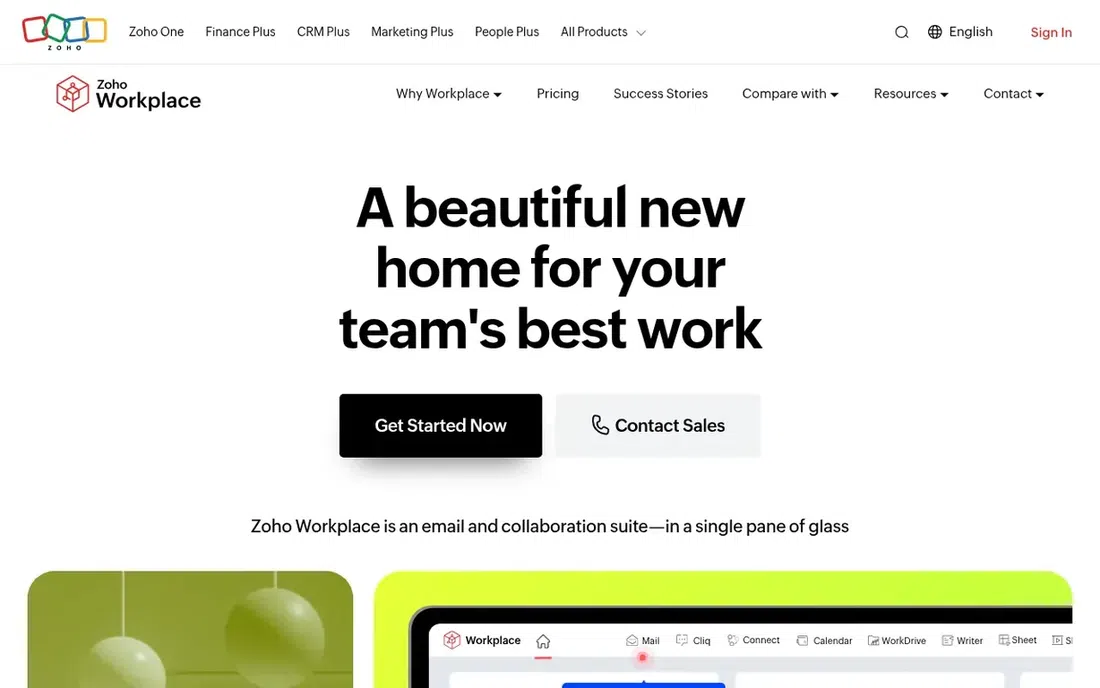
Think of Zoho Workplace for integrated mail and collaboration bundle. The integrated approach means feature depth can vary across apps, and some users may find the interface sprawling compared to focused suites.
Starting cost for Zoho Workplace: $1 per user per month. A free plan is available with Zoho Workplace.
Drawbacks to consider: Feature depth varies by app.
- Meetings and collaboration in one place
- Merges mail, chat, files
- Interface can feel sprawling

Microsoft 365 is a good fit for deep document features and compatibility. The suite is available across major systems and is aimed at both local and collaborative work.
What to check first: Some features need cloud connectivity.
This comparison lists no price for Microsoft 365; ask the vendor. As for free access: Free trial.
- Wide productivity app suite
- Capable compatibility with Office formats
- Subscription model
What went into this list
A buyer's checklist
- Confirm the entry price on the vendor page. For Apple iWork, WPS Office and Microsoft 365 that means a quote rather than a fixed price.
- Read the fine print on the free plans from Notion and Zoho Workplace; seat, project and feature caps differ.
- Run a trial of Microsoft 365 with real work before paying for a year; your own workflow is the best test.
- Before choosing Apple iWork, weigh its main limit: restricted on non-Apple products.
- Ask WPS Office whether prices are locked for the first term and what happens at renewal.
- Find out what support Zoho Workplace includes on your plan, and whether onboarding help costs extra.
FAQ
Do these tools publish their prices?
Not all of them. Apple iWork, WPS Office and Microsoft 365 publish no starting price, so expect a quote request for those. The rest, Notion included, show a starting price, though seats and billing terms still change the final cost.
Can I try these options before paying?
Often, yes. Notion and Zoho Workplace have a free plan and Microsoft 365 offers a free trial. Use your own data and a real task during the test, and check what the free tier or trial limits before you rely on it.
What is the cheapest option for office suites software in this list?
On published monthly entry prices, Zoho Workplace is the lowest here at $1 per user per month. Entry price is only part of the cost, because seats, add-ons and billing terms can change the total. For the full picture, the cards above cover all 5 entries of this office suites software list, including price, free plan and limits.
Which options for office suites software have a free plan?
Notion and Zoho Workplace offer a free plan in this list. Free plans usually cap users, projects or features, so check the limits on the vendor page. One other tool offers a trial instead.
Which office suite is best for real-time collaboration?
Apple iWork comes first here and is built for Apple device users. Buyers with other needs may prefer Notion (for AI workspace with docs and automation) or WPS Office (for all-in-one free office suite). Compare costs and limits first.
Sources
- https://www.apple.com/iwork
- https://www.notion.com
- https://www.wps.com
- https://www.zoho.com/workplace
- https://www.microsoft.com/microsoft-365