8 Best Box Office Software Tools for Venues and Event Organizers in 2026
Compare the best box office software for ticket sales, seat maps, box office check-in, and payouts for venues, theatres, and festivals for US venues in 2026.

- Editor's choice
 Eventbrite
Independent events and small venues
Starts atSee websiteVisit eventbrite.comFull review - Great alternative
 Ticket Tailor
Low-fee ticketing for organizers
Starts atSee websiteVisit tickettailor.comFull review - Also consider
 Ticketmaster
Large venues and major events
Starts atSee websiteVisit ticketmaster.comFull review
TL;DR:
- Box office software must handle online sales, at-door sales, seat maps, and check-in in one system, or staff will juggle separate tools on show night.
- Fees matter as much as features: compare per-ticket fees, payment processing, and payout timing before choosing, since fees add up across a season.
- Reserved seating, general admission, season passes, and group sales need different workflows, so test the ticket types you actually sell.
- Check-in speed on show night depends on scanning, offline handling, and staff permissions, not just on the online checkout page.
- A good box office tool should export sales, attendance, and patron data cleanly, so marketing and reporting do not depend on manual spreadsheets.
Quick comparison
| Tool | Best for | Starts at | Free plan? | |
|---|---|---|---|---|
| Eventbrite | Independent events and small venues | See website | No | Visit |
| Ticket Tailor | Low-fee ticketing for organizers | See website | No | Visit |
| Ticketmaster | Large venues and major events | See website | No | Visit |
 Spektrix | Performing arts venues | See website | No | Visit |
 ThunderTix | Small venues and tours | See website | No | Visit |
 Tix | Theatres and performing arts groups | See website | No | Visit |
 TicketSpice | Fast online sales with simple fees | See website | No | Visit |
 Humanitix | Charities and community events | See website | No | Visit |
The best box office software
The best box office software sells tickets online and at the door, controls seat inventory, scans patrons in quickly, and pays out without surprises.
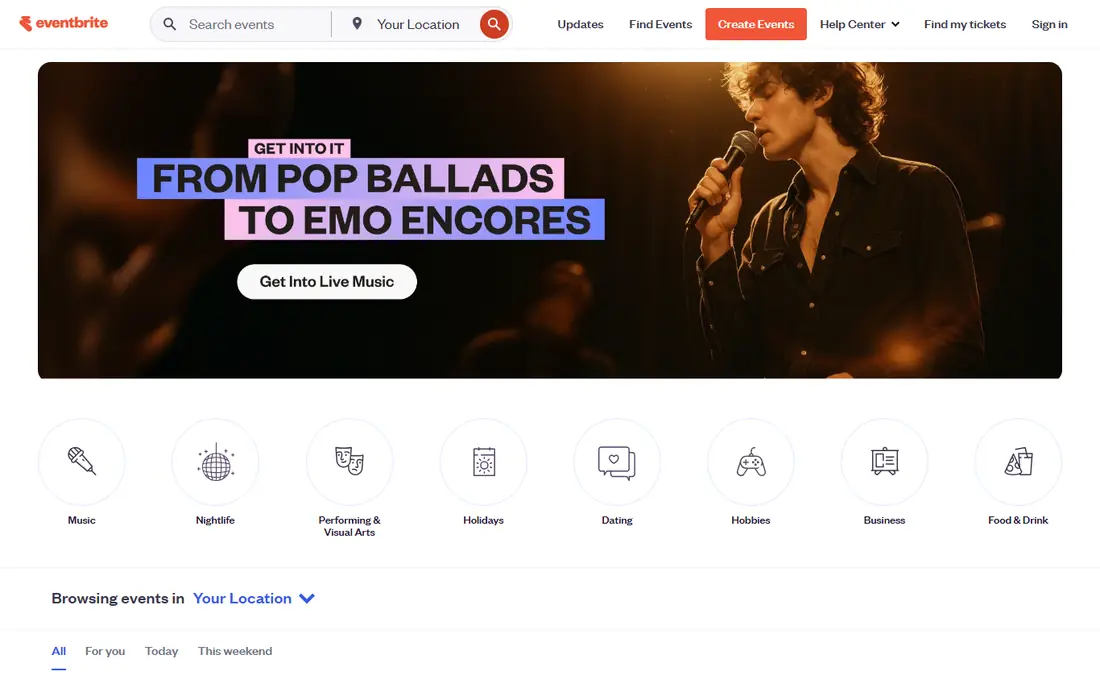
Eventbrite is the most familiar name for independent events, and that familiarity helps small venues sell tickets without building an audience from scratch. Event setup is quick, checkout is straightforward, and organizers get check-in apps, attendee lists, and sales reports in one account. For a venue that runs varied events, from concerts to classes, that flexibility is useful. The trade-off is fees and seating depth. Per-ticket fees and payment processing charges add up, especially for higher-priced tickets or large seasons. Reserved seating workflows are also less detailed than theatre-specific platforms. For general admission events and small venues that value discovery and simplicity, Eventbrite remains a practical choice.
- Large audience discovery through its marketplace
- Easy event setup and checkout
- Organizer tools for check-in and reporting
- Per-ticket fees can add up for large events
- Less depth for complex reserved seating than theatre-specific tools

Ticket Tailor appeals to organizers who care most about total cost. Its fee structure is designed to keep more revenue with the organizer, and free tickets can be issued without charge up to a yearly limit described in its FAQ. Checkout is clean and can match the organizer brand, which helps venues that want a professional look without marketplace clutter. The weakness is discovery. Ticket Tailor does not bring the same built-in audience as Eventbrite, so organizers must drive their own traffic. Seating features are also simpler than dedicated theatre tools. For venues with an existing audience that want lower fees, Ticket Tailor is a strong option.
- Low per-ticket costs compared with many rivals
- Free tickets can cost nothing up to a yearly limit
- Clean checkout without heavy branding
- Less marketplace discovery than Eventbrite
- Advanced seating features are more limited than theatre platforms

Ticketmaster serves large venues, tours, and major events where scale and reliability matter most. Its seat-map ticketing, entry credentials, and high-volume sales handling are built for shows that sell thousands of tickets quickly. Large venues also benefit from its audience reach and established buyer trust. Smaller venues should think carefully before choosing Ticketmaster. Pricing is complex, fees can be high, and the platform is geared toward large operations. For a major venue or promoter that needs proven scale, Ticketmaster is the standard. For a small theatre or community venue, a simpler tool will usually fit better.
- Scale for large venues and high-demand sales
- Seat-map ticketing and entry credentials
- Broad audience reach
- Pricing and fees are complex and often quoted
- Smaller venues may find it too enterprise-focused
Spektrix is built for performing arts venues that run seasons, subscriptions, and reserved seating across many shows. It gives staff controlled ticket states from box office sale through gate scanning, which helps venues track who attended, who exchanged, and who needs a refund. Patron records and fundraising tools sit beside ticketing, which helps arts organizations manage donors and subscribers in one place. The trade-off is setup and price. Spektrix is quoted rather than published, and implementation takes time for a complex season. A venue with a single annual show may not need that depth. A theatre, dance company, or arts center with subscriptions and repeat patrons will find the control worth the effort.
- Strong fit for multi-show performing arts venues
- Controlled ticket states from box office to gate scanning
- Patron and fundraising tools
- Pricing is quoted
- Implementation takes time for complex seasons
ThunderTix suits small venues, tours, and attractions that want reliable ticketing without enterprise complexity. It handles online and box office sales, seat inventory, scanning, and refunds in a straightforward workflow. Staff can learn the daily tasks quickly, which matters for venues with part-time box office teams. The weakness is audience discovery and polish. ThunderTix does not bring a large marketplace audience, and its interface is more practical than flashy. For a venue that already has an audience and wants dependable scanning and inventory control, ThunderTix is a solid, lower-complexity choice.
- Reliable scanning and inventory control
- Good fit for small venues, tours, and attractions
- Straightforward refund handling
- Less marketplace discovery than larger platforms
- Interface feels more functional than modern
Tix, often listed as Tix.com, serves theatres and performing arts groups with box office workflows built around performances, seasons, and subscriptions. Staff can manage reserved seating, group sales, and patron records in a system that understands how theatre seasons work. That focus helps arts groups avoid workarounds that general ticketing tools often require. The limit is breadth. Tix is strongest for theatre and performing arts, and less suited to large festivals or general admission concerts that need different workflows. Pricing is also quoted, so venues should request a full quote based on ticket volume. For theatre groups, the focused design is a clear benefit.
- Theatre-focused ticketing and box office workflows
- Season and subscription support
- Patron management for arts groups
- Pricing is quoted
- Smaller feature set for non-theatre events such as festivals
TicketSpice appeals to organizers who want to start selling quickly with a simple checkout and order workflow. Setup is fast, ticket pages are clean, and scanning at entry is reliable. That simplicity suits one-off events, fundraisers, and venues that do not need complex season management. The trade-off is depth. TicketSpice offers fewer advanced seating, subscription, and patron management features than Spektrix or Tix. Organizers who need those workflows should choose a theatre-specific tool. Organizers who need fast, low-friction sales will find TicketSpice easy to run.
- Quick setup for online ticket sales
- Straightforward order handling
- Reliable scanning for entry
- Fewer advanced seating and patron features than theatre platforms
- Less discovery than marketplace tools
Humanitix is a ticketing platform that directs booking fees to charity projects, which appeals to nonprofits, schools, and community organizers. Event pages and checkout are clean, and organizers get the core tools they need for sales, check-in, and reporting. For a charity gala, school show, or community festival, that mission can also help with promotion. The limit is complexity. Humanitix is less suited to large commercial venues that need advanced seating, subscriptions, and patron fundraising workflows. Fees and payout timing should also be checked for each event. For community and nonprofit events, Humanitix offers a straightforward and mission-aligned option.
- Booking fees are directed to charity projects
- Clean checkout and event pages
- Good fit for community and nonprofit events
- Less depth for complex reserved seating than theatre tools
- Smaller feature set for large commercial venues
How we picked these
We compared official feature pages, published pricing pages, app store listings, privacy policies, and public reviews for each product. We kept only tools that handle ticket sales, box office check-in, and seat or capacity inventory today, and we marked pricing as See website where a vendor quotes rather than publishes a price. We favored tools with reliable scanning, clear fee structures, and reporting that helps venues track sales and attendance.
What to check before you buy
Show night is the real test, so evaluate the full workflow from sale to scan, not just the online checkout page.
Fees, payouts, and ticket types
Compare per-ticket fees, payment processing, and payout timing for your typical ticket price and volume. Test reserved seating, general admission, season passes, discounts, and group sales, and confirm that refunds and exchanges are easy for staff and clear for patrons.
Box office and check-in workflow
Check how staff sell at the door, handle cash and card payments, print or reissue tickets, and scan patrons at entry. Confirm staff permissions, so volunteers cannot issue refunds without approval, and test scanning with a weak connection if your venue has dead zones.
Patron data and reporting
Confirm that sales, attendance, and patron data export cleanly for marketing and reporting. Arts venues should check subscription, donor, and membership records, while festivals should check multi-day passes and entry counts by gate. A tool that locks data behind poor exports will cost time all season.
FAQ
What is box office software?
Box office software helps venues sell tickets online and at the door, manage seat or capacity inventory, check patrons in by scanning, and track sales and payouts. It differs from general event tools because it handles ticket states, such as sold, exchanged, refunded, and scanned, across a season. Good box office software keeps online and at-door sales in sync so seats are never sold twice.
How much does box office software cost?
Costs vary widely, from low per-ticket fees on tools such as Ticket Tailor to quoted enterprise pricing on tools such as Ticketmaster and Spektrix. Organizers should compare per-ticket fees, payment processing, monthly fees if any, and payout timing. A worked example using your typical ticket price and volume gives a clearer total than a headline fee alone.
Can box office software handle reserved seating?
Yes, many tools in this list handle reserved seating, including Spektrix, Tix, Ticketmaster, and ThunderTix, with seat maps and inventory control. General tools such as Eventbrite and TicketSpice handle seating more simply, which may be enough for general admission or small venues. Test your actual seating layout before committing.
Does box office software work for small venues?
Yes, small venues can use tools such as Ticket Tailor, ThunderTix, and TicketSpice without enterprise contracts. Those tools focus on reliable sales, scanning, and reporting at a lower complexity level. Small venues should still check fees, payout timing, and whether at-door sales are included.
What is the difference between Eventbrite and Ticket Tailor?
Eventbrite offers marketplace discovery and a large audience, while Ticket Tailor focuses on lower fees and a cleaner, brand-matched checkout. Organizers with an existing audience often save money with Ticket Tailor, while organizers who need discovery may benefit from Eventbrite. Compare total fees for your ticket price and volume before choosing.
How do payouts work for box office software?
Payout timing varies by platform, from payouts shortly after an event to payouts on a set schedule during a season. Some platforms hold funds until after the event to cover refunds, while others pay out more quickly. Confirm payout timing, refund handling, and payment processing fees in writing before announcing ticket sales.