6 Mind Mapping Tools for UX Ideation Worth Shortlisting in 2026
6 products for the best mind mapping tools for UX ideation, ranked by fit, with starting costs and free tiers. Honest caveats for every entry. Straight answers.

- Editor's choiceMindManager
Feature-rich, adaptable desktop mind mapping
Starts atSee websiteVisit mindmanager.comFull review - Great alternative
 Mural
Structured team collaboration and innovation workshops
Starts at$9.99 per member a monthVisit mural.coFull review - Also consider
 XMind
Quick, adaptable mind mapping with AI brainstorming
Starts at$4.92 per monthVisit xmind.appFull review
Direct answer
For feature-rich, adaptable desktop mind mapping, MindManager is where this list starts. Listed starting prices: Mural from $9.99 per member a month, XMind from $4.92 per month and Miro from $8 per member per month. Mural is the stronger choice for structured team collaboration and innovation workshops, while XMind suits quick, adaptable mind mapping with AI brainstorming. Details, prices and limits for the rest of the 6 tools are below.
TL;DR:
- MindManager sits first on this list: feature-rich, adaptable desktop mind mapping.
- MindMeister is the one to check for simple online mind mapping with quick sharing.
- 4 of 6 tools offer a free plan: Mural, XMind, Miro, MindMeister.
- For the cheapest start, look at XMind: $4.92 per month.
Last checked November 2026. Prices and plan details were read from the vendors' own pages in November 2026; vendors change plans often, so confirm the current price on the vendor site before you buy.
Quick comparison
| Tool | Best for | Starts at | Free plan? | |
|---|---|---|---|---|
| MindManager | Feature-rich, adaptable desktop mind mapping | See website | Free trial | Visit |
| Mural | Structured team collaboration and innovation workshops | $9.99 per member a month | Yes | Visit |
| XMind | Quick, adaptable mind mapping with AI brainstorming | $4.92 per month | Yes | Visit |
 Ayoa | Creative mind mapping with visual thinking | See website | Free trial | Visit |
 Miro | End-to-end UX ideation and product development | $8 per member per month | Yes | Visit |
 MindMeister | Simple online mind mapping with fast sharing | See website | Yes | Visit |
The 6 tools in detail
Choosing mind mapping tools for UX ideation usually comes down to price, fit and limits. This LinkVetted guide sets 6 tools side by side on those three points, with the facts kept short and checkable.
MindManager
Best for: Feature-rich, adaptable desktop mind mapping
MindManager serves capable, flexible desktop mind mapping. MindManager is feature-rich and adaptable mind mapping software. Its structured approach helps turn messy ideation inputs into tidy, shareable maps that can support decision making and documentation.
Trade-offs to know: Desktop focus can limit live collaboration.
As for the details, choose MindManager when the priority is rigorous, well-structured mapping over workshop-style collaboration. Teams that prioritize collaborative canvases may prefer Miro or Mural. MindManager leans toward individual depth instead of live team whiteboarding, so it may not be the best fit for live, multi-participant ideation sessions. Check the vendor site for MindManager pricing; none is listed in this comparison. Trial and free access: Free trial.
- Feature-rich and adaptable mapping
- Capable structure for complex ideas
- More complicated than light mappers
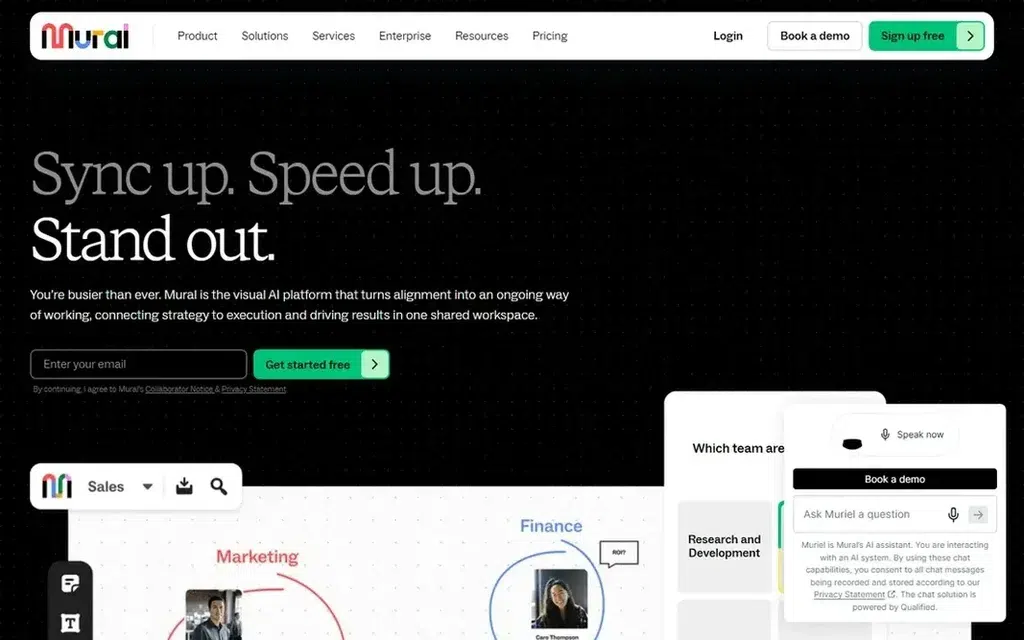
Pick Mural if this describes you: structured team collaboration and innovation workshops. Choose Mural when collaboration and workshop flow matter more than light map creation. Mural is an AI-powered visual workspace for team collaboration and innovation.
It helps teams plan, strategize, and execute projects on one easy-to-learn tool, which makes it well suited to facilitated UX ideation workshops where participants have to brainstorm, cluster ideas, and agree on next steps together. In daily use, teams that chiefly need quick, personal mind maps may prefer a dedicated mapper like XMind. As for the details, Mural's strength in workshop facilitation means it carries more structure than a straightforward mind mapping tool, which can slow down fast solo ideation. Mural starts at: $9.99 per member per month. Mural offers a free plan.
Reasons to shortlist it: Supports planning and execution.
Honest limits: Less concentrated on pure mind mapping.
- Made for team collaboration
- AI-powered visual workspace
- Feature depth may overwhelm beginners
Choose XMind for quick, adaptable mind mapping with AI brainstorming. XMind is a mind map maker and AI brainstorming tool.
What to check first: Collaboration features are secondary.
Its strength is speed and structure for individual or small-group work. On top of that, pick XMind when you want a dedicated mapper with AI support and do not need a full visual workspace. Entry price for XMind: $4.92 per month. XMind includes a free tier.
- Online and desktop choices
- Templates and visual structures
- Less suited to full workshop facilitation
Ayoa makes the most sense for creative mind mapping with visual thinking. Choose Ayoa when creative exploration is the priority and you want a mapper built around visual thinking.
More specifically, Ayoa is a mind mapping application aimed at creativity, created by Chris Griffiths, a leading expert on mind mapping. It is a capable choice for the ideation phase itself. Ayoa shows no starting price here, so confirm the cost on the vendor site. Free plan details: Free trial.
Downsides: Less known for deep UX research workflows.
- Mind mapping made for creativity
- Suited to individual and team ideation
- May need adjustment for design teams

Miro serves end-to-end UX ideation and product development. Miro is an AI innovation workspace that accelerates product development from ideation to launch. It aligns teams and breaks tool silos in one visual system, making it a natural home for UX ideation sessions that require to move from messy brainstorming to structured mind maps and then into delivery.
Since Miro is a wide visual system, teams that only need a light mind map may find it heavier than necessary. Its depth can also mean a steeper setup for new users. Miro pricing: $8 per member per month. Miro has a free plan.
Trade-offs to know: Needs learning for advanced features.
- Breaks down tool silos
- Supports ideation through launch
- Can feel overwhelming for straightforward maps
Where MindMeister fits: simple online mind mapping with fast sharing. It lets users create, share, and create AI mind maps in seconds without a download, making it a practical choice for UX teams that want to capture ideation rapidly in a browser and share maps with stakeholders. Also, for complicated research synthesis, a more powerful mapper like MindManager may be better.
Best features of MindMeister: approachable interface.
In practice, MindMeister centres on mind mapping instead of broader workshop or design collaboration. So teams needing integrated journey mapping or design handoff may outgrow it. In practice, choose MindMeister when ease of use and fast online sharing are the primary requirements. No starting price is listed for MindMeister here; confirm pricing on the vendor site. MindMeister offers a free plan. What to check first: May lack depth for complicated UX research.
- Share and create maps rapidly
- Online mind mapping with no download
- Less of a full visual workspace
What went into this list
For each of the 6 tools we noted price, free plan or trial, fit for mind mapping tools for UX ideation and the main limit, using vendor pages and documentation. Plan names, prices and limits change often. Treat the figures here as a starting point and verify them with the vendor. The order reflects how well each tool fits the most common buying scenario for mind mapping tools for UX ideation, then price clarity, then free plan access. It is a starting point, not a verdict.
A buyer's checklist
- Confirm the entry price on the vendor page. For MindManager, Ayoa and MindMeister that means a quote rather than a fixed price.
- Check what the free option really includes: Mural, XMind, Miro and MindMeister offer a free plan, and usage caps differ.
- Run a trial of MindManager and Ayoa with real work before paying for a year; your own workflow is the best test.
- Read the limits listed for MindManager first: desktop focus can limit live collaboration.
- Price XMind for your actual team size; headline prices rarely include add-ons or overage.
- Look at the renewal terms for Mural: auto-renewal, notice periods and price changes can matter more than the first-year price.
FAQ
What is the cheapest option for mind mapping tools for UX ideation in this list?
On published monthly entry prices, XMind is the lowest here at $4.92 per month. Entry price is only part of the cost, because seats, add-ons and billing terms can change the total. Each of the 6 options in this mind mapping tools for UX Ideation guide has its own card above with the price, free plan and limits.
Which mind mapping tool is a good match for collaborative UX ideation?
The first pick on this list is MindManager, because it suits capable, adaptable desktop mind mapping. Mural is better for structured team collaboration and innovation workshops, and XMind for quick, adaptable mind mapping with AI brainstorming. Check price and limits against your own needs before choosing.
What should I check before choosing a mind mapping tool for UX?
Check if AI brainstorming or templates are available for UX-specific structures. Also consider how easily the team can learn and adopt the tool.
Which options for mind mapping tools for UX ideation have a free plan?
Mural, XMind, Miro and MindMeister offer a free plan in this list. Free plans usually cap users, projects or features, so check the limits on the vendor page. Several others offer a trial instead.
Can I try these tools before paying?
Often, yes. Mural, XMind, Miro and MindMeister have a free plan and MindManager and Ayoa offer a free trial. Use your own data and a real task during the test, and check what the free tier or trial limits before you rely on it.
Do these tools publish their prices?
Not all of them. MindManager, Ayoa and MindMeister publish no starting price, so expect a quote request for those. The rest, Mural included, show a starting price, though seats and billing terms still change the final cost.
Sources
- https://www.mindmanager.com
- https://www.mural.co
- https://xmind.app
- https://www.ayoa.com
- https://miro.com
- https://www.mindmeister.com