Choosing Micro-Credential Platforms for Workforce Development in 2026: 5 Options Compared
Searching for the best Micro-Credential platforms for workforce development? Here are 5 options with prices and free plans. Reviewed in November 2026.
- Editor's choice
 LinkedIn Learning
Business, tech, and creative skills
Starts atSee websiteVisit linkedin.comFull review - Great alternativeSkillsoft
AI-native skills management and gap analysis
Starts atSee websiteVisit skillsoft.comFull review - Also considerPluralsight
Technical teams needing practical labs
Starts at$399 per month per userVisit pluralsight.comFull review
Direct answer
This list puts LinkedIn Learning first for business, tech, and creative skills. Listed starting prices: Pluralsight from $399 per month per user. If your case is different, Skillsoft suits AI-native skills management and gap analysis and Pluralsight suits technical teams needing practical labs. The full list of 5 tools follows, with prices and free plan facts.
TL;DR:
- The list opens with LinkedIn Learning, aimed at business, tech, and creative skills.
- LinkedIn Learning, Credly and the 3 others all need a premium plan or a trial, since no free plan is listed.
- Credly suits digital credential creation and management.
- One limit worth knowing about Pluralsight: restricted to technical subject areas.
- Pluralsight is the lowest-priced starter here at $399 per month per user.
Last checked November 2026. Prices and plan details were read from the vendors' own pages in November 2026; vendors change plans often, so confirm the current price on the vendor site before you buy.
Quick comparison
| Tool | Best for | Starts at | Free plan? | |
|---|---|---|---|---|
| LinkedIn Learning | Business, tech, and creative skills | See website | Not stated | Visit |
| Skillsoft | AI-native skills management and gap analysis | See website | Not stated | Visit |
| Pluralsight | Technical teams needing practical labs | $399 per month per user | Free trial | Visit |
 Coursera | Wide catalog of job-ready certificates | See website | Not stated | Visit |
 Credly | Digital credential creation and management | See website | Not stated | Visit |
Our 5 picks for Micro-Credential platforms for workforce development
LinkVetted put together this guide to Micro-Credential platforms for workforce development for readers who want a clear shortlist without reading every vendor page. It compares 5 tools on starting price, free plans, who each one suits and where each one falls short.
LinkedIn Learning is designed for business, tech, and creative skills. LinkedIn Learning offers online training courses for individuals and teams across business, AI, tech, and creative skills.
Honest limits: Micro-credential depth varies by topic.
In practice, organizations needing rigorous technical labs might supplement with a specialized system. LinkedIn Learning does not show a starting price in this comparison, so check the vendor site for current pricing. Free options: Not stated.
- Integrated with LinkedIn profiles
- Creative courses
- Less specialized technical labs than dedicated systems
Skillsoft
Best for: AI-native skills management and gap analysis
Pick Skillsoft if this describes you: AI-native skills management and gap analysis. Skillsoft is an AI-native skills management product that helps organizations see capability, close gaps, and apply skills to drive workforce readiness.
It suits employers that require to handle and develop workforce skills strategically. Pricing for Skillsoft is not stated here, so ask the vendor for current figures. Free access: Not stated.
Watch-outs: Less emphasis on external micro-credential branding.
- Helps organizations see capability and close gaps
- Focus on workforce readiness
- May need integration with content providers
Pluralsight
Best for: Technical teams needing practical labs
Pluralsight targets technical teams needing practical labs. It fits organizations that require to upskill technical staff with practical, practical micro-credentials.
Downsides: Credential management not a core feature.
Pluralsight concentrates on technical skills, so it may not include broader workforce development needs like leadership or compliance. Pluralsight pricing: $399 per month per user. Free access: Free trial.
- Courses and labs for AI, cloud, data, security
- Used by numerous organizations for team upskilling
- Restricted to technical subject areas
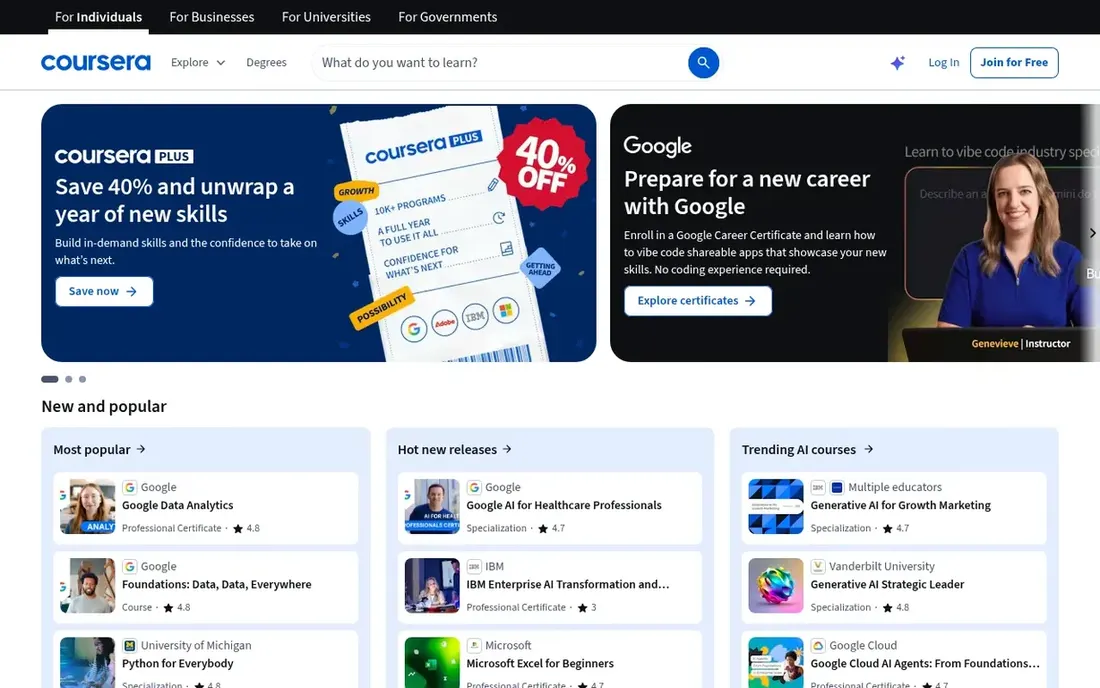
In short, Coursera is for wide catalog of job-ready certificates. It fits organizations and individuals seeking recognized micro-credentials that signal job-ready skills across business, technology, and data fields.
For everyday use, Whereas Coursera offers many different credentials, it may lack the deep, practical technical labs that some IT teams need. Coursera does not show a starting price in this comparison, so check the vendor site for current pricing. Free options: Not stated.
Watch-outs: Restricted practical labs for advanced technical skills.
- Professional Certificates from Google, Meta, others
- Specializations and degrees from top universities
- Credential management depends on external tools
Pick Credly if this describes you: digital credential creation and management. Credly does not offer its own courses or learning content, so it must be paired with a training provider.
Credly by Pearson is a system for creating, issuing, and managing digital credentials. Credly shows no starting price here, so confirm the cost on the vendor site. On free options: Not stated.
Points against: Not a course content provider.
- Widely used by organizations to recognize achievement
- End-to-end credential issuance and management
- Needs integration with learning systems
How these tools were picked
What to confirm before you sign up
- Confirm the entry price on the vendor page. For LinkedIn Learning, Skillsoft, Coursera and Credly that means a quote rather than a fixed price.
- Take the trial from Pluralsight and push a live task through it before you pay.
- Read the limits listed for LinkedIn Learning first: micro-credential depth varies by topic.
- Check the support hours and onboarding help Coursera offers; smaller vendors vary a lot here.
- Price Credly for your actual team size; headline prices rarely include add-ons or overage.
FAQ
Do these tools publish their prices?
Not all of them. LinkedIn Learning, Skillsoft, Coursera and Credly publish no starting price, so expect a quote request for those. The rest, Pluralsight included, show a starting price, though seats and billing terms still change the final cost.
Can I try these tools before paying?
Often, yes. Pluralsight offers a free trial. Use your own data and a real task during the test, and check what the free tier or trial limits before you rely on it.
Which product is a good match for technical skills like AI and cloud?
The first pick on this list is LinkedIn Learning, because it suits business, tech, and creative skills. Skillsoft is better for AI-native skills management and gap analysis, and Pluralsight for technical teams needing practical labs. Check price and limits against your own needs before choosing.
How are the tools for Micro-Credential platforms for workforce development ordered?
LinkedIn Learning sits first and Credly last because the order follows typical fit for Micro-Credential platforms for workforce development, then price clarity and free access. It is a judgement call, so read each profile for fit and limits.
Is LinkedIn Learning the right pick for everyone comparing Micro-Credential platforms for workforce development?
No single tool suits every team. LinkedIn Learning comes first because it fits business, tech, and creative skills, while Skillsoft suits AI-native skills management and gap analysis and Pluralsight suits technical teams needing hands-on labs. Match the tool to your own size, budget and workflow before deciding.
Sources
- https://www.linkedin.com/learning
- https://www.skillsoft.com
- https://www.pluralsight.com
- https://www.coursera.org
- https://www.credly.com