Best Workforce Management Software for Retail in 2026: 8 Products Compared
We compared the best workforce management software for retail on scheduling, time tracking and labour costs, to help you pick a tool for your stores today.
- Editor's choice
 Deputy
Multi-store retail teams that want forecasting with scheduling
Starts at$5 per user per monthVisit deputy.comFull review - Great alternative
 Homebase
Single stores that want to start free
Starts atFreeVisit joinhomebase.comFull review - Also consider
 7shifts
Food retail, cafes and hospitality-led stores
Starts atFreeVisit 7shifts.comFull review
TL;DR:
- Retail scheduling is about peaks, not just shifts, so labour cost against sales matters more than a pretty calendar.
- Per-location pricing suits large part-time teams, while per-user pricing suits smaller stores with a stable core team.
- A free plan can carry a single store, but forecasting, compliance alerts and payroll links usually sit on paid plans.
- Mobile apps matter most in retail, because floor staff rarely sit at a desk to check a rota.
- The best choice depends on store count, headcount, and how much forecasting and compliance help you actually need.
Quick comparison
| Tool | Best for | Starts at | Free plan? | |
|---|---|---|---|---|
| Deputy | Multi-store retail teams that want forecasting with scheduling | $5 per user per month | No | Visit |
| Homebase | Single stores that want to start free | Free | Yes | Visit |
| 7shifts | Food retail, cafes and hospitality-led stores | Free | Yes | Visit |
 When I Work | Small retail teams that need scheduling live quickly | $2.50 per user per month | No | Visit |
 Connecteam | Deskless retail teams that need scheduling plus communication | Free | Yes | Visit |
 Workforce.com | Growing retail chains with complex rotas | See website | No | Visit |
 Legion | Large retailers that want automated, demand-based scheduling | See website | No | Visit |
 UKG Ready | Large retailers that need human resources, time and payroll in one suite | See website | No | Visit |
The best workforce management software for retail
We compared official feature pages, pricing pages, app store listings and public reviews for tools that handle retail rotas, time tracking and labour costs. These eight cover single shops through to large chains.
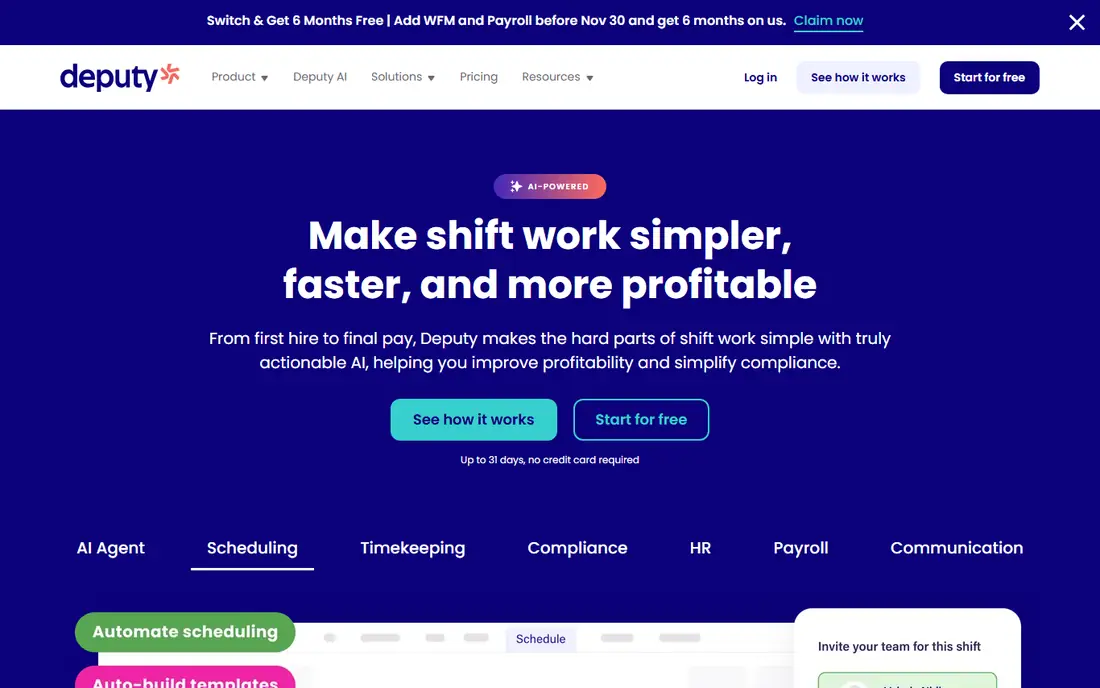
Deputy suits a retailer that has outgrown a spreadsheet and now needs to match staffing to expected demand. Managers can build rotas, publish them to a mobile app, and track clock-ins against the plan. The forecasting angle is the point here, because it helps a store avoid both overstaffing on quiet weekday mornings and gaps during a weekend rush. The trade-off is price structure. Per-user pricing is easy to understand for a small team, but a large part-time workforce can push the monthly bill up quickly. Deputy still earns its place for chains that need consistent rules across locations, clear audit trails for hours, and reporting that managers will actually read.
- Demand forecasting, scheduling and time tracking in one place, per-user pricing that scales with headcount
- Costs rise as headcount grows, and the fuller forecasting features sit on higher plans
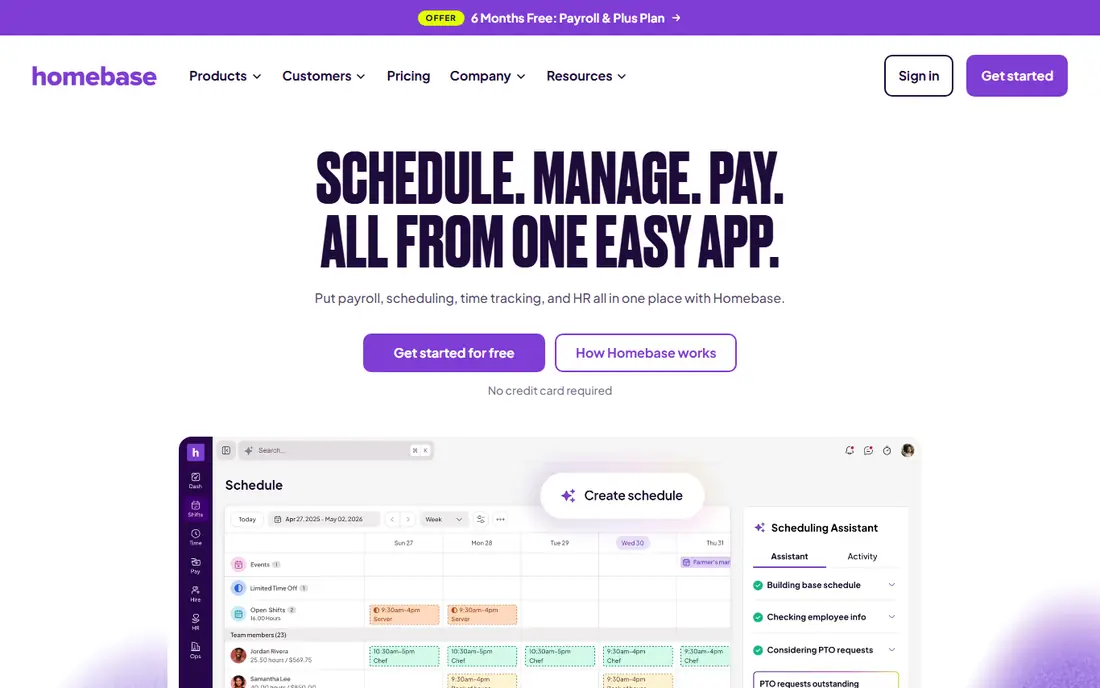
Homebase is the low-friction starting point for a single shop. The free plan covers basic scheduling, time tracking, messaging and point-of-sale connections, which is enough for many small retailers to stop using group chats for rotas. Paid plans charge per location rather than per person, so adding seasonal staff does not automatically raise the price. That model has a clear limit. Once you need artificial intelligence schedule building, detailed labour cost analytics or formal onboarding, you move into paid tiers. Homebase still works well for owners who want one tool for hiring, scheduling and payroll preparation without a long setup project.
- Free plan for one location with up to 10 team members, per-location pricing on paid plans, built-in hiring and payroll add-ons
- Advanced scheduling and labour analytics require paid plans, and the free plan is limited for larger teams

7shifts began in restaurants, and that focus shows in its labour tools. Managers can see labour cost as a share of sales, manage availability and time off, and let staff pick up open shifts from a pool. For a cafe, bakery, deli or food hall, those features map closely to daily work. Pure goods retailers can still use 7shifts, but they may pay for hospitality features they never touch. The free plan is useful for testing the scheduling flow at one site. Larger operators should check whether time tracking and compliance tools sit on the tier they plan to buy, since some features require higher plans.
- Free plan for one location, labour cost tracking against sales, strong tools for tip and shift-pool management
- Built mainly for restaurants and hospitality, so pure goods retail may not need its food-service features
When I Work appeals to managers who want a rota done in minutes, not a platform to configure for a week. Drag-and-drop scheduling, recurring shifts, shift swaps and team messaging cover the daily routine for a small shop. Staff can view schedules, request time off and clock in from a phone. The simplicity is also the ceiling. Retailers that need demand forecasting, advanced compliance rules or built-in payroll will need to pair it with other tools or move upmarket. For a single store or a small group with straightforward rotas, that trade-off is often worth the low entry price.
- Simple scheduling and shift swaps, low starting price per user, mobile apps for staff
- No free plan, and deeper workforce features require higher tiers or add-ons
Connecteam
Best for: Deskless retail teams that need scheduling plus communication
Connecteam treats the phone as the workplace. Retail staff get schedules, clock in with GPS, read updates in chat and complete forms without returning to a back office. That combination suits stores where staff move between the floor, stockroom and delivery bay during a shift. Managers should read the pricing carefully, because Connecteam sells hubs for operations, communications and human resources. The free plan covers a small team well, but a retailer that wants every hub for a larger team should price the full bundle before committing. The mobile-first design remains a genuine strength for frontline teams.
- Free plan for up to 10 users, scheduling, GPS time clock, chat and forms in one app, per-hub pricing options
- Pricing is per hub, so the full set of hubs costs more, and reporting is basic on lower plans
Workforce.com (formerly Tanda in some markets) is aimed at retailers that have moved past single-store scheduling. It combines rota building, time tracking, leave management and reporting, with an emphasis on labour cost control across sites. Managers can compare planned hours with actual hours and spot where a store is drifting over budget. The downside is the buying process. With pricing available on request, a small retailer cannot quickly compare it with a flat-rate tool. Larger chains are the natural fit here, because they gain more from central rules, consistent reporting and integrations with payroll and point-of-sale systems.
- Scheduling, time and attendance, and labour analytics in one system, built for multi-location operations
- Quote-based pricing makes budgeting harder, and setup takes more effort than a small-business tool
Legion is built for retailers with many locations and large hourly workforces. Its scheduling engine uses demand signals to propose rotas, while compliance tools help managers respect local labour rules, rest breaks and scheduling notice requirements. Staff can swap shifts, set availability and receive schedules on a phone. That power comes with enterprise complexity. Legion is not a quick self-serve signup for a single shop, and pricing is quoted rather than published. For a large chain, the value lies in labour optimisation across hundreds of stores. For a small retailer, the same feature set would be overkill and hard to justify.
- Automated scheduling driven by demand forecasts, labour compliance tools, employee self-service in a mobile app
- Enterprise pricing and implementation, far more than a small store needs
UKG Ready
Best for: Large retailers that need human resources, time and payroll in one suite
UKG Ready suits retailers that want workforce management inside a wider human resources suite, rather than as a standalone scheduler. Scheduling, timekeeping, absence management and payroll preparation sit together, which reduces duplicate data entry across systems. Reporting and compliance controls help larger employers manage policies across states or regions. Small retailers should look elsewhere. UKG Ready is priced by quote, implementation takes planning, and the breadth of the suite can slow down a team that only needs rotas. For a large retailer already standardising human resources, payroll and time on one platform, that breadth is the main reason to shortlist it.
- Broad human resources, scheduling, time and payroll coverage, strong compliance and reporting for large employers
- Quote-based pricing, longer implementation, and a heavier system than a small team needs
How we picked these
We compared official feature pages, pricing pages, app store listings and public reviews, focusing on retail needs rather than generic human resources features. Scheduling quality, time tracking, labour cost visibility, mobile access, compliance help and pricing clarity carried the most weight. Tools that only handled office staff, or that lacked a current retail-relevant product, were left out.
What to check before you buy
Retail rotas fail on details, so test the details before you sign a contract. Run a real week of schedules through a trial, including a busy weekend, a staff absence and a last-minute swap. Check how overtime alerts work, how staff receive schedule changes, and how easily a manager can correct a missed clock-in.
Match pricing to your staffing pattern
Per-location pricing favours stores with many part-time staff, while per-user pricing favours a small, stable team. Model both against your actual headcount, including seasonal hires, before choosing. A tool that looks cheap for ten staff can become expensive at fifty, and the reverse is also true.
Check payroll and point-of-sale links
Scheduling software saves the most time when hours flow into payroll without retyping, and when sales data feeds forecasting. Ask which payroll and point-of-sale systems are supported natively, and which need a third-party connector. A manual export every pay period quietly removes much of the benefit.
Test the staff experience
Managers buy the software, but floor staff live in it. Ask two or three employees to view a schedule, swap a shift and clock in during a trial. If that flow feels awkward, adoption will suffer no matter how good the manager dashboard looks. Clear notifications and a simple mobile app matter more than extra reports.
FAQ
Q: What is the best workforce management software for retail for a single store? A: Homebase and When I Work are strong starting points for a single store, because both are quick to set up and cover scheduling, time tracking and messaging. Homebase has the edge if you want a free plan, while When I Work suits teams that prefer simple per-user pricing. Test both with a real rota before deciding. Q: How much does retail workforce software cost? A: Costs vary by pricing model. Some tools start free for small teams, others start at a few dollars per user per month, and enterprise tools are quoted. Model the price against your headcount and store count, including seasonal staff, rather than judging the headline rate alone. Q: Do I need forecasting, or is a rota enough? A: A rota is enough for a stable store with predictable footfall. Forecasting helps when demand swings by day, weather or promotion, because it links staffing to expected sales. Large and multi-store retailers gain the most from it, while a single steady shop may not need it yet. Q: Can these tools handle labour compliance? A: Many of them help with overtime alerts, rest breaks, availability rules and audit trails, but the depth varies by plan and region. Check the specific rules that apply to your locations, and confirm whether compliance features are included on the tier you plan to buy. Q: Will staff need training to use these tools? A: Most staff need only a short walkthrough, because the mobile apps focus on viewing schedules, swapping shifts and clocking in. Managers need more training on rota rules, approvals and reporting. A trial with real staff is the fastest way to find gaps.