5 Best Meeting Scheduler for Global Teams for 2026, Vetted and Compared
Need the best meeting scheduler for global teams? We compare 5 tools on cost, free access and who each suits. Every entry states what it lacks. Easy to scan.

- Editor's choiceMicrosoft Bookings
Microsoft 365 organizations and departments
Starts atSee websiteVisit microsoft.comFull review - Great alternative
 Cal.com
Online bookings for expanding companies
Starts at$12 per user a monthVisit cal.comFull review - Also consider
 Calendly
All-in-one scheduling and meeting workflow
Starts at$10 per seat per monthVisit calendly.comFull review
Direct answer
Microsoft Bookings leads the list, best for Microsoft 365 organizations and departments. Listed starting prices: Cal.com from $12 per user a month, Calendly from $10 per seat per month and SavvyCal from $10 per user per month. If your case is different, Cal.com suits online bookings for expanding firms and Calendly suits all-in-one scheduling and meeting workflow. All 5 tools are compared below on price, free plan and limits.
TL;DR:
- Number one here is Microsoft Bookings, a fit for Microsoft 365 organizations and departments.
- Calendly is the lowest-priced starter here at $10 per seat per month.
- Cal.com, Calendly: these are the 2 tools out of 5 that offer a free plan.
- Motion fits AI calendar and work planning.
- One limit worth knowing about Microsoft Bookings: most natural inside Microsoft 365.
Last checked November 2026. Prices and plan details were read from the vendors' own pages in November 2026; vendors change plans often, so confirm the current price on the vendor site before you buy.
Quick comparison
| Tool | Best for | Starts at | Free plan? | |
|---|---|---|---|---|
| Microsoft Bookings | Microsoft 365 organizations and departments | See website | Not stated | Visit |
| Cal.com | Online bookings for expanding companies | $12 per user a month | Yes | Visit |
| Calendly | All-in-one scheduling and meeting workflow | $10 per seat per month | Yes | Visit |
 SavvyCal | Invitee calendar overlays and booking control | $10 per user per month | Free trial | Visit |
 Motion | AI calendar and work planning | $19 per seat a month | Free trial | Visit |
Meeting Scheduler for Global Teams profiles
LinkVetted compared 5 meeting scheduler for global teams. The goal is a practical shortlist: published prices, free plan facts, best-fit use cases and honest limits for every entry.
Microsoft Bookings
Best for: Microsoft 365 organizations and departments
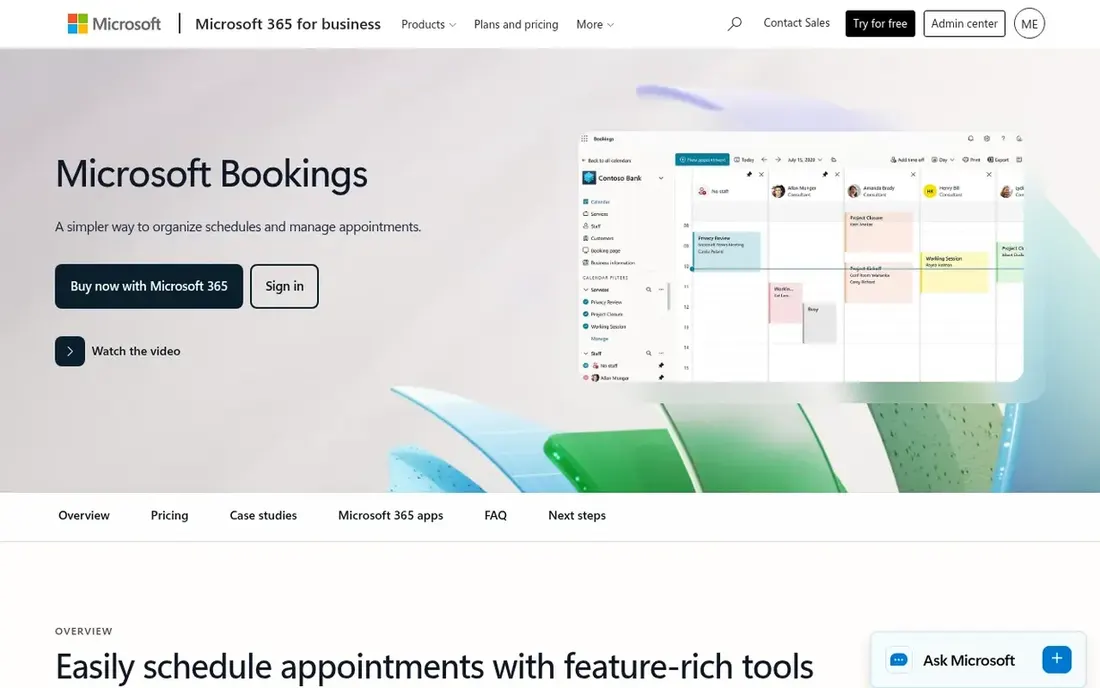
For Microsoft 365 organizations and departments, Microsoft Bookings is a natural candidate. Microsoft Bookings is an online bookings and appointment scheduling app within Microsoft 365. It gives you adaptability and customization choices that fit a variety of scheduling needs across departments, individuals, and appointment types.
Its value depends heavily on being part of a Microsoft 365 environment, and it is not built around inbound marketing conversion. For everyday use, teams outside Microsoft ecosystems may find standalone schedulers more straightforward. Choose Bookings when department-level appointments and Microsoft integration matter more than sales routing. Microsoft Bookings shows no starting price here, so confirm the cost on the vendor site. Free access: Not stated.
Honest limits: Less tailored to external sales funnels.
- Suits varied scheduling needs
- Works across departments and individuals
- Most natural inside Microsoft 365
Cal.com is aimed squarely at online bookings for growing firms. Cal.com is scheduling software for online bookings, positioned as a system that helps firms grow and better find time.
The main drawbacks: Less emphasis on sales routing.
As for the details, choose Cal.com when a clear, booking-first tool is the priority. From a buyer's view, Cal.com centers on bookings, so meeting prep, notes, and follow-up sit outside its core scope. Cal.com cost at the entry level: $12 per user per month. You can start on Cal.com without paying.
- Positioned to help grow a business
- Straightforward booking focus
- Fewer surrounding workflow features

For all-in-one scheduling and meeting workflow, Calendly is a natural candidate. Calendly is a meeting scheduling system that links the work around meetings, from booking and payments to meeting preparation, notetaking, contact management, and follow-up. For everyday use, choose Calendly when meeting prep and follow-up matter as much as the booking itself.
As for the details, since Calendly spans plenty of workflow areas, smaller teams may find more capability than they need. For everyday use, teams coordinating across regions and roles can standardize how meetings are requested, prepared, and closed out. Calendly pricing: $10 per seat per month. Free access exists with Calendly.
What to check first: Advanced routing is limited.
Where Calendly stands out: Wide meeting workflow coverage.
- Supports payments and contact management
- Takes care of scheduling, prep, notes, follow-up
- Feature depth may overwhelm straightforward needs
Where SavvyCal fits: Invitee calendar overlays and booking control. SavvyCal is scheduling software built around sharing booking links.
Honest limits: Fewer adjacent workflow features.
This fits global teams that want booking to feel considerate for invitees in different time zones whereas keeping control over how availability is presented. Price to start with SavvyCal: $10 per user per month. Free options: Free trial.
- Control over buffers and limits
- Invitees overlay their own calendar
- Narrower than full work systems
Choose Motion for AI calendar and work planning. Motion describes itself as an AI powered superapp for work, spanning AI projects, tasks, calendar, meetings, docs, notes, reports, and workflows. Choose Motion when meetings should link to tasks, projects, and planning across the workday.
What to check first: May be more than booking needs need.
Reasons to shortlist it: AI-assisted planning across work. Motion's breadth means it is not a narrow scheduler, and teams seeking only booking links may find it heavier than needed. On top of that, organizations wanting a focused booking tool should compare Cal.com or SavvyCal. On top of that, global teams can align meetings with task and project planning in one environment. Price to start with Motion: $19 per seat per month. As for free access: Free trial.
- Bundles docs, notes
- Merges calendar, meetings, tasks
- Broader scope than scheduling alone
How we built this list
We compared the tools on published pricing, free plan or trial availability, feature coverage for meeting scheduler for global teams, and the limits each vendor documents. Seat minimums, billing terms and add-ons can move the real cost, so the starting prices here are a guide and not a quote. Tools are placed by general fit for meeting scheduler for global teams, with price clarity and free access as tie-breakers. A different team can reasonably rank them differently.
What to confirm before you sign up
- Get a written quote from Microsoft Bookings; the list shows no starting price for them.
- Check what the free option really includes: Cal.com and Calendly offer a free plan, and usage caps differ.
- Use real work to test the free trial from SavvyCal and Motion, rather than a demo project.
- Before choosing Microsoft Bookings, weigh its main limit: most natural inside Microsoft 365.
- List the apps you already depend on and check that SavvyCal supports each one on the plan you would buy.
- Check whether Motion bills monthly or annually, and what cancelling early costs.
FAQ
Do these tools publish their prices?
Not all of them. Microsoft Bookings publishes no starting price, so expect a quote request for it. The rest, Cal.com included, show a starting price, though seats and billing terms still change the final cost.
Is Microsoft Bookings the right pick for everyone comparing meeting scheduler for global teams?
No single tool suits every team. Microsoft Bookings comes first because it fits Microsoft 365 organizations and departments, while Cal.com suits online bookings for growing businesses and Calendly suits all-in-one scheduling and meeting workflow. Match the tool to your own size, budget and workflow before deciding.
What is the cheapest option for meeting scheduler for global teams in this list?
On published monthly entry prices, Calendly is the lowest here at $10 per seat per month. Entry price is only part of the cost, because seats, add-ons and billing terms can change the total. For the full picture, the cards above cover all 5 entries of this meeting scheduler for global teams list, including price, free plan and limits.
How are the tools for meeting scheduler for global teams ordered?
Microsoft Bookings sits first and Motion last because the order follows typical fit for meeting scheduler for global teams, then price clarity and free access. It is a judgement call, so read each profile for fit and limits.
Sources
- https://www.microsoft.com/en-us/microsoft-365/business/scheduling-and-booking-app
- https://cal.com
- https://calendly.com
- https://savvycal.com
- https://www.usemotion.com