Top 6 Legal Timeline Software for 2026 (Prices and Free Plans)
Need the best legal timeline software? We compare 6 tools on cost, free access and who each suits. Short, factual notes on every option. Prices checked.

- Editor's choice
 PracticePanther
Businesses automating billing and time tracking
Starts at$49 per user per monthVisit practicepanther.comFull review - Great alternative
 Rocket Matter
Modern businesses wanting a single source of truth
Starts at$39 a month per user billed yearlyVisit rocketmatter.comFull review - Also consider
 Smokeball
Small businesses wanting automatic matter tracking
Starts atSee websiteVisit smokeball.comFull review
Direct answer
For firms automating billing and time tracking, PracticePanther is where this list starts. Listed starting prices: PracticePanther from $49 per user per month, Rocket Matter from $39 a month per user billed yearly and CosmoLex from $49 per user per month. Rocket Matter is the stronger choice for modern businesses wanting a single source of truth, while Smokeball suits small businesses wanting automatic matter tracking. Prices, free plans and limits for all 6 tools follow.
TL;DR:
- PracticePanther takes the first slot, best suited to businesses automating billing and time tracking.
- CosmoLex comes with a trade-off: timeline depth is modest.
- Rocket Matter is the lowest-priced starter here at $39 per month per user billed annually.
- MyCase suits small businesses unifying cases and billing.
Last checked November 2026. Prices and plan details were read from the vendors' own pages in November 2026; vendors change plans often, so confirm the current price on the vendor site before you buy.
Quick comparison
| Tool | Best for | Starts at | Free plan? | |
|---|---|---|---|---|
| PracticePanther | Businesses automating billing and time tracking | $49 per user per month | Free trial | Visit |
| Rocket Matter | Modern businesses wanting a single source of truth | $39 a month per user billed yearly | Free trial | Visit |
| Smokeball | Small businesses wanting automatic matter tracking | See website | Not stated | Visit |
 CosmoLex | Cloud practice management with secure client data | $49 per user per month | Free trial | Visit |
 Filevine | Teams wanting AI-assisted case workflows | See website | Free trial | Visit |
 MyCase | Small businesses unifying cases and billing | $50 per user a month | Free trial | Visit |
The full legal timeline software list
This LinkVetted guide covers 6 options for legal timeline software. Each profile lists a starting price, free plan details, strengths and drawbacks, so you can drop poor fits quickly.
PracticePanther is designed for businesses automating billing and time tracking. Consider a litigation-focused product if calendar depth is the priority. More specifically, the product leads with billing and process automation instead of timeline visualization, so firms wanting in-depth visual matter timelines may have to adapt workflows.
Upsides: Straightforward practice management scope.
Very complicated litigation calendars can strain a general practice management setup. Matter timelines benefit indirectly: deadlines and tasks live beside the time entries and invoices they create, so businesses can track progress and billing from one dashboard. Also, PracticePanther is legal practice management software that automates firm processes, billing, and time tracking. On cost, PracticePanther starts like this: $49 per user per month. Free options: Free trial. Points against: Timeline features are not the headline.
- Process automation for firm workflows
- Billing and time tracking included
- Customization has practical limits
Think of Rocket Matter for modern businesses wanting a single source of truth. Rocket Matter positions itself as legal practice management for modern businesses, turning effort into efficiency and practice into profit as a single source of truth for managing and expanding a firm.
Businesses with unusual deadline rules may need workarounds. The starting price for Rocket Matter: $39 per month per user billed annually. As for free access: Free trial.
Watch-outs: Advanced customization is restricted.
- Efficiency-focused practice management
- Single system for managing a firm
- Timeline features are general purpose

Smokeball was built for small businesses wanting automatic matter tracking. Smokeball is legal practice management software that merges automatic time tracking, document automation, and trust and billing tools.
Limits to weigh: Setup needs process review.
In daily use, businesses that chiefly want a straightforward shared calendar may find the breadth unnecessary. In practice, for timeline work, that means matter activity and deadlines sit alongside the documents and time entries they relate to, which fits small businesses that want less manual logging. Smokeball does not show a starting price in this comparison, so check the vendor site for current pricing. Free plan details: Not stated.
- Automatic time tracking built in
- Trust and billing tools included
- Feature depth may overwhelm solo users
CosmoLex targets cloud practice management with secure client data. CosmoLex gives you cloud-based legal software for practice management in law businesses of all sizes, geared toward increasing efficiency and securing client data.
On top of that, the product emphasizes core management instead of specialized timeline visualization, so businesses needing in-depth visual calendars may find it entry-level. On top of that, advanced automation is restricted compared to workflow-heavy systems. What you pay to start with CosmoLex: $49 per user per month. Trial and free access: Free trial.
Downsides: Fewer specialized workflow choices.
- Cloud-based for businesses of all sizes
- Emphasis on securing client data
- Timeline depth is modest

Filevine is aimed squarely at teams wanting AI-assisted case workflows. Filevine presents itself as a legal AI product for law businesses and legal teams, with LOIS as its AI layer. Worth adding: case timelines and matter activity are managed within a system designed around workflow automation, which suits businesses handling high-volume or document-heavy matters where status tracking matters as much as dates.
Worth adding: configuration and training take time. If you need only entry-level matter tracking, a more straightforward practice management tool may be the better fit. Check the vendor site for Filevine pricing; none is listed in this comparison. Trial and free access: Free trial.
Points against: AI features need careful setup.
- Designed for complicated case management
- At the center
- May suit bigger teams better
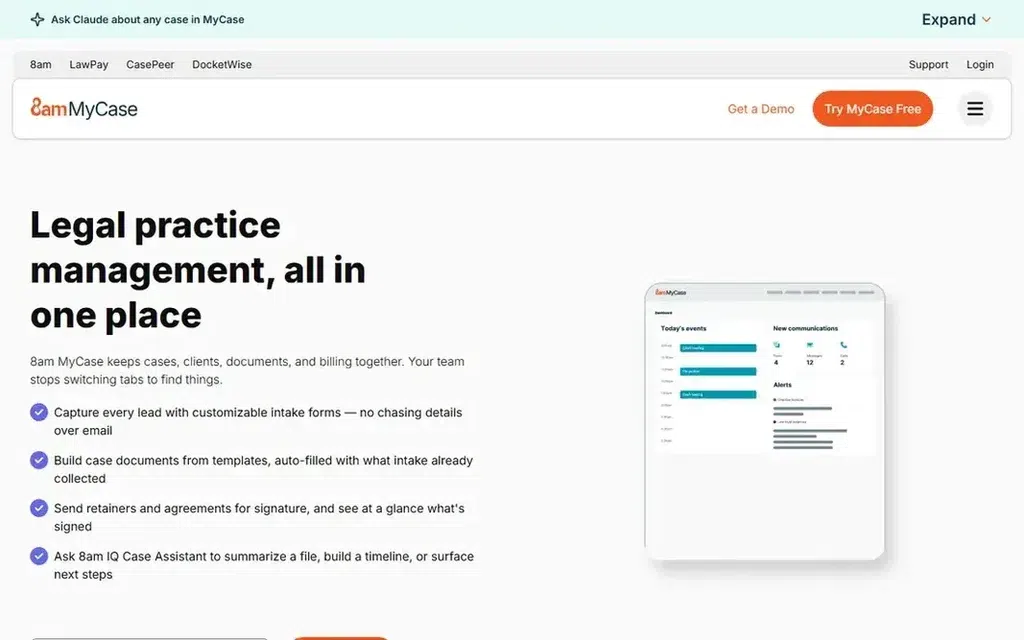
Think of MyCase for small businesses unifying cases and billing. Since the emphasis is on running the business side of a firm, timeline and workflow features are practical instead of highly configurable. MyCase is legal practice management software built to run a profitable firm, not just run cases, with cases, clients, billing, and payments in one place.
That combination lets a matter timeline sit next to the invoices and payments it produces, which helps smaller businesses see where work and cash flow diverge. From a buyer's view, businesses with unusual matter structures may hit configuration limits. On top of that, if you need deep automation of case stages, look at systems built around workflow engines. Starting cost for MyCase: $50 per user per month. Free plan details: Free trial.
Honest limits: Timeline depth varies by configuration.
Reasons to shortlist it: Cases, clients; Single place for matter information.
- Clear focus on firm profitability
- Billing and payments together
- Advanced automation is restricted
How the list was put together
Pre-purchase checklist
- Confirm the entry price on the vendor page. For Smokeball and Filevine that means a quote rather than a fixed price.
- Take the trial from PracticePanther, Rocket Matter, CosmoLex and others and push a live task through it before you pay.
- Read the limits listed for PracticePanther first: timeline features are not the headline.
- Ask Smokeball how an export works before you move any records in; an easy exit lowers the risk.
- Look at which plan of PracticePanther unlocks the features you need; entry tiers are often cut down.
FAQ
Do these tools publish their prices?
Not all of them. Smokeball and Filevine publish no starting price, so expect a quote request for those. The rest, PracticePanther included, show a starting price, though seats and billing terms still change the final cost.
Does any tool for legal timeline software here have a free plan?
No tool in this list, PracticePanther and MyCase included, has a permanent free plan. PracticePanther, Rocket Matter, CosmoLex, Filevine, MyCase offer a trial. Trials and quotes are the usual route, so plan a short evaluation period.
Can I try these options before paying?
Often, yes. PracticePanther, Rocket Matter, CosmoLex and others offer a free trial. Use your own data and a real task during the test, and check what the free tier or trial limits before you rely on it.
Is PracticePanther the right pick for everyone comparing legal timeline software?
No single tool suits every team. PracticePanther comes first because it fits firms automating billing and time tracking, while Rocket Matter suits modern firms wanting a single source of truth and Smokeball suits small firms wanting automated matter tracking. Match the tool to your own size, budget and workflow before deciding.
Is cloud-based timeline software secure for client data?
Cloud products like CosmoLex emphasize securing client data, and most vendors publish security documentation. Before buying, review access controls, encryption details and backup practices, and confirm they meet the obligations your firm carries.
Can practice management software deal with court deadlines?
Businesses with complicated calendaring rules should confirm how each system calculates recurring dates and whether it supports the specific deadline sets your practice uses.
Sources
- https://www.practicepanther.com
- https://www.rocketmatter.com
- https://www.smokeball.com
- https://www.cosmolex.com
- https://www.filevine.com
- https://www.mycase.com