5 Best Lead Retrieval Software for Remote Teams for 2026, Vetted and Compared
Searching for the best lead retrieval software for remote teams? Here are 5 options with prices and free plans. Short verdicts, no fluff. See the full list.
- Editor's choice
 Microsoft Dynamics 365 Sales
Microsoft-centered teams needing sales automation
Starts atSee websiteVisit microsoft.comFull review - Great alternative
 SugarCRM
Spotting issues in CRM and ERP data
Starts at$68 per user a monthVisit sugarcrm.comFull review - Also consider
 Pipedrive
Straightforward pipeline-first lead management
Starts atSee websiteVisit pipedrive.comFull review
Direct answer
Microsoft Dynamics 365 Sales is the first pick on this list for Microsoft-centered teams needing sales automation. Listed starting prices: SugarCRM from $68 per user a month. If your case is different, SugarCRM suits spotting issues in CRM and ERP data and Pipedrive suits straightforward pipeline-first lead management. Prices, free plans and limits for all 5 tools follow.
TL;DR:
- Top of the list is Microsoft Dynamics 365 Sales, which targets Microsoft-centered teams needing sales automation.
- SugarCRM has the lowest monthly starting price in this list: $68 per user per month.
- For teams wanting a configurable agentic CRM, Zoho CRM is worth a look.
- Neither Microsoft Dynamics 365 Sales nor Zoho CRM, nor any of the other 3 tools, has a permanent free plan; trials and quotes are the norm.
Last checked November 2026. Prices and plan details were read from the vendors' own pages in November 2026; vendors change plans often, so confirm the current price on the vendor site before you buy.
Quick comparison
| Tool | Best for | Starts at | Free plan? | |
|---|---|---|---|---|
| Microsoft Dynamics 365 Sales | Microsoft-centered teams needing sales automation | See website | Not stated | Visit |
| SugarCRM | Spotting issues in CRM and ERP data | $68 per user a month | Not stated | Visit |
| Pipedrive | Straightforward pipeline-first lead management | See website | Not stated | Visit |
 HubSpot Sales Hub | Teams wanting CRM-connected lead capture | See website | Not stated | Visit |
 Zoho CRM | Teams wanting a configurable agentic CRM | See website | Not stated | Visit |
5 lead retrieval software for remote teams in detail
If you are comparing lead retrieval software for remote teams, this page covers 5 tools in one place: what each is best for, what it costs to start, whether it has a free plan, and the main limit to know about.
Microsoft Dynamics 365 Sales
Best for: Microsoft-centered teams needing sales automation
Where Microsoft Dynamics 365 Sales fits: Microsoft-centered teams needing sales automation. Remote teams already working within Microsoft environments commonly find it a natural fit, since collaboration and business data can live in familiar surroundings.
Limits to weigh: Implementation can be involved.
Teams outside that ecosystem may find lighter CRMs quicker to adopt. Microsoft Dynamics 365 Sales does not show a starting price in this comparison, so check the vendor site for current pricing. Trial and free access: Not stated.
- Collaboration tools included
- Insights and sales automation
- Best value inside Microsoft ecosystem
Where SugarCRM fits: spotting issues in CRM and ERP data. Pick SugarCRM when surfacing hidden opportunities from existing data is the central need.
In daily use, the approach relies on having dependable CRM and ERP data to analyze, so value scales with data quality and integration. More specifically, teams without that foundation may see less benefit. On cost, SugarCRM starts like this: $68 per user per month. Free options: Not stated.
The main drawbacks: Value relies on data quality.
- Precision selling focus
- Surfaces actionable next steps
- Narrower than general-purpose suites
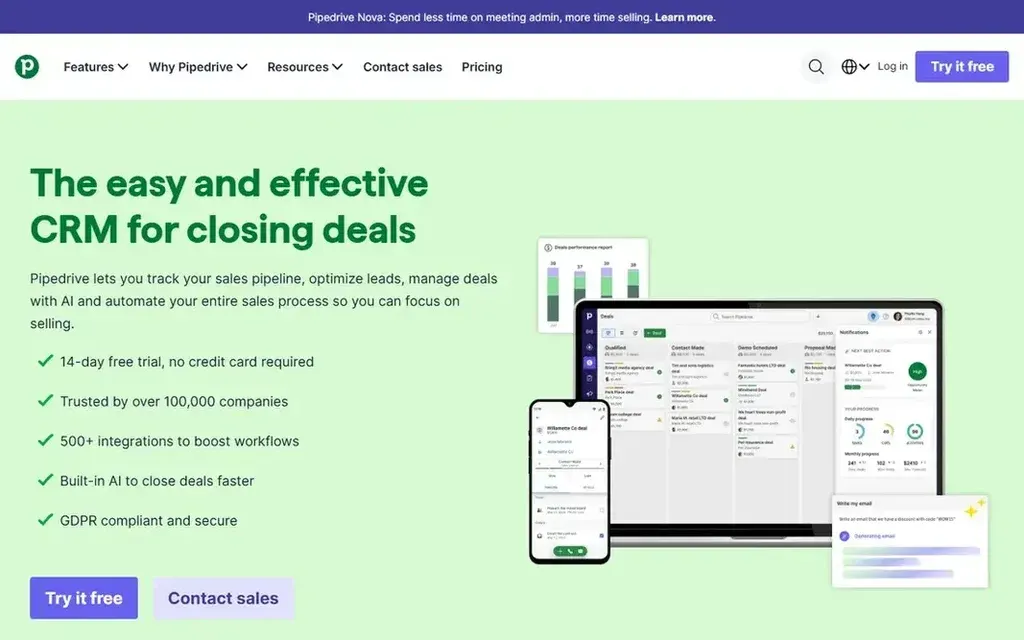
Pipedrive works best for straightforward pipeline-first lead management. Since the focus is squarely on sales pipeline work, teams needing broad adjacent functionality may have to link other systems. In daily use, for remote teams, a clear visual pipeline helps sellers track where each retrieved lead stands without heavy administration.
It tends to fit smaller or sales-focused teams that want deal tracking to stay the center of the tool. Teams with complicated, multi-department processes may prefer a broader product. Beyond that, consider it when simplicity and pipeline clarity outweigh breadth. This comparison lists no price for Pipedrive; ask the vendor. Trial and free access: Not stated.
Limits to weigh: Fewer adjacent marketing tools.
- Easy-to-use sales CRM positioning
- Lead qualification emphasis
- Narrower than full system suites

In short, HubSpot Sales Hub is for teams wanting CRM-connected lead capture. HubSpot Sales Hub is an AI sales system built on complete CRM data, geared toward turning prospects into pipeline and conversations into closed deals.
The main drawbacks: Feature breadth may overwhelm small teams.
Choose HubSpot when connected CRM data across the entire sales motion matters most. From a buyer's view, if your priority is a lean, pipeline-first interface, a more straightforward CRM may suit you better. This comparison lists no price for HubSpot Sales Hub; ask the vendor. As for free access: Not stated.
- AI features built on CRM data
- Wide sales tooling in one place
- Deep setup can take time
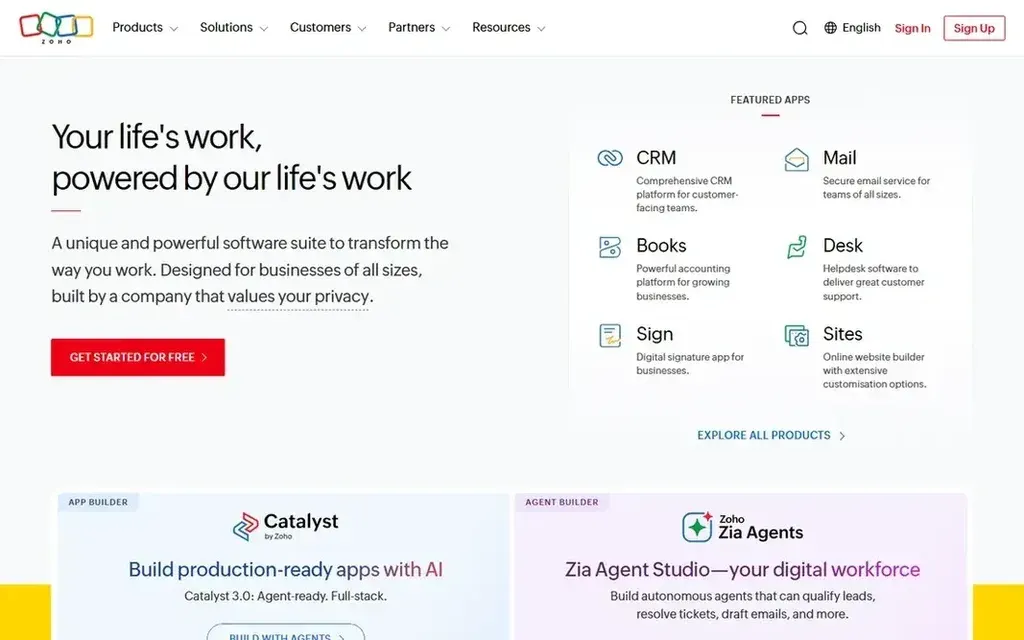
Zoho CRM works best for teams wanting a configurable agentic CRM. Zoho CRM is described as an agentic CRM product that helps teams run sales operations and close more deals. If you want a tool that works with minimal adjustment, a more straightforward CRM may be the better fit.
What to check first: Interface depth takes learning.
Also, pick Zoho when customization and ecosystem connections are priorities. Organizations with varied workflows commonly value that adaptability when standardizing how leads are captured and followed up. Check the vendor site for Zoho CRM pricing; none is listed in this comparison. Free plan details: Not stated.
- Agentic CRM positioning
- Broad ecosystem of connected apps
- Setup choices can be complicated
How we compared the tools
Pre-purchase checklist
- Get a written quote from Microsoft Dynamics 365 Sales, Pipedrive, HubSpot Sales Hub and Zoho CRM; the list shows no starting price for them.
- Before choosing Microsoft Dynamics 365 Sales, weigh its main limit: implementation can be involved.
- Ask whether HubSpot Sales Hub integrates with your current software, and whether that comes standard or as an add-on.
- Check how data leaves Zoho CRM: formats, limits and whether exports are available on every plan.
- Ask Pipedrive which support channels and response times come with the plan you would buy.
FAQ
Is Microsoft Dynamics 365 Sales the right pick for everyone comparing lead retrieval software for remote teams?
No single tool suits every team. Microsoft Dynamics 365 Sales comes first because it fits Microsoft-centered teams needing sales automation, while SugarCRM suits spotting issues in CRM and ERP data and Pipedrive suits simple pipeline-first lead management. Match the tool to your own size, budget and workflow before deciding.
What should remote teams look for in lead retrieval software?
Look for shared contact records, dependable lead capture from several channels and clear pipeline visibility for sellers working in different locations. Access controls and integrations with your existing tools matter as much as feature lists.
What is the cheapest option for lead retrieval software for remote teams in this list?
On published monthly entry prices, SugarCRM is the lowest here at $68 per user per month. Entry price is only part of the cost, because seats, add-ons and billing terms can change the total. For the full picture, the cards above cover all 5 entries of this lead retrieval software for remote teams list, including price, free plan and limits.
Can I try these tools before paying?
Not by default. None of the tools, from Microsoft Dynamics 365 Sales to Zoho CRM, lists a free plan or a free trial here, so ask each vendor for a demo before committing. Prices, free plan details and limits for all 5 tools in this lead retrieval software for remote teams roundup sit on the individual cards above.
How are the tools for lead retrieval software for remote teams ordered?
Microsoft Dynamics 365 Sales sits first and Zoho CRM last because the order follows typical fit for lead retrieval software for remote teams, then price clarity and free access. It is a judgement call, so read each profile for fit and limits.
Sources
- https://www.microsoft.com/en-us/dynamics-365/products/sales
- https://www.sugarcrm.com
- https://www.pipedrive.com
- https://www.hubspot.com/products/sales
- https://www.zoho.com/crm